Modmenu (Forge Port) Optional for BlackStep-1.1.0+mc26.1+
optionalNo matching file

CurseForge · Minecraft mod
Client-side Fabric mod that disables the double-tap-forward sprint trigger. Nothing else changes: the Sprint key, toggle sprint, sprinting on a mount, elytra and riptide all behave as normal.
Quick answer
BlackStep-1.1.0+mc26.1+ targets 26.1, 26.1.1, 26.1.2 with Fabric. The project page does not say whether this file belongs on the client, dedicated server, or both. All 1 required mods have matching files.
Where it goes
The project page does not say whether this file belongs on the client, dedicated server, or both.
The source does not explicitly classify this release as client-only or server-only.
BlackStep-1.1.0+mc26.1+ on 26.1. Every mod below is checked against that same setup.
Install Fabric API first. We found matching files for this game-version and loader setup.
We only count dependency files that match this setup. A file for another loader does not fill the gap.
Before you install it
Built for BlackStep-1.1.0+mc26.1+ on 26.1. Pick another file and the loader, install side or required mods may change.
Use BlackStep-1.1.0+mc26.1+. It targets 26.1, 26.1.1, 26.1.2 with Fabric; another release may have different loader, side or dependency requirements.
Install Fabric API first. We found matching files for this game-version and loader setup.
The project page does not say whether this file belongs on the client, dedicated server, or both.
Use the “Get this file” button beside BlackStep-1.1.0+mc26.1+. It opens that exact file at the source.
About this project
Minecraft turns sprinting on when you tap W twice quickly. It's easy to trigger by accident — nudging back to a ledge, lining up a jump, walking a 1-block bridge — and there's no vanilla way to turn just that off.
BlackStep disables the double-tap trigger and nothing else.
Everything except the double tap:
Ctrl by default)[ by default, rebindable from vanilla's Controls screen.config/blackstep.json and apply the moment you change them. No restart.The mod intercepts a single field read in the vanilla sprint-start logic, so the second-tap branch is never reached. The sprint key sits in a separate branch and is untouched. That's the whole mod — no ticking loops, no input capture, no measurable overhead.
| Minecraft | 26.1 – 26.2 |
| Fabric Loader | 0.19.3+ |
| Fabric API | 0.148.0+ |
| Java | 25+ |
| ModMenu | 18.0.0+ (optional, for the settings screen) |
Client-side only. No server install needed, and it works on any server you join.
26.1 added a Sprint window slider (0–10 ticks) under Controls. Setting it to 0 also disables double-tap sprint. BlackStep gives you an in-game toggle key with feedback instead, and works no matter where that slider sits — it intercepts the read rather than the value.
Project description from CurseForge.
Pick your setup
Choose the version and loader you play, then open the matching release.
Check the dependencies, then try the file in a copied instance before changing a world you care about.
Recent files
blackstep-1.1.0+mc26.1-26.3.jar
28 Sept 2026
blackstep-1.0.0.jar
9 Sept 2026
Looking for an older file? The official CurseForge project page is in Resources.
 mod
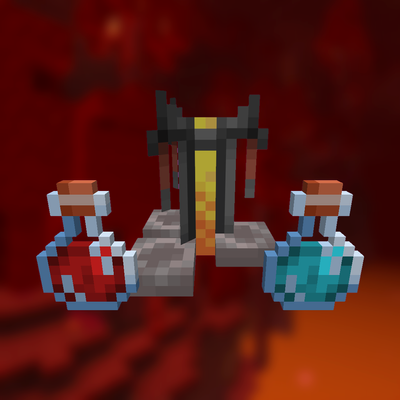
Click the button on the brewing stand, pick any potion, and see its full recipe, which ingredients you carry and what to add next.
 mod
BETA! Adds a structure tab to field guide and a recipe one that aims to replace EMI with something more immersive (also usefull for modpacks and maps creator)
 mod
Slows down baby zombies, instead of outright removing them