Minecraft version
Back to mods 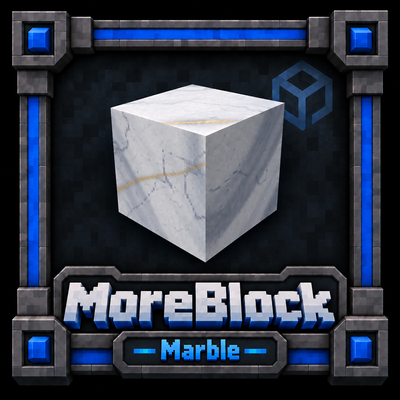
CurseForge · Minecraft mod
MoreBlock : Marble
Add marble to your game.
Choose a version Pick your version below, then grab the matching file.
Quick answer
Which MoreBlock : Marble release should I use?
Latest stable file moreblock_marble-0.1.0.jar
Game version 1.21.1
Loader NeoForge
MoreBlock : Marble moreblock_marble-0.1.0.jar targets 1.21.1 with NeoForge. The project page does not say whether this file belongs on the client, dedicated server, or both. No extra mods listed for this file.
Where it goes
Is MoreBlock : Marble required on the client, server, or both?
The project page does not say whether this file belongs on the client, dedicated server, or both.
Client Source doesn’t say
Dedicated server Source doesn’t say
Loader for this release NeoForge
Required install it here Optional supported, not mandatory Not supported do not install here Source doesn’t say do not assume
The source does not explicitly classify this release as client-only or server-only.
What else does MoreBlock : Marble moreblock_marble-0.1.0.jar need?
moreblock_marble-0.1.0.jar. Change the file and its required mods may change too.
This file does not list any required mods. Do not add a library just because a different file uses it.
This file does not list any required or optional mods.
Before you install it
Add MoreBlock : Marble without breaking your instance.
Built for MoreBlock : Marble moreblock_marble-0.1.0.jar. Pick another file and the loader, install side or required mods may change.
- 01
Stick to this file
Use moreblock_marble-0.1.0.jar. It targets 1.21.1 with NeoForge; another release may have different loader, side or dependency requirements.
- 02
Bring the mods it needs
This file does not list any required mods. Do not add a library just because a different file uses it.
- 03
Put it on the correct side
The project page does not say whether this file belongs on the client, dedicated server, or both.
- 04
Pick the file you checked
Use the “Get this file” button beside moreblock_marble-0.1.0.jar. It opens that exact file at the source.
About this project
What does MoreBlock : Marble add?
MoreBlock : Marble
Marble in minecraft.
Every marble block in Minecraft is one tile, repeated. Build a wall and the pattern loops three blocks away.
This mod stretches a single sheet of marble across the world, and each block shows the piece that belongs to its position. Veins cross from block to block. A floor reads as one slab of stone instead of tiling. And it works on every shape — the shape is carved out of the marble, not painted onto it, so the vein still runs through the corner of a staircase.
WHAT YOU GET
- 12 varieties, each a different rock: Carrara, White & Gold, Grey, Blue & Gold,
Violet, Black & Gold, Pink, Travertine, Honey Onyx, Brown, Red Breccia,
Green Breccia. - 8 forms of each: block, slab, stairs, wall, pressure plate, button, fluted
pillar, tumbled marble. 96 blocks in all. - Lay a pillar on its side and the flutes and the veins follow the shaft.
- Everything crafts normally and everything cuts on a vanilla stonecutter with
no waste.
WHERE YOU FIND IT
Each variety outcrops in its own biomes, so the colour of the stone tells you
where you are:
Grey ......... forests, hills, plains — the common one, build with it
Carrara ...... mountains
White & Gold . meadows, groves, snowy slopes
Blue & Gold .. frozen and jagged peaks, ice spikes, snowy taiga
Violet ....... mushroom fields, deep dark
Black & Gold . dark forest, old growth spruce taiga
Pink ......... cherry groves
Travertine ... deserts
Honey Onyx ... savannas
Brown ........ taiga, old growth pine taiga
Red Breccia .. badlands
Green Breccia.. jungles, swamps, lush caves
GETTING IT OUT OF THE GROUND
Marble does not drop itself. A pickaxe gives you crushed marble — Silk Touch
excepted, so a wall you just built can still be moved.
Crushed marble goes into the Marble Tumbler and comes out as tumbled marble,
which places in quarter-block layers and grows as you click it. Nothing runs
backwards: to get a clean block again, you cut one.
PETROL SAW
Iron or diamond blade, Diamond blade as four times the life of an iron saw, twice the cutting speed.
It runs wet. Hook the hose to a Water Tank and stay within ten blocks — you can
see the line, and how much slack is left. Snap it and the saw starts producing
rubble instead of clean blocks.
Right-click for the dashboard: water, fuel, ignition. Left-click revs the blade
instead of swinging at things.
JACKHAMMER
Digs 3x3, with an outline showing exactly which blocks are about to go.
The bit overheats after 108 blocks of continuous work and drops back to a single
block until it cools.
Both machines run on a jerrycan or a lava bucket. Jerrycans stack.
NOTES
NeoForge 1.21.1. No dependencies on anything else.
Server-friendly: the marble blocks are ordinary stone as far as the server is
concerned. All the vein work happens client-side, with no block entities and
nothing extra on the wire — place them by the thousand.
Datapack-friendly: quarry rarity, size and biomes are one JSON file per marble.
English and French, both maintained.
Project description from CurseForge.
Pick your setup
MoreBlock : Marble by Minecraft version and loader
Choose the version and loader you play, then open the matching release.
Check the dependencies, then try the file in a copied instance before changing a world you care about.
Recent files
MoreBlock : Marble versions and loaders
moreblock_marble-0.1.0.jar
30 Sept 2026
Client Source doesn’t say Server Source doesn’t say Dependencies No extras listed Listed on Release listing
Check the 1.21.1 · NeoForge setup 1.21.1NeoForge release
moreblock_marble-0.1.0.jar
10 Sept 2026
Client Source doesn’t say Server Source doesn’t say Dependencies No extras listed Listed on Release listing
Check the 1.21.1 · NeoForge setup 1.21.1NeoForge release
moreblock_marble-0.1.0.jar
9 Sept 2026
Client Source doesn’t say Server Source doesn’t say Dependencies No extras listed Listed on Release listing
Check the 1.21.1 · NeoForge setup 1.21.1NeoForge release
Looking for an older file? The official CurseForge project page is in Resources.