Minecraft version
Back to mods 
CurseForge · Minecraft mod
MCTGames
Three daily puzzles in one mod: Craftle (Wordle for crafting recipes), Connectle (Connections with Minecraft items) and CrossCraft (a Minecraft mini crossword). One hub, one hotkey, the same puzzles for everyone each day.
Choose a version Pick your version below, then grab the matching file.
Quick answer
Which MCTGames release matches 26.3?
Best match for your filters mctgames-1.3.1+mc26.3-neoforge.jar
Game version 26.3
Loader NeoForge
mctgames-1.3.1+mc26.3-neoforge.jar targets 26.3 with NeoForge. The project page does not say whether this file belongs on the client, dedicated server, or both. No extra mods listed for this file.
Where it goes
Is MCTGames required on the client, server, or both?
The project page does not say whether this file belongs on the client, dedicated server, or both.
Client Source doesn’t say
Dedicated server Source doesn’t say
Loader for this release NeoForge
Required install it here Optional supported, not mandatory Not supported do not install here Source doesn’t say do not assume
The source does not explicitly classify this release as client-only or server-only.
What else does mctgames-1.3.1+mc26.3-neoforge.jar need?
mctgames-1.3.1+mc26.3-neoforge.jar on 26.3. Every mod below is checked against that same setup.
This file does not list any required mods. Do not add a library just because a different file uses it.
This file does not list any required or optional mods.
Before you install it
Add MCTGames without breaking your instance.
Built for mctgames-1.3.1+mc26.3-neoforge.jar on 26.3. Pick another file and the loader, install side or required mods may change.
- 01
Stick to this file
Use mctgames-1.3.1+mc26.3-neoforge.jar. It targets 26.3 with NeoForge; another release may have different loader, side or dependency requirements.
- 02
Bring the mods it needs
This file does not list any required mods. Do not add a library just because a different file uses it.
- 03
Put it on the correct side
The project page does not say whether this file belongs on the client, dedicated server, or both.
- 04
Pick the file you checked
Use the “Get this file” button beside mctgames-1.3.1+mc26.3-neoforge.jar. It opens that exact file at the source.
About this project
What does MCTGames add?
MCTGames
Three daily puzzles, one mod
Remove the standalone Craftle, Connectle and CrossCraft first. This bundle replaces all three and refuses to load beside them. Your games, stats and streaks carry over.
Every day, everyone gets the same three puzzles, resetting together at midnight US Eastern. Press H (rebindable) or run /dailies for the hub.
- Craftle is Wordle for crafting recipes: ten guesses to crack one secret recipe on a real 3x3 grid, with green, orange and grey feedback on every ingredient.
- Connectle is Connections with Minecraft items: sixteen items, four hidden groups of four, four lives, and a share grid.
- CrossCraft is a mini crossword where every answer is something from the game, with a clock, a daily leaderboard and item-icon clues.
The hub
| Row | What it shows |
|---|---|
| Status | Not started, in progress ("3/10 guesses", "2/4 groups · 1 mistake", "12/21 letters · 2:14"), or the result |
| Streak | As it stands today, with "at risk" when yesterday was solved and today isn't yet |
| Play / Resume / View | Opens today's puzzle |
| Practice | Deals an endless practice puzzle that never spoils the daily |
The countdown at the bottom says when the next puzzles arrive. The H key also works inside Craftle, Connectle and the hub; inside CrossCraft, where letters go into the grid, use the H button on the board.
Commands
| Command | What it does |
|---|---|
/dailies (or /mctgames) |
Opens the hub |
/dailies craftle, /dailies connectle, /dailies crosscraft |
Opens that game's daily |
/craftle, /connectle, /crosscraft |
Each game's own command, as before, with random and random new for practice |
Features
- The same puzzles everywhere. Each game deals exactly what its standalone mod dealt on a given day, so a server that upgrades keeps its sequence.
- Nothing to cheat with. The server holds every answer and grades every guess; answers never reach the client until a game is over.
- One login nudge naming only the games you haven't started today.
- One high contrast setting for all three games, with colourblind-safe palettes.
- Saves carry over. The standalone save files are imported on the first start and never modified.
Installation
MCTGames must be installed on both the client and the server, along with Fabric API.
- Remove any standalone Craftle, Connectle or CrossCraft jar from
mods - Install the Fabric loader for Minecraft 26.2
- Drop the MCTGames jar and the Fabric API jar into your
modsfolder - In singleplayer it just works. On a server, stop it, install on both sides, then start.
Players without the mod can't open the boards, and nothing else breaks for them.
Credits
Craftle is an independent fan recreation of the browser game Minecraftle by Tamura Boog, Zach Manson, Harrison Oates and Ivan Sossa Gongora. Connectle recreates Connections, and CrossCraft is inspired by the mini crosswords of newspaper puzzle pages. Not affiliated with or endorsed by The New York Times or Mojang.
Project description from CurseForge.
Pick your setup
MCTGames by Minecraft version and loader
Choose the version and loader you play, then open the matching release.
Minecraft version
26.2
2 loader buildsMinecraft version
26.1.2
2 loader buildsCheck the dependencies, then try the file in a copied instance before changing a world you care about.
Recent files
MCTGames versions and loaders
mctgames-1.3.1+mc26.3-neoforge.jar
18 Sept 2026
Client Source doesn’t say Server Source doesn’t say Dependencies No extras listed Listed on Release listing
Check the 26.3 · NeoForge setup NeoForge26.3 release
mctgames-1.3.1+mc26.3.jar
18 Sept 2026
Client Source doesn’t say Server Source doesn’t say Dependencies 1 required · 1 unchecked Listed on Release listing
Check the 26.3 · Fabric setup Fabric26.3 release
Looking for an older file? The official CurseForge project page is in Resources.
 mod
mod CurseForge · Minecraft
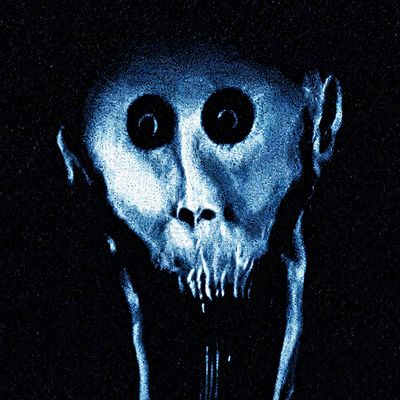
Blue Person
Adds a blue-colored figure to your world. I wouldn't recommend making eye contact with it.
 mod
mod CurseForge · Minecraft
Wallet
The Wallet mod introduces a complete in-game economy system with 7 different coin denominations. Players can discover coins while exploring the world. It also features a convenient wallet interface that allows you to view and manage your currency.
 mod
mod CurseForge · Minecraft
Don't Punch My TACZ
Fixes Punchy conflicts and bugs → TACZ, SuperbWarfare, Carry On, Create and more