[TACZ] LesRaisins Tactical Equipements Optional for HDWS - Hud Display Widgets System hdws-1.20.1-1.0.5b.jar
optionalMatching file found Matched file: lrtactical-1.20.1-0.4.3.jar
CurseForge · Minecraft mod
A comprehensive UI and inventory overhaul featuring interactive gun modding, modular item management, and sleek custom displays.
Quick answer
HDWS - Hud Display Widgets System hdws-1.20.1-1.0.5b.jar targets 1.20.1 with Forge. The project page does not say whether this file belongs on the client, dedicated server, or both. All 2 required mods have matching files.
Where it goes
The project page does not say whether this file belongs on the client, dedicated server, or both.
The source does not explicitly classify this release as client-only or server-only.
hdws-1.20.1-1.0.5b.jar. Change the file and its required mods may change too.
Install Curios API, [TaCZ] Timeless and Classics Zero Guns first. We found matching files for this game-version and loader setup. 3 come through another mod in the chain.
3 extra mods were pulled in by other dependencies. Indented rows show who needs each one. We only count dependency files that match this setup. A file for another loader does not fill the gap.
Before you install it
Built for HDWS - Hud Display Widgets System hdws-1.20.1-1.0.5b.jar. Pick another file and the loader, install side or required mods may change.
Use hdws-1.20.1-1.0.5b.jar. It targets 1.20.1 with Forge; another release may have different loader, side or dependency requirements.
Install Curios API, [TaCZ] Timeless and Classics Zero Guns first. We found matching files for this game-version and loader setup. 3 come through another mod in the chain.
The project page does not say whether this file belongs on the client, dedicated server, or both.
Use the “Get this file” button beside hdws-1.20.1-1.0.5b.jar. It opens that exact file at the source.
About this project
A total UI, inventory, and gameplay overhaul for Minecraft 1.20.1 (Forge). Designed for tactical shooters, extraction games, and PVP-style modpacks.
⚠️ Status: Currently in Beta Testing. Features and mechanics are actively being updated!
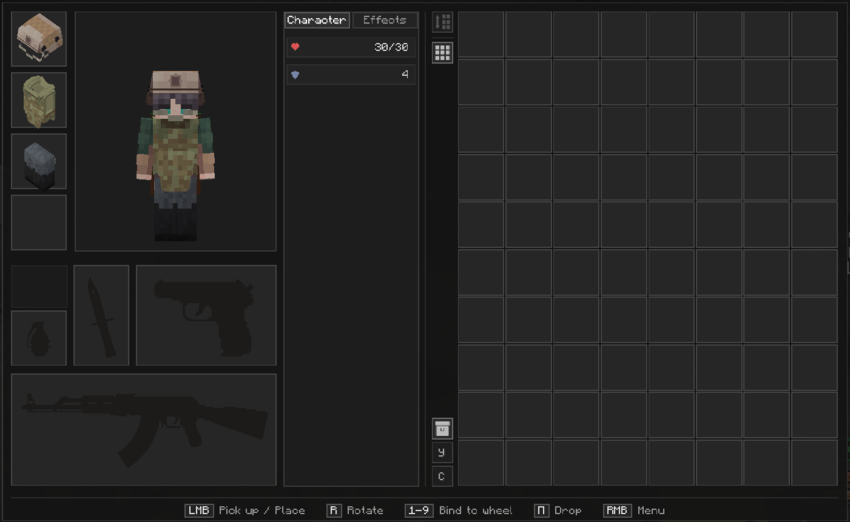 Custom grid inventory, item sizes, multi-slot equipment, and tactical guns.
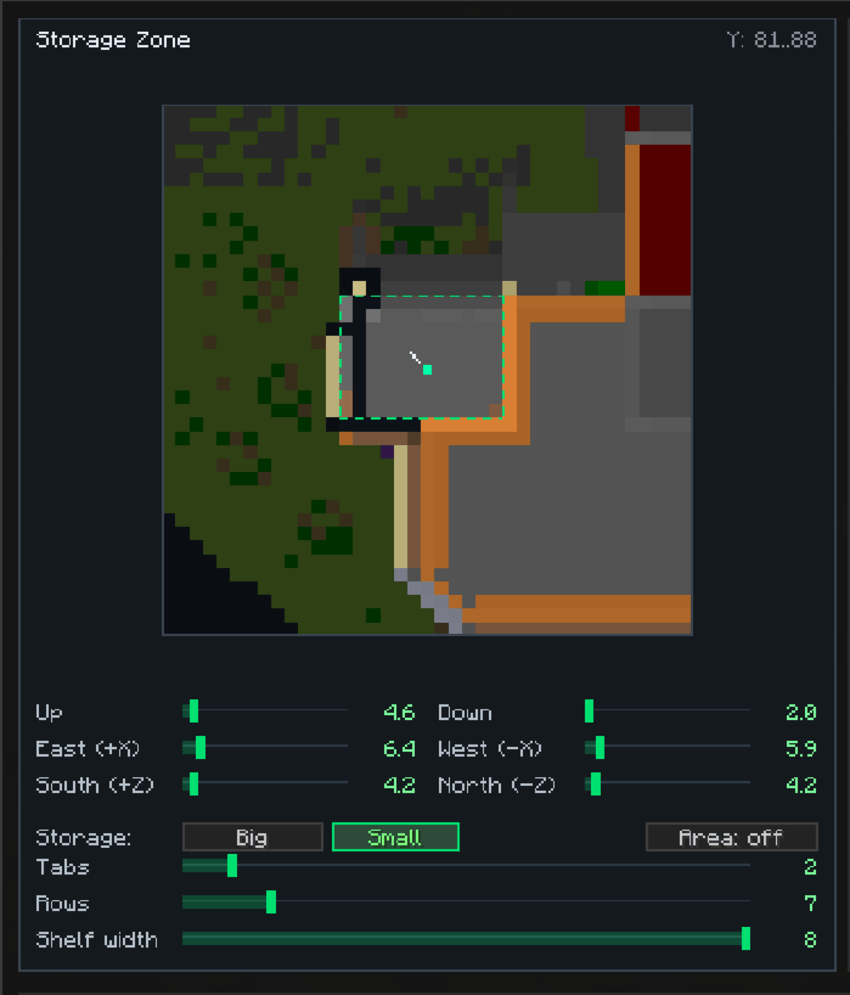 Safezone radius configuration and storage visualizer (X/Y/Z area controls).
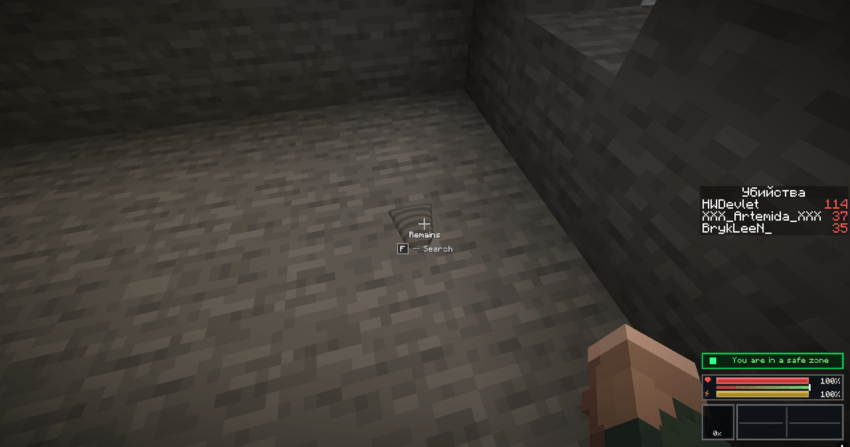
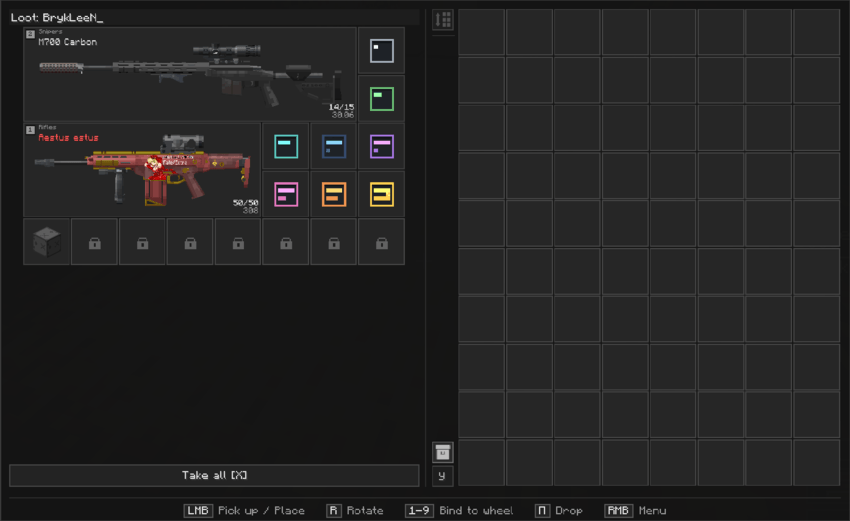
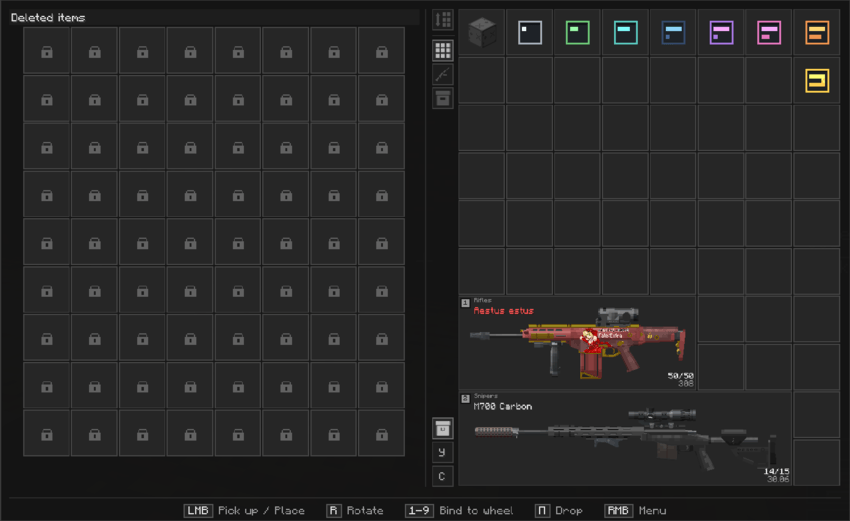 Looting remains, death bags, and recovery timer slots.
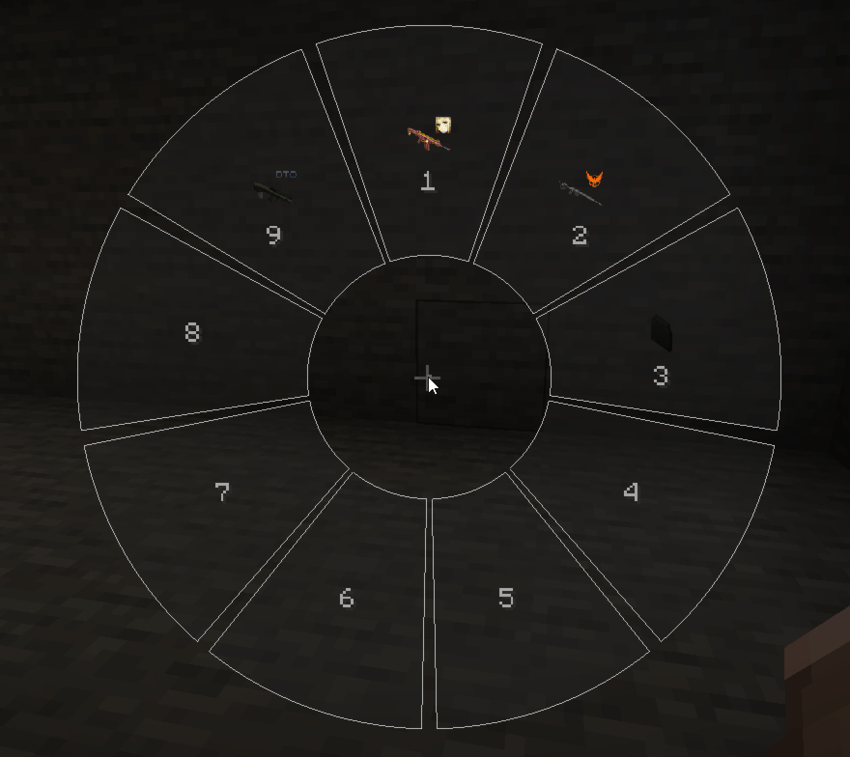 Fast-access radial selector wheel.
For the mod to run properly, the following dependencies are required:
1.1.8-hotfix or higher.5.14.x or higher.Complete Inventory Overhaul
Safezones & Personal Vaults
Movement & Tactical Integration
100% Configurable
LMB — Take / Place ItemRMB — Context MenuR — Rotate Item in Inventory (4-way rotation)G — Quick Drop ItemF — Search / Loot RemainsX — Take All (Looting Menu)R (Default) — Open Radial MenuG (Default) — Open grenade Radial Menu1 to 9 to instantly assign it to that quick slot.R to bring up the quick item selector wheel, hover over the item, and release to use.G to open the quick grenade wheel.Project description from CurseForge.
Pick your setup
Choose the version and loader you play, then open the matching release.
Check the dependencies, then try the file in a copied instance before changing a world you care about.
Recent files
15 Sept 2026
14 Sept 2026
11 Sept 2026
10 Sept 2026
10 Sept 2026
Looking for an older file? The official CurseForge project page is in Resources.
 mod
modSimple UI element showing whether you're currently sprinting.
 mod
moddependency mod for mods
 mod
modA simple skin mod for use in other server and make your skin can use with high resolution up to 8192x!