Fabric API Needed by TheBear Heroes Core thebear-heroes-core-1.2.4.jar
requiredMatching file found Matched file: [1.21.1] Fabric API 0.116.18+1.21.1

CurseForge · Minecraft mod
The shared foundation for TheBear’s Heroes, providing unified progression, abilities, HUD, controls, settings, Creative organization, and compatibility across every hero mod.
Quick answer
TheBear Heroes Core thebear-heroes-core-1.2.4.jar targets 1.21.1 with Fabric. The project page does not say whether this file belongs on the client, dedicated server, or both. All 1 required mods have matching files.
Where it goes
The project page does not say whether this file belongs on the client, dedicated server, or both.
The source does not explicitly classify this release as client-only or server-only.
thebear-heroes-core-1.2.4.jar. Change the file and its required mods may change too.
Install Fabric API first. We found matching files for this game-version and loader setup.
We only count dependency files that match this setup. A file for another loader does not fill the gap.
Before you install it
Built for TheBear Heroes Core thebear-heroes-core-1.2.4.jar. Pick another file and the loader, install side or required mods may change.
Use thebear-heroes-core-1.2.4.jar. It targets 1.21.1 with Fabric; another release may have different loader, side or dependency requirements.
Install Fabric API first. We found matching files for this game-version and loader setup.
The project page does not say whether this file belongs on the client, dedicated server, or both.
Use the “Get this file” button beside thebear-heroes-core-1.2.4.jar. It opens that exact file at the source.
About this project
If you enjoy my mods and want to support me making more of them, you can support me on Patreon.
Everything I make will stay free. This is just a way to support my work ❤️
The shared foundation for TheBear’s superhero mods.
TheBear Heroes Core brings supported heroes together through a common HUD, unified controls, an organized Creative tab, and a character-specific Mastery system. It provides the shared systems used by TheBear’s Cyclops and TheBear’s Jean Grey, giving each hero room for their own abilities while keeping the overall experience consistent.
Install Core alongside a supported hero mod to access its integration with the Heroes menu, progression, and augment builds.
Find shared controls under TheBear’s Heroes in Minecraft’s settings and access hero items through the same Creative tab.
Supported heroes use a common ability HUD with consistent formatting and your current key bindings. Items are arranged in a fixed order, keeping each hero’s equipment grouped together.
Whether you are switching from Cyclops to Jean Grey or returning to human form, the shared interface keeps familiar actions in familiar places.
Each hero has an independent Mastery profile, progressing from level 1 to level 20.
All base abilities are available from the beginning. Mastery unlocks new ways to specialize those abilities, allowing you to develop your preferred approach as you play.
Your progress belongs to the character you earned it with. Playing Jean Grey does not overwrite Cyclops’s Mastery, and switching heroes does not erase either profile. Progress is also preserved on death.
Core uses its own progression system, separate from vanilla experience.
Eligible activities include combat contributions, boss fights, raids, Minecraft advancements, visits to supported structures, and registered ability or support events. Contributions can reward participation in a fight rather than only the final hit.
Repeated farming earns reduced rewards. Special-use and rescue events also have reward limits, helping keep progression tied to varied, meaningful play.
Hero mods connect their abilities to these systems so that using a power successfully can contribute to Mastery. Simply pressing an ability button does not automatically grant experience.
Augments change how a hero’s existing abilities behave.
Each supported character has their own choices, organized into three shared categories:
Power: Offensive effects, impact, and area control.
Control: Precision, timing, duration, and ability management.
Instinct: Movement, defense, survival, and support.
The categories are shared, but the actual effects belong to each hero. Cyclops’s beam specializations differ from Jean Grey’s possession and Mass Freeze options.
Mastery levels 5, 10, and 15 provide access to one, two, and three augment slots. At level 20, eligible Capstone choices introduce further specialization.
You cannot equip everything at once. Slot limits, level requirements, and incompatible choices encourage you to select effects that work together. Many augments exchange one advantage for another, such as improved range with a shorter duration or greater precision with slower preparation.
Open the shared Heroes menu to view installed characters, inspect their Mastery, and manage augment selections.
The menu organizes augments by ability and explains their effects, requirements, and conflicts. Review what a choice changes before adding it to your build.
Build changes are checked by the server, including level requirements, available slots, incompatible augments, and restrictions during combat or active abilities. Outdated menu requests cannot overwrite a newer saved build.
Core groups its command system under /thebear.
Use the available commands to access hero information and supported actions. Administrative tools provide ways to manage progression and test builds, with privileged operations restricted by permissions.
This shared command structure gives supported hero mods a common place for their features.
TheBear Heroes Core separates shared systems from character-specific powers.
Core handles the common progression and interface foundation, while individual hero mods supply their own abilities, equipment, and augment behavior. This keeps supported heroes consistent without making them play identically.
Current integrations include TheBear’s Cyclops and TheBear’s Jean Grey. Core is a required dependency for these integrated releases; it does not grant their powers by itself.
Fabric API
A supported TheBear hero mod to use its character-specific content
For multiplayer, install Core and the relevant hero mods on the server and participating clients.
Project description from CurseForge.
Pick your setup
Choose the version and loader you play, then open the matching release.
Check the dependencies, then try the file in a copied instance before changing a world you care about.
Recent files
11 Sept 2026
11 Sept 2026
Looking for an older file? The official CurseForge project page is in Resources.
 mod
A configurable visual representation of your reach and hit distances
 mod
Fixed the unable to sleep issue with the mod Villager Guards for Minecraft 26.3
 mod
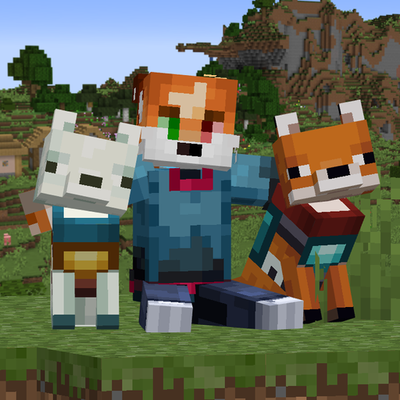
Make foxes your friends: tame them, dress them in armor and let them guard you