Minecraft version
Back to mods 
CurseForge · Minecraft mod
Cloudy Foundry
Cast tool and armour parts from over 30 materials, alloy them in a multiblock Smeltery, then carve sockets and set cut gems to decide what your gear does.
Choose a version Pick your version below, then grab the matching file.
Quick answer
Which Cloudy Foundry release should I use?
Latest stable file foundry-0.1.0.jar
Game version 26.2
Loader NeoForge
Cloudy Foundry foundry-0.1.0.jar targets 26.2 with NeoForge. The project page does not say whether this file belongs on the client, dedicated server, or both. No extra mods listed for this file.
Where it goes
Is Cloudy Foundry required on the client, server, or both?
The project page does not say whether this file belongs on the client, dedicated server, or both.
Client Source doesn’t say
Dedicated server Source doesn’t say
Loader for this release NeoForge
Required install it here Optional supported, not mandatory Not supported do not install here Source doesn’t say do not assume
The source does not explicitly classify this release as client-only or server-only.
What else does Cloudy Foundry foundry-0.1.0.jar need?
foundry-0.1.0.jar. Change the file and its required mods may change too.
This file does not list any required mods. Do not add a library just because a different file uses it.
This file does not list any required or optional mods.
Before you install it
Add Cloudy Foundry without breaking your instance.
Built for Cloudy Foundry foundry-0.1.0.jar. Pick another file and the loader, install side or required mods may change.
- 01
Stick to this file
Use foundry-0.1.0.jar. It targets 26.2 with NeoForge; another release may have different loader, side or dependency requirements.
- 02
Bring the mods it needs
This file does not list any required mods. Do not add a library just because a different file uses it.
- 03
Put it on the correct side
The project page does not say whether this file belongs on the client, dedicated server, or both.
- 04
Pick the file you checked
Use the “Get this file” button beside foundry-0.1.0.jar. It opens that exact file at the source.
About this project
What does Cloudy Foundry add?
Modular tools, armor and gem cutting for NeoForge 26.2.
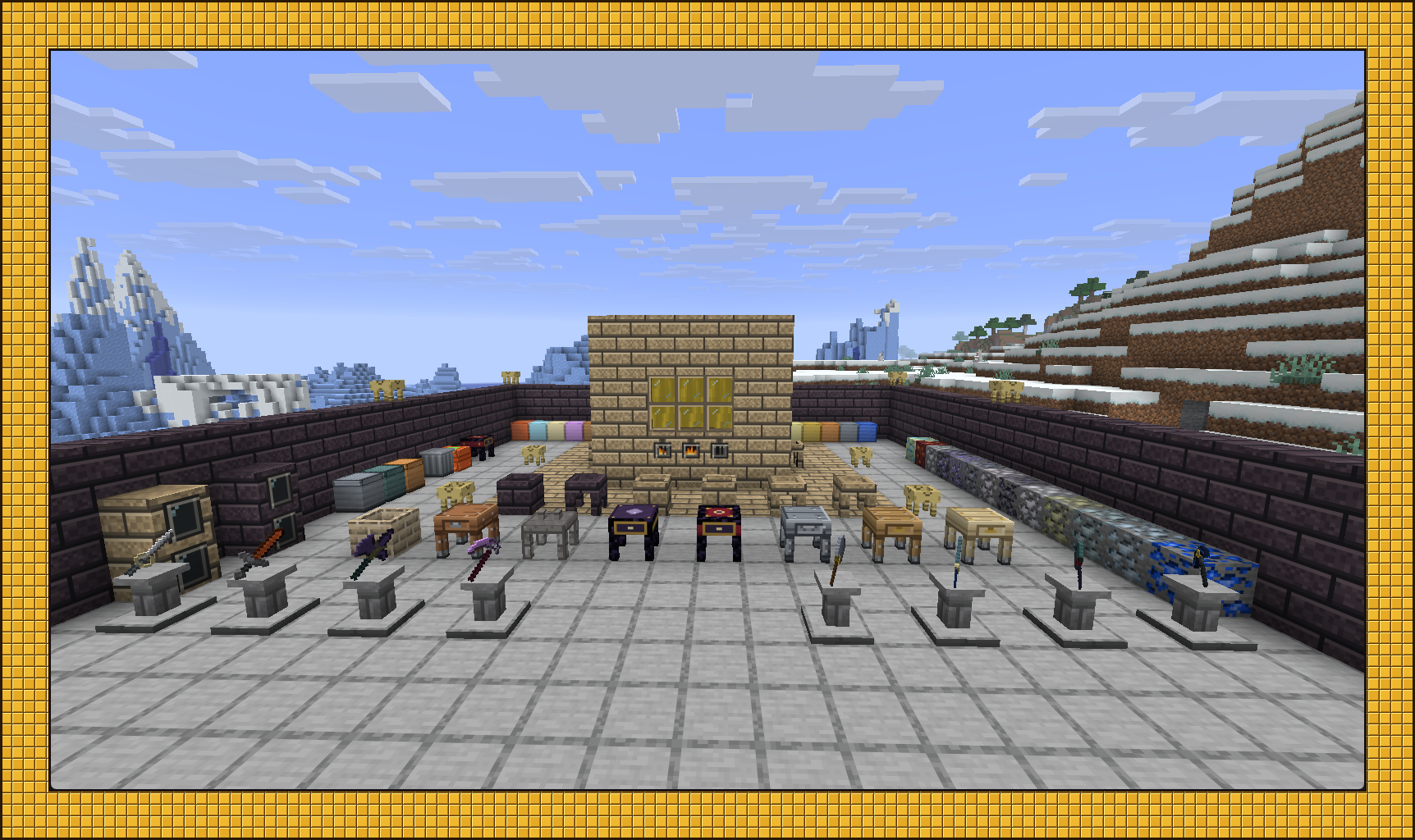
Cloudy Foundry lets you build tools and armor from over 30 materials, mix alloys in a multiblock Smeltery, and add effects to your gear with cut gems. Choose the head, binding and haft for each tool, or the plates, frame, clasps and padding for your armor. Carve sockets into the finished piece, then set gems to suit what you use it for.

The Smeltery
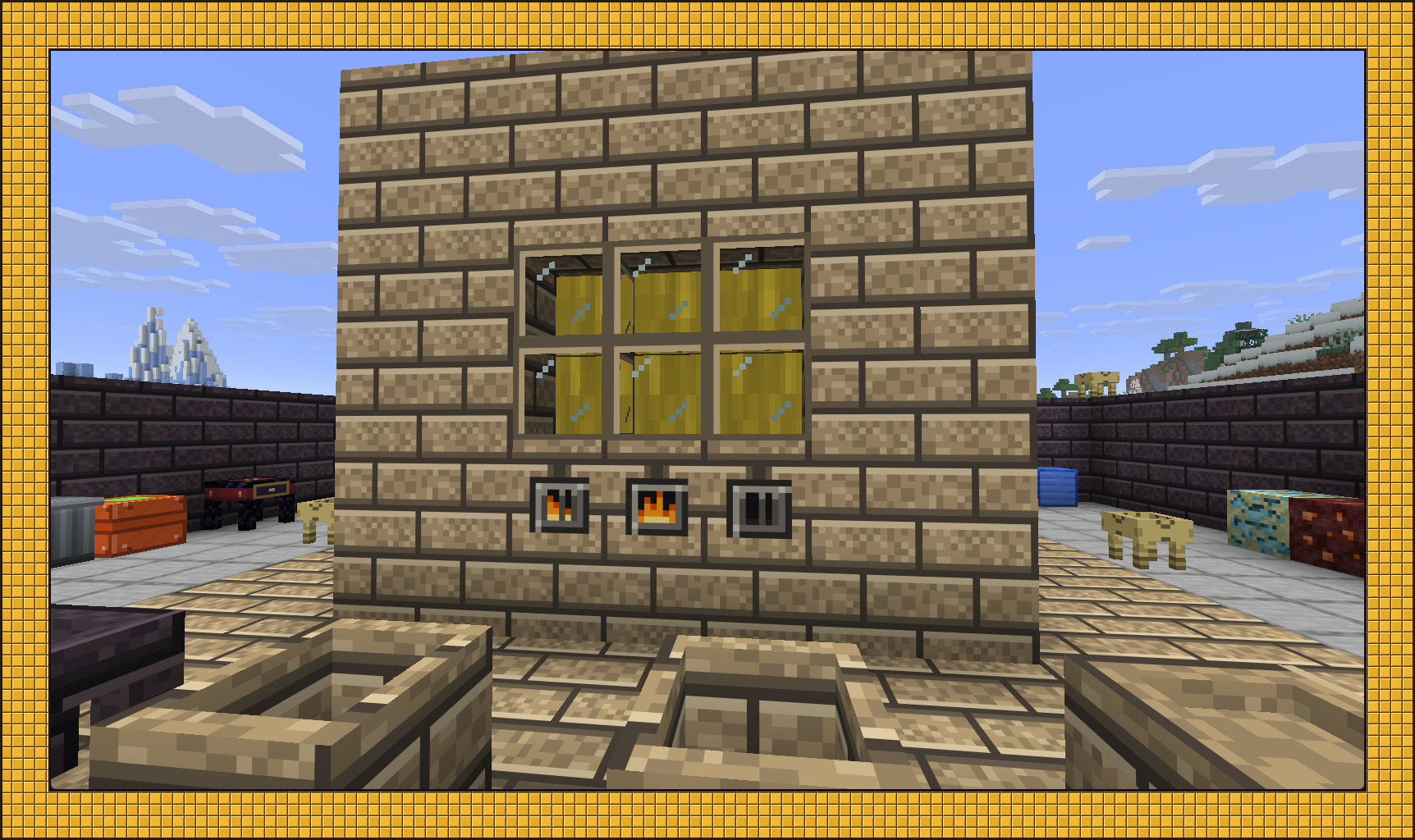
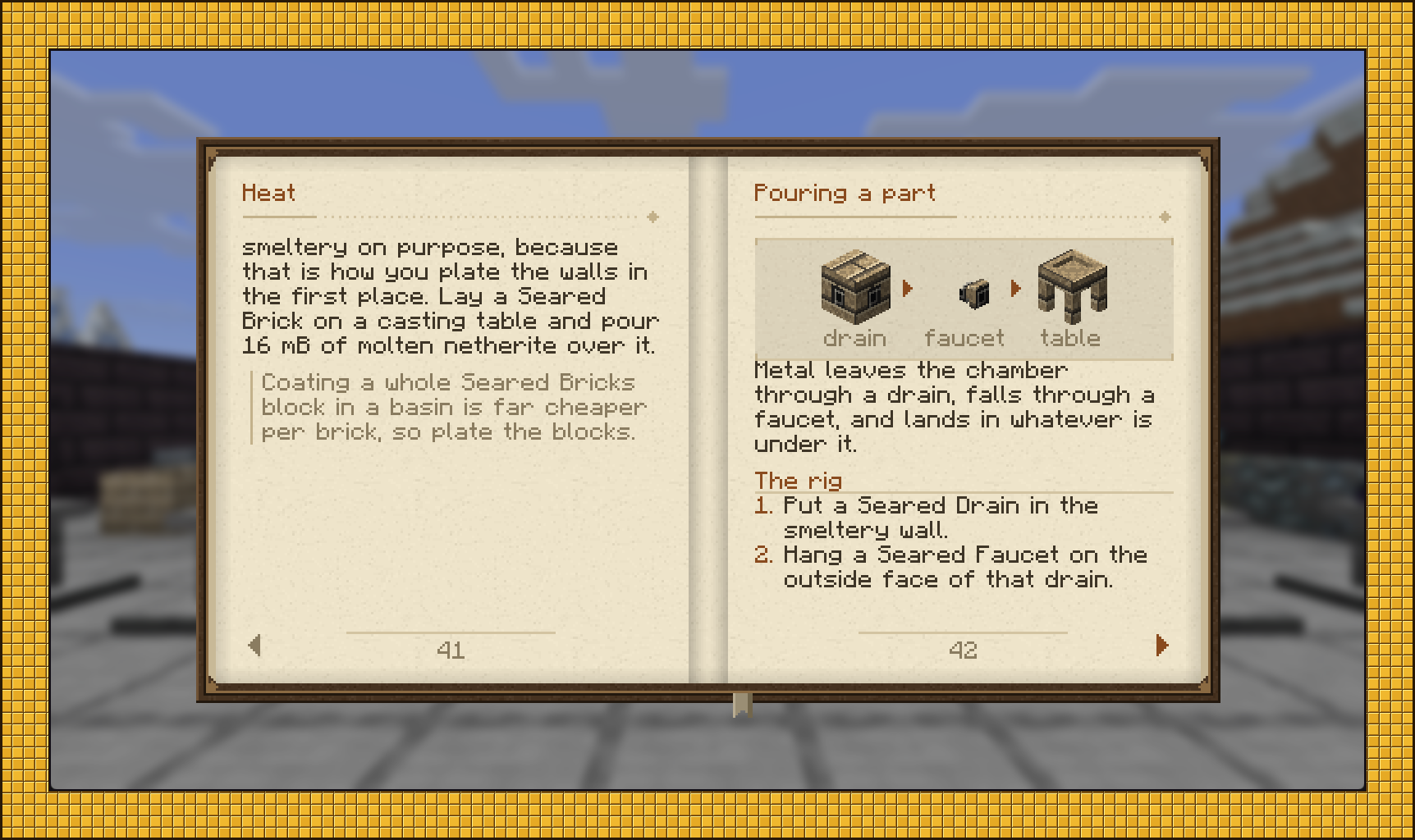
Build a hollow shell of seared brick with a controller in one wall and a heater in another. The interior can be anywhere from 1×1 to 7×7, up to 64 blocks tall. Bigger chambers hold more molten metal. Use a drain and faucet to pour your chosen metal into a casting table or basin.
Alloys form automatically when the ingredients, ratio and temperature are right. Melt three copper and one tin together to get four bronze.
There are 15 alloys: bronze, brass, electrum, invar, constantan, duralumin, steel, corinthium, fulgurite, luminite, tenebrium, tartarite, adamant, blood iron and coagulated blood.
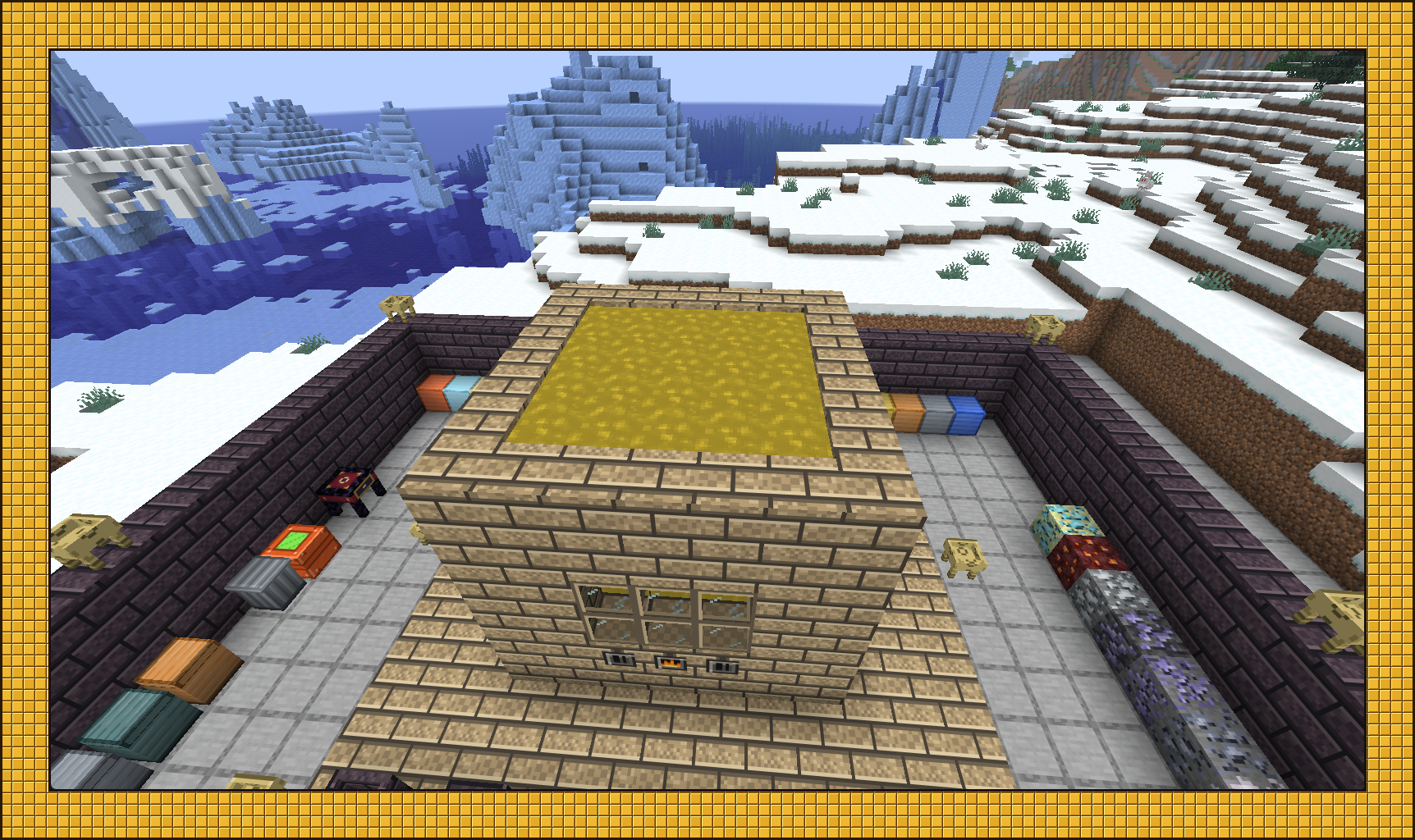
For higher-temperature metals, upgrade to scorched brick by plating seared brick with molten netherite.
Tools
There are 16 tool and weapon types: pickaxe, shovel, hand axe, pulaski, sledge, excavator, felling axe, scythe, carver, broadsword, longsword, rapier, falchion, dagger, halberd and spear.
Each uses a head, a binding and a haft. You can use a different material for each part:
| Part | What it affects |
|---|---|
| Head | Attack damage, mining speed, harvest tier, enchantability, base durability |
| Binding | A multiplier on durability |
| Haft | A multiplier on mining speed and attack speed |
The head determines most of the tool's base stats, while the binding and haft let you adjust its durability and speed.
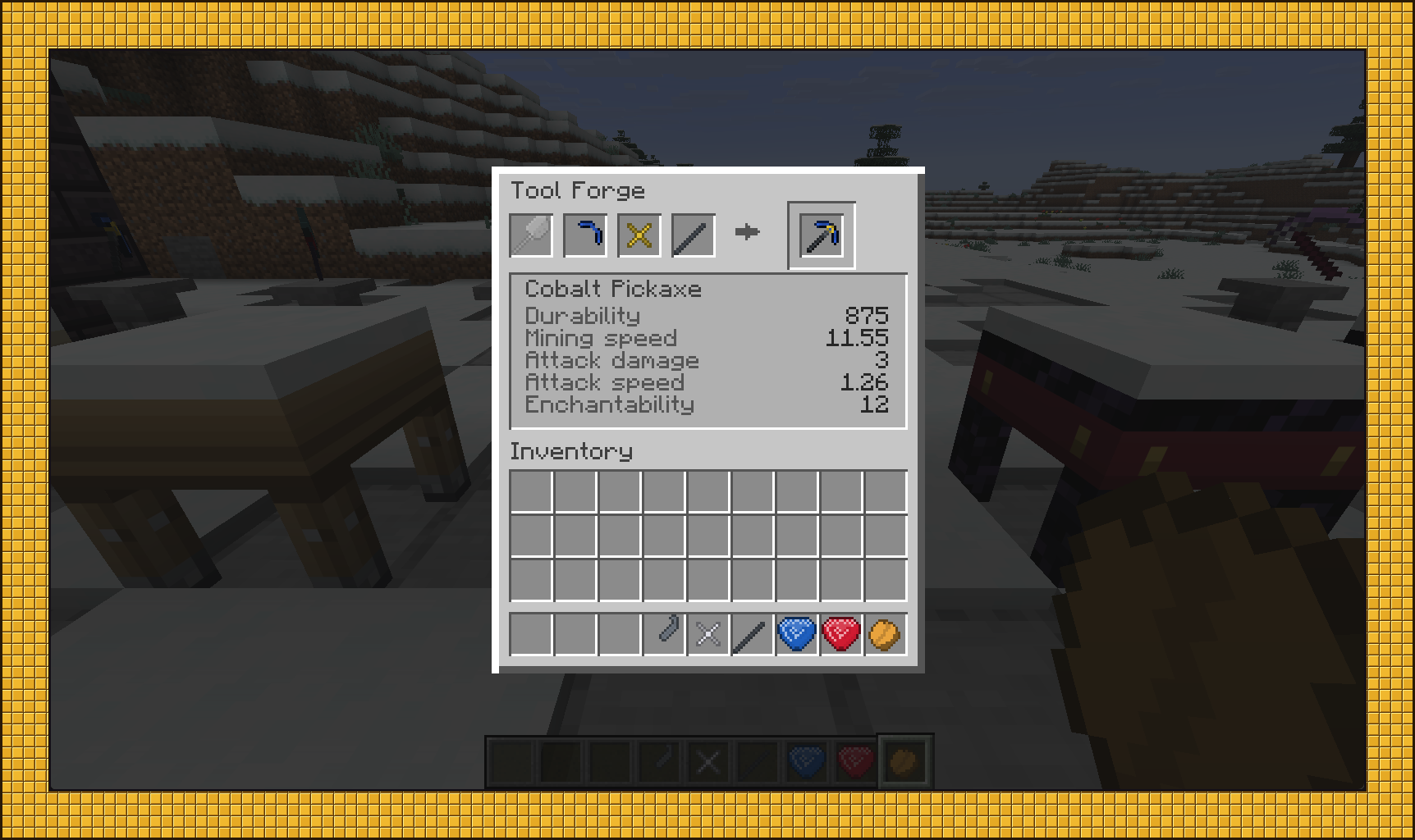
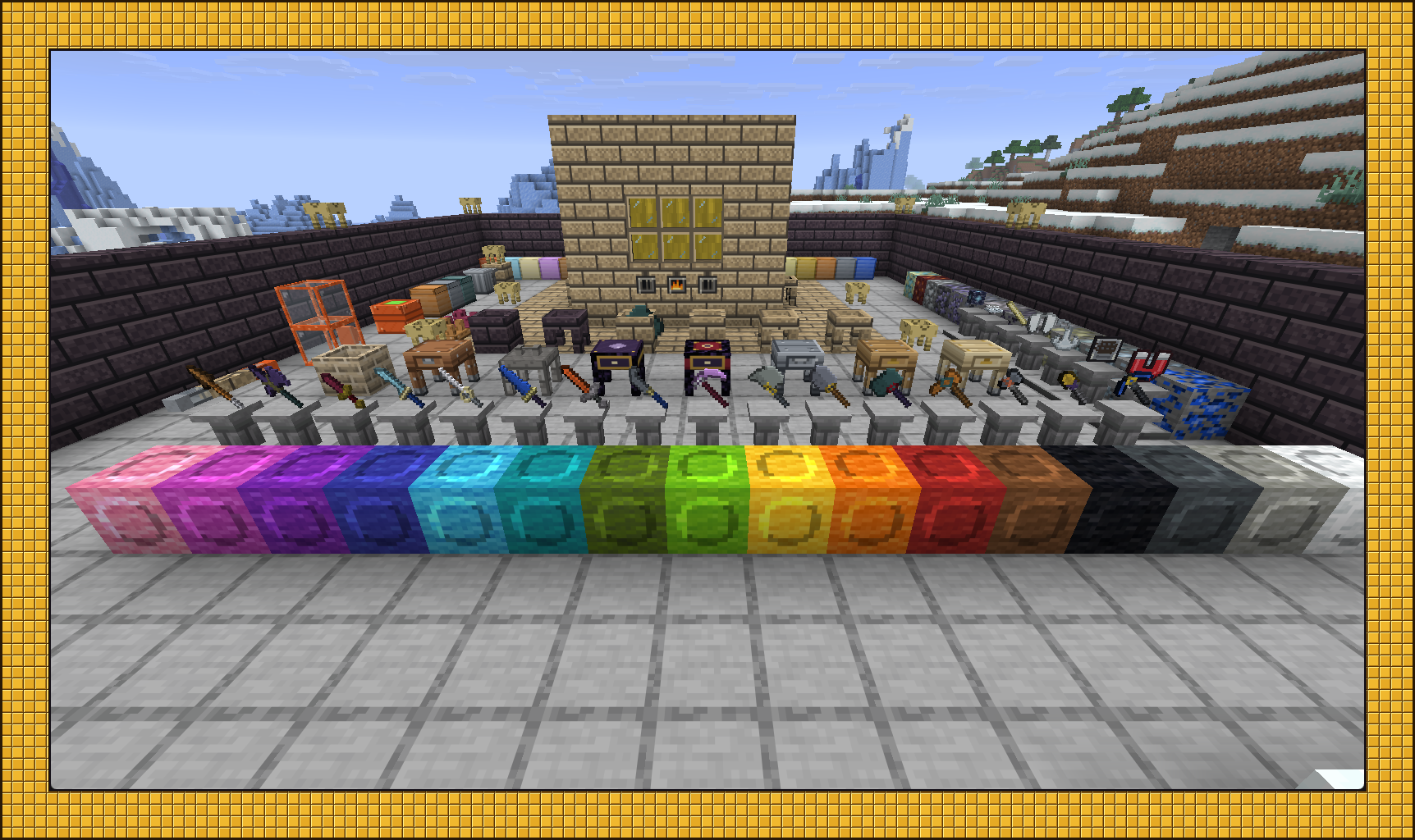
Cast parts using a pattern, which is consumed when you pour, or a reusable cast. Wood, flint and stone parts are made by hand at the Tool Station; everything else is cast.
Gems
Foundry has 12 gems, each with four cuts and four grades. Cut stones on the Lapidary Wheel into cabochon, rose-cut, step-cut or brilliant gems. The cut determines the effect, and the grade (crude, fair, fine or flawless) determines its strength.
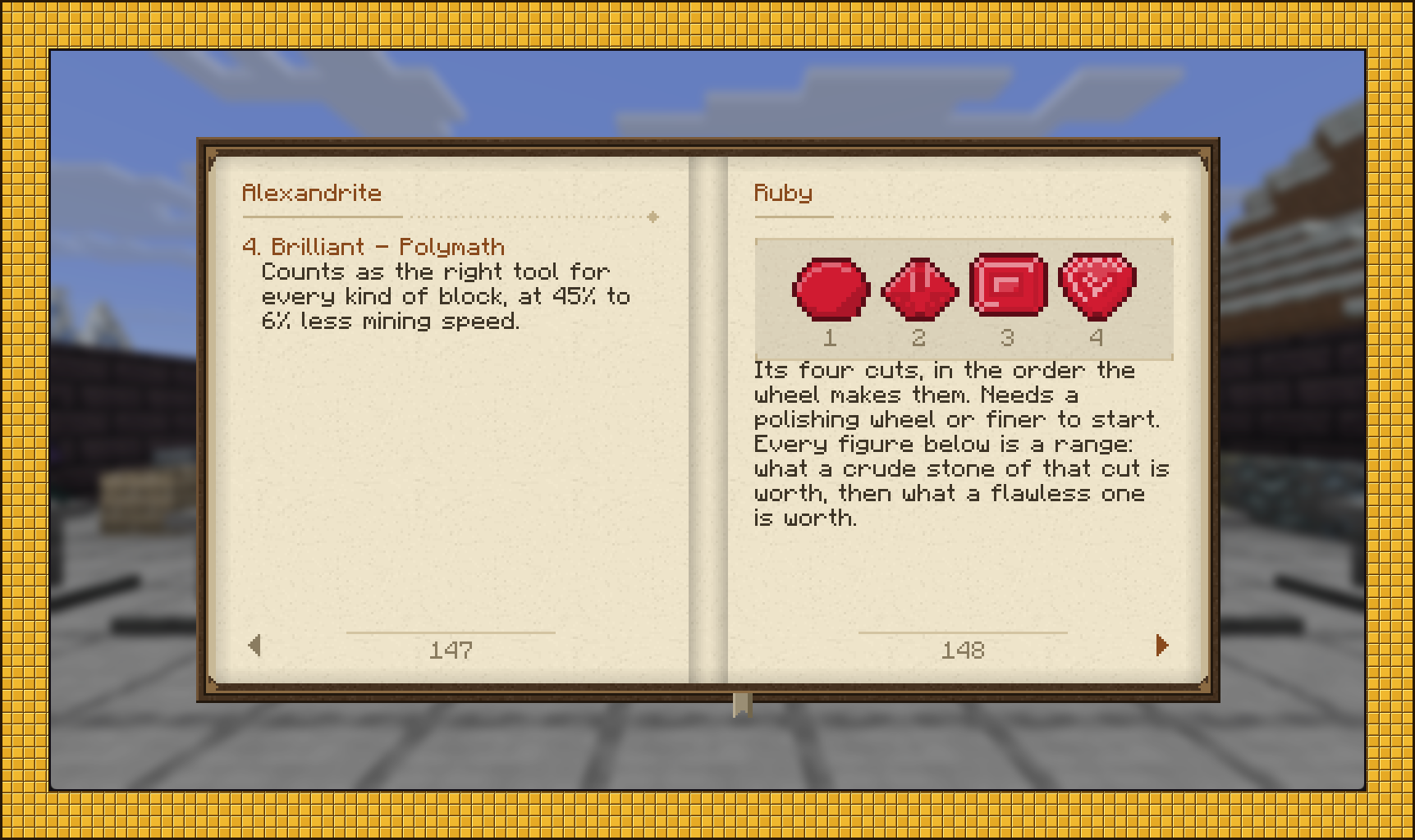
Gem effects also depend on whether you put them in a weapon, armor or a tool, giving 144 effects in all. A ruby in a pickaxe can drop charcoal from ore; in a sword, it can add damage against burning enemies; in a chestplate, it can shorten how long you burn.
Use the Carving Table to open sockets, then the Socketing Table to set your gems. Tools can have up to four sockets, and an apex chestplate can have up to six. A failed cut does one of two things, at even odds: the carver's bit snaps, or the piece permanently loses 10% of its maximum durability. Sockets already carved and gems already set are never lost, and the piece is never destroyed.
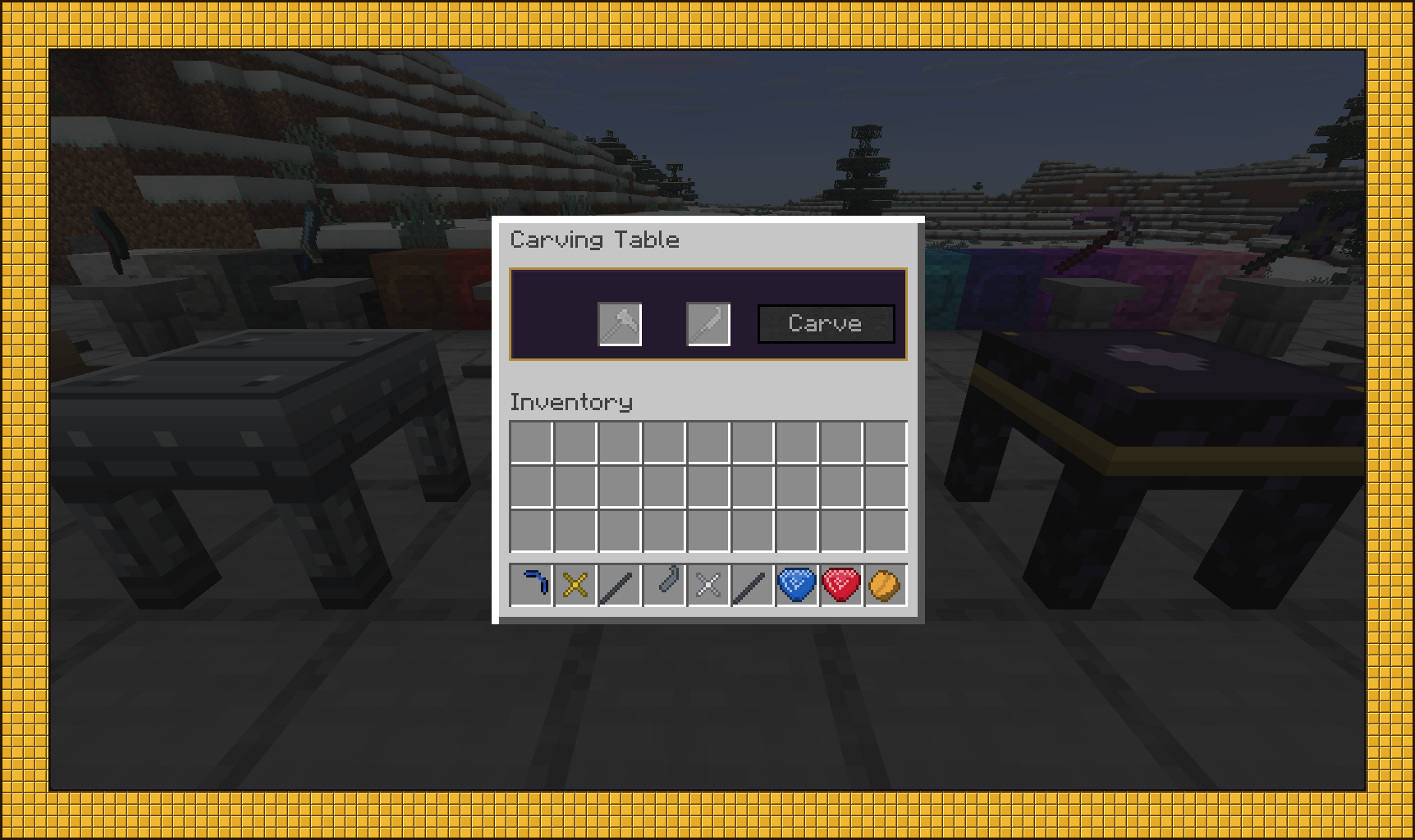
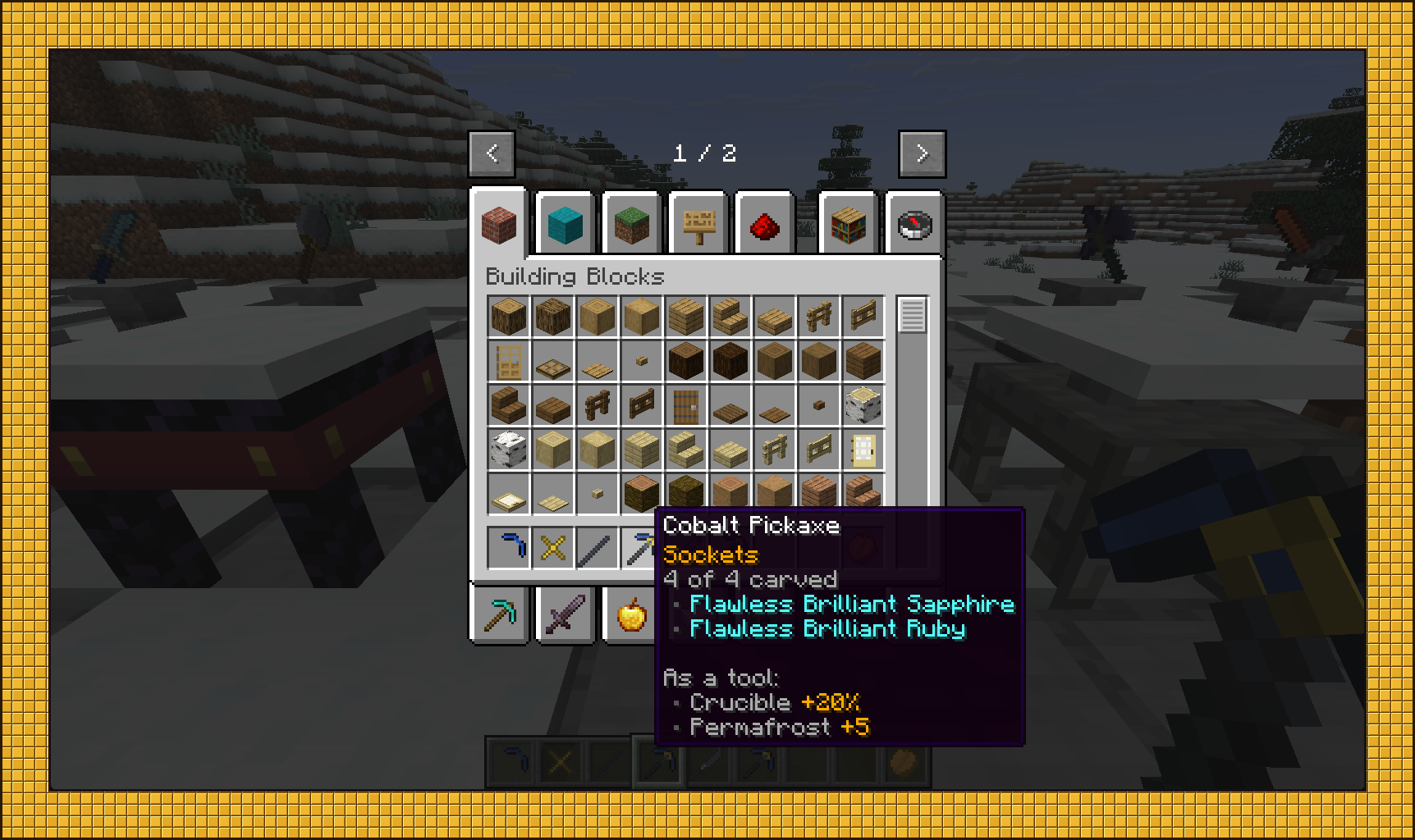
Hold Shift on a tool for its stats, Ctrl for its parts, or Alt for its sockets and their combined effects.
Armor
Armor is made from plates, a frame, clasps and padding at the Armor Station. The padding determines the armor type and its full-set bonus:
| Type | Padding | Full-set bonus |
|---|---|---|
| Western | Leather | Your mount runs a third faster and jumps a block higher |
| Northern | Wool | Kills restore hunger |
| Eastern | Paper | Hostiles do not notice you while you sneak |
| Southern | Hay | Villagers charge a third less |
All four types offer the same protection. There are also four material set bonuses, which stack with the padding bonus:
- Adamant stores absorption.
- Luminite gives night vision and makes hostiles glow.
- Tartarite stacks bleed and grants Strength on a kill.
- Tenebrium allows double-tap sneak and you teleport up to five blocks forward, straight through whatever is in the way, landing on the farthest clear spot.
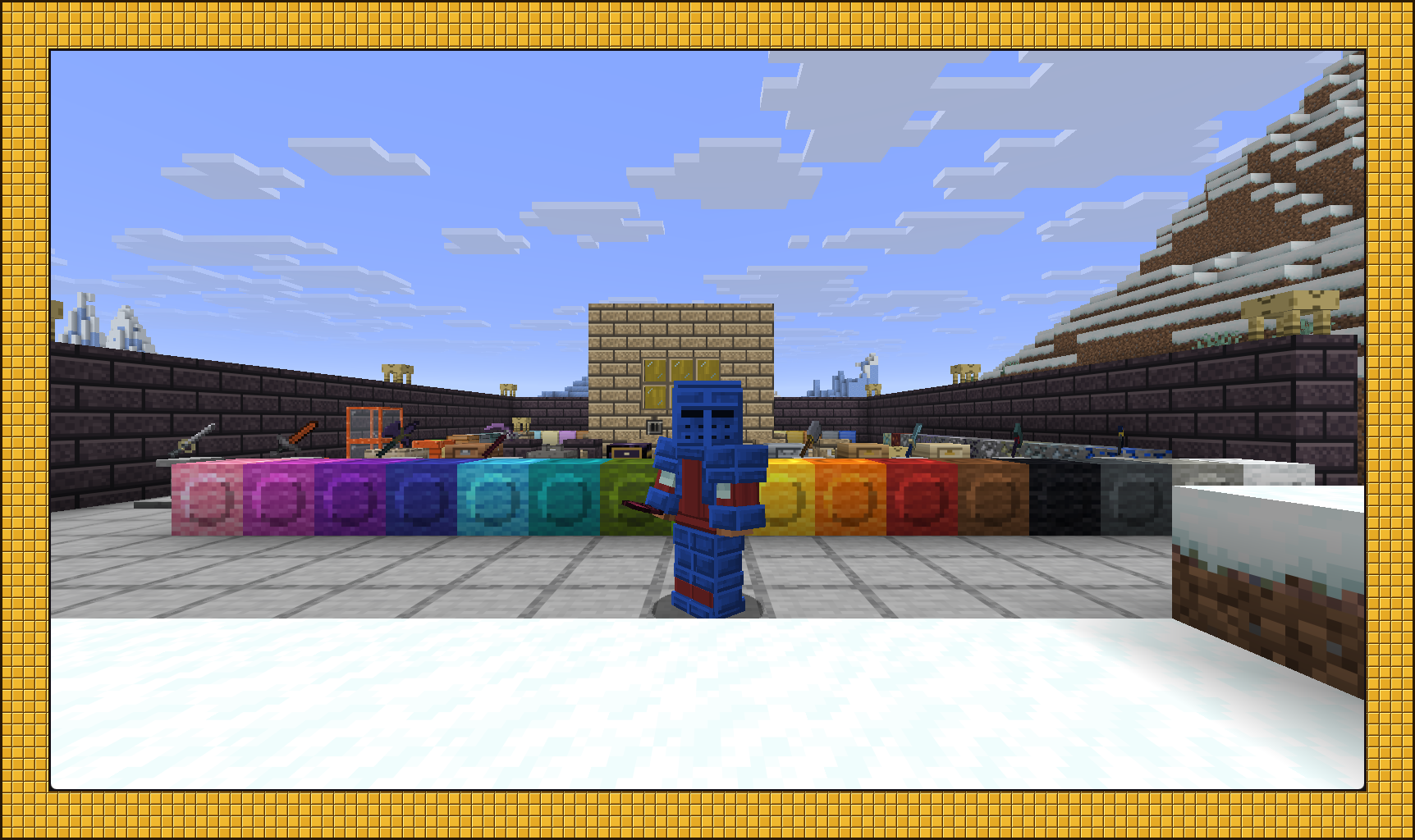
The metal keeps its color, but you can dye the cloth in a crafting grid, just like leather armor. Wash the dye out in a cauldron.
Two books
The Foundry Primer takes you from your first wooden pickaxe to a working Smeltery and a socketed tool. Its nine chapters show the items as you go.
The Foundry Manual has the detailed reference information: material stats, alloy ratios, all twelve effects for each gem with values from crude to flawless, and the parts needed for every tool and weapon type. Both books pull their data from the game's registries when opened, so their reference data stays in sync with the game.
Utility
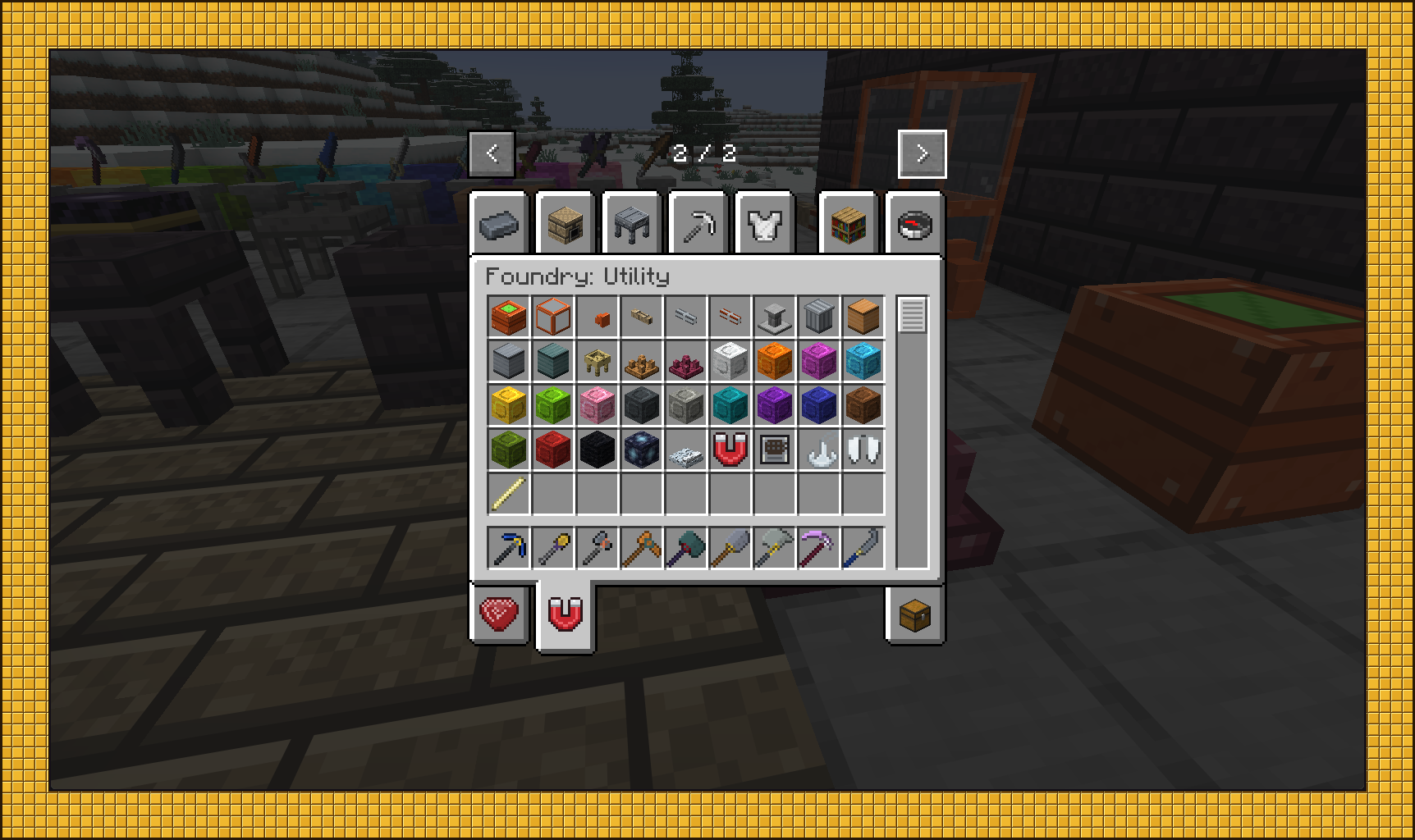
- Phase Plates — available in sixteen colors; stand on one and jump to teleport up, or sneak to go down
- Magnet — toggle it to pull in items and experience within 8 blocks
- Luminite Brazier — prevents natural hostile spawns within 64 blocks without affecting spawners
- Serrated & Sanguine Spikes — floor traps; sanguine spikes credit the kill to you
- Grappling Winch — a 32-block hook with three seconds of fall immunity
- Lockboxes — bronze, steel and adamant, with 54, 84 and 108 slots; right-click a chest to upgrade it in place
- Architect's Rod — extends a matching surface up to 9×9, with undo
- Canvas Glider — silent, unpowered gliding with no fall damage
- Trash Can — deletes items and fluids, with filters
- Astral Tether — a 3×3 chunk loader
- Calderite Siphon — stand on it to store your experience as liquid; right-click it empty-handed to spend that experience repairing the most damaged item you’re wearing or holding
- Bedroll — sleep through the night without changing your spawn
- Work Caddy — a crafting grid that keeps its contents
- Pedestal, pipes, Calderite tanks and spigots
Compatibility
- JEI — recipe categories for melting, alloying, casting, patterns, tool and armor assembly, cutting, socketing, cleansing and sharpening
- Jade — shows Smeltery and tank contents when you look at them
Requirements
- Minecraft 26.2
- NeoForge 26.2.0.75 or newer
Mod ID: Foundry
All Rights Reserved.
Project description from CurseForge.
Pick your setup
Cloudy Foundry by Minecraft version and loader
Choose the version and loader you play, then open the matching release.
Check the dependencies, then try the file in a copied instance before changing a world you care about.
Recent files
Cloudy Foundry versions and loaders
foundry-0.1.0.jar
10 Sept 2026
Client Source doesn’t say Server Source doesn’t say Dependencies No extras listed Listed on Release listing
Check the 26.2 · NeoForge setup NeoForge26.2 release
Looking for an older file? The official CurseForge project page is in Resources.
 mod
mod CurseForge + Modrinth · Minecraft
Scalable Cat's Force
Scala language provider for Minecraft 1.13.2 and newer
 mod
mod CurseForge + Modrinth · Minecraft
Open Together
Open matching double doors, trapdoors, and fence gates with a single click.
 mod
mod CurseForge · Minecraft
Lightning Arrows
Add powerful lightning-infused arrows and the Electric Bow, with switchable ammo types, lightning strikes, and explosive effects to Minecraft 1.20.1.