Minecraft version
Back to mods 
CurseForge · Minecraft mod
Follow Spot
With light as its eye, it anchors every trace upon the stage.
Choose a version Pick your version below, then grab the matching file.
Quick answer
Which Follow Spot release should I use?
Latest stable file followspot-1.0.jar
Game version 26.1.2
Loader NeoForge
Follow Spot followspot-1.0.jar targets 26.1.2 with NeoForge. The project page does not say whether this file belongs on the client, dedicated server, or both. No extra mods listed for this file.
Where it goes
Is Follow Spot required on the client, server, or both?
The project page does not say whether this file belongs on the client, dedicated server, or both.
Client Source doesn’t say
Dedicated server Source doesn’t say
Loader for this release NeoForge
Required install it here Optional supported, not mandatory Not supported do not install here Source doesn’t say do not assume
The source does not explicitly classify this release as client-only or server-only.
What else does Follow Spot followspot-1.0.jar need?
followspot-1.0.jar. Change the file and its required mods may change too.
This file does not list any required mods. Do not add a library just because a different file uses it.
This file does not list any required or optional mods.
Before you install it
Add Follow Spot without breaking your instance.
Built for Follow Spot followspot-1.0.jar. Pick another file and the loader, install side or required mods may change.
- 01
Stick to this file
Use followspot-1.0.jar. It targets 26.1.2 with NeoForge; another release may have different loader, side or dependency requirements.
- 02
Bring the mods it needs
This file does not list any required mods. Do not add a library just because a different file uses it.
- 03
Put it on the correct side
The project page does not say whether this file belongs on the client, dedicated server, or both.
- 04
Pick the file you checked
Use the “Get this file” button beside followspot-1.0.jar. It opens that exact file at the source.
About this project
What does Follow Spot add?
Follow Spot · 追光
以光为眸,锚定舞台之上的每一寸轨迹。
With light as its eye, it anchors every trace upon the stage.
A server-side cinematic spectator camera mod: one command turns you into an "eye beyond the scene", automatically following players across multiple cinematic camera angles — watching only, never interfering.
一款服务端电影化旁观镜头模组:一条指令,化身“戏外之眼”,自动追随玩家轨迹,在多种电影机位间平滑轮换——只注视,不干扰。
Minecraft 26.1.2 · NeoForge 26.1.2.109 · Version v1.0 · English / 中文
English Version
✦ Origin
Once, you were a spectator beyond the stage, lost in the weaving of blocks and light, yearning to glimpse every fleeting miracle. Now, the curtain rises. The power of "Follow Spot" takes light as its eye, anchoring every trace upon the stage. Walk behind the scenes, linger in the shadows — only then can you witness the true flow of an ordinary journey.
Yet remember this: Follow Spot should only watch, never disturb the players on stage — for even when the play ends and the stage is empty, there is no way back.
✦ What It Does
- 🎥 One-click spectator camera – Enter spectator view and follow others automatically; restore your original game mode and position when finished.
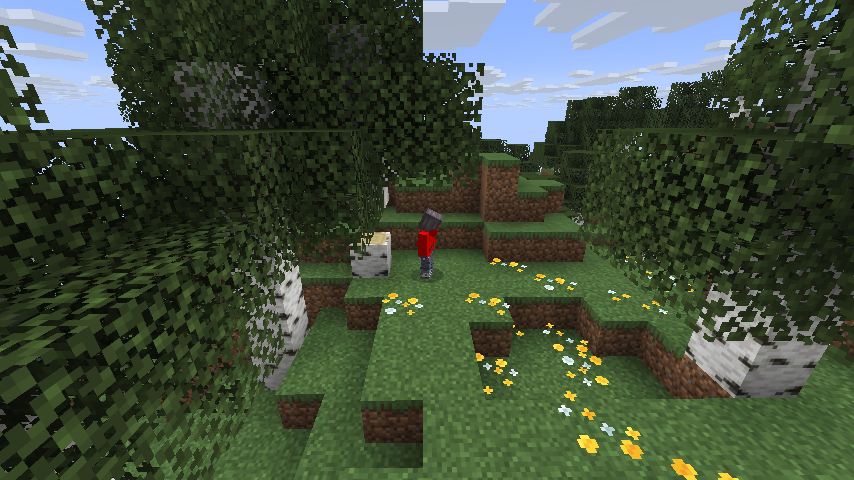
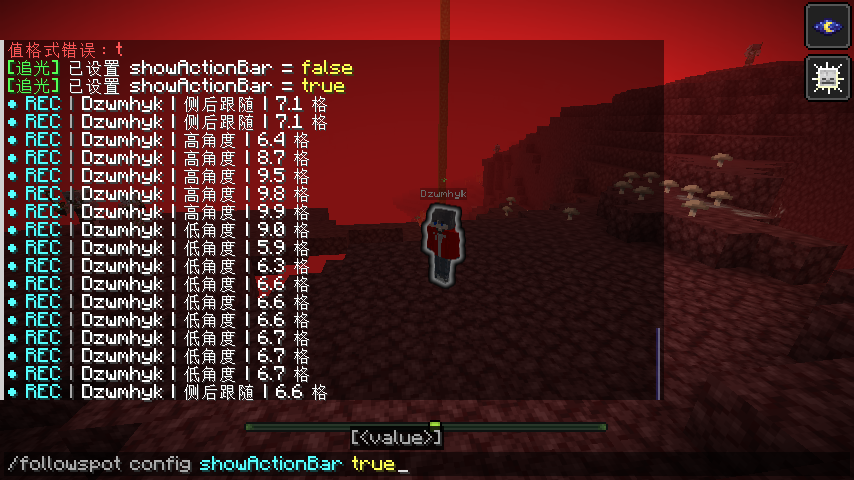
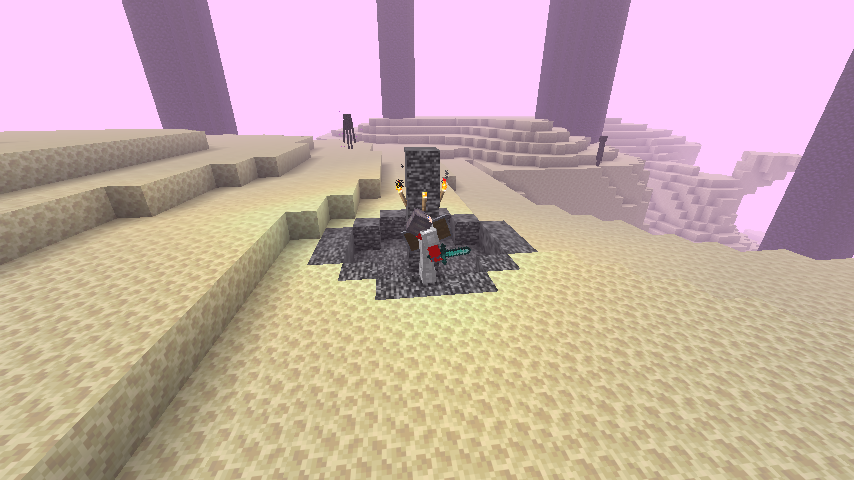
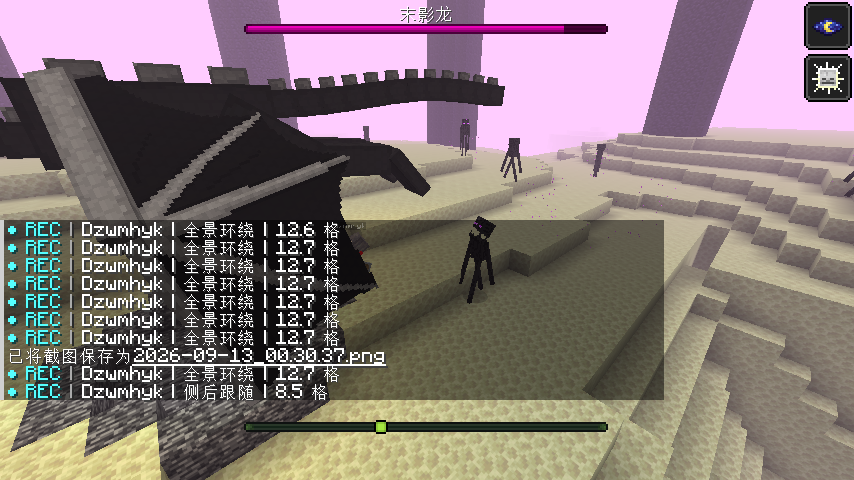
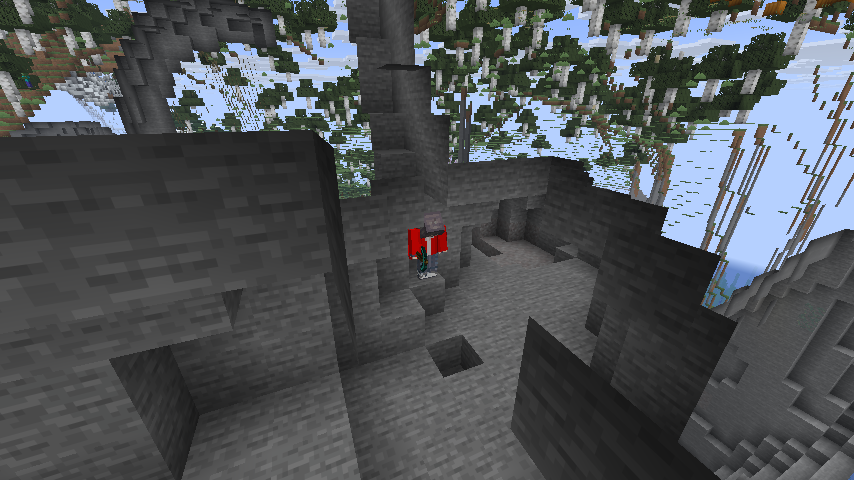
- 🎬 Cinematic camera director – 8 camera angles rotate intelligently: orbit, behind, side-back, side profile, leading, low angle, high angle, close-up — the view never repeats.
- 🧭 Rock-solid camera work – Motion-trend-based "directional anchoring" effectively suppresses camera sway when the target moves back and forth.
- 🌍 Cross-dimensional following – Target dives into the Nether or the End? The camera teleports along, never losing the shot.
- 🔀 Smart target selection – Lock onto a specific player or auto-randomize; supports auto-switching by time (default 60s) or target AFK (default 20s).
- 🛰 Silky interpolation – Server-authoritative calculation + client-side secondary smoothing; stays smooth even at high frame rates.
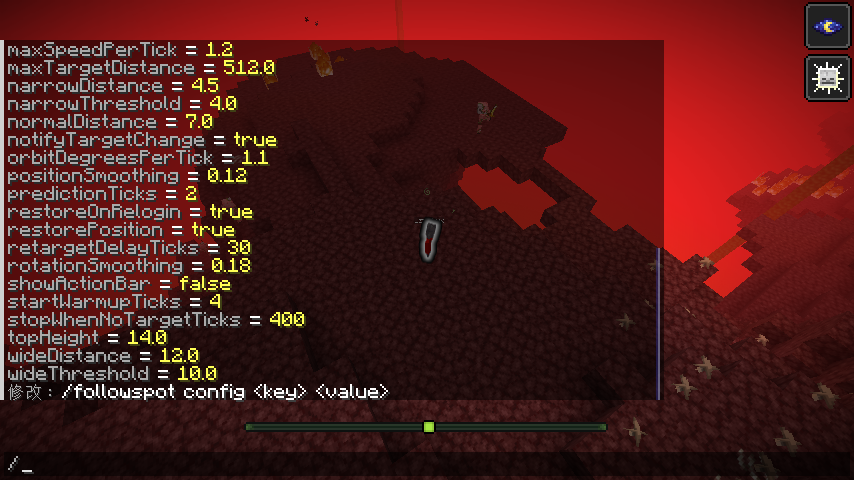
- ⚙️ Fully visual configuration – All parameters can be changed and saved in-game, no manual config file editing needed.
- 🔒 Controllable permissions – OP-only by default, but can be opened to regular players as needed.
✦ Quick Start
/followspot start                 # Start the camera immediately, auto-random target
/followspot start cinematic       # Start in "cinematic" mode
/followspot start follow Steve    # Start in "follow" mode, locked onto Steve
/followspot status                # Check current camera angle, target, and runtime
/followspot target random         # Manually switch to a new target
/followspot stop                  # Stop and restore original state
Command alias:
/fspotis equivalent to/followspot.
✦ Command List
| Command | Effect |
|---|---|
/followspot start [mode] [target] |
Start camera (optionally specify mode and target player) |
/followspot stop [player] |
Stop camera (default: yourself) |
/followspot status [player] |
Check running status |
/followspot target |
View current target |
/followspot target random |
Randomly switch to a new target |
/followspot target clear |
Unlock and return to auto-random |
/followspot target <player> |
Lock onto a specific player |
/followspot mode [mode] |
View / switch camera mode |
/followspot reload |
Reload configuration (OP required) |
/followspot config list |
List all config entries (OP required) |
/followspot config <key> [value] |
View / modify config, auto-saved (OP required) |
✦ Camera Modes
| Mode | Name | Style |
|---|---|---|
auto |
Auto | All angles rotate randomly (default) |
follow |
Follow | Behind / side-back tracking, immersive |
side |
Side | Side profile / leading shots |
top |
Top | High-angle overview |
cinematic |
Cinematic | Orbit + multi-angle montage, most film-like |
✦ Permissions
- Default: Only OP (administrators) can use all commands.
- Configurable: Server owners can set
commandPermissionLevelto0to allow all players (including regular players) to use camera commands. - Regardless of settings,
config/reload(modifying configuration) always requires OP — regular players cannot touch server config.
✦ Server Owner Config (Common Entries)
Config file: config/followspot.json, or use /followspot config <key> <value> in-game.
| Config Key | Default | Description |
|---|---|---|
commandPermissionLevel |
2 |
Command permission: 0=everyone, ≥1=OP required |
defaultMode |
auto |
Default camera mode |
followAcrossDimensions |
true |
Whether to follow across dimensions |
autoSpectator |
true |
Auto-switch to spectator on start, restore on end |
restorePosition |
true |
Restore original position after ending |
autoSwitchIntervalTicks |
1200 |
Timed target switch interval (1200=60s, 0=off) |
afkSwitchTicks |
400 |
AFK target switch threshold (400=20s, 0=off) |
excludeSpectators |
true |
Whether to exclude spectator players as targets |
excludeCreative |
false |
Whether to exclude creative players as targets |
normalDistance |
7.0 |
Base camera distance |
positionSmoothing |
0.12 |
Camera smoothing |
showActionBar |
true |
Whether to show recording HUD hints |
For the full config list, run
/followspot config listin-game.
✦ Requirements
- Minecraft 26.1.2
- NeoForge 26.1.2.109 (or compatible version)
- Both client and server need the mod installed (camera movement relies on client-side interpolation)
✦ Author & Credits
- Author: @Dzwmhyk (陨莫)
- Homepage: https://bd.dzwmhyk.top/
- Bilibili: https://space.bilibili.com/417937554
Follow Spot should only watch, never disturb the players on stage.
追光只应注视,莫扰戏中人。
中文版本
✦ 缘起
昔日,你曾是一位舞台外的看客,深陷于方块与光影的交织,渴望窥见每一瞬的奇迹。此刻已是启幕之时。“追光”之能,即以光为眸,锚定舞台之上的每一寸轨迹。潜行于戏外,驻留于影中,方能窥见凡尘旅途的真实流淌。
然,须谨记:追光只应注视,莫扰戏中人,哪怕戏散人空,亦无归途。
✦ 它能做什么
- 🎥 一键旁观镜头:开启后自动进入旁观视角跟随他人,结束时自动恢复你原本的游戏模式与位置。
- 🎬 电影级机位导演:全景环绕、背后跟随、侧后跟随、侧面轮廓、前导、低角度、高角度、特写——8 种机位智能轮换,画面不重样。
- 🧭 稳如老狗的运镜:基于运动趋势的“方位锚定”,有效抑制目标前后横跳时的镜头摇摆。
- 🌍 跨维度跟随:目标钻进下界或末地?镜头自动传送跟过去,不丢画面。
- 🔀 智能目标选择:可锁定指定玩家,也可自动随机;支持按时间(默认 60 秒)或目标挂机(默认 20 秒)自动换人。
- 🛰 丝滑插值:服务端权威计算 + 客户端二次平滑,高帧率下依旧顺滑无跳变。
- ⚙️ 全可视化配置:所有参数游戏内即改即存,无需手动翻配置文件。
- 🔒 权限可控:默认仅 OP 可用,也可按需开放给普通玩家。
✦ 快速上手
/followspot start                 # 立即开启镜头,自动随机选人
/followspot start cinematic       # 以“电影感”模式开启
/followspot start follow Steve    # 以“跟随”模式锁定玩家 Steve
/followspot status                # 查看当前机位、目标、运行时长
/followspot target random         # 手动换一个目标
/followspot stop                  # 结束并恢复原状态
指令别名:
/fspot等价于/followspot。
✦ 指令一览
| 指令 | 作用 |
|---|---|
/followspot start [模式] [目标] |
开启镜头(可选指定模式、指定目标玩家) |
/followspot stop [玩家] |
停止镜头(默认自己) |
/followspot status [玩家] |
查看运行状态 |
/followspot target |
查看当前目标 |
/followspot target random |
随机切换新目标 |
/followspot target clear |
解除锁定,恢复自动随机 |
/followspot target <玩家> |
锁定到指定玩家 |
/followspot mode [模式] |
查看 / 切换镜头模式 |
/followspot reload |
重新加载配置(需 OP) |
/followspot config list |
列出全部配置项(需 OP) |
/followspot config <键> [值] |
查看 / 修改配置,自动保存(需 OP) |
✦ 镜头模式
| 模式 | 名称 | 风格 |
|---|---|---|
auto |
自动 | 全部机位随机轮换(默认) |
follow |
跟随 | 背后 / 侧后跟拍,沉浸跟随感 |
side |
侧拍 | 侧面轮廓 / 前导镜头 |
top |
俯拍 | 高角度俯瞰全局 |
cinematic |
电影感 | 全景环绕 + 多机位混剪,最具大片感 |
✦ 权限说明
- 默认:仅 OP(管理员)可使用全部指令。
- 可开放:服主可将
commandPermissionLevel设为0,允许所有玩家(含普通玩家)使用镜头指令。 - 无论怎么设置,
config/reload(改配置)始终需要 OP,普通玩家动不了服务器配置。
✦ 服主配置(部分常用项)
配置文件:config/followspot.json,或用 /followspot config <键> <值> 游戏内直接改。
| 配置项 | 默认 | 说明 |
|---|---|---|
commandPermissionLevel |
2 |
指令权限:0=所有人,≥1=需 OP |
defaultMode |
auto |
默认镜头模式 |
followAcrossDimensions |
true |
是否跨维度跟随 |
autoSpectator |
true |
开启时自动切旁观,结束时恢复 |
restorePosition |
true |
结束后恢复原位置 |
autoSwitchIntervalTicks |
1200 |
定时换人间隔(1200=60 秒,0=关闭) |
afkSwitchTicks |
400 |
目标挂机换人阈值(400=20 秒,0=关闭) |
excludeSpectators |
true |
目标是否排除旁观玩家 |
excludeCreative |
false |
目标是否排除创造玩家 |
normalDistance |
7.0 |
基准机位距离 |
positionSmoothing |
0.12 |
运镜平滑度 |
showActionBar |
true |
是否显示录制 HUD 提示 |
完整配置项请在游戏内执行
/followspot config list查看。
✦ 环境要求
- Minecraft 26.1.2
- NeoForge 26.1.2.109(或兼容版本)
- 客户端与服务端均需安装(镜头运镜依赖客户端插值)
✦ 作者 & 鸣谢
- 作者:@Dzwmhyk(陨莫)
- 主页:https://bd.dzwmhyk.top/
- B 站:https://space.bilibili.com/417937554
追光只应注视,莫扰戏中人。
Follow Spot should only watch, never disturb the players on stage.
— 以光为眸,锚定舞台之上的每一寸轨迹。With light as its eye, it anchors every trace upon the stage.
Project description from CurseForge.
Pick your setup
Follow Spot by Minecraft version and loader
Choose the version and loader you play, then open the matching release.
Check the dependencies, then try the file in a copied instance before changing a world you care about.
Recent files
Follow Spot versions and loaders
followspot-1.0.jar
12 Sept 2026
Client Source doesn’t say Server Source doesn’t say Dependencies No extras listed Listed on Release listing
Check the 26.1.2 · NeoForge setup NeoForge26.1.2 release
Looking for an older file? The official CurseForge project page is in Resources.
 mod
mod CurseForge · Minecraft
Economy
A performance and fully customizable Economy for players!
 mod
mod CurseForge · Minecraft
Claims (Fabric/Forge/NeoForge/Quilt)
Protection for player's home!
 mod
mod CurseForge · Minecraft
Enchantment Extraction Book (Fabric/Forge/NeoForge/Quilt)
Extract enchantments from items without lose the item!