Create Needed by Create: Mob Farming createmobfarming-1.1.0.jar
requiredMatching file found Matched file: Create 6.0.10 for mc1.21.1

CurseForge · Minecraft mod
Sort mobs through filtered gates, ship them live along chain conveyors, and harvest them with enchantable Mechanical Blades . mob farming built the Create way.
Quick answer
Create: Mob Farming createmobfarming-1.1.0.jar targets 1.21.1 with NeoForge. The project page does not say whether this file belongs on the client, dedicated server, or both. All 1 required mods have matching files.
Where it goes
The project page does not say whether this file belongs on the client, dedicated server, or both.
The source does not explicitly classify this release as client-only or server-only.
createmobfarming-1.1.0.jar. Change the file and its required mods may change too.
Install Create first. We found matching files for this game-version and loader setup.
We only count dependency files that match this setup. A file for another loader does not fill the gap.
Before you install it
Built for Create: Mob Farming createmobfarming-1.1.0.jar. Pick another file and the loader, install side or required mods may change.
Use createmobfarming-1.1.0.jar. It targets 1.21.1 with NeoForge; another release may have different loader, side or dependency requirements.
Install Create first. We found matching files for this game-version and loader setup.
The project page does not say whether this file belongs on the client, dedicated server, or both.
Use the “Get this file” button beside createmobfarming-1.1.0.jar. It opens that exact file at the source.
About this project
Build a mob farm from small Create-style parts: an Entity Filter picks your targets, Mob Gates sort them, an Entity Observer counts them, Critterports carry them on Chain Conveyors, and Mechanical Blades finish the job. Fans, water and gravity still do the moving; you build the farm around them.
All four blocks have Ponder scenes. Hold W over one for a walkthrough.
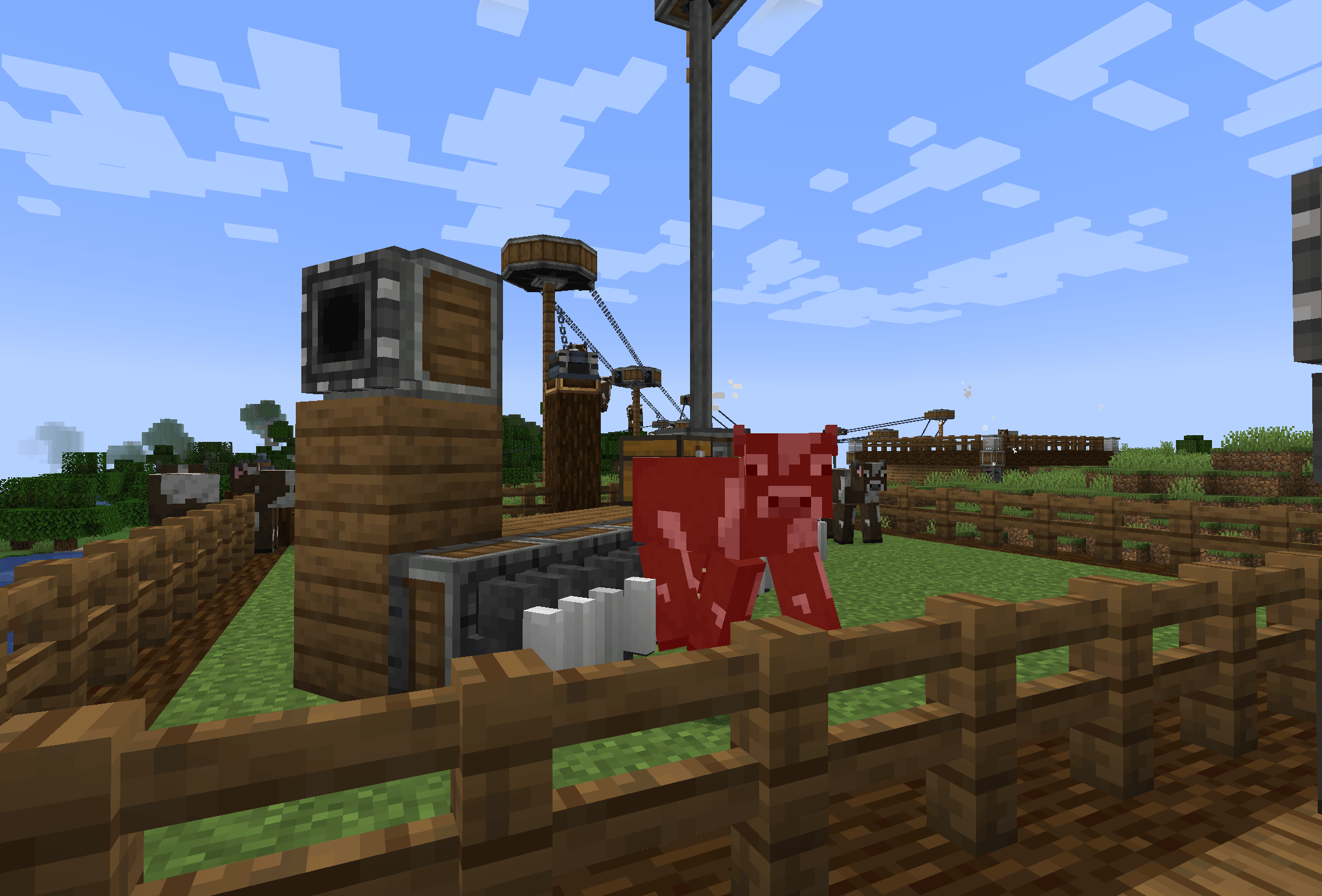
Mount it on a contraption and it cuts whatever it sweeps through. A stationary blade does nothing. Damage follows how fast the blade actually travels, so one farther from a spinning axis hits harder.
Enchant it before placing it: Looting works, and the glint stays visible on the cutters. Kills send drops to mounted storage and XP into Nuggets of Experience. Contraption Controls can arm or disarm every blade on a contraption at once.
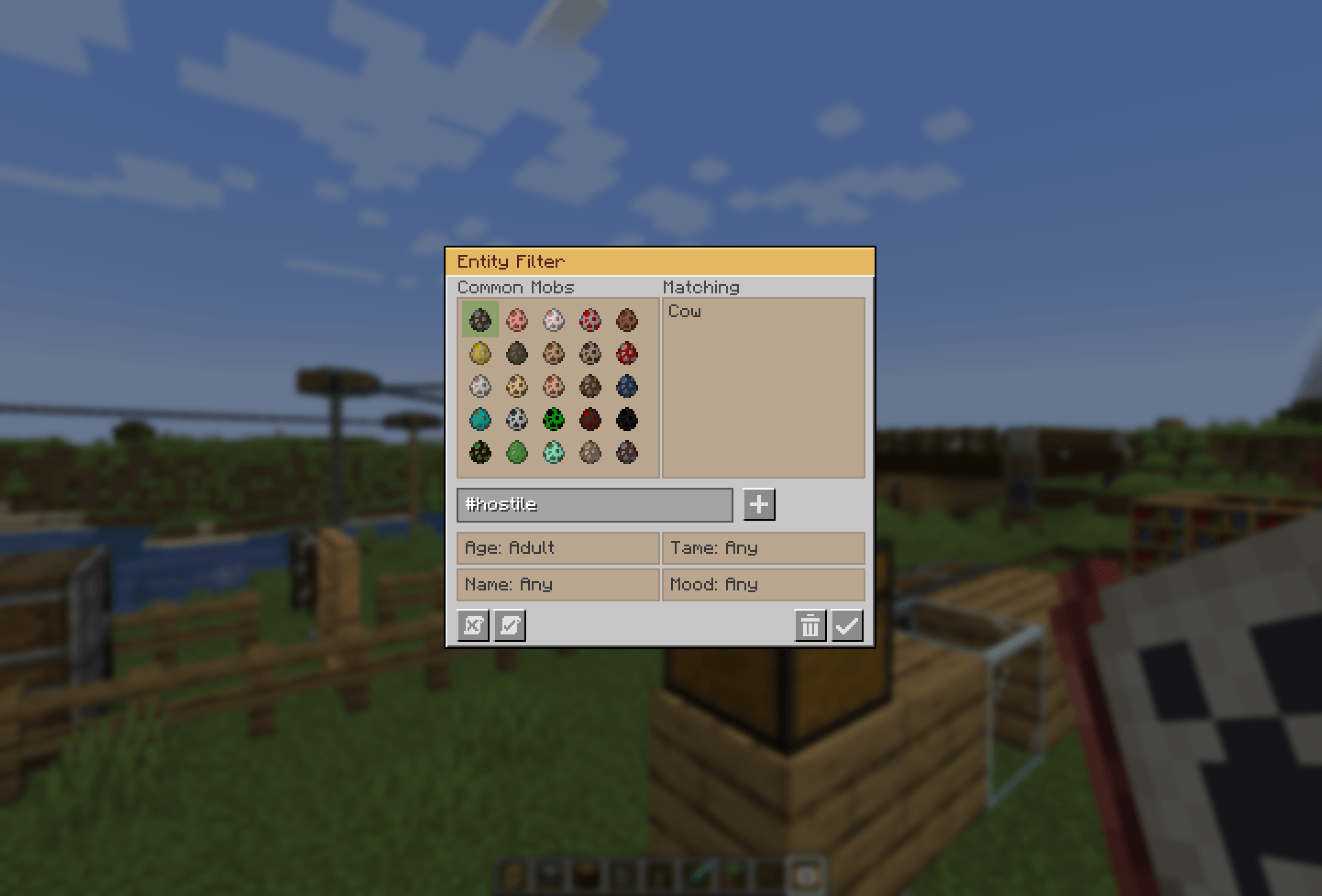
This item tells a Mob Gate or Entity Observer which mobs matter. Match any number of entity types or tags, narrow them by adult/baby, tamed/untamed, named/unnamed or hostile/non-hostile, and switch to a deny list when that is easier.
Add a type by sneak-right-clicking a mob, search the full list in the filter screen, or choose a preset: Hostile, Passive, Undead, Arthropod or Aquatic. The presets are tags that modpacks can change with a datapack.
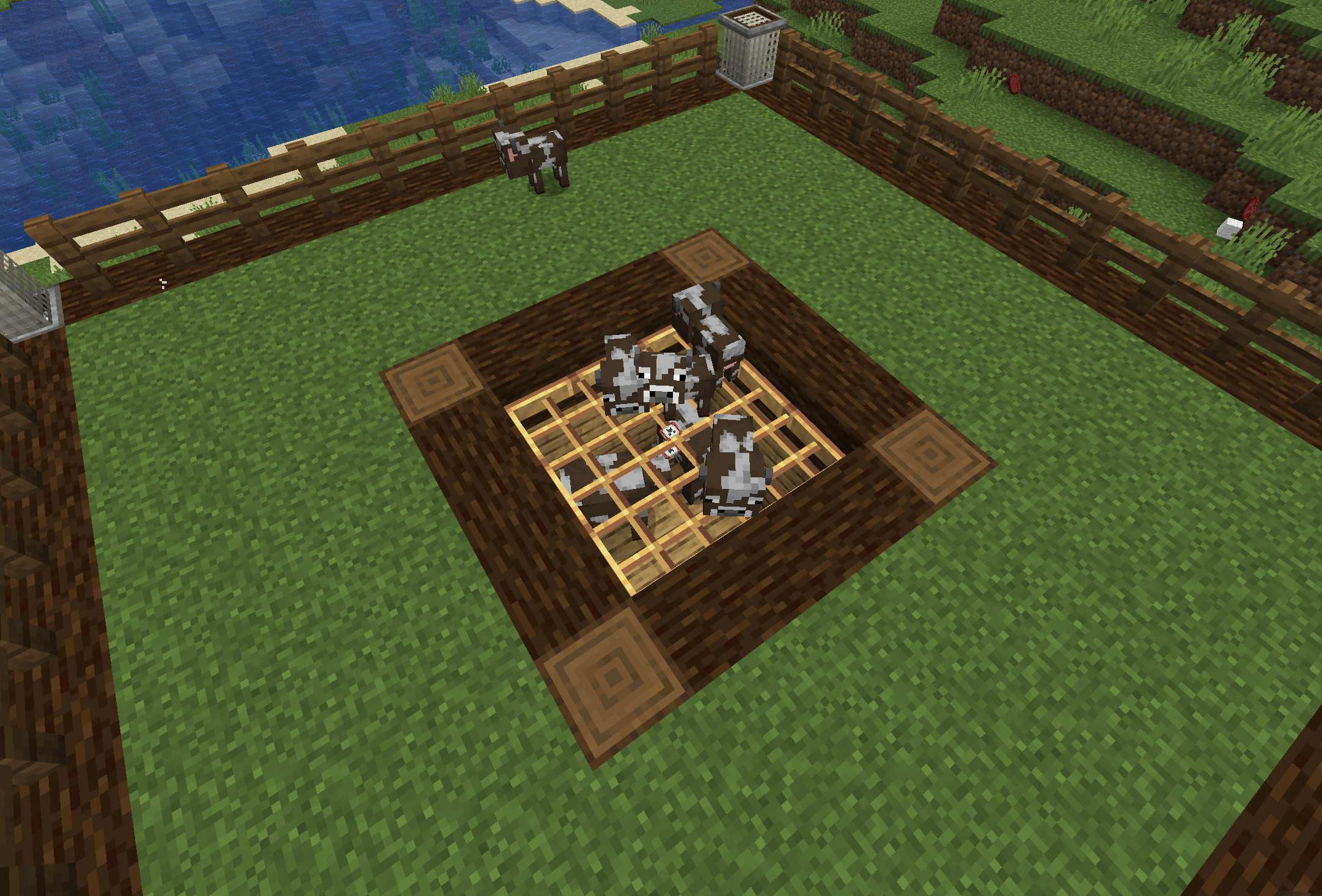
A grille that lets matching mobs through and stops the rest. With no filter, mobs pass freely; redstone power locks the gate completely. Place gates together to make one shared gate up to 3×3.
Fan airflow passes through the grille, so a fan or water can push mobs against it. Dropped items and XP orbs pass an unlocked gate, while players must be listed explicitly in the filter.
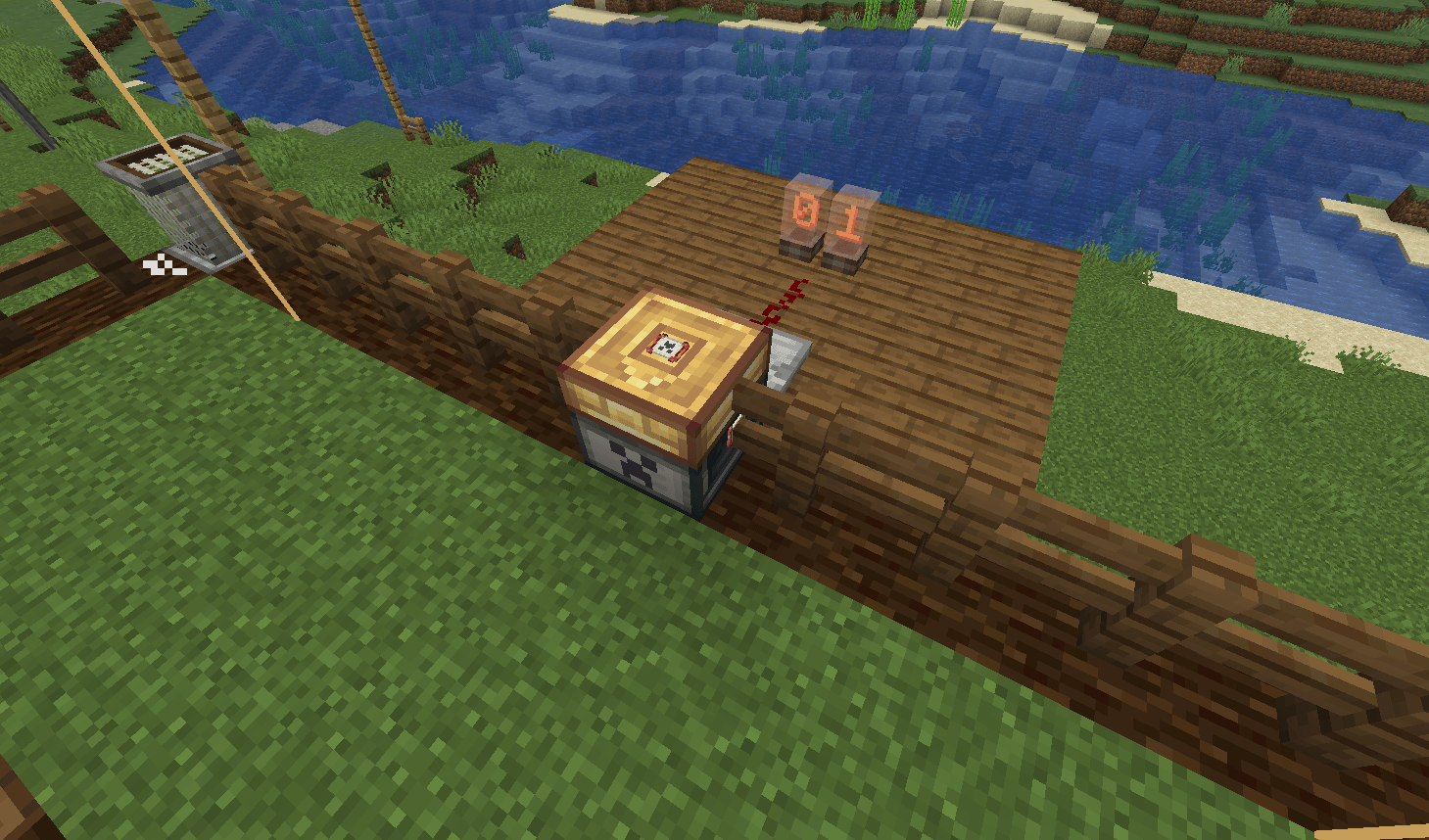
Point it at a pen or chute and it counts mobs in a box in front of its face. Set the box from 1×1×1 to 8×8×8 blocks; looking at the Observer shows its outline. Install an Entity Filter to count only matches. Without one, it counts every mob, but players only count when a filter explicitly lists them.
A comparator reads the count as a signal from 0 to 15. By default, each mob adds one level; right-click to change the range and how many mobs make a full-strength signal. Use that signal to close a Mob Gate when a pen is full, stop a breeder or raise an alarm.
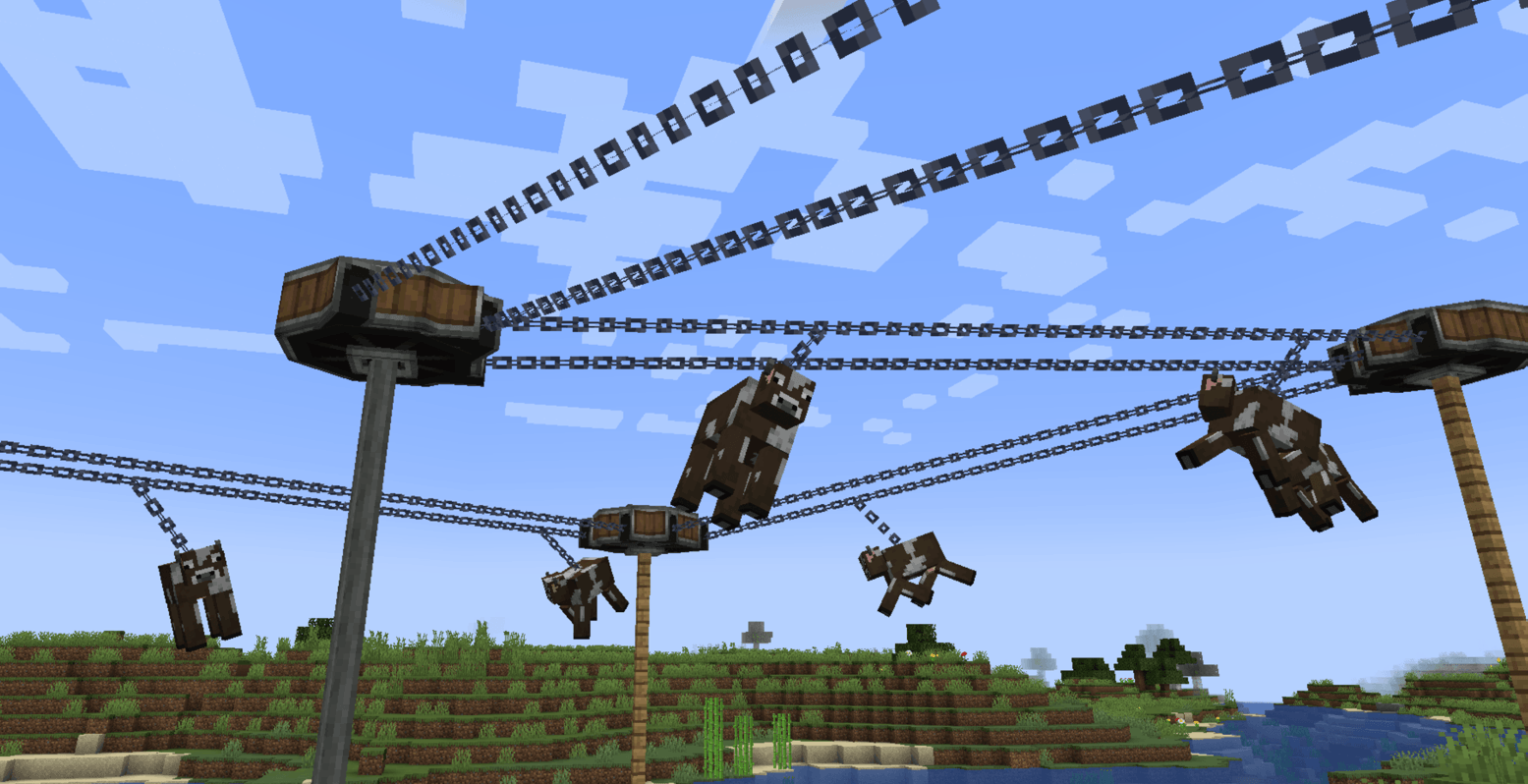
Give one station an address and tell another to send mobs there. Anything that walks into its mouth rides Create's Chain Conveyor network to the destination, hanging and swinging as the chain moves.
Mobs stay real entities, keeping their health, names, equipment, age, tame state and modded data. Stations route through junctions and won't pick up a mob they cannot currently deliver. The Critterport has no filter or storage; use Mob Gates to sort what reaches it.
Project description from CurseForge.
Pick your setup
Choose the version and loader you play, then open the matching release.
Check the dependencies, then try the file in a copied instance before changing a world you care about.
Recent files
18 Sept 2026
14 Sept 2026
12 Sept 2026
Looking for an older file? The official CurseForge project page is in Resources.
 mod
Clay Soldiers Remake is a data driven remake of the classic Clay Soldiers mod.
 mod
A mod based on The Vampire Diaries & The Originals.
 mod
A custom Minecraft market GUI Browse item prices, market stats, trends, and price history.