Trinkets (Fabric) Optional for Realistic Equip Delay realisticequipdelay-2.0.0-fabric-1.21.1.jar
optionalMatching file found Matched file: trinkets-3.10.0.jar
CurseForge · Minecraft mod
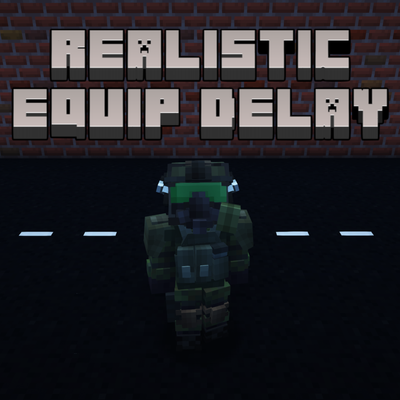
Adds a slowness effect when the player changes armor pieces to enhance realism.
Quick answer
Realistic Equip Delay realisticequipdelay-2.0.0-fabric-1.21.1.jar targets 1.21.1 with Fabric. The project page does not say whether this file belongs on the client, dedicated server, or both. No extra mods listed for this file.
Where it goes
The project page does not say whether this file belongs on the client, dedicated server, or both.
The source does not explicitly classify this release as client-only or server-only.
realisticequipdelay-2.0.0-fabric-1.21.1.jar. Change the file and its required mods may change too.
This file does not list any required mods. Do not add a library just because a different file uses it.
We only count dependency files that match this setup. A file for another loader does not fill the gap.
Before you install it
Built for Realistic Equip Delay realisticequipdelay-2.0.0-fabric-1.21.1.jar. Pick another file and the loader, install side or required mods may change.
Use realisticequipdelay-2.0.0-fabric-1.21.1.jar. It targets 1.21.1 with Fabric; another release may have different loader, side or dependency requirements.
This file does not list any required mods. Do not add a library just because a different file uses it.
The project page does not say whether this file belongs on the client, dedicated server, or both.
Use the “Get this file” button beside realisticequipdelay-2.0.0-fabric-1.21.1.jar. It opens that exact file at the source.
About this project
Adds a slowdown effect when the player changes armor pieces to enhance realism.
In vanilla Minecraft, you can swap a full set of armor quickly, mid-combat, at no cost. Players could abuse this in specific cases where armor pieces carry special attributes that grant bonuses.
This mod is inspired by the general idea behind Armor Equip Delay (a similar concept: a short penalty on armor changes), but Realistic Equip Delay is neither a fork nor a modified version of it. It's a completely independent mod, written from scratch, with its own code, its own detection logic, and its own configuration system.
Whenever the player equips or unequips a piece of armor, drag-and-drop, keybind, shift-click, dispenser, command, no matter the method, they get a Slowness II effect for 1.5 seconds per armor piece.
Detection doesn't depend on how the armor slot changed, only on whether it changed. At the same time, the mod is careful about what actually counts as a change: taking damage and losing durability does not trigger the effect, since the piece itself was never removed or replaced. Only a genuine equip, unequip, or swap for a different piece triggers it.
Everything is adjustable in config/realisticequipdelay-common.toml, and each of the 4 armor pieces is controlled independently. For example, you can keep the effect on boots only and disable it on the other three.
| Setting | Description | Default |
|---|---|---|
effect.enabled.helmet |
Enable/disable the effect for the helmet. | true |
effect.enabled.chestplate |
Enable/disable the effect for the chestplate. | true |
effect.enabled.leggings |
Enable/disable the effect for the leggings. | true |
effect.enabled.boots |
Enable/disable the effect for the boots. | true |
effect.duration_seconds.helmet |
Duration (in seconds) of the Slowness II effect for the helmet. | 1.5 |
effect.duration_seconds.chestplate |
Duration (in seconds) of the Slowness II effect for the chestplate. | 1.5 |
effect.duration_seconds.leggings |
Duration (in seconds) of the Slowness II effect for the leggings. | 1.5 |
effect.duration_seconds.boots |
Duration (in seconds) of the Slowness II effect for the boots. | 1.5 |
An in-game configuration screen is available automatically if Forge Config API Port is installed (optional, client-side). Without it, the config file above can still be edited directly, and takes effect on the next launch.
Unlike Armor Equip Delay, this mod does not rely on NBT to detect an armor change. This fixes a major flaw in the other mod: because of this, this mod does not add a slowness effect even when the armor takes damage and changes state.
ArmorItem (modded armor included)Mod created by Mozork. All rights reserved.
Project description from CurseForge.
Pick your setup
Choose the version and loader you play, then open the matching release.
Check the dependencies, then try the file in a copied instance before changing a world you care about.
Recent files
20 Sept 2026
20 Sept 2026
20 Sept 2026
20 Sept 2026
20 Sept 2026
20 Sept 2026
20 Sept 2026
20 Sept 2026
20 Sept 2026
12 Sept 2026
Looking for an older file? The official CurseForge project page is in Resources.
 mod
modA cyberpunk-inspired experience featuring powerful cyberware, time dilation, enhanced vision, combat upgrades, and cybernetic enemies.
 mod
modAn HunterxHunter 1.20.1 mod that adds nen progression.
 mod
modIt's always good to have a mod that's just lets you have Ninja Jump.