Fabric API Needed by Onlysleep-Fabric-1.4.1.jar
requiredMatching file found Matched file: [26.2] Fabric API 0.161.0+26.2
CurseForge · Minecraft mod
Skip the night with just one player sleeping — or configure it your way.
Quick answer
Onlysleep-Fabric-1.4.1.jar targets 26.1, 26.1.1, 26.1.2 with Fabric. The project page does not say whether this file belongs on the client, dedicated server, or both. All 1 required mods have matching files.
Where it goes
The project page does not say whether this file belongs on the client, dedicated server, or both.
The source does not explicitly classify this release as client-only or server-only.
Onlysleep-Fabric-1.4.1.jar. Change the file and its required mods may change too.
Install Fabric API first. We found matching files for this game-version and loader setup.
We only count dependency files that match this setup. A file for another loader does not fill the gap.
Before you install it
Built for Onlysleep-Fabric-1.4.1.jar. Pick another file and the loader, install side or required mods may change.
Use Onlysleep-Fabric-1.4.1.jar. It targets 26.1, 26.1.1, 26.1.2 with Fabric; another release may have different loader, side or dependency requirements.
Install Fabric API first. We found matching files for this game-version and loader setup.
The project page does not say whether this file belongs on the client, dedicated server, or both.
Use the “Get this file” button beside Onlysleep-Fabric-1.4.1.jar. It opens that exact file at the source.
About this project
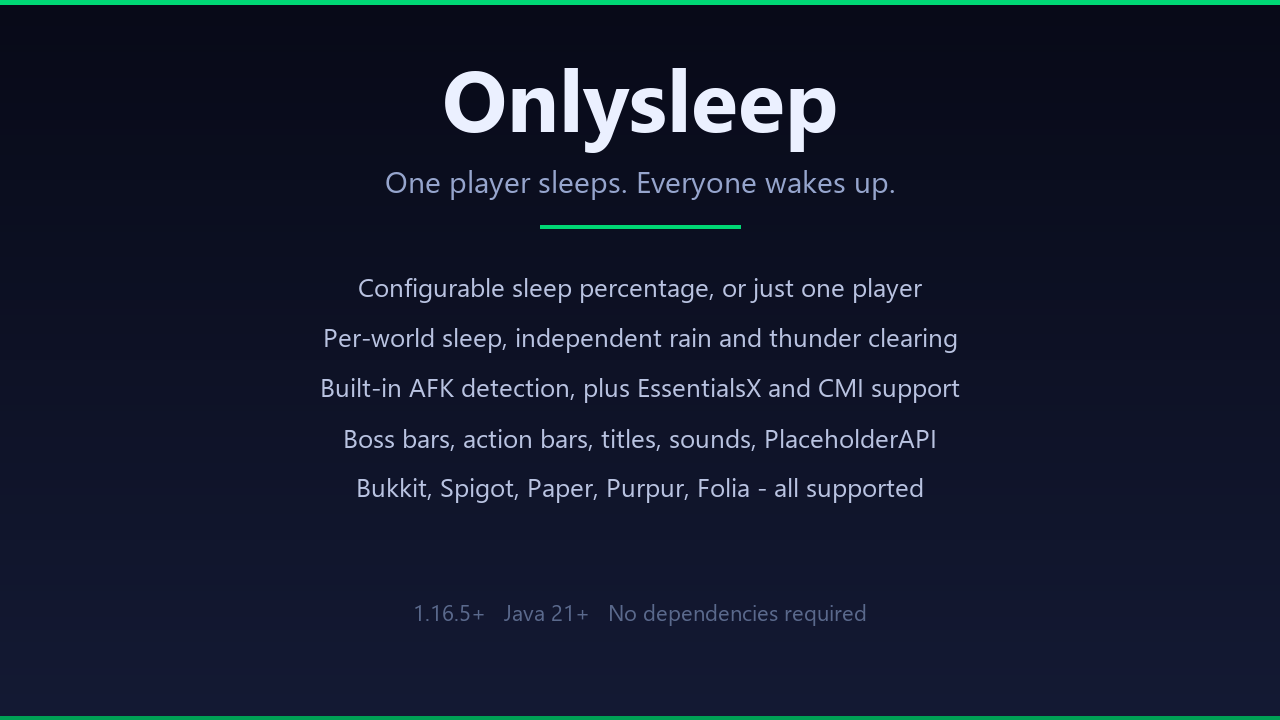
One player sleeps. Everyone wakes up.
Based on Bukkit Plugin Onlysleep lets your server skip the night without waiting for every player to find a bed. One sleeper is enough by default, but you can require any percentage from 0 to 100. Install the JAR, restart the server, and the default configuration is ready to use.

playersSleepingPercentage gamerule
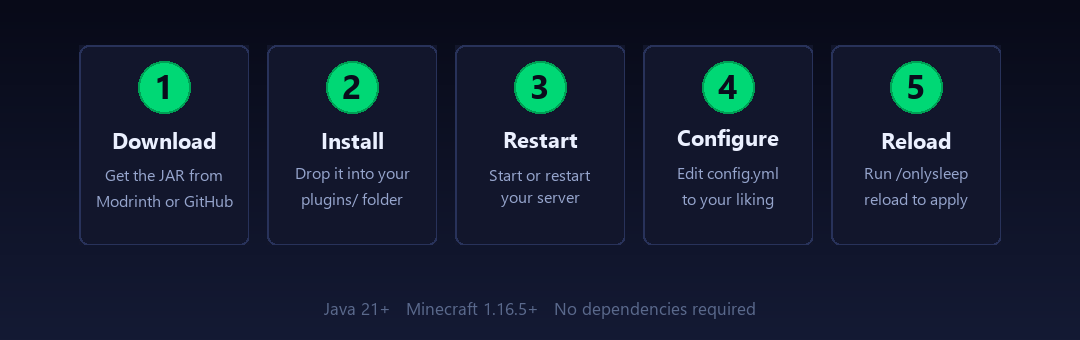
Requirements: Minecraft 26.2 and Java 25 or newer. Onlysleep works on its own; PlaceholderAPI is optional and only for bukkit.

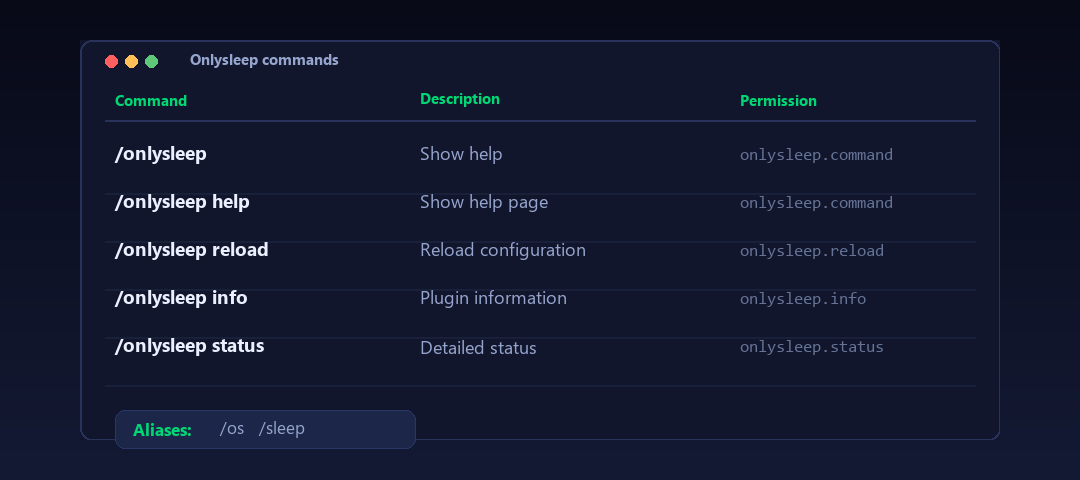
Aliases: /os, /sleep

| Permission | Default | Description |
|---|---|---|
onlysleep.* |
OP | All permissions |
onlysleep.command |
Everyone | Use commands |
onlysleep.info |
OP | View plugin info |
onlysleep.reload |
OP | Reload config |
onlysleep.status |
OP | View status |
onlysleep.exempt |
None | Excluded from sleep (operators sleep by default) |
onlysleep.update |
OP | Update alerts |
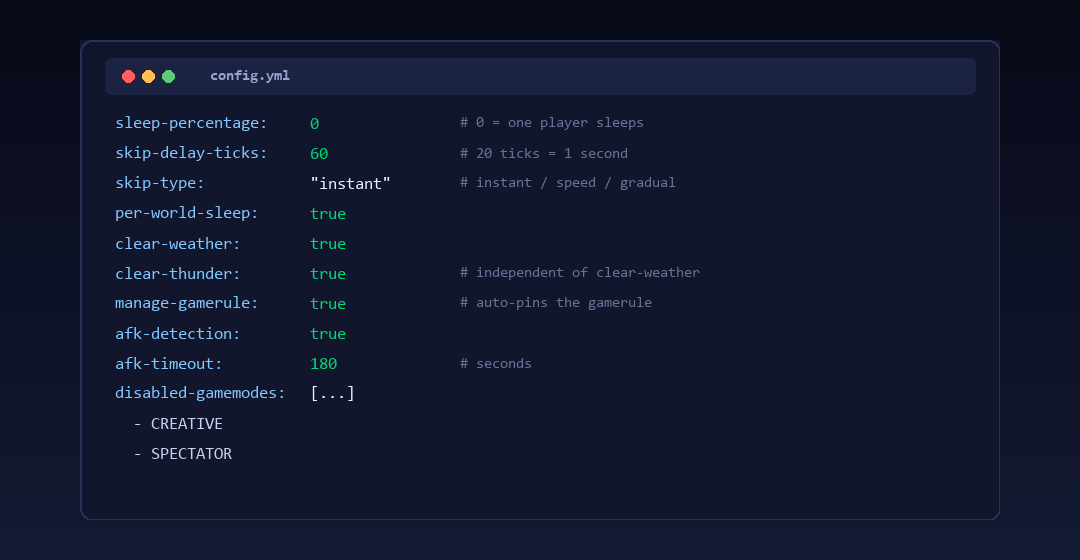
You can use the defaults as-is. The main setting is sleep-percentage in config.yml:
0 = one player sleeps, everyone wakes up50 = half the server needs to be in bed100 = everyone has to sleepSet per-world-sleep: false if you want global counting across all worlds.
See config.yml for every option and messages.yml for message customization.

| Placeholder | Description |
|---|---|
%onlysleep_sleeping% |
Sleeping players in the player's world |
%onlysleep_required% |
Players needed to skip the night |
%onlysleep_percentage% |
Configured sleep percentage |
%onlysleep_total% |
Total eligible players in the world |
%onlysleep_progress% |
% of required sleepers achieved (0-100) |
%onlysleep_progress_bar% |
Visual progress bar |
%onlysleep_sleeping_names% |
Names of sleeping players |
%onlysleep_status% |
"Sleeping" or "Awake" |
%onlysleep_is_sleeping% |
true/false |
%onlysleep_is_night% |
true/false if it's night |
%onlysleep_is_sleepable% |
true/false if night/storm |
%onlysleep_skipping% |
true/false if a skip is scheduled |
%onlysleep_enabled% |
true/false if sleeping is enabled in the world |
%onlysleep_afk% |
true/false if the player is AFK |
%onlysleep_version% |
Plugin version |
%onlysleep_platform% |
Server platform (Folia/Paper/Spigot/Bukkit) |
%onlysleep_world_sleeping_<world>% |
Sleeping count in a specific world |
%onlysleep_world_required_<world>% |
Required count in a specific world |
%onlysleep_world_total_<world>% |
Total eligible in a specific world |
git clone https://github.com/DemonZ-Development/Onlysleep.git
cd Onlysleep
./gradlew clean build
The compiled JAR is in build/libs/.
Server hosting for this project is sponsored by Nexeu Hosting.
Project description from CurseForge.
Pick your setup
Choose the version and loader you play, then open the matching release.
Check the dependencies, then try the file in a copied instance before changing a world you care about.
Recent files
13 Sept 2026
Looking for an older file? The official CurseForge project page is in Resources.
 mod
An addon for Minecraft Comes Alive where villagers age, marry and build family lineages across generations but even more alive.
 mod
A Modern falling Meteor mod, highly configurable, pretty and with spirt of the old ones!
 mod
Explore a colorful dream world, sail through the skies, and harness Dream Alloy to bridge dreams and reality.