Cloth Config API (Fabric/Forge/NeoForge) Optional for Better Blending 0.3.3 (26.3 NeoForge)
optionalNo matching file
CurseForge · Minecraft mod
Smooth transitions between terrain textures on floors, walls, and ceilings while keeping Minecraft's blocky look. Client-side for Fabric and NeoForge.
Quick answer
Better Blending 0.3.3 (26.3 NeoForge) targets 26.3 with NeoForge. The project page does not say whether this file belongs on the client, dedicated server, or both. No extra mods listed for this file.
Where it goes
The project page does not say whether this file belongs on the client, dedicated server, or both.
The source does not explicitly classify this release as client-only or server-only.
Better Blending 0.3.3 (26.3 NeoForge). Change the file and its required mods may change too.
This file does not list any required mods. Do not add a library just because a different file uses it.
We only count dependency files that match this setup. A file for another loader does not fill the gap.
Before you install it
Built for Better Blending 0.3.3 (26.3 NeoForge). Pick another file and the loader, install side or required mods may change.
Use Better Blending 0.3.3 (26.3 NeoForge). It targets 26.3 with NeoForge; another release may have different loader, side or dependency requirements.
This file does not list any required mods. Do not add a library just because a different file uses it.
The project page does not say whether this file belongs on the client, dedicated server, or both.
Use the “Get this file” button beside Better Blending 0.3.3 (26.3 NeoForge). It opens that exact file at the source.
About this project
Smoother terrain transitions without changing Minecraft's blocky style.
Better Blending softens the hard borders between neighboring terrain textures. Dirt blends into stone, sand fades into grass, and patches of rock merge more naturally into cave walls. The goal isn't to make Minecraft realistic or hide its blocks, but to make terrain transitions look less abrupt while keeping the normal pixel-textured style.
Minecraft 1.21.1 · Fabric & NeoForge · Client-side only · No shader pack required
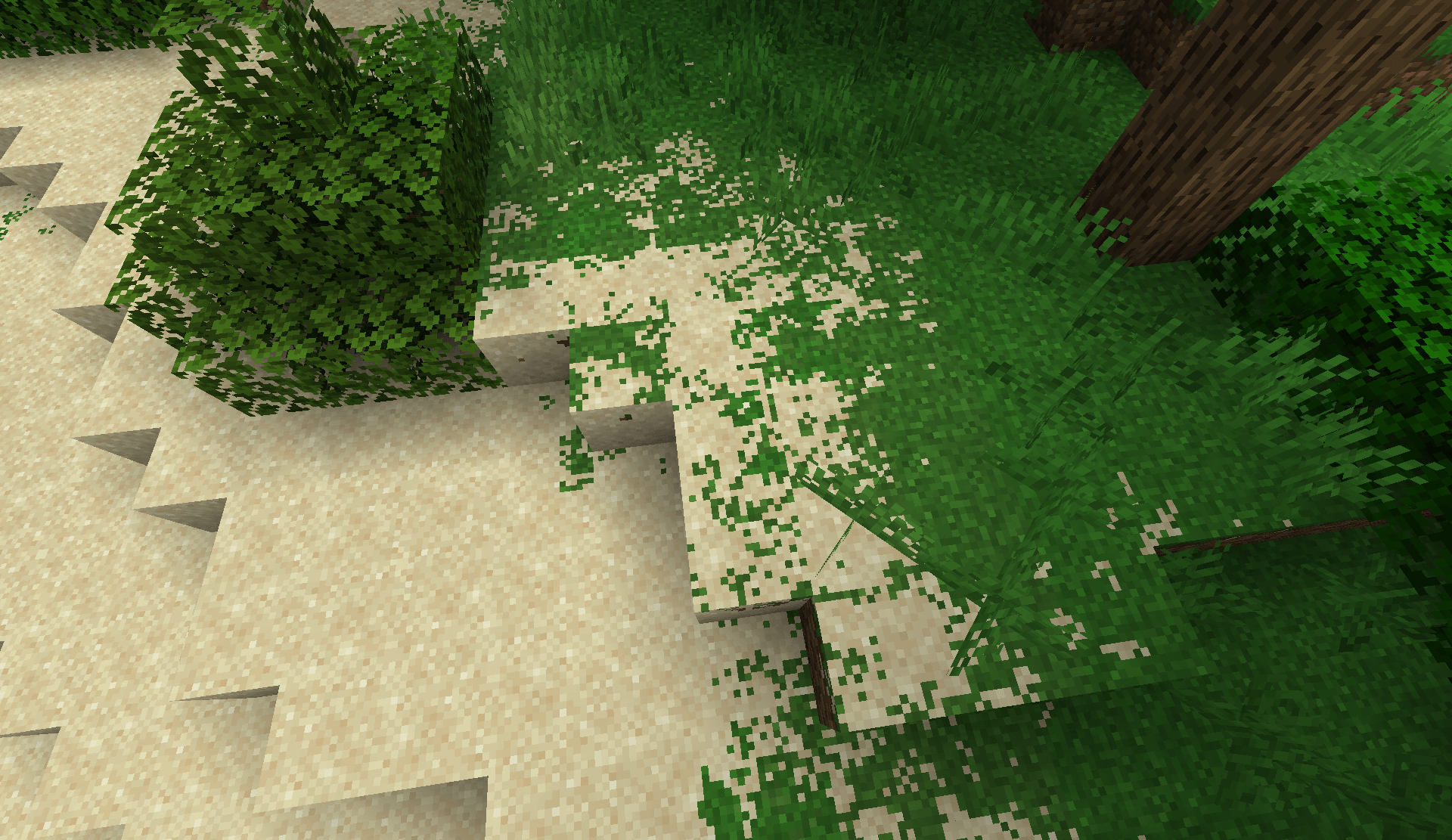
Blending follows exposed block faces, so it works on floors, cliffs, cave walls, and ceilings instead of only the top of terrain. It works in the Overworld, Nether, End, and modded dimensions.
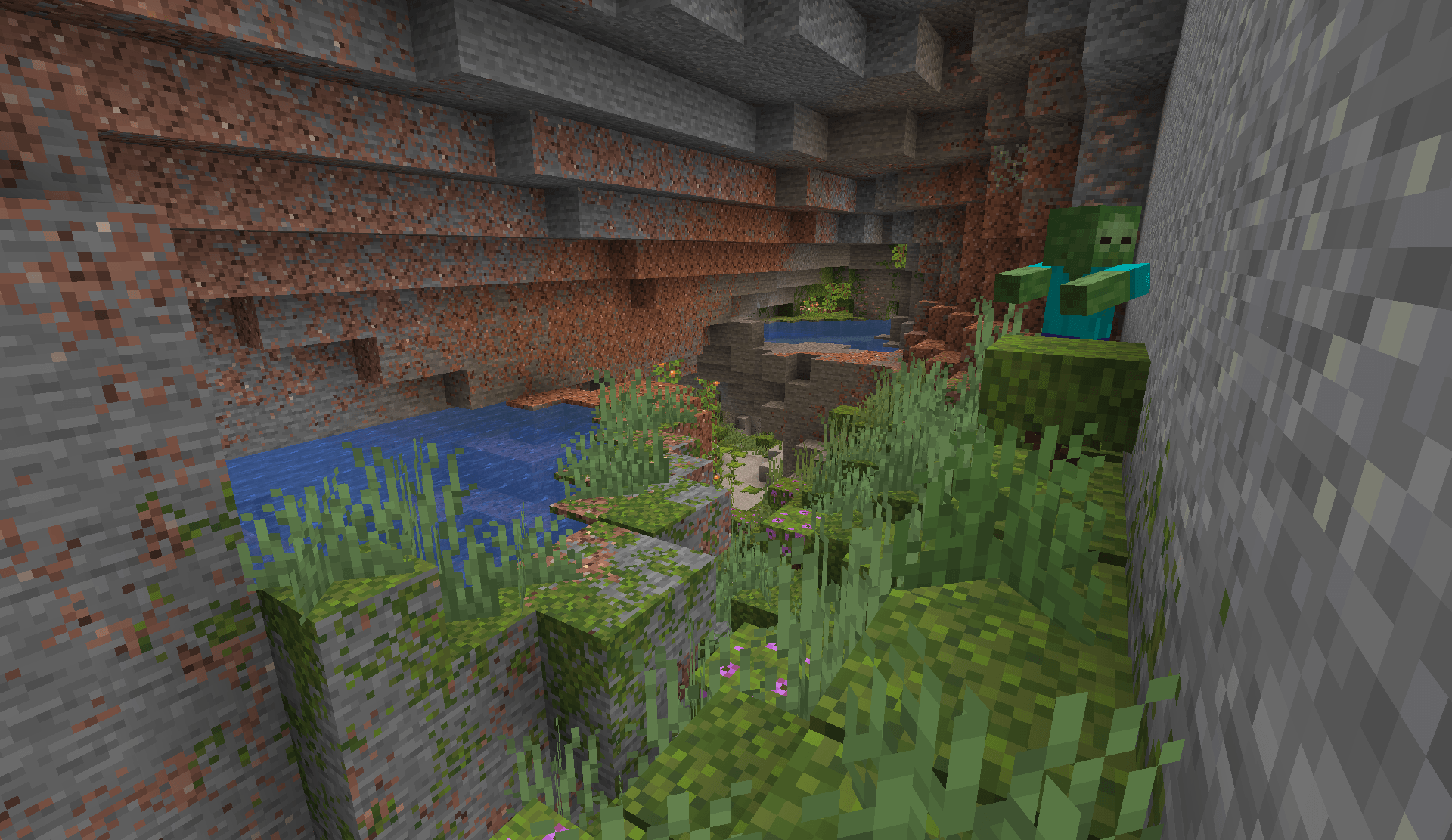
The defaults keep blending fairly subtle, but you can adjust the overall strength, local and regional blending, texture alignment, terrain detail, block exclusions, and which dimensions the effect is enabled in.
For an in-game settings screen, install Cloth Config. Fabric users will also need Mod Menu to access it. Changes made through the settings screen apply immediately. You can also edit config/better-blending.json manually and restart Minecraft.
Better Blending 0.2.0 supports Sodium 0.6.13 on Fabric/NeoForge and Embeddium 1.0.15 on NeoForge. You only need one terrain renderer installed.
Iris is supported with shaders enabled or disabled. It has been tested with Iris 1.8.8 on Fabric and 1.8.12 on NeoForge using Sodium, including Complementary Reimagined. Blending happens before the shader pack's lighting, allowing the pack to keep its own fog, shadows, and lighting. Shader packs using unusual texture sampling, custom geometry, or tessellation may need additional compatibility work, and normal/specular maps are left unchanged.
Better Blending discovers supported textures from block models rather than using a fixed list of vanilla blocks, so many resource packs and modded blocks work automatically. Unusual models, complex texture layers, fluids, and translucent geometry may keep their normal appearance.
Blending adds some GPU work, with regional blending having the largest impact because it samples terrain across a wider area. Performance will depend on your hardware, scene, and settings. If you need a lighter setup, regional blending can be reduced or disabled independently while keeping local blending enabled.
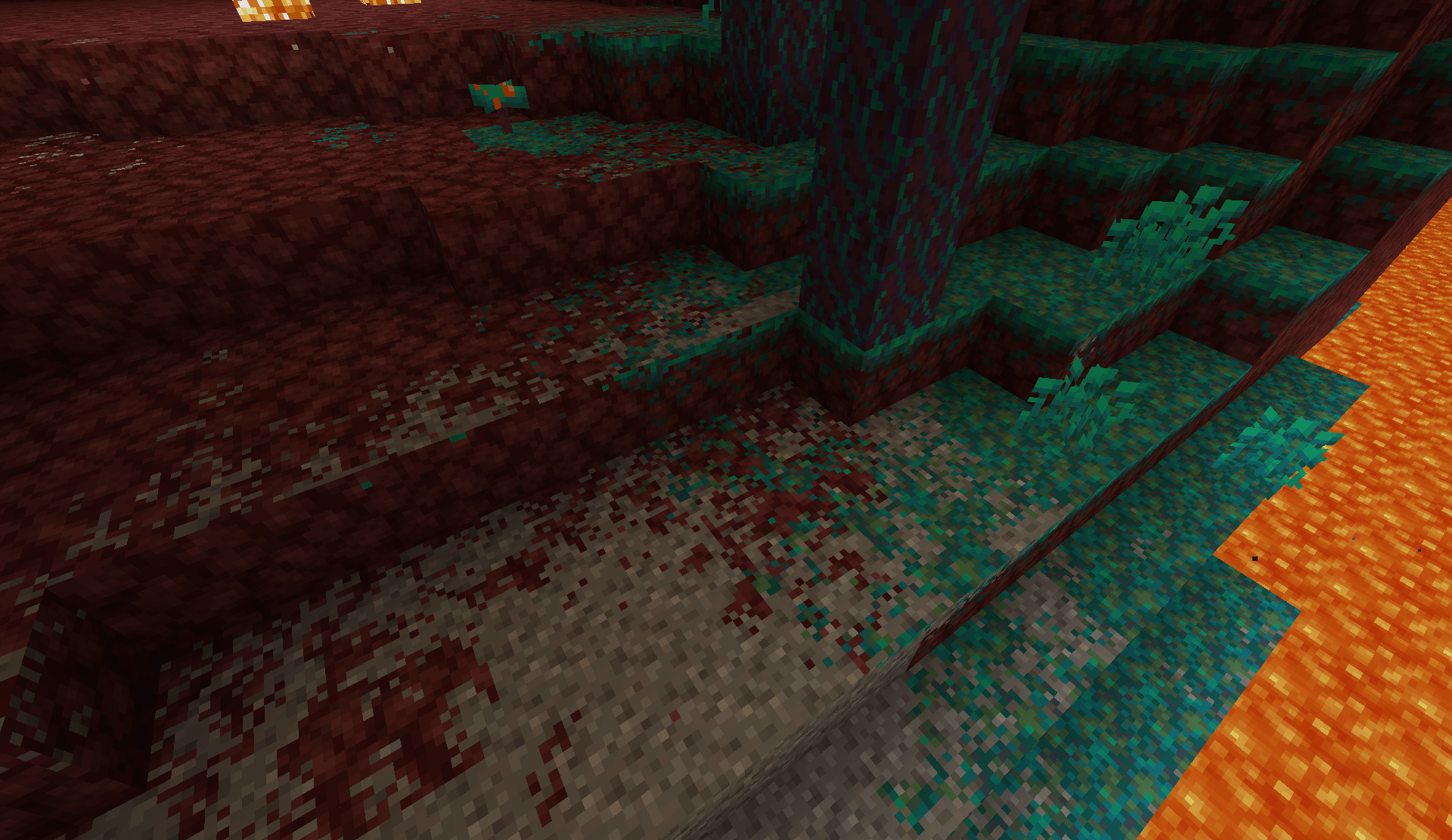
For Minecraft 1.21.1 on Fabric or NeoForge, download the file for your loader and place it in your mods folder. Fabric users also need Fabric API.
Better Blending is completely client-side, so servers do not need it installed. It only changes how terrain is rendered and does not modify blocks, world generation, or saved worlds.
Found a strange transition or compatibility problem? When reporting it, please include a screenshot, the affected blocks, your Minecraft version and mod loader, and any resource packs or rendering mods you're using.
Project description from CurseForge.
Pick your setup
Choose the version and loader you play, then open the matching release.
Check the dependencies, then try the file in a copied instance before changing a world you care about.
Recent files
better-blending-26.3-neoforge-0.3.3.jar
20 Sept 2026
better-blending-26.3-fabric-0.3.3.jar
20 Sept 2026
better-blending-26.2-neoforge-0.3.3.jar
20 Sept 2026
better-blending-26.2-fabric-0.3.3.jar
20 Sept 2026
better-blending-1.21.1-neoforge-0.3.3.jar
20 Sept 2026
better-blending-1.21.1-fabric-0.3.3.jar
20 Sept 2026
better-blending-1.20.1-forge-0.3.3.jar
20 Sept 2026
better-blending-1.20.1-fabric-0.3.3.jar
20 Sept 2026
better-blending-26.3-neoforge-0.3.2.jar
19 Sept 2026
better-blending-26.3-fabric-0.3.2.jar
19 Sept 2026
better-blending-26.2-neoforge-0.3.2.jar
19 Sept 2026
better-blending-26.2-fabric-0.3.2.jar
19 Sept 2026
Looking for an older file? The official CurseForge project page is in Resources.
 mod
modA Corestone infection module designed based on the definitions of Corestone and the Corestone Project in Arknights Impact.
 mod
modWater-tech and farm automation: clustering tanks, smart pipes, sprinklers, hydroponic crop and tree beds, animal pens, and water power — a focused set of machines, not a whole tech tree. Fabric + NeoForge from one codebase.
 mod
modHand-built dungeons the game assembles differently every time — a prison under the forest, a pyramid in the desert, a round wizard's tower in the taiga — each with a boss worth beating and a reward you cannot dig up.