Fabric API Needed by Soccer Nicktale Nicktale Soccer v1.3 | 26.3 | Fabric | Right-click Pass Fix
requiredMatching file found Matched file: [26.3] Fabric API 0.166.2+26.3

CurseForge · Minecraft mod
A realistic soccer mod with 3D physics, instant stadiums, wearable jerseys, referee tools, and automatic scoreboards.
Quick answer
Soccer Nicktale Nicktale Soccer v1.3 | 26.3 | Fabric | Right-click Pass Fix targets 26.3 with Fabric. The project page does not say whether this file belongs on the client, dedicated server, or both. All 1 required mods have matching files.
Where it goes
The project page does not say whether this file belongs on the client, dedicated server, or both.
The source does not explicitly classify this release as client-only or server-only.
Nicktale Soccer v1.3 | 26.3 | Fabric | Right-click Pass Fix. Change the file and its required mods may change too.
Install Fabric API first. We found matching files for this game-version and loader setup.
We only count dependency files that match this setup. A file for another loader does not fill the gap.
Before you install it
Built for Soccer Nicktale Nicktale Soccer v1.3 | 26.3 | Fabric | Right-click Pass Fix. Pick another file and the loader, install side or required mods may change.
Use Nicktale Soccer v1.3 | 26.3 | Fabric | Right-click Pass Fix. It targets 26.3 with Fabric; another release may have different loader, side or dependency requirements.
Install Fabric API first. We found matching files for this game-version and loader setup.
The project page does not say whether this file belongs on the client, dedicated server, or both.
Use the “Get this file” button beside Nicktale Soccer v1.3 | 26.3 | Fabric | Right-click Pass Fix. It opens that exact file at the source.
About this project
MINECRAFT JAVA EDITION / V1.3
Build a stadium, pick a side, and play a full soccer match.
Play solo against bots, bring friends, or let AI fill out a team.
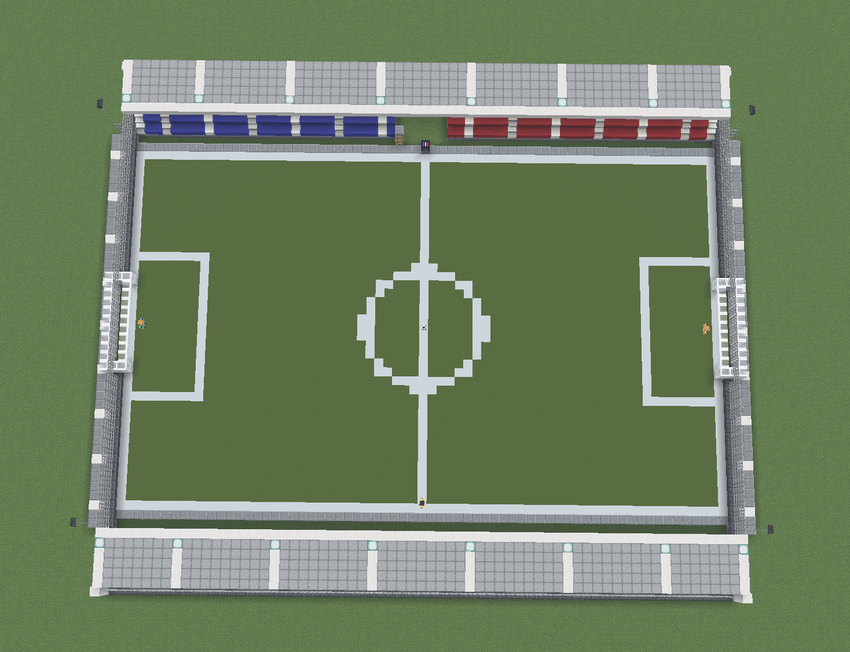
Screenshots from Nicktale Soccer v1.3 on Minecraft 26.3 with NeoForge.
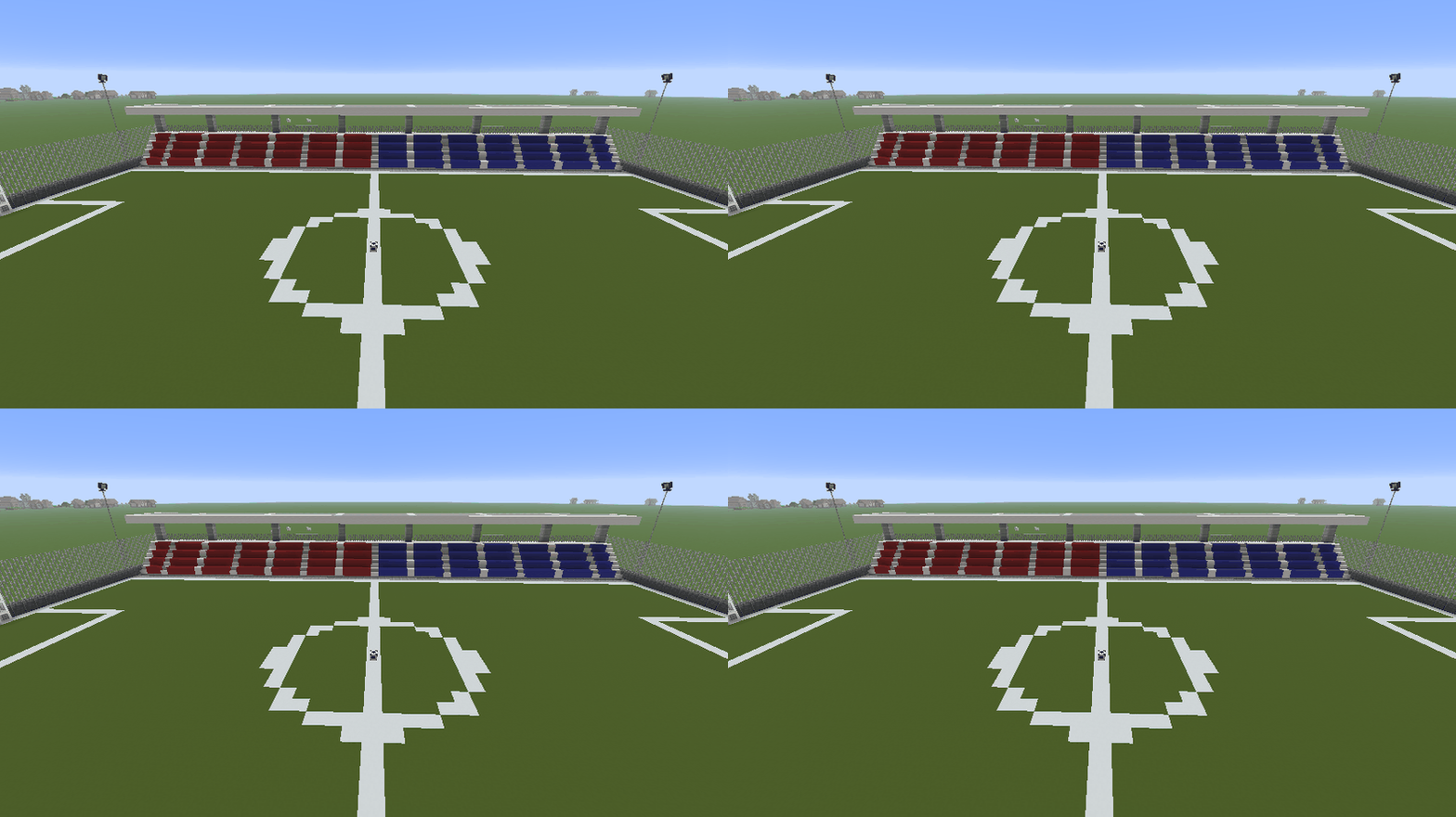
Strike the 3D ball to send it forward. The ball rolls on the pitch and bounces off obstacles.
Put on a red or blue jersey to join that team. The scoreboard has separate field AI and goalkeeper controls for each team. Each control cycles through Off, Easy, Medium, and Hard. Bots fill the difference on the selected side. To play solo, wear a jersey and enable AI for the opposing team. Switch field AI off to play with human teammates. Goalkeepers can stay enabled independently and defend their own goal wearing distinct uniforms.
Set the match length, start or pause the clock, reset the score, and adjust the goal sound from the panel. Goals update the scoreboard automatically. The optional NPC referee follows play from the touchline. Turn it off if a player wants to referee using the whistle and cards.
Version 1.3 supports Minecraft 1.20.1, 1.21.1, 26.2, and 26.3 on Forge, NeoForge, and Fabric. Pick the JAR that matches both your Minecraft version and your loader.
Install the matching build on the players' clients and on the dedicated server if you use one. Fabric builds require Fabric API.
Project description from CurseForge.
Pick your setup
Choose the version and loader you play, then open the matching release.
Check the dependencies, then try the file in a copied instance before changing a world you care about.
Recent files
nicktalesoccer-1.3-fabric-26.3.jar
28 Nov 2026
nicktalesoccer-1.3-neoforge-26.3.jar
28 Nov 2026
nicktalesoccer-1.3-forge-26.3.jar
28 Nov 2026
nicktalesoccer-1.3-fabric-26.2.jar
28 Nov 2026
nicktalesoccer-1.3-neoforge-26.2.jar
28 Nov 2026
nicktalesoccer-1.3-forge-26.2.jar
28 Nov 2026
nicktalesoccer-1.3-fabric-1.21.1.jar
28 Nov 2026
nicktalesoccer-1.3-neoforge-1.21.1.jar
28 Nov 2026
nicktalesoccer-1.3-forge-1.21.1.jar
28 Nov 2026
nicktalesoccer-1.3-fabric-1.20.1.jar
28 Nov 2026
nicktalesoccer-1.3-neoforge-1.20.1.jar
28 Nov 2026
nicktalesoccer-1.3-forge-1.20.1.jar
28 Nov 2026
Looking for an older file? The official CurseForge project page is in Resources.
 mod
A Minecraft psychological horror mod. Answer your tsundere girlfriend’s calls, build gifts for her, and survive ten days of night terrors and choices that lead to different endings.
 mod
A SlashBlade mod fork for Modern Minecraft
 mod
ProjectEX Reborn is a community-driven port and recreation inspired by the original FTB ProjectEX, bringing its concepts, mechanics, and experience to newer Minecraft versions.