Minecraft version
Back to mods 
CurseForge · Minecraft mod
Simple Inventory Preview
Keep your inventory visible while playing and chatting, with a movable, read-only HUD for Fabric, NeoForge and Forge.
Choose a version Pick your version below, then grab the matching file.
Quick answer
Which Simple Inventory Preview release matches 26.3 Forge?
Best match for your filters Simple Inventory Preview 1.1.1 — Forge 26.3
Game version 26.3
Loader Forge
Simple Inventory Preview 1.1.1 — Forge 26.3 targets 26.3 with Forge. The project page does not say whether this file belongs on the client, dedicated server, or both. No extra mods listed for this file.
Where it goes
Is Simple Inventory Preview required on the client, server, or both?
The project page does not say whether this file belongs on the client, dedicated server, or both.
Client Source doesn’t say
Dedicated server Source doesn’t say
Loader for this release Forge
Required install it here Optional supported, not mandatory Not supported do not install here Source doesn’t say do not assume
The source does not explicitly classify this release as client-only or server-only.
What else does Simple Inventory Preview 1.1.1 — Forge 26.3 need?
Simple Inventory Preview 1.1.1 — Forge 26.3 on 26.3 Forge. Every mod below is checked against that same setup.
This file does not list any required mods. Do not add a library just because a different file uses it.
This file does not list any required or optional mods.
Before you install it
Add Simple Inventory Preview without breaking your instance.
Built for Simple Inventory Preview 1.1.1 — Forge 26.3 on 26.3 Forge. Pick another file and the loader, install side or required mods may change.
- 01
Stick to this file
Use Simple Inventory Preview 1.1.1 — Forge 26.3. It targets 26.3 with Forge; another release may have different loader, side or dependency requirements.
- 02
Bring the mods it needs
This file does not list any required mods. Do not add a library just because a different file uses it.
- 03
Put it on the correct side
The project page does not say whether this file belongs on the client, dedicated server, or both.
- 04
Pick the file you checked
Use the “Get this file” button beside Simple Inventory Preview 1.1.1 — Forge 26.3. It opens that exact file at the source.
About this project
What does Simple Inventory Preview add?
Simple Inventory Preview
Keep your inventory in view without opening it.
- Shows all 27 inventory slots and 9 hotbar slots, including item counts and durability.
- Press K to open the position editor drag the panel, and click Done to save.
Project description from CurseForge.
Pick your setup
Simple Inventory Preview by Minecraft version and loader
Choose the version and loader you play, then open the matching release.
Minecraft version
26.2
2 loader buildsMinecraft version
26.1.2
2 loader buildsMinecraft version
26.1.1
1 loader buildMinecraft version
26.1
1 loader buildMinecraft version
1.21.11
2 loader buildsMinecraft version
1.21.10
2 loader buildsMinecraft version
1.21.9
1 loader buildMinecraft version
1.21.8
2 loader buildsMinecraft version
1.21.7
1 loader buildMinecraft version
1.21.6
1 loader buildMinecraft version
1.21.5
2 loader buildsShowing the newest 12 of 18 game versions. Older files are in the list below.
Check the dependencies, then try the file in a copied instance before changing a world you care about.
Recent files
Simple Inventory Preview versions and loaders
Simple Inventory Preview 1.1.1 — Forge 26.3
simple-inventory-preview-forge-1.1.1-26.3.jar
6 Nov 2026
Client Source doesn’t say Server Source doesn’t say Dependencies No extras listed Listed on Release listing
Check the 26.3 · Forge setup Forge26.3 release
Simple Inventory Preview 1.1.0 — Forge 26.3
simple-inventory-preview-forge-1.1.0+26.3.jar
24 Oct 2026
Client Source doesn’t say Server Source doesn’t say Dependencies No extras listed Listed on Release listing
Check the 26.3 · Forge setup Forge26.3 release
Looking for an older file? The official CurseForge project page is in Resources.
 mod
CurseForge · Minecraft
Enderberry :teleport Iron Golem ,animals or villagers, yourself ,alternative to Carry On,return safe location '
temporary alternative to Carry On ,recall bed,home command. allows players to bind and teleport animals, villagers, and aquatic creatures to desired locations, simplifying mob logistics.move mobs,portable mob,relocate,pick up
 mod
CurseForge · Minecraft
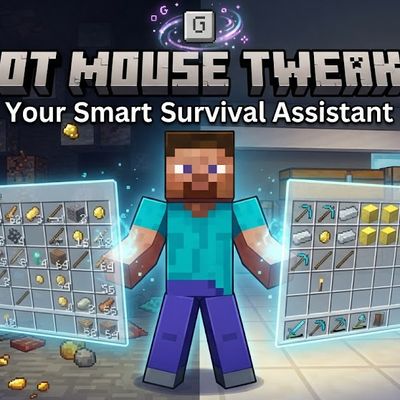
Mouse Tweaks Complementary
perform actions that normally require opening a GUI without ever actually opening one.
 mod
CurseForge · Minecraft
Anvil reset scroll
This mod introduces Reset Scroll. It allows you to keep your gear forever without worrying about the vanilla anvil repair limits.No Anvil Expensive,No Expensive Never Too Expensive