Minecraft version
Back to mods 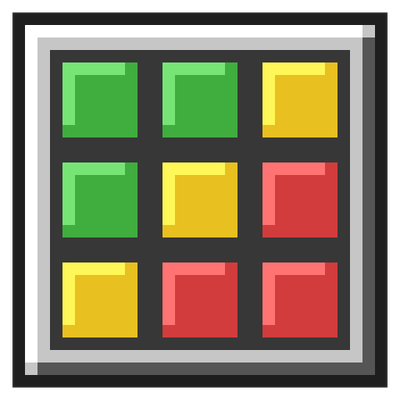
CurseForge · Minecraft mod
Material Boxes
Client-side mod that helps gather and keep track of materials for builds
Choose a version Pick your version below, then grab the matching file.
Quick answer
Which Material Boxes release matches 26.3?
Best match for your filters material-boxes-1.1.0+26.3.jar
Game version 26.3
Loader Fabric
Material Boxes material-boxes-1.1.0+26.3.jar targets 26.3 with Fabric. The project page does not say whether this file belongs on the client, dedicated server, or both. No extra mods listed for this file.
Where it goes
Is Material Boxes required on the client, server, or both?
The project page does not say whether this file belongs on the client, dedicated server, or both.
Client Source doesn’t say
Dedicated server Source doesn’t say
Loader for this release Fabric
Required install it here Optional supported, not mandatory Not supported do not install here Source doesn’t say do not assume
The source does not explicitly classify this release as client-only or server-only.
What else does Material Boxes material-boxes-1.1.0+26.3.jar need?
material-boxes-1.1.0+26.3.jar on 26.3. Every mod below is checked against that same setup.
This file does not list any required mods. Do not add a library just because a different file uses it.
This file does not list any required or optional mods.
Before you install it
Add Material Boxes without breaking your instance.
Built for Material Boxes material-boxes-1.1.0+26.3.jar on 26.3. Pick another file and the loader, install side or required mods may change.
- 01
Stick to this file
Use material-boxes-1.1.0+26.3.jar. It targets 26.3 with Fabric; another release may have different loader, side or dependency requirements.
- 02
Bring the mods it needs
This file does not list any required mods. Do not add a library just because a different file uses it.
- 03
Put it on the correct side
The project page does not say whether this file belongs on the client, dedicated server, or both.
- 04
Pick the file you checked
Use the “Get this file” button beside material-boxes-1.1.0+26.3.jar. It opens that exact file at the source.
About this project
What does Material Boxes add?
Material Boxes documentation
Material Boxes is a client-side Fabric mod for Minecraft 26.2 that makes gathering materials for a build easier. You load your build's material list, mark storage containers as Material Boxes, and the mod shows you what's still missing: which slots to fill, how much is stored, and what you still need to collect.
It's client-only, so it works on servers that don't have it installed.
Quick start
- Press B (or type
/materials) to open the Materials List. - Paste your list into the import panel on the left ("64 stone", "3 stacks oak planks"…), or click Litematica to load a Litematica material list export. Then click Replace.
- Open a chest and click + Material Box. Red slots show what goes there.
- Fill the red slots. Shift-click items in from your inventory, or click Deposit All.
- Watch the missing materials HUD in the top-left corner while you gather. Press H to hide or show it.
Features
| Page | Covers |
|---|---|
| Importing a material list | Pasting text, Litematica exports, screenshots read by Claude, Replace vs Add, saved replacements |
| Material Boxes | Marking containers, red/yellow/green slots, hover tooltips, shift-click and Deposit All, shulker contents, breaking and moving boxes, the Boxes screen |
| The Materials List screen | Progress, search and sort, replacing items, changing amounts, Copy, Clear, the import panel |
| Saved lists | Saving, loading, renaming and deleting lists, replacements, and each list's own Material Boxes |
| Missing materials HUD | The on-screen checklist |
| Shulker box preview | Looking inside shulker boxes in your inventory |
| Settings, controls and files | Key bindings, commands, the settings screen, where data is saved |
| Compatibility and limitations | Requirements, tested mods, known limitations, troubleshooting |
Project description from CurseForge.
Pick your setup
Material Boxes by Minecraft version and loader
Choose the version and loader you play, then open the matching release.
Minecraft version
26.2
1 loader buildCheck the dependencies, then try the file in a copied instance before changing a world you care about.
Recent files
Material Boxes versions and loaders
material-boxes-1.1.0+26.3.jar
20 Sept 2026
Client Source doesn’t say Server Source doesn’t say Dependencies No extras listed Listed on Release listing
Check the 26.3 · Fabric setup Fabric26.3 release
Looking for an older file? The official CurseForge project page is in Resources.
 mod
CurseForge + Modrinth · Minecraft
Cape Provider
Provides you with capes! You can choose from various providers or add your own
 mod
CurseForge + Modrinth · Minecraft
Biology Dictionary
Discover, highlight, inspect, modify - your vanilla & modded mob encyclopedia
 mod
CurseForge + Modrinth · Minecraft
Durability Vewer Continuation
Armor and Tool durability HUD