Minecraft version
Back to mods 
CurseForge · Minecraft mod
Swarm Miner
Program a swarm of mining drones: filters, modules and a tablet to run every station from anywhere.
Choose a version Pick your version below, then grab the matching file.
Quick answer
Which Swarm Miner release should I use?
Latest stable file swarmminer-1.0.1.jar
Game version 26.1.2
Loader NeoForge
Swarm Miner swarmminer-1.0.1.jar targets 26.1.2 with NeoForge. The project page does not say whether this file belongs on the client, dedicated server, or both. No extra mods listed for this file.
Where it goes
Is Swarm Miner required on the client, server, or both?
The project page does not say whether this file belongs on the client, dedicated server, or both.
Client Source doesn’t say
Dedicated server Source doesn’t say
Loader for this release NeoForge
Required install it here Optional supported, not mandatory Not supported do not install here Source doesn’t say do not assume
The source does not explicitly classify this release as client-only or server-only.
What else does Swarm Miner swarmminer-1.0.1.jar need?
swarmminer-1.0.1.jar. Change the file and its required mods may change too.
This file does not list any required mods. Do not add a library just because a different file uses it.
This file does not list any required or optional mods.
Before you install it
Add Swarm Miner without breaking your instance.
Built for Swarm Miner swarmminer-1.0.1.jar. Pick another file and the loader, install side or required mods may change.
- 01
Stick to this file
Use swarmminer-1.0.1.jar. It targets 26.1.2 with NeoForge; another release may have different loader, side or dependency requirements.
- 02
Bring the mods it needs
This file does not list any required mods. Do not add a library just because a different file uses it.
- 03
Put it on the correct side
The project page does not say whether this file belongs on the client, dedicated server, or both.
- 04
Pick the file you checked
Use the “Get this file” button beside swarmminer-1.0.1.jar. It opens that exact file at the source.
About this project
What does Swarm Miner add?
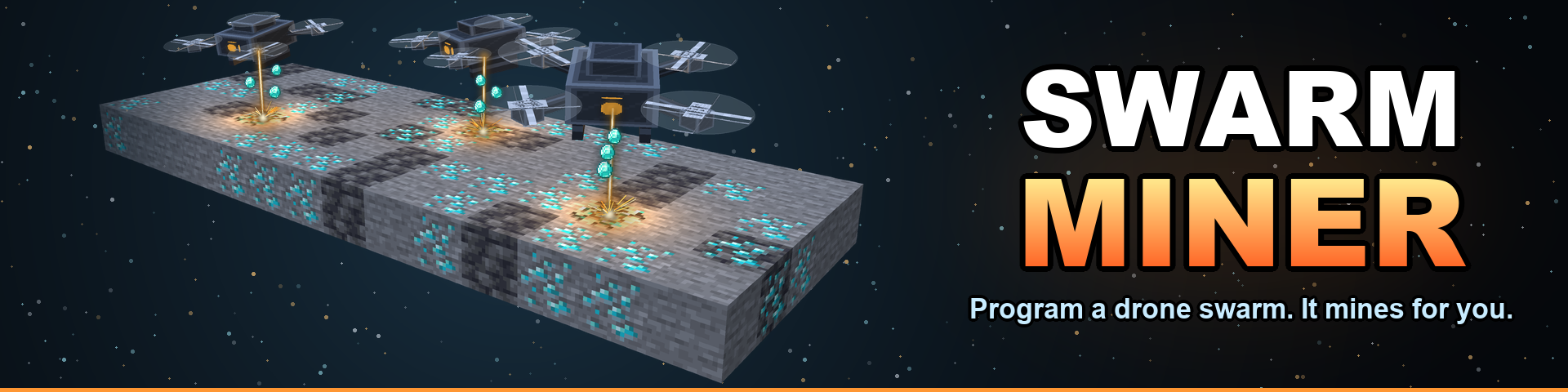
Mining you delegate instead of doing.
Build a control station, write its orders, and release a swarm of drones that fly through solid rock, cut out exactly the ores you asked for, and carry them home.
No quarry, no holes the size of a chunk, no pickaxe. Swarm Miner drones phase through stone and break only the blocks your program names — the landscape stays as it was, apart from the ore that is no longer in it. You decide what is worth fetching, in what order, how far to look and how hard the swarm should work. Then you go and do something else.
How it works
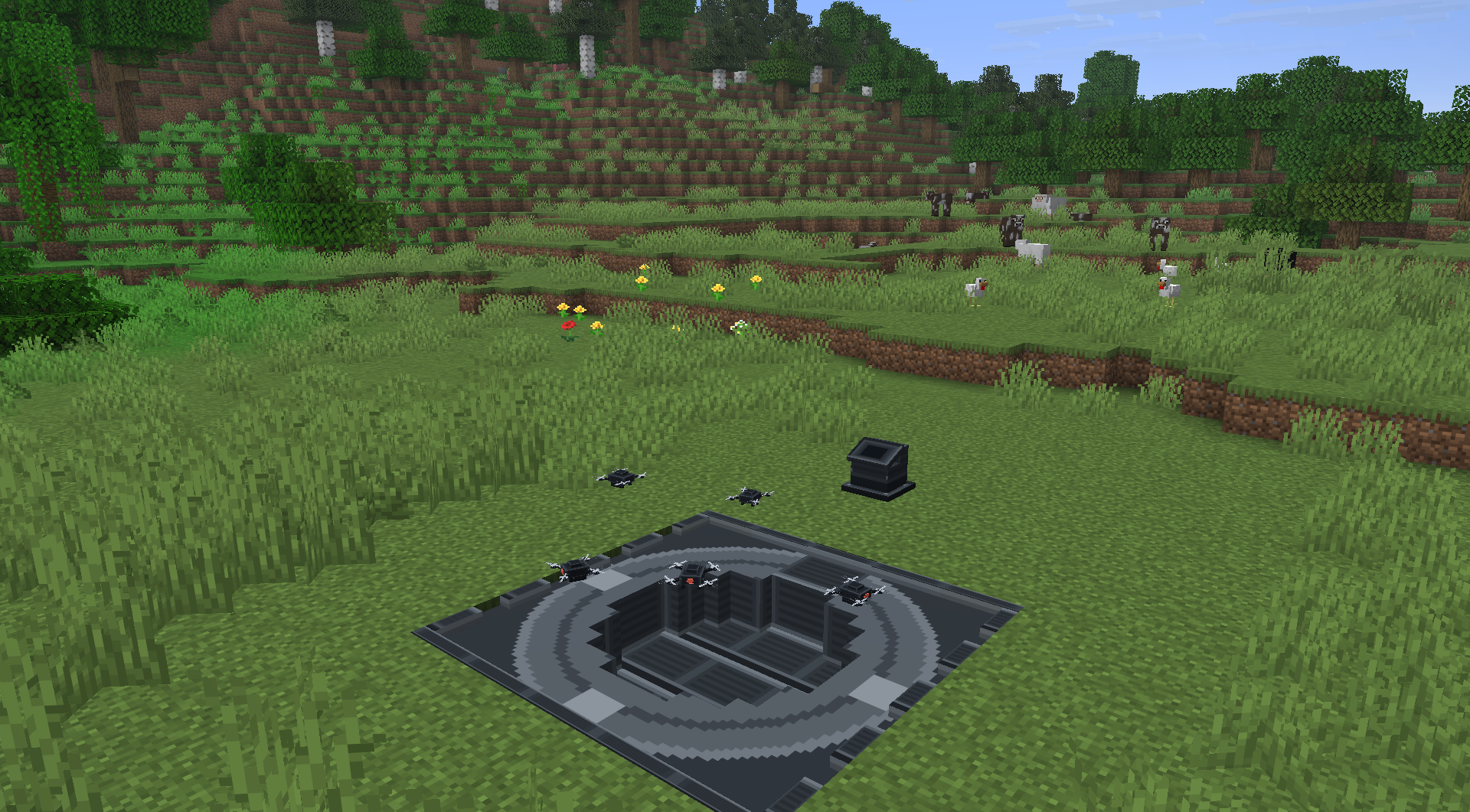
- Craft and place a Swarm Control Station. It arrives switched off, so nothing happens until you say so.
- Build a Launch Silo next to it (within 16 blocks). It is a flat 5×5 pad: a ring of Silo Casing with one Silo Core in the middle of a side, around a 3×3 Silo Hatch. Put the blocks in your inventory and right-click the core: it builds the whole pad for you, or tells you exactly what is missing.
- Power it. Swarm Miner uses Forge Energy (FE/RF) only. Cables connect to the station or to any block of the silo.
- Switch it on. A fresh station is already useful: one drone, working its own chunk, taking every ore it finds.
- Collect the ore. Drones unload into the station's cargo hold. Pipe it out of any silo block, or open the Cargo tab.
When you want more, you program it and upgrade it — both below.
The Program: tell the swarm what you want
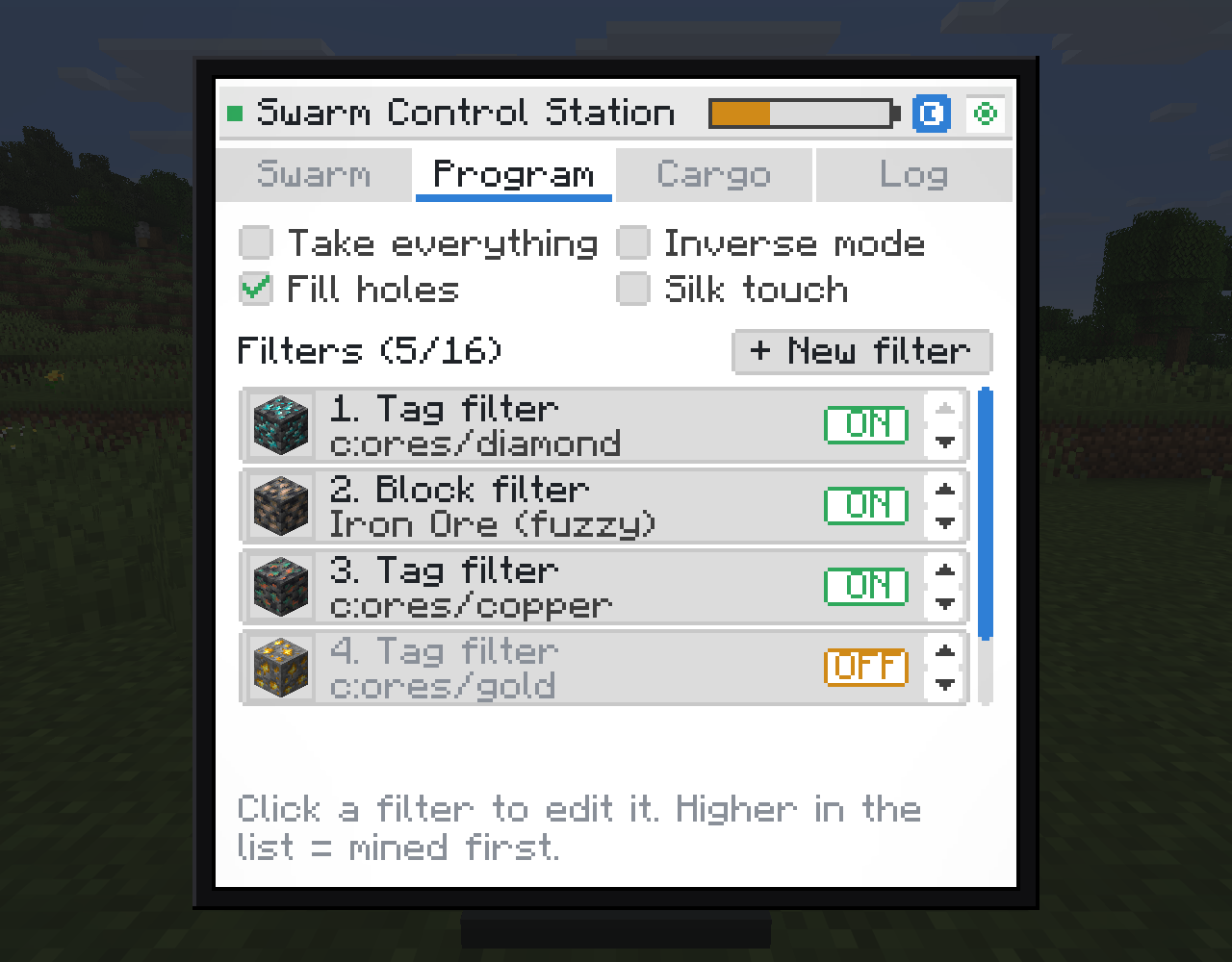
The Program tab works like a Digital Miner filter list, with one thing it never had: order is priority. The higher a filter sits, the sooner the swarm goes after what it matches.
- Tag filters — everything with a tag, wildcards allowed:
c:ores/diamond,c:ores/*. - Mod filters — every block one mod adds.
- Block filters — one specific block, or with Fuzzy on, the same ore from every mod: one filter catches all four mods' silver ore.
- Works with ores from any mod out of the box, through the common
c:tags. - Switches for Take everything, Inverse mode (mine what is not listed), Fill holes (drones close the gap with the surrounding stone) and Silk touch.
- A live preview shows how many blocks each filter matches before you save it.
Modules: grow the swarm
Upgrades are items that sit in the station's six module slots. They stack, and you can take them back out at any time.
| Module | Effect | Useful up to |
|---|---|---|
| Drone Bay Module | +1 drone in the air at a time | 7 (8 drones) |
| Overclock Module | +25% flying and digging speed | 8 (3× speed) |
| Survey Range Module | +1 chunk searched in every direction | 2 (a 5×5 chunk area, configurable) |
| Smelter Module | Cooks the ore in flight — with its own filter list | 1 |
| Ancient Ores Module | Lets the swarm mine the ancient ores, which drones otherwise leave alone | 1 |
Ancient ores are locked behind their own module. Any block in the swarmminer:ancient_ores tag is skipped by every station without an Ancient Ores Module — even with Take everything or Inverse on. Out of the box the tag holds the c:ores/allthemodium, c:ores/vibranium and c:ores/unobtainium ore tags, and it is simply empty in a pack without them. Modpack makers can add their own late-game ores with a datapack.
Energy grows with the upgrades, not with the ore. A bare station is cheap to run because it earns little. Every module you fit multiplies all of the station's costs by 1.15, so a fully upgraded swarm is fast and very hungry. Mining a diamond costs the same as mining coal. The Swarm tab always shows the current cost per ore.
Each drone carries up to 576 items (nine stacks) before it flies home, so every round trip is worth making. When the cargo hold is full, drones wait in a ring above the silo until there is room.
The Swarm Tablet: your stations in your pocket
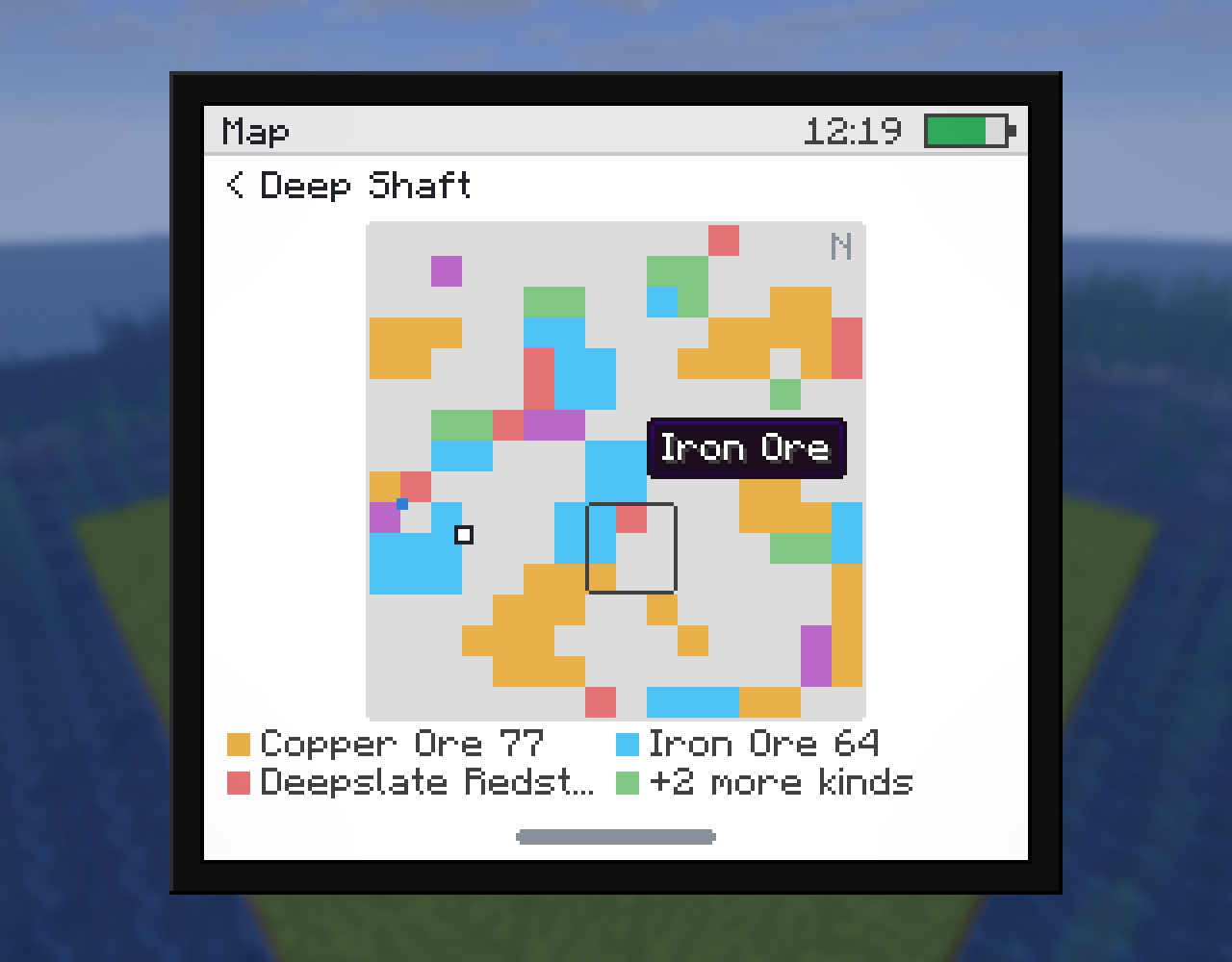
A handheld with a home screen of apps. It sees every loaded station in your dimension, at any distance, and runs on its own FE battery that only drains while the screen is open. You install apps by crafting cards:
- Status (built in) — energy, drones out, chunks held.
- Cargo — Inventory Card — what every station is holding.
- Control — Command Card — switch stations on and off from anywhere.
- Program — Logic Card — the same filter editor as the station, in the field.
- Map — Cartography Card — a station's search area from above, with every ore found, the silo, the drones and you.
- Alerts — Sensor Card — which stations need a visit and why.
- Network — Network Card — every other app now sees stations in every dimension.
- Settings (built in) — four themes.
And when a station runs out of ore, you get a pop-up telling you so — "Mining complete" or "Nothing to mine" — wherever you are.
Built to be left alone
- 🔋 Forge Energy only, no other mod required.
- 🗺️ Chunk loading: a switched-on station keeps its own search area loaded, so the swarm keeps working while you are away. Each chunk has an energy cost, and it can be turned off per station or for the whole server.
- 🔌 Automation friendly: items and power go in and out through any block of the silo.
- 🛡️ Drones cannot be destroyed and never get stuck: they turn back while they can still afford the trip home, and never strand ore underground.
- 📖 JEI is supported, including next to the tablet screen.
- ⚙️ Every balance value — energy costs, drone limits, chunk radius, cost growth — is in
config/swarmminer-common.toml.
Installation
- Minecraft 26.1.2 with NeoForge 26.1.2 — every build, from 26.1.2.0-beta onwards.
- No required dependencies. JEI is optional.
- Install on both client and server.
Modpacks and add-ons
You may include Swarm Miner in any modpack, public or private, free or monetised, provided the pack is distributed through an official platform (CurseForge, Modrinth) that downloads the mod from its official source. No need to ask.
Third-party add-ons and compatibility patches are welcome, as long as they do not bundle or redistribute this mod's files. The full terms are in LICENSE.txt inside the jar.
Credits
The tablet's in-hand pose is taken from Create: Redstone Link Tablet by FryD42 (MIT licence) — thanks. Full attribution is in LICENSE.txt inside the jar. Every sound in the mod is synthesised.
Created by DNomad. Copyright © 2026, all rights reserved, with the modpack and add-on exceptions above.
📦 Other projects: curseforge.com/members/dnomad/projects
Bug reports and ideas are welcome — the mod is actively developed.
Project description from CurseForge.
Pick your setup
Swarm Miner by Minecraft version and loader
Choose the version and loader you play, then open the matching release.
Check the dependencies, then try the file in a copied instance before changing a world you care about.
Recent files
Swarm Miner versions and loaders
swarmminer-1.0.1.jar
17 Sept 2026
Client Source doesn’t say Server Source doesn’t say Dependencies No extras listed Listed on Release listing
Check the 26.1.2 · NeoForge setup NeoForge26.1.2 release
swarmminer-1.0.0.jar
15 Sept 2026
Client Source doesn’t say Server Source doesn’t say Dependencies No extras listed Listed on Release listing
Check the 26.1.2 · NeoForge setup NeoForge26.1.2 release
Looking for an older file? The official CurseForge project page is in Resources.
 mod
mod CurseForge + Modrinth · Minecraft
The Lead Age
A vanilla+ expansion that introduces lead ore, customizable leaded glass & more. Includes compatibility with Create & Farmer's Delight!
 mod
mod CurseForge + Modrinth · Minecraft
Just Enough Effect Descriptions (JEED)
JEI/REI/EMI plugin that displays information on all potion and status effects
 mod
mod CurseForge · Minecraft
BlackAnnin's Drone
A drone that follows and shoots at any time, and streams the captured footage to OBS Studio.