Minecraft version
Back to mods 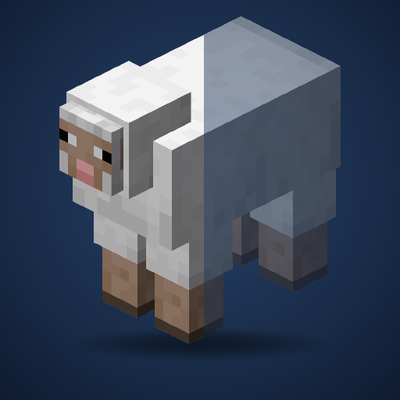
CurseForge · Minecraft mod
EntityFade
Stop seeing the inside of mobs when your camera clips into them.
Choose a version Pick your version below, then grab the matching file.
Quick answer
Which EntityFade release matches 1.21.3 Forge?
Best match for your filters EntityFade-1.0.0-forge-1.21.3.jar
Game version 1.21.3
Loader Forge
EntityFade-1.0.0-forge-1.21.3.jar targets 1.21.3 with Forge. The project page does not say whether this file belongs on the client, dedicated server, or both. No extra mods listed for this file.
Where it goes
Is EntityFade required on the client, server, or both?
The project page does not say whether this file belongs on the client, dedicated server, or both.
Client Source doesn’t say
Dedicated server Source doesn’t say
Loader for this release Forge
Required install it here Optional supported, not mandatory Not supported do not install here Source doesn’t say do not assume
The source does not explicitly classify this release as client-only or server-only.
What else does EntityFade-1.0.0-forge-1.21.3.jar need?
EntityFade-1.0.0-forge-1.21.3.jar on 1.21.3 Forge. Every mod below is checked against that same setup.
This file does not list any required mods. Do not add a library just because a different file uses it.
This file does not list any required or optional mods.
Before you install it
Add EntityFade without breaking your instance.
Built for EntityFade-1.0.0-forge-1.21.3.jar on 1.21.3 Forge. Pick another file and the loader, install side or required mods may change.
- 01
Stick to this file
Use EntityFade-1.0.0-forge-1.21.3.jar. It targets 1.21.3 with Forge; another release may have different loader, side or dependency requirements.
- 02
Bring the mods it needs
This file does not list any required mods. Do not add a library just because a different file uses it.
- 03
Put it on the correct side
The project page does not say whether this file belongs on the client, dedicated server, or both.
- 04
Pick the file you checked
Use the “Get this file” button beside EntityFade-1.0.0-forge-1.21.3.jar. It opens that exact file at the source.
About this project
What does EntityFade add?
EntityFade
Stop seeing the inside of mobs when your camera clips into them.
When a mob gets right up in your face, or your third-person camera slides into one, Minecraft draws the model inside-out. You end up staring at the backs of its faces, mirrored textures and all.
EntityFade fixes that. Mobs that get too close to the camera smoothly turn semi-transparent, and the faces you shouldn't be able to see are simply not drawn.
Features
- No more inside-out mobs. The part of the model your camera is clipping through disappears cleanly instead of showing a mirrored, inside-out texture.
- Smooth fade. Mobs fade gradually as the camera gets closer instead of popping in and out. They never vanish completely, so you can still tell what's hugging you.
- Only kicks in up close. Nothing changes until a mob is within about half a block of the camera. Everything else renders exactly like vanilla.
- Armor and held items fade too, so nothing is left floating in mid-air.
- Name tags stay readable.
- Leaves your inventory alone. The player preview in the inventory screen is never faded.
- Works in first and third person.
- Client-side only. Install it on your client. Servers don't need it.
- No configuration needed. Drop it in and it just works.
How it works
Most mobs are drawn with back-face culling turned off, so both sides of every face get rendered. Normally you never notice, because you only ever see the outside. But once the camera gets inside a model, the front faces are cut away by the camera's near clipping plane, and you see straight through to the back faces on the other side. That's the inside-out view.
When a mob is close to the camera, EntityFade redraws it with back-face culling turned on and a little transparency. The hidden faces are skipped, and the fade softens the moment a body part slips out of view. Mobs farther away are left completely untouched.
Compatibility
- Works on vanilla mobs, players, and modded mobs that use Minecraft's standard living-entity renderer.
- Mobs drawn by their own rendering systems (for example, some animation libraries) are not affected.
Known issues
- Glowing overlays, such as spider and enderman eyes, lose their glow while the mob is faded.
- Enchantment glint on armor and held items stays at full strength while the rest of the mob fades.
- Modded models built with inside-out faces may show small gaps when you're pressed right up against them.
Project description from CurseForge.
Pick your setup
EntityFade by Minecraft version and loader
Choose the version and loader you play, then open the matching release.
Minecraft version
1.21.5
2 loader buildsMinecraft version
1.21.4-Snapshot
2 loader buildsMinecraft version
1.21.4
2 loader buildsMinecraft version
1.21.3
2 loader buildsMinecraft version
1.21.1-Snapshot
2 loader buildsMinecraft version
1.21.1
2 loader buildsMinecraft version
1.20.4
2 loader buildsMinecraft version
1.20.2-Snapshot
2 loader buildsMinecraft version
1.20.2
2 loader buildsMinecraft version
1.20.1
2 loader buildsCheck the dependencies, then try the file in a copied instance before changing a world you care about.
Recent files
EntityFade versions and loaders
EntityFade-1.0.0-forge-1.21.3.jar
15 Sept 2026
Client Source doesn’t say Server Source doesn’t say Dependencies No extras listed Listed on Release listing
Check the 1.21.3 · Forge setup Forge1.21.3 release
Looking for an older file? The official CurseForge project page is in Resources.
 mod
CurseForge · Minecraft
No Narrator
No Narrator 是一个轻量的客户端 模组,它可以禁用用于切换内置旁白的 Ctrl+B 快捷键,防止意外启动。No Narrator is a lightweight client-side Minecraft mod that disables the Ctrl+B Narrator toggle, preventing accidental activation. It doesn’t affect other keybinds and needs no configuration
 mod
CurseForge · Minecraft
Custom Capes
This Mod adds the ability to add custom capes to your player including gifs and normal images with a resolution up to 1024x512 you can also see other capes and vice versa and it also works with elytra models and wavey capes
 mod
CurseForge · Minecraft
Better UX
Better User Experience, health bar, hunger bar, no more fire all over the screen, customize the HUD how ever you like and more.