Create Needed by Create: Toolworks toolworks-1.21.1-0.1.4.jar
requiredMatching file found Matched file: Create 6.0.10 for mc1.21.1
CurseForge · Minecraft mod
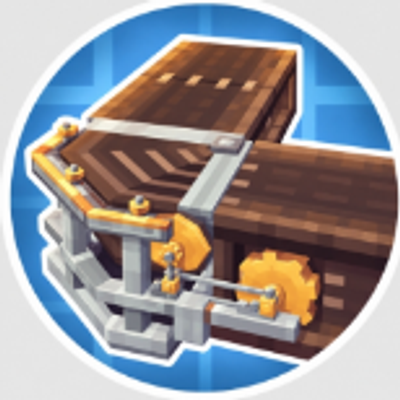
A 90° corner conveyor with a real mechanical structure for Create's conveyor belt.
Quick answer
Create: Toolworks toolworks-1.21.1-0.1.4.jar targets 1.21.1 with NeoForge. The project page does not say whether this file belongs on the client, dedicated server, or both. All 1 required mods have matching files.
Where it goes
The project page does not say whether this file belongs on the client, dedicated server, or both.
The source does not explicitly classify this release as client-only or server-only.
toolworks-1.21.1-0.1.4.jar. Change the file and its required mods may change too.
Install Create first. We found matching files for this game-version and loader setup.
We only count dependency files that match this setup. A file for another loader does not fill the gap.
Before you install it
Built for Create: Toolworks toolworks-1.21.1-0.1.4.jar. Pick another file and the loader, install side or required mods may change.
Use toolworks-1.21.1-0.1.4.jar. It targets 1.21.1 with NeoForge; another release may have different loader, side or dependency requirements.
Install Create first. We found matching files for this game-version and loader setup.
The project page does not say whether this file belongs on the client, dedicated server, or both.
Use the “Get this file” button beside toolworks-1.21.1-0.1.4.jar. It opens that exact file at the source.
About this project
Create: Toolworks adds a more natural conveyor belt expansion to Mechanical Power (Create).
The corner conveyor belt can connect two horizontal conveyor segments at the same height with a 90° angle. It uses an octagonal frame, tapered rollers, and a crank-linkage drive system, making the turning section look like a continuous, real conveyor setup.
Each crafting yields 1 corner conveyor belt.
Create: Toolworks 为机械动力(Create)加入更自然的输送线扩展。
转角传送带可在同一高度把两段水平传送带以 90° 连起来。它采用八边形框架、锥形滚筒和曲柄连杆传动结构,使转向段看起来像一套连续驱动的真实输送设备。
每次合成获得 1 个转角传送带。
Project description from CurseForge.
Pick your setup
Choose the version and loader you play, then open the matching release.
Check the dependencies, then try the file in a copied instance before changing a world you care about.
Recent files
24 Sept 2026
16 Sept 2026
Looking for an older file? The official CurseForge project page is in Resources.
 mod
This mod is a remake of Old Mod TofuCraft made by tsuteto. add soybean As a new all-purpose food!
 mod
Adventure time inspired dungeon crawler on a train. Procedurally generated carriages on a infinite sable physics train. Rich narrative, with custom made mods for a completely unique experience.
 mod
Bloodline SMP Client Mod adds the custom Bloodline HUD, ability icons, cooldown overlays, and rebindable keybinds used by the Bloodline SMP server. It also syncs bloodline state and powers the client-side visuals required for the full gameplay experience.