
Minecraft version
Back to mods 
CurseForge · Minecraft mod
Ent's Copper Rails
Adding Speed controlled Copper Rails to Minecraft
Choose a version Pick your version below, then grab the matching file.
Quick answer
Which Ent's Copper Rails release should I use?
Latest stable file entcopperrails-neoforge-26.3-1.1.0.jar
Game version 26.3
Loader NeoForge
Ent's Copper Rails entcopperrails-neoforge-26.3-1.1.0.jar targets 26.3 with NeoForge. The project page does not say whether this file belongs on the client, dedicated server, or both. No extra mods listed for this file.
Where it goes
Is Ent's Copper Rails required on the client, server, or both?
The project page does not say whether this file belongs on the client, dedicated server, or both.
Client Source doesn’t say
Dedicated server Source doesn’t say
Loader for this release NeoForge
Required install it here Optional supported, not mandatory Not supported do not install here Source doesn’t say do not assume
The source does not explicitly classify this release as client-only or server-only.
What else does Ent's Copper Rails entcopperrails-neoforge-26.3-1.1.0.jar need?
entcopperrails-neoforge-26.3-1.1.0.jar. Change the file and its required mods may change too.
This file does not list any required mods. Do not add a library just because a different file uses it.
This file does not list any required or optional mods.
Before you install it
Add Ent's Copper Rails without breaking your instance.
Built for Ent's Copper Rails entcopperrails-neoforge-26.3-1.1.0.jar. Pick another file and the loader, install side or required mods may change.
- 01
Stick to this file
Use entcopperrails-neoforge-26.3-1.1.0.jar. It targets 26.3 with NeoForge; another release may have different loader, side or dependency requirements.
- 02
Bring the mods it needs
This file does not list any required mods. Do not add a library just because a different file uses it.
- 03
Put it on the correct side
The project page does not say whether this file belongs on the client, dedicated server, or both.
- 04
Pick the file you checked
Use the “Get this file” button beside entcopperrails-neoforge-26.3-1.1.0.jar. It opens that exact file at the source.
About this project
What does Ent's Copper Rails add?


Addings Speed Controlled Copper Rails mimicing the "Experimental Minecart Features"
What is Adds 
- Copper Rails - A new rail that sets a minecart's speed limit, in four oxidation tiers (each with a waxed variant).
- Per-cart speed control - every minecart remembers its own top speed, from 8 up to 64 blocks/second.
- Fast without flying off - carts stay glued to the track even at full tilt, so high speed finally feels good.
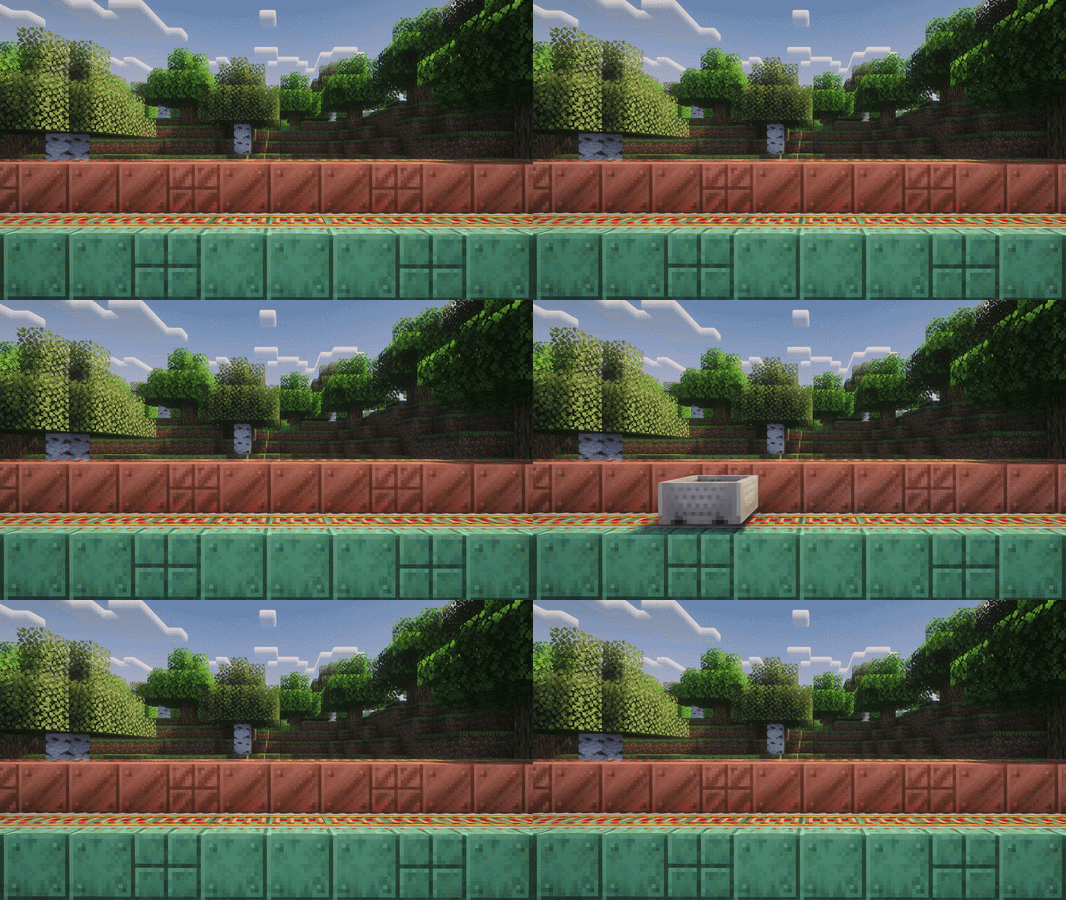
Control Your Minecart's Speed
Every minecart now tracks its own max speed. A freshly placed cart starts at 8 BPS (blocks per second) and can be pushed all the way up to 64 BPS.
Copper Rails change that number as a cart rolls over them:
- Powered copper rail: raises the cart's max speed
- Unpowered copper rail: lowers it
How much each rail moves it depends on the copper's oxidation level; unoxidized copper makes bigger changes:
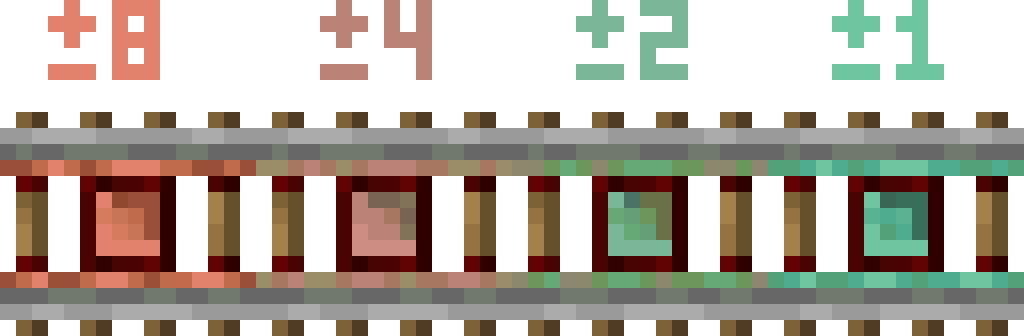
Powered rails are still needed to actually accelerate! Copper Rails set the speed limit, regular powered rails do the pushing
Mod made by TheFlyingEnt aka Ent
Credits to u/Loufey on Reddit
Project description from CurseForge.
Pick your setup
Ent's Copper Rails by Minecraft version and loader
Choose the version and loader you play, then open the matching release.
Minecraft version
26.2
2 loader buildsCheck the dependencies, then try the file in a copied instance before changing a world you care about.
Recent files
Ent's Copper Rails versions and loaders
entcopperrails-neoforge-26.3-1.1.0.jar
22 Sept 2026
Client Source doesn’t say Server Source doesn’t say Dependencies No extras listed Listed on Release listing
Check the 26.3 · NeoForge setup NeoForge26.3 release
entcopperrails-fabric-26.3-1.1.0.jar
22 Sept 2026
Client Source doesn’t say Server Source doesn’t say Dependencies 1 required · 1 unchecked Listed on Release listing
Check the 26.3 · Fabric setup Fabric26.3 release
entcopperrails-neoforge-26.2-1.1.0.jar
22 Sept 2026
Client Source doesn’t say Server Source doesn’t say Dependencies No extras listed Listed on Release listing
Check the 26.2 · NeoForge setup NeoForge26.2 release
entcopperrails-fabric-26.2-1.1.0.jar
22 Sept 2026
Client Source doesn’t say Server Source doesn’t say Dependencies 1 required · 1 unchecked Listed on Release listing
Check the 26.2 · Fabric setup Fabric26.2 release
entcopperrails-neoforge-26.2-1.0.0.jar
16 Sept 2026
Client Source doesn’t say Server Source doesn’t say Dependencies No extras listed Listed on Release listing
Check the 26.2 · NeoForge setup NeoForge26.2 release
entcopperrails-fabric-26.2-1.0.0.jar
16 Sept 2026
Client Source doesn’t say Server Source doesn’t say Dependencies 1 required · 1 unchecked Listed on Release listing
Check the 26.2 · Fabric setup Fabric26.2 release
Looking for an older file? The official CurseForge project page is in Resources.