Refined Storage Needed by AE2 & RS2 Pattern Converter 1.0.1 26.1.2 NeoForge
requiredMatching file found Matched file: v3.2.1

CurseForge · Minecraft mod
Convert autocrafting patterns between Refined Storage and Applied Energistics 2, both ways: crafting, processing, stonecutter and smithing
Quick answer
AE2 & RS2 Pattern Converter 1.0.1 26.1.2 NeoForge targets 26.1.2 with NeoForge. The project page does not say whether this file belongs on the client, dedicated server, or both. All 3 required mods have matching files.
Where it goes
The project page does not say whether this file belongs on the client, dedicated server, or both.
The source does not explicitly classify this release as client-only or server-only.
AE2 & RS2 Pattern Converter 1.0.1 26.1.2 NeoForge. Change the file and its required mods may change too.
Install Refined Storage, Applied Energistics 2, GuideME first. We found matching files for this game-version and loader setup. 12 come through another mod in the chain.
12 extra mods were pulled in by other dependencies. Indented rows show who needs each one. We only count dependency files that match this setup. A file for another loader does not fill the gap.
Before you install it
Built for AE2 & RS2 Pattern Converter 1.0.1 26.1.2 NeoForge. Pick another file and the loader, install side or required mods may change.
Use AE2 & RS2 Pattern Converter 1.0.1 26.1.2 NeoForge. It targets 26.1.2 with NeoForge; another release may have different loader, side or dependency requirements.
Install Refined Storage, Applied Energistics 2, GuideME first. We found matching files for this game-version and loader setup. 12 come through another mod in the chain.
The project page does not say whether this file belongs on the client, dedicated server, or both.
Use the “Get this file” button beside AE2 & RS2 Pattern Converter 1.0.1 26.1.2 NeoForge. It opens that exact file at the source.
About this project
I encountered this problem myself, so I decided to create a mod to fix it.
The direction is detected per pattern, so a mixed batch just works. Click the arrow to lock a direction for deliberate runs.
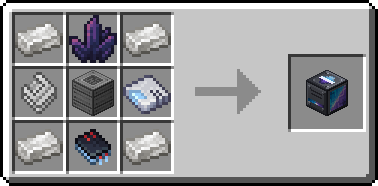
Found a bug? The bug button next to the Machine Inteface opens the issue tracker:
1.21.1 - https://github.com/iA7MD-7/AE2-RS2-Pattern-Converter/issues
26.1.2 - https://github.com/iA7MD-7/AE2-RS2-Pattern-Converter-26.1/issues
Project description from CurseForge.
Pick your setup
Choose the version and loader you play, then open the matching release.
Check the dependencies, then try the file in a copied instance before changing a world you care about.
Recent files
ae2-rs2-pattern-converter-neoforge-1.0.1-26.1.2.jar
18 Sept 2026
ae2-rs2-pattern-converter-neoforge-1.0.1-1.21.1.jar
18 Sept 2026
ae2-rs2-pattern-converter-neoforge-1.0.0-26.1.2.jar
17 Sept 2026
ae2-rs2-pattern-converter-neoforge-1.0.0-1.21.1.jar
17 Sept 2026
Looking for an older file? The official CurseForge project page is in Resources.
 mod
modThis mod adds meth! ( drugs ) did you ever want to do meth in minecraft? now you can with this addon for the alchemistry mod! It adds a cool recipe which is mostly realistic! Start your own drug empire with Alchemistry: The Home Lab
 mod
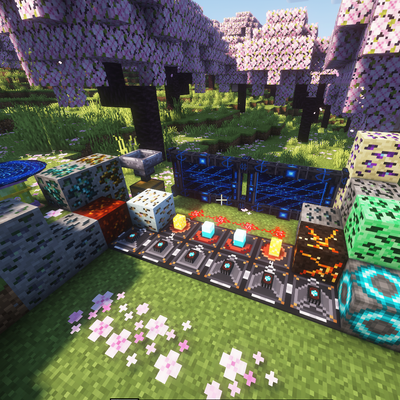
modAdds 17+ ores and cool items like wireless redstone, logic gates, magic staffs, tools and more.. beyond normal ores mod with just armours and weapons.
 mod
modUnofficial fan compatibility adaptation of Extra Hostile Neural Networks for Minecraft 26.1.2 and ATM11 0.9.0.