Minecraft version
Back to mods 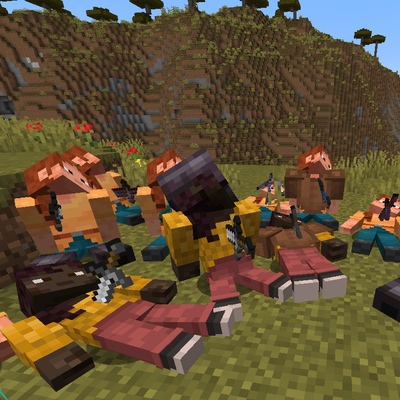
CurseForge · Minecraft mod
Player Corpse Detailed (Fabric, Neoforge, Forge)
Safely preserves your items on death with a realistic 3D corpse wearing your skin, equipped armor, and a lethal weapon stuck in its back.
Choose a version Pick your version below, then grab the matching file.
Quick answer
Which Player Corpse Detailed (Fabric, Neoforge, Forge) release should I use?
Latest stable file player-corpse-1.2.0-mc26.1-26.3-neoforge.jar
Game version 26.1-snapshot, 26.1, 26.1.1
Loader NeoForge
Player Corpse Detailed (Fabric, Neoforge, Forge) player-corpse-1.2.0-mc26.1-26.3-neoforge.jar targets 26.1-snapshot, 26.1, 26.1.1 with NeoForge. The project page does not say whether this file belongs on the client, dedicated server, or both. No extra mods listed for this file.
Where it goes
Is Player Corpse Detailed (Fabric, Neoforge, Forge) required on the client, server, or both?
The project page does not say whether this file belongs on the client, dedicated server, or both.
Client Source doesn’t say
Dedicated server Source doesn’t say
Loader for this release NeoForge
Required install it here Optional supported, not mandatory Not supported do not install here Source doesn’t say do not assume
The source does not explicitly classify this release as client-only or server-only.
What else does Player Corpse Detailed (Fabric, Neoforge, Forge) player-corpse-1.2.0-mc26.1-26.3-neoforge.jar need?
player-corpse-1.2.0-mc26.1-26.3-neoforge.jar. Change the file and its required mods may change too.
This file does not list any required mods. Do not add a library just because a different file uses it.
This file does not list any required or optional mods.
Before you install it
Add Player Corpse Detailed (Fabric, Neoforge, Forge) without breaking your instance.
Built for Player Corpse Detailed (Fabric, Neoforge, Forge) player-corpse-1.2.0-mc26.1-26.3-neoforge.jar. Pick another file and the loader, install side or required mods may change.
- 01
Stick to this file
Use player-corpse-1.2.0-mc26.1-26.3-neoforge.jar. It targets 26.1-snapshot, 26.1, 26.1.1 with NeoForge; another release may have different loader, side or dependency requirements.
- 02
Bring the mods it needs
This file does not list any required mods. Do not add a library just because a different file uses it.
- 03
Put it on the correct side
The project page does not say whether this file belongs on the client, dedicated server, or both.
- 04
Pick the file you checked
Use the “Get this file” button beside player-corpse-1.2.0-mc26.1-26.3-neoforge.jar. It opens that exact file at the source.
About this project
What does Player Corpse Detailed (Fabric, Neoforge, Forge) add?
💀 Player Corpse
A clean, immersive multi-loader mod for Fabric, Forge, and NeoForge that replaces standard item scattering with a custom 3D player corpse upon death.
When you die in Minecraft, your items are safely stored inside a realistic 3D corpse that retains your exact player skin, equipped armor, and the lethal weapon stuck in its body. No more scrambling to pick up scattered items before they despawn!
⚔️ Current Features
1. Custom 3D Corpse & Skin Sync 🧍
- Exact Skin Rendering: The corpse dynamically renders your personal player skin (supporting both Classic and Slim models) along with all outer clothing layers (jackets, sleeves, pants).
- 3D Armor Display: All equipped armor pieces (helmets, chestplates, leggings, boots) are properly aligned and displayed directly on the resting corpse.
- Realistic Lethal Weapon Embedding: The weapon or projectile that delivered the final blow—or your own held weapon upon death—is visibly embedded into the corpse with realistic angles, natural tilt variations, and depth.
2. Secure Item Recovery & Protection 📦
- Dedicated Inventory Screen: Right-clicking your corpse opens a custom GUI displaying all preserved inventory slots and equipment with clean, vanilla-style slot silhouettes.
- Loot All Button: A dedicated one-click button inside the corpse GUI to instantly retrieve and transfer all items and equipment back into your inventory.
- Auto-Cleanup When Empty: Corpses automatically despawn once every single item has been recovered, keeping your world clean.
- Death Coordinates Notification: Never lose your death spot again—exact death coordinates
[X, Y, Z]and dimension information are sent directly to your chat upon death. - Hazard & Void Safety: Fire, lava, and explosion immunity with built-in void rescue (automatically anchors safely above minimum build height if dying in the void).
- Multiplayer Ready: Fully synchronized across both dedicated servers and singleplayer worlds.
3. Admin & Recovery Tools 🛠️
/corpse list: Quickly inspect all active corpses in the world with owner names, exact coordinates[X, Y, Z], and preserved item counts./corpse clear [radius]: Clean up abandoned corpses within a specified radius./corpse test [pose]: Spawn test corpses with varied death poses and equipped weapons for debugging or showcase.
🚀 Beta Status & Planned Features
Player Corpse is actively evolving! Here is what is currently planned and in development:
- Optional Theft Protection: A configurable toggle to restrict corpse access strictly to the owner on multiplayer servers.
- Dynamic Death Poses: Varied resting postures based on your specific cause of death (high falls, drowning, blast impacts, etc.).
- Decay & Epitaph (Configurable): An optional mechanic where corpses gradually turn into skeletons over time, alongside a death cause message showing who or what killed you.
- Death Compass / Map Marker: In-game compass or waypoint pointing back to your most recent corpse.
🧪 Multi-Loader & Multi-Version Support
Official releases are natively compiled and tested for:
- Minecraft 1.19.4 – 1.20.1 (Fabric & Forge)
- Minecraft 1.20.5 – 1.21.1 (Fabric & NeoForge)
- Minecraft 26.1 – 26.3 (Fabric & NeoForge)
⚙️ Requirements:
- Fabric: Fabric Loader 0.15.0+ and Fabric API
- NeoForge: NeoForge 21.1+ (1.21.1) / NeoForge 26.1+ (26.x)
- Forge: Forge 47.2.0+ (1.20.1)
💬 Feedback & Suggestions
If there is any feature, mechanic, or change you would like to see added, feel free to leave a comment below!
Project description from CurseForge.
Pick your setup
Player Corpse Detailed (Fabric, Neoforge, Forge) by Minecraft version and loader
Choose the version and loader you play, then open the matching release.
Minecraft version
26.3
3 loader buildsMinecraft version
26.2
3 loader buildsMinecraft version
26.1.2
3 loader buildsMinecraft version
26.1.1
3 loader buildsMinecraft version
26.1-snapshot
3 loader buildsMinecraft version
26.1
3 loader buildsMinecraft version
1.21.1-Snapshot
3 loader buildsMinecraft version
1.21.1
3 loader buildsMinecraft version
1.21-Snapshot
3 loader buildsMinecraft version
1.21
3 loader buildsMinecraft version
1.20.6
3 loader buildsShowing the newest 12 of 19 game versions. Older files are in the list below.
Check the dependencies, then try the file in a copied instance before changing a world you care about.
Recent files
Player Corpse Detailed (Fabric, Neoforge, Forge) versions and loaders
player-corpse-1.2.0-mc26.1-26.3-neoforge.jar
1 Oct 2026
Client Source doesn’t say Server Source doesn’t say Dependencies No extras listed Listed on Release listing
Check the 26.3-snapshot · NeoForge setup NeoForge26.1-snapshot26.126.1.1 release
player-corpse-1.2.0-mc26.1-26.3-fabric.jar
1 Oct 2026
Client Source doesn’t say Server Source doesn’t say Dependencies No extras listed Listed on Release listing
Check the 26.3-snapshot · Fabric setup FabricQuilt26.1-snapshot26.1 release
player-corpse-1.2.0-mc1.20.5-1.21.1-neoforge.jar
1 Oct 2026
Client Source doesn’t say Server Source doesn’t say Dependencies No extras listed Listed on Release listing
Check the 1.21.1-Snapshot · NeoForge setup 1.211.20.5-Snapshot1.21.1-Snapshot1.20.5 release
player-corpse-1.2.0-mc1.20.5-1.21.1-fabric.jar
1 Oct 2026
Client Source doesn’t say Server Source doesn’t say Dependencies No extras listed Listed on Release listing
Check the 1.21.1-Snapshot · Fabric setup 1.211.20.5-Snapshot1.21.1-SnapshotFabric release
player-corpse-1.2.0-mc1.19.4-1.20.1-forge.jar
1 Oct 2026
Client Source doesn’t say Server Source doesn’t say Dependencies No extras listed Listed on Release listing
Check the 1.20.1 · Forge setup 1.19.41.19.4-Snapshot1.20.1Forge release
player-corpse-1.2.0-mc1.19.4-1.20.1-fabric.jar
1 Oct 2026
Client Source doesn’t say Server Source doesn’t say Dependencies No extras listed Listed on Release listing
Check the 1.20.1 · Fabric setup 1.19.4Fabric1.19.4-Snapshot1.20.1 release
player-corpse-1.1.2-mc26.1-26.3-neoforge.jar
24 Sept 2026
Client Source doesn’t say Server Source doesn’t say Dependencies No extras listed Listed on Release listing
Check the 26.3-snapshot · NeoForge setup NeoForge26.1-snapshot26.126.1.1 release
player-corpse-1.1.2-mc26.1-26.3-fabric.jar
24 Sept 2026
Client Source doesn’t say Server Source doesn’t say Dependencies No extras listed Listed on Release listing
Check the 26.3-snapshot · Fabric setup FabricQuilt26.1-snapshot26.1 release
player-corpse-1.1.2-mc1.20.5-1.21.1-neoforge.jar
24 Sept 2026
Client Source doesn’t say Server Source doesn’t say Dependencies No extras listed Listed on Release listing
Check the 1.21.1-Snapshot · NeoForge setup 1.211.21.1-Snapshot1.20.51.20.6 release
player-corpse-1.1.2-mc1.20.5-1.21.1-fabric.jar
24 Sept 2026
Client Source doesn’t say Server Source doesn’t say Dependencies No extras listed Listed on Release listing
Check the 1.21.1-Snapshot · Fabric setup 1.211.21.1-SnapshotFabric1.20.5 release
player-corpse-1.1.2-mc1.19.4-1.20.1-forge.jar
24 Sept 2026
Client Source doesn’t say Server Source doesn’t say Dependencies No extras listed Listed on Release listing
Check the 1.20.1 · Forge setup 1.19.41.19.4-Snapshot1.20.1Forge release
player-corpse-1.1.2-mc1.19.4-1.20.1-fabric.jar
24 Sept 2026
Client Source doesn’t say Server Source doesn’t say Dependencies No extras listed Listed on Release listing
Check the 1.20.1 · Fabric setup 1.19.4Fabric1.19.4-Snapshot1.20.1 release
Looking for an older file? The official CurseForge project page is in Resources.
 mod
mod CurseForge + Modrinth · Minecraft
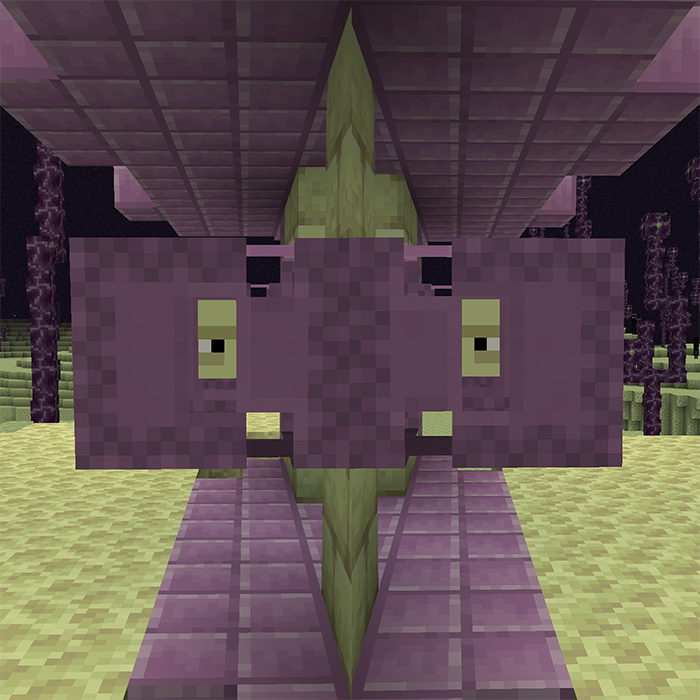
Respawning Shulkers
🟪 Shulkers will respawn at their death location after a configurable delay, farm shells sustainably.
 mod
mod CurseForge + Modrinth · Minecraft
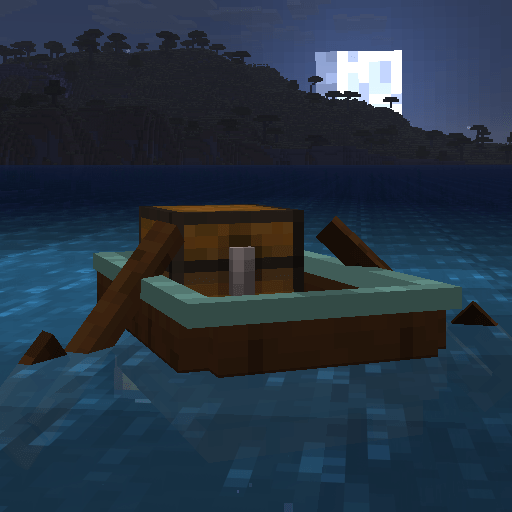
Seaworthy Boats
⛵ Reinforce boats into faster, tougher tiers from copper to netherite, and repair them with planks at a shipyard.
 mod
mod CurseForge + Modrinth · Minecraft
Set World Spawn Point
🌎 Allows setting an exact custom spawn point for (newly) created worlds and spawn tweaks.