Minecraft version
Back to mods 
CurseForge · Minecraft mod
Open Storage
Connects adjacent vanilla chests into a single network based on their anvil names.
Choose a version Pick your version below, then grab the matching file.
Quick answer
Which Open Storage release should I use?
Latest stable file open_storage-1.0.0.jar
Game version 1.21.1
Loader NeoForge
Open Storage open_storage-1.0.0.jar targets 1.21.1 with NeoForge. The project page does not say whether this file belongs on the client, dedicated server, or both. No extra mods listed for this file.
Where it goes
Is Open Storage required on the client, server, or both?
The project page does not say whether this file belongs on the client, dedicated server, or both.
Client Source doesn’t say
Dedicated server Source doesn’t say
Loader for this release NeoForge
Required install it here Optional supported, not mandatory Not supported do not install here Source doesn’t say do not assume
The source does not explicitly classify this release as client-only or server-only.
What else does Open Storage open_storage-1.0.0.jar need?
open_storage-1.0.0.jar. Change the file and its required mods may change too.
This file does not list any required mods. Do not add a library just because a different file uses it.
This file does not list any required or optional mods.
Before you install it
Add Open Storage without breaking your instance.
Built for Open Storage open_storage-1.0.0.jar. Pick another file and the loader, install side or required mods may change.
- 01
Stick to this file
Use open_storage-1.0.0.jar. It targets 1.21.1 with NeoForge; another release may have different loader, side or dependency requirements.
- 02
Bring the mods it needs
This file does not list any required mods. Do not add a library just because a different file uses it.
- 03
Put it on the correct side
The project page does not say whether this file belongs on the client, dedicated server, or both.
- 04
Pick the file you checked
Use the “Get this file” button beside open_storage-1.0.0.jar. It opens that exact file at the source.
About this project
What does Open Storage add?
(WITHOUT MOD)
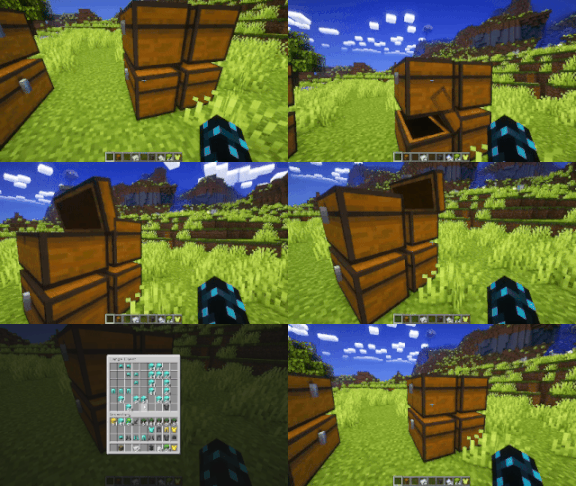
(WITH MOD)

(MULTIPLE STORAGE)

OpenStorage is a lightweight and efficient storage management mod for Minecraft that connects regular chests into a unified virtual network. Manage all your resources through a single centralized interface.
Key Features
Network Integration: Connect chests using custom names. The controller automatically discovers linked storage units across loaded chunks.
Unified Interface: View all stored items in a single categorized GUI with item counts.
Smooth Scrolling: Use the mouse wheel to scroll through large inventories containing hundreds of different items.
Flexible Item Management:
Left-click to extract 1 item.
Hold
Shiftto extract a full stack (64 items).Hold
Ctrlto extract half a stack (32 items).Use
Shift + Clickto quickly transfer items from your inventory into the network.
Smart Insertion: Items inserted into the system automatically fill existing partial stacks before occupying empty slots.
Number Formatting: Large item quantities are displayed with compact suffixes (such as
1.5kor2M).
How to Use
Place a chest and rename it using an anvil (for example,
MainStorage).Place other chests adjacent to it to form a connected network structure.
Open the primary chest to access the consolidated storage interface.
Project description from CurseForge.
Pick your setup
Open Storage by Minecraft version and loader
Choose the version and loader you play, then open the matching release.
Check the dependencies, then try the file in a copied instance before changing a world you care about.
Recent files
Open Storage versions and loaders
open_storage-1.0.0.jar
18 Sept 2026
Client Source doesn’t say Server Source doesn’t say Dependencies No extras listed Listed on Release listing
Check the 1.21.1 · NeoForge setup 1.21.1NeoForge release
Looking for an older file? The official CurseForge project page is in Resources.
 mod
mod CurseForge + Modrinth · Minecraft
Nemo's Woodcutter
Just like a Stonecutter, but for wood!
 mod
mod Modrinth · Minecraft
Sorted - Inventory Sorting & Quick Stack
Sorts your inventory and chests, sends items to the chest they belong in, and finds anything you have stored. Quick Stack, chest search and contents labels. Client-side, works on vanilla servers.
 mod
mod CurseForge · Minecraft
StasCraft
StasCraft is a simple mod that adds a bunch of sunflower related items, as well as some paintings and music discs.