Create: Electro Energetics Needed by Create: Electro Utilities electroutilities-1.21.1-0.2.1.jar
requiredMatching file found Matched file: electroenergetics-1.21.1-1.1.4.jar
CurseForge · Minecraft mod
Adds some extra items for use with Create: Electro Energetics
Quick answer
Create: Electro Utilities electroutilities-1.21.1-0.2.1.jar targets 1.21.1 with NeoForge. The project page does not say whether this file belongs on the client, dedicated server, or both. All 2 required mods have matching files.
Where it goes
The project page does not say whether this file belongs on the client, dedicated server, or both.
The source does not explicitly classify this release as client-only or server-only.
electroutilities-1.21.1-0.2.1.jar. Change the file and its required mods may change too.
Install Create: Electro Energetics, Create first. We found matching files for this game-version and loader setup. 1 comes through another mod in the chain.
1 extra mod was pulled in by another dependency. Indented rows show who needs each one. We only count dependency files that match this setup. A file for another loader does not fill the gap.
Before you install it
Built for Create: Electro Utilities electroutilities-1.21.1-0.2.1.jar. Pick another file and the loader, install side or required mods may change.
Use electroutilities-1.21.1-0.2.1.jar. It targets 1.21.1 with NeoForge; another release may have different loader, side or dependency requirements.
Install Create: Electro Energetics, Create first. We found matching files for this game-version and loader setup. 1 comes through another mod in the chain.
The project page does not say whether this file belongs on the client, dedicated server, or both.
Use the “Get this file” button beside electroutilities-1.21.1-0.2.1.jar. It opens that exact file at the source.
About this project
Adds some extra utility blocks for Create: Electro Energetics
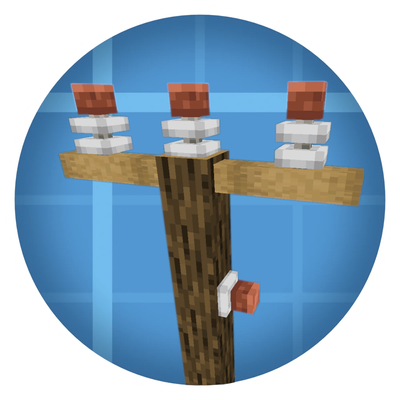
Adds a convenient way to run local power lines. The utility pole is wooden, and support adding connectors on its body, as well as a cross-arm at the top, supporting three connectors. The utility pole is also a target for the Pole Mount item, so you can mount transformers right to it
The substation pole is meant to be a pole that you can add connectors or HV switches on top of, but in order to help keep things clean it transmits redstone from the bottom, to the top. So you can now actuate multiple HV switches via redstone without a bunch of ugly wiring
Project description from CurseForge.
Pick your setup
Choose the version and loader you play, then open the matching release.
Check the dependencies, then try the file in a copied instance before changing a world you care about.
Recent files
28 Sept 2026
27 Sept 2026
19 Sept 2026
19 Sept 2026
Looking for an older file? The official CurseForge project page is in Resources.
 mod
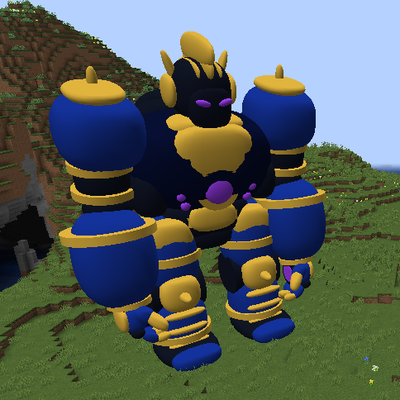
This mod adds 30 blocks tall titan with many options.
 mod
Adds a bunch of random garbage
 mod
Gives your Minecraft client the power to send VMC protocol data for vtuber models.