MaLiLib Needed by PhantomMarket Link v1.3.1 (MC 1.21.4)
requiredMatching file found Matched file: malilib-fabric-1.21.4-0.23.5.jar

CurseForge · Minecraft mod
Send schematics from PhantomMarket straight into your game. Litematica addon — one click on the website and the build lands in your schematics folder, already placed.
Quick answer
PhantomMarket Link v1.3.1 (MC 1.21.4) targets 1.21.4 with Fabric. The project page does not say whether this file belongs on the client, dedicated server, or both. All 3 required mods have matching files.
Where it goes
The project page does not say whether this file belongs on the client, dedicated server, or both.
The source does not explicitly classify this release as client-only or server-only.
PhantomMarket Link v1.3.1 (MC 1.21.4). Change the file and its required mods may change too.
Install MaLiLib, Litematica, Fabric API first. We found matching files for this game-version and loader setup.
We only count dependency files that match this setup. A file for another loader does not fill the gap.
Before you install it
Built for PhantomMarket Link v1.3.1 (MC 1.21.4). Pick another file and the loader, install side or required mods may change.
Use PhantomMarket Link v1.3.1 (MC 1.21.4). It targets 1.21.4 with Fabric; another release may have different loader, side or dependency requirements.
Install MaLiLib, Litematica, Fabric API first. We found matching files for this game-version and loader setup.
The project page does not say whether this file belongs on the client, dedicated server, or both.
Use the “Get this file” button beside PhantomMarket Link v1.3.1 (MC 1.21.4). It opens that exact file at the source.
About this project
Send Minecraft schematics from the web straight into your game.
PhantomMarket Link is a client-side Fabric addon for Litematica that connects Minecraft to your PhantomMarket account. Browse thousands of Minecraft builds, farms and schematics on the website, press "Send to Minecraft", and the .litematic file downloads directly into Litematica's schematics folder, already loaded as a placement at your feet, ready to build.
No more downloading schematic files in the browser, hunting for the right folder, or restarting menus. One click on the web, and the build is in your world.
Fabric: One jar per version, matching the versions covered by Litematica itself.
Does it work on multiplayer servers? Yes. The mod is fully client-side, so it works in singleplayer and on any server, just like Litematica.
Where do downloaded schematics go? Into Litematica's own schematics folder (.minecraft/schematics), named after the build. They stay there like any schematic you downloaded manually.
Is my account safe? Login uses a device code flow, so your password never touches the game. The mod stores a session token locally in config/phantom-market-link.json, sends it only to PhantomMarket over HTTPS/WSS, never logs it, and revokes it when you log out. It can only access builds available to your own account.
Do I need this mod to use PhantomMarket? No. The website works standalone, and the mod just removes the download-and-drag-into-folder step.
Found a bug? Report it on the issue tracker.
Project description from CurseForge.
Pick your setup
Choose the version and loader you play, then open the matching release.
Check the dependencies, then try the file in a copied instance before changing a world you care about.
Recent files
phantom-market-link-fabric-1.3.1-1.21.4-fabric.jar
10 Nov 2026
phantom-market-link-fabric-1.3.1-1.21.11-fabric.jar
10 Nov 2026
phantom-market-link-fabric-1.3.1-26.3-fabric.jar
10 Nov 2026
phantom-market-link-fabric-1.3.1-1.20.4-fabric.jar
10 Nov 2026
phantom-market-link-fabric-1.3.1-26.1-fabric.jar
10 Nov 2026
phantom-market-link-fabric-1.3.1-1.21.1-fabric.jar
10 Nov 2026
phantom-market-link-fabric-1.3.1-26.2-fabric.jar
10 Nov 2026
phantom-market-link-fabric-1.3.1-1.20.1-fabric.jar
10 Nov 2026
phantom-market-link-fabric-1.2.0+26.3-fabric.jar
22 Sept 2026
phantom-market-link-fabric-1.2.0+26.1-fabric.jar
22 Sept 2026
phantom-market-link-fabric-1.2.0+1.21.11-fabric.jar
22 Sept 2026
phantom-market-link-fabric-1.2.0+26.2-fabric.jar
22 Sept 2026
Looking for an older file? The official CurseForge project page is in Resources.
 mod
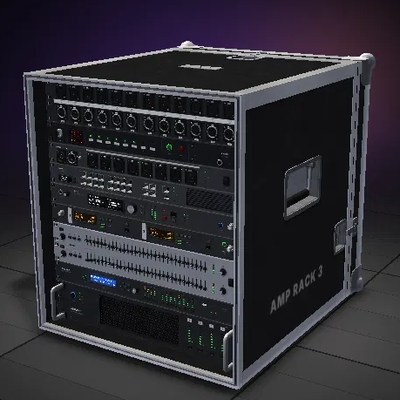
Touring concert production gear: build, cable and power a real PA, then talk through it with built-in voice.
 mod
This mod adds a day counter HUD with customizable location, size and color to the screen.
 mod
Adds realistic visible breath vapor in cold biomes, caves and mountains, with natural, varied puffs for every player.