Fabric API Needed by Cobblemon PC Sort+ 1.0.2 (Fabric)
requiredMatching file found Matched file: [1.21.1] Fabric API 0.116.17+1.21.1
CurseForge · Minecraft mod
Tag Cobblemon PC boxes, then sort Pokémon into them.
Quick answer
Cobblemon PC Sort+ 1.0.2 (Fabric) targets 1.21.1 with Fabric. The project page does not say whether this file belongs on the client, dedicated server, or both. All 3 required mods have matching files.
Where it goes
The project page does not say whether this file belongs on the client, dedicated server, or both.
The source does not explicitly classify this release as client-only or server-only.
Cobblemon PC Sort+ 1.0.2 (Fabric). Change the file and its required mods may change too.
Install Fabric API, Fabric Language Kotlin, Cobblemon first. We found matching files for this game-version and loader setup.
We only count dependency files that match this setup. A file for another loader does not fill the gap.
Before you install it
Built for Cobblemon PC Sort+ 1.0.2 (Fabric). Pick another file and the loader, install side or required mods may change.
Use Cobblemon PC Sort+ 1.0.2 (Fabric). It targets 1.21.1 with Fabric; another release may have different loader, side or dependency requirements.
Install Fabric API, Fabric Language Kotlin, Cobblemon first. We found matching files for this game-version and loader setup.
The project page does not say whether this file belongs on the client, dedicated server, or both.
Use the “Get this file” button beside Cobblemon PC Sort+ 1.0.2 (Fabric). It opens that exact file at the source.
About this project
Tag the boxes. Sort the PC. Undo if you hate it.
Pokémon actually change boxes and slots in the PC — this is a real, saved sort, not a client-side visual reorder.
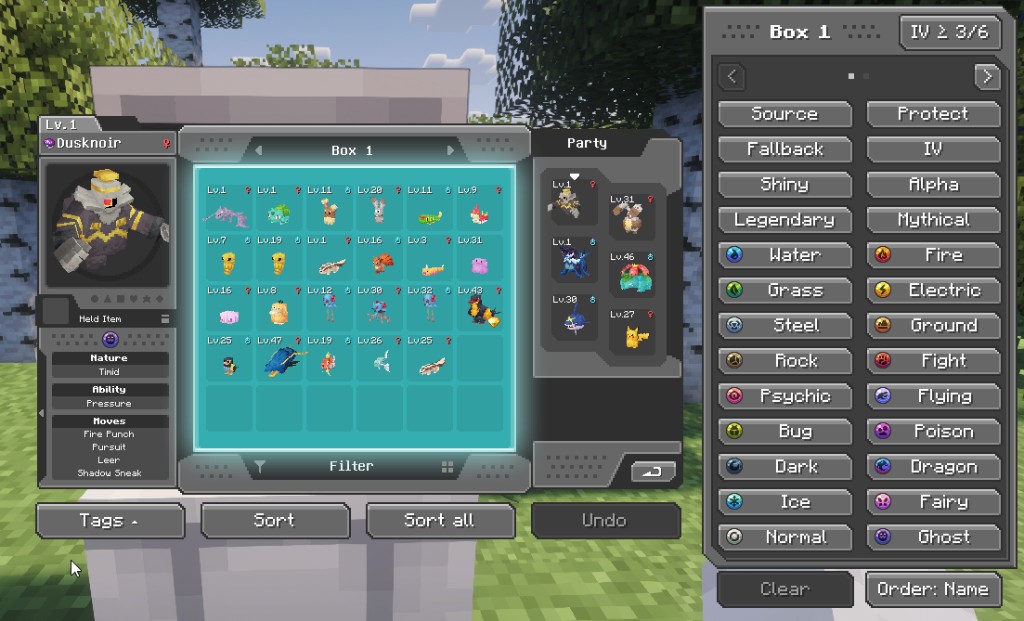
1. Open the PC and click Tags.
The panel sits beside Cobblemon's UI. The PC itself never moves. Click a box, then click every tag that box should require.
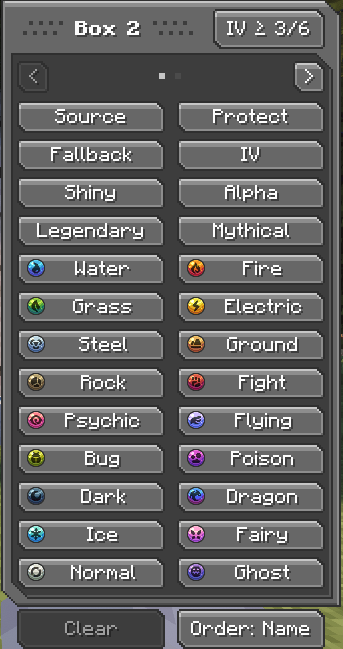
2. Combine tags with AND.
A Fire+Water box only accepts dual-type Fire/Water. A Fire-only Pokémon does not go there. High IV is part of the same AND: Water + High IV means Water Pokémon that also meet that box's IV cut (IV ≥ n/6, per box).
3. Tag a Source if you want a partial sort.
Sort (R) only moves Pokémon that start in Source boxes. Everything else stays put.
Sort all (T) walks the whole PC except Protect.
4. Press Sort or Sort all.
Matching Pokémon move into the best destination with a free slot. The action bar reports how many moved, how many had no box, and how many destinations were full.
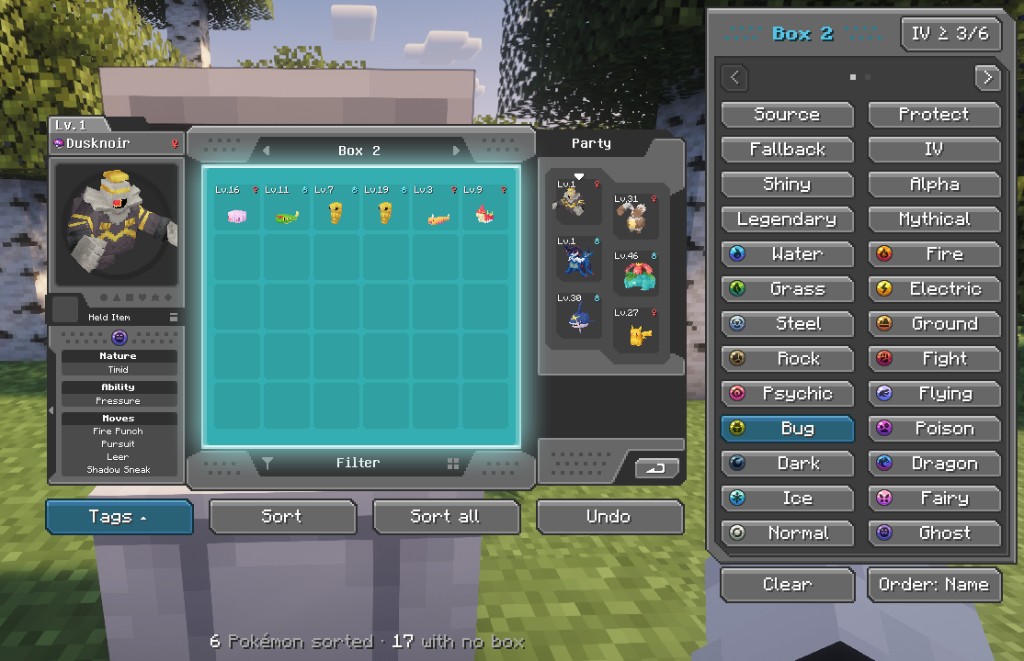
5. Undo if you hate it (Z by default, remappable).
One level: Pokémon go back to the slots they had before the last sort. The snapshot is stored in the world save, so it survives logout. Sorting again replaces it.
Tags on a box are routing tags, except three roles:
| Tag | Role |
|---|---|
| Source | Sort (R) only reads from these boxes. They never receive Pokémon. |
| Protect | Completely ignored on read and write. |
| Fallback | Dump used only when no matching destination has a free slot. |
Fallback+Water is still a Water box, not a dump. A dump is a box whose only extra tag is Fallback.
Picking a destination
N with no box on the action bar).Example: Box 2 is Bug + High IV, Box 3 is Alpha. A Bug Alpha with enough IVs goes to Box 2 (more tags). A Normal Alpha goes to Box 3. A Bug that fails the IV cut does not go to Box 2.
Sort all then orders each occupied box by Name, Pokédex, Level, or None (Order at the bottom of the tag panel).
Page 1: Source, Protect, Fallback, High IV, Shiny, Alpha, Legendary, Mythical, and the 18 types.
Page 2: Male, Female, Hidden ability, Held item, Fossil, Pseudo-legendary, Ultra Beast, Paradox, Baby, Regional, Level 1, Level 100, generations 1–9, sizes XS–XL.
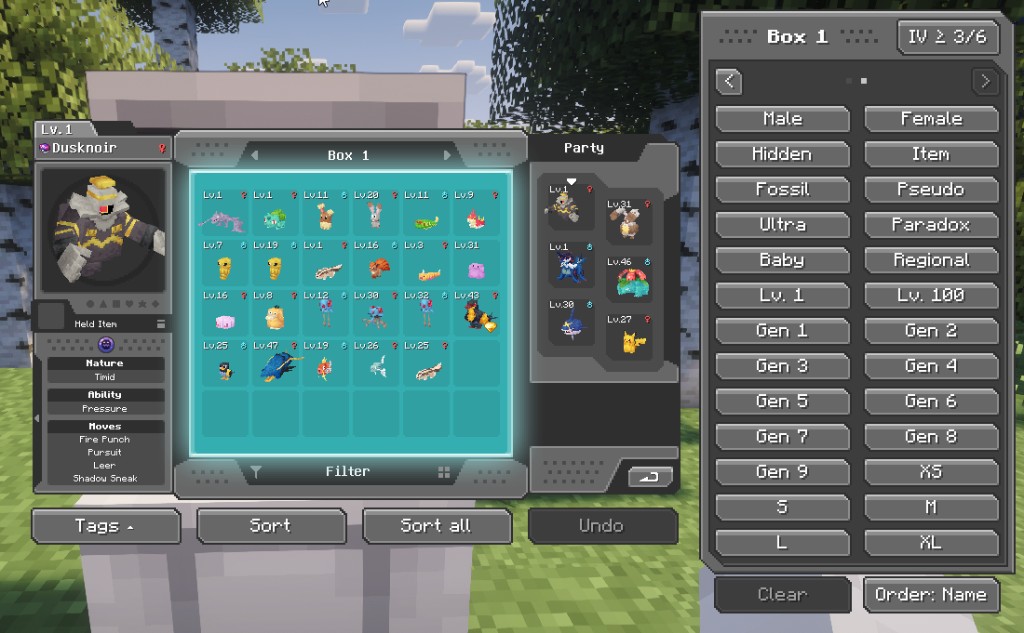

The Tags button lights up when the open box already has tags. Clear wipes that box only. Switch pages with the arrows or the dots. Arrow keys are left to Cobblemon for changing boxes.
Toolbar under the PC: Tags, Sort, Sort all, Undo.
Shortcuts work on the PC screen only, and are ignored while a box name or the filter is focused. Remap them in Minecraft's Controls under Cobblemon PC Sort+.
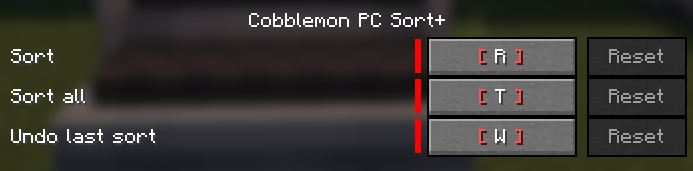
| Default | Action |
|---|---|
| R | Sort from Source boxes |
| T | Sort all |
| Z | Undo |
Results go to the action bar. The mod does not write to chat.
Use the JAR that matches your loader. Client and server both need the mod.
Port of XAI's Fabric Cobble PC Sort (MIT). Cobblemon PC Sort+ by xhugo. GUI sprites adapted from Cobblemon Interface by VinnyStalck (MIT).
Project description from CurseForge.
Pick your setup
Choose the version and loader you play, then open the matching release.
Check the dependencies, then try the file in a copied instance before changing a world you care about.
Recent files
cobblemonpcsortplus-fabric-1.21.1-1.0.2.jar
19 Sept 2026
cobblemonpcsortplus-neoforge-1.21.1-1.0.2.jar
19 Sept 2026
Looking for an older file? The official CurseForge project page is in Resources.