Minecraft version
Back to mods 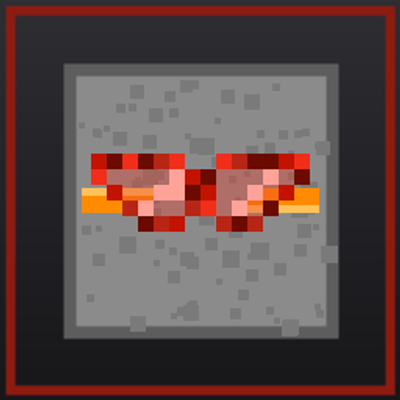
CurseForge · Minecraft mod
Redstone Circuit
Put redstone components inside blocks and see them with the Redstone Goggles. Includes retaining and double repeaters, a weather detector, a rotation rod and a lossless wire.
Choose a version Pick your version below, then grab the matching file.
Quick answer
Which Redstone Circuit release should I use?
Latest stable file redstonecircuit-1.0.0-fabric-1.21.1.jar
Game version 1.21.1
Loader Fabric
Redstone Circuit redstonecircuit-1.0.0-fabric-1.21.1.jar targets 1.21.1 with Fabric. The project page does not say whether this file belongs on the client, dedicated server, or both. No extra mods listed for this file.
Where it goes
Is Redstone Circuit required on the client, server, or both?
The project page does not say whether this file belongs on the client, dedicated server, or both.
Client Source doesn’t say
Dedicated server Source doesn’t say
Loader for this release Fabric
Required install it here Optional supported, not mandatory Not supported do not install here Source doesn’t say do not assume
The source does not explicitly classify this release as client-only or server-only.
What else does Redstone Circuit redstonecircuit-1.0.0-fabric-1.21.1.jar need?
redstonecircuit-1.0.0-fabric-1.21.1.jar. Change the file and its required mods may change too.
This file does not list any required mods. Do not add a library just because a different file uses it.
This file does not list any required or optional mods.
Before you install it
Add Redstone Circuit without breaking your instance.
Built for Redstone Circuit redstonecircuit-1.0.0-fabric-1.21.1.jar. Pick another file and the loader, install side or required mods may change.
- 01
Stick to this file
Use redstonecircuit-1.0.0-fabric-1.21.1.jar. It targets 1.21.1 with Fabric; another release may have different loader, side or dependency requirements.
- 02
Bring the mods it needs
This file does not list any required mods. Do not add a library just because a different file uses it.
- 03
Put it on the correct side
The project page does not say whether this file belongs on the client, dedicated server, or both.
- 04
Pick the file you checked
Use the “Get this file” button beside redstonecircuit-1.0.0-fabric-1.21.1.jar. It opens that exact file at the source.
About this project
What does Redstone Circuit add?
Redstone Circuit
Redstone Circuit lets you store redstone components inside a block. The block carries the component and still emits and accepts redstone exactly as that component would. Wear the Redstone Goggles to see what is inside.
FEATURES
- Components inside blocks - dust, repeaters, comparators, torches, levers and buttons are placed with shift-right-click and taken back out with an empty hand.
- Vanilla behaviour - emission, weak and strong power, delays and signal loss follow the vanilla rules. Nothing about vanilla redstone is changed.
- Any face - a component can be mounted on a block's top or bottom face as well as its sides.
- Redstone Goggles - worn on the head, no armour value. Blocks holding redstone turn translucent and show the component, its facing, its delay and every connection.
- Redstone Wrench - pick a component, then shift-right-click a neighbour to lock that line and cut the rest. The neighbour needs no redstone of its own, so a piston, a lamp or a plain block can be the other end.
- Superconducting Redstone Dust - used like redstone dust, but it loses nothing over distance.
- Retaining Repeater - delays like a repeater, but passes on the strength it was given instead of restoring fifteen.
- Double Repeater and Double Retaining Repeater - every delay setting lasts twice as long.
- Weather Detector - an empty-hand right-click cycles clear / rain / thunder; it outputs fifteen while the weather matches, and needs no view of the sky.
- Rotation Rod - turns a component's input side to the face you clicked, then its output side, then back.
- Settings by hand - an empty-hand right-click steps a repeater's delay, swaps a comparator's mode and cycles the weather detector.
COMPATIBILITY
Actively compatible with Create, Create: Aeronautics and Jade. None of them is required.
The Create and Create: Aeronautics support is in the NeoForge build only - components stored in a block that a contraption or a physics structure carries keep working while it moves. The Fabric build does not include it. Jade is supported by both builds.
REQUIREMENTS
- Minecraft 1.21.1
- NeoForge 21.1.100 or newer (21.1.250 or newer recommended), no other mods needed
- or Fabric Loader 0.15.11 or newer with Fabric API
- Client and server, both required
NOTES
- Everything is stored in the world save's own data, so removing the mod leaves the world intact.
- Settings live in config/redstonecircuit-common.toml.
- Known limitation, fast clocks: solve notifications are coalesced to the tick boundary (
solverCoalesceNotifications, default true). A component clamped from both ends - a comparator in subtract mode with a run of ordinary dust beside its block feeding back - cannot fall to 0; it settles into a band (7 and 8 inside the block, 6 and 7 on the dust outside) and never reaches 15, where vanilla reaches 0. SettingsolverCoalesceNotificationsto false restores the sub-tick behaviour, at the cost of dozens of solve rounds per tick, stutter on large machines and possible "did not settle" warnings (bounded - it never hangs). - Deliberate: pushing a block that holds redstone away with a piston leaves a residual signal behind.
Project description from CurseForge.
Pick your setup
Redstone Circuit by Minecraft version and loader
Choose the version and loader you play, then open the matching release.
Check the dependencies, then try the file in a copied instance before changing a world you care about.
Recent files
Redstone Circuit versions and loaders
redstonecircuit-1.0.0-fabric-1.21.1.jar
29 Sept 2026
Client Source doesn’t say Server Source doesn’t say Dependencies No extras listed Listed on Release listing
Check the 1.21.1 · Fabric setup Fabric1.21.1 release
redstonecircuit-1.1.0-neoforge-1.21.1.jar
29 Sept 2026
Client Source doesn’t say Server Source doesn’t say Dependencies No extras listed Listed on Release listing
Check the 1.21.1 · NeoForge setup 1.21.1NeoForge release
redstonecircuit-1.0.0-neoforge-1.21.1.jar
19 Sept 2026
Client Source doesn’t say Server Source doesn’t say Dependencies No extras listed Listed on Release listing
Check the 1.21.1 · NeoForge setup 1.21.1NeoForge release
Looking for an older file? The official CurseForge project page is in Resources.
 mod
mod CurseForge · Minecraft
Maps and Quills - Maps with Shared Faction Maps & Waypoints
One map for your whole faction: shared waypoints, drawings, pings and borders, saved on the server and shareable with allied factions.
 mod
mod CurseForge + Modrinth · Minecraft
Universal Enchantment Info (JEI/REI/EMI)
A JEI/REI/EMI plugin that displays detailed enchantment information
 mod
mod GitHub · Minecraft
modpacks-ch-github-test
Disposable public fixture for testing the Modpacks.ch GitHub catalogue flow