Minecraft version
Back to mods 
CurseForge · Minecraft mod
WorldShift
WorldShift is a Minecraft challenge mod that transforms the world itself with unique world-generation challenges.
Choose a version Pick your version below, then grab the matching file.
Quick answer
Which WorldShift release should I use?
Latest stable file worldshift-0.1.6-0.4
Game version 26.2
Loader NeoForge
worldshift-0.1.6-0.4 targets 26.2 with NeoForge. The project page does not say whether this file belongs on the client, dedicated server, or both. No extra mods listed for this file.
Where it goes
Is WorldShift required on the client, server, or both?
The project page does not say whether this file belongs on the client, dedicated server, or both.
Client Source doesn’t say
Dedicated server Source doesn’t say
Loader for this release NeoForge
Required install it here Optional supported, not mandatory Not supported do not install here Source doesn’t say do not assume
The source does not explicitly classify this release as client-only or server-only.
What else does worldshift-0.1.6-0.4 need?
worldshift-0.1.6-0.4. Change the file and its required mods may change too.
This file does not list any required mods. Do not add a library just because a different file uses it.
This file does not list any required or optional mods.
Before you install it
Add WorldShift without breaking your instance.
Built for worldshift-0.1.6-0.4. Pick another file and the loader, install side or required mods may change.
- 01
Stick to this file
Use worldshift-0.1.6-0.4. It targets 26.2 with NeoForge; another release may have different loader, side or dependency requirements.
- 02
Bring the mods it needs
This file does not list any required mods. Do not add a library just because a different file uses it.
- 03
Put it on the correct side
The project page does not say whether this file belongs on the client, dedicated server, or both.
- 04
Pick the file you checked
Use the “Get this file” button beside worldshift-0.1.6-0.4. It opens that exact file at the source.
About this project
What does WorldShift add?
WorldShift
WorldShift is a Minecraft challenge mod that transforms the world itself.
Instead of changing Minecraft's core progression, WorldShift changes the world around you.
Choose a challenge, create its dedicated world and try to survive, explore and progress under completely different conditions.
Challenge Worlds
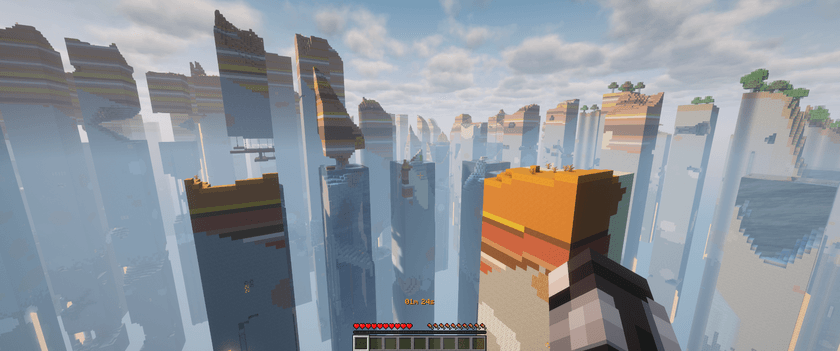
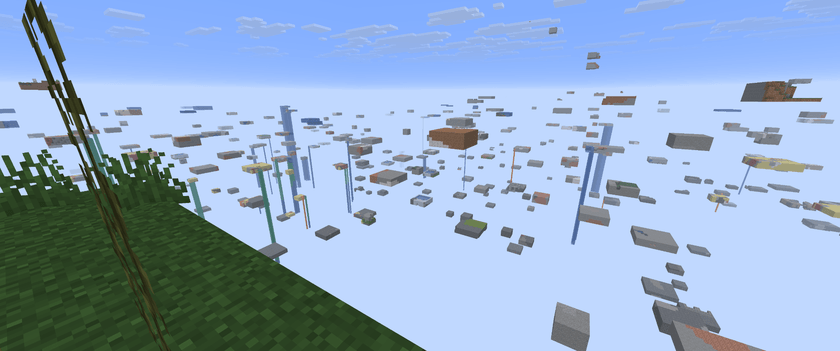
SparseChunks
Large parts of the world disappear, leaving isolated chunks surrounded by empty space.
Resources, structures and biomes are still out there — but reaching them becomes part of the challenge.
SparseBlockChunks
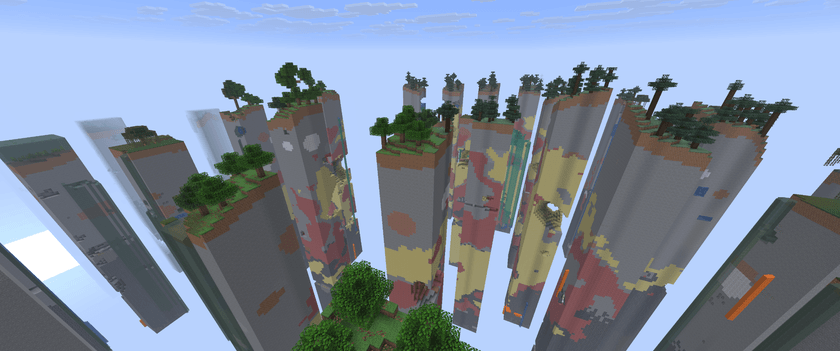
An even more extreme variation of the sparse-world concept.
Only small parts of each chunk remain, exposing the terrain from the surface deep into the underground.
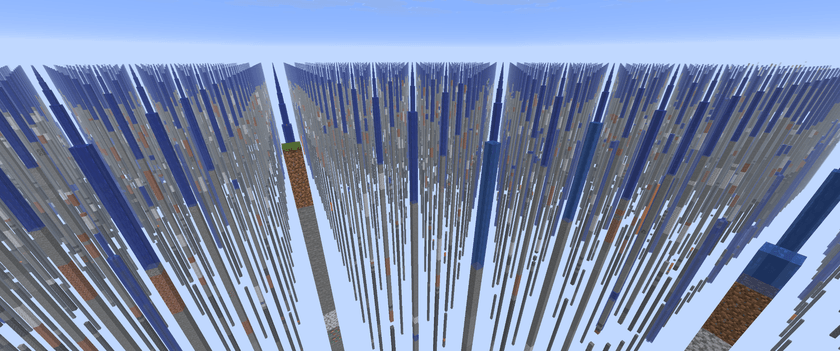
SliceWorld
The Minecraft world is divided into narrow vertical slices.
Terrain, caves, ores and structures can all appear inside the remaining sections, creating a completely different way to explore the world.
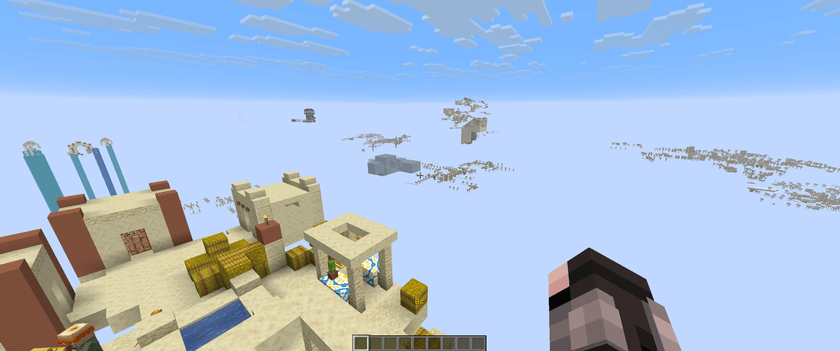
StructureWorld
Most normal terrain disappears while structures remain.
Villages, temples, portals and other structures become isolated points in the void, forcing you to survive with whatever resources you can reach.
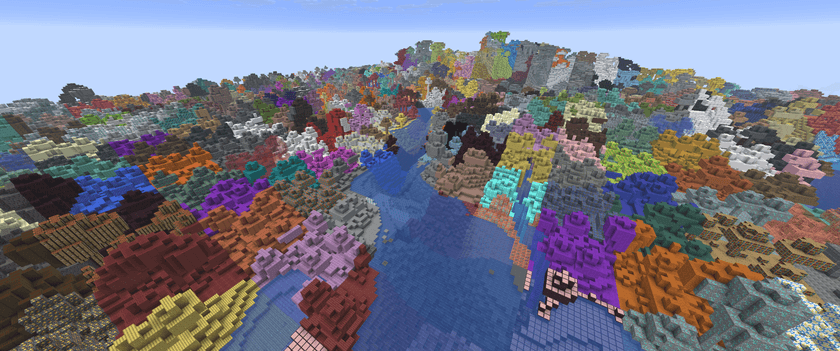
RandomBlockChunks
Each chunk is transformed into a different block type.
The result is an unpredictable world filled with strange landscapes, valuable resources and potentially very dangerous chunks.
Simple In-Game Menu
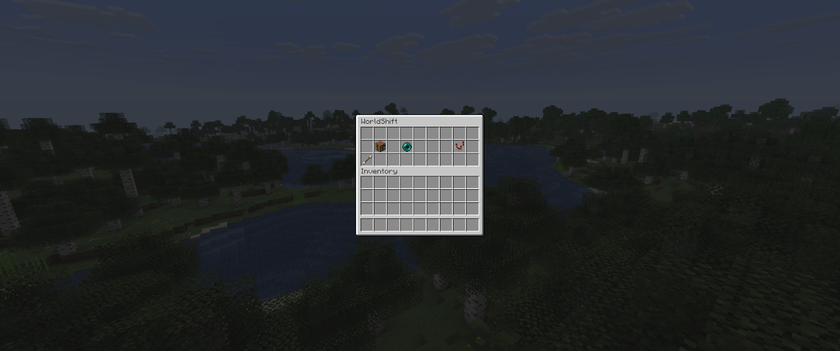
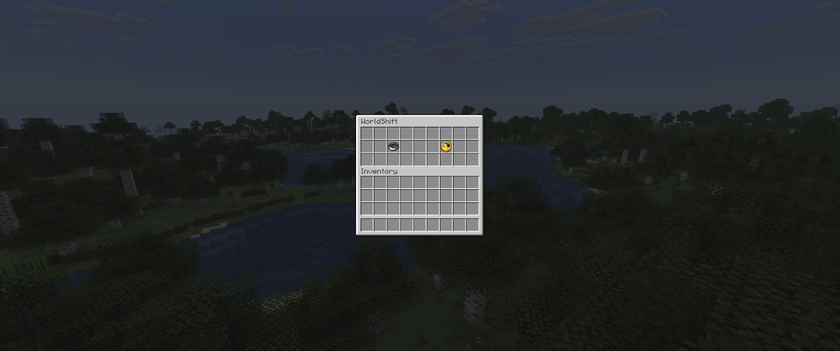
WorldShift includes a Vanilla-style chest GUI for managing your challenge worlds.
Open the WorldShift menu at any time by pressing G. The keybinding can be changed in Minecraft's controls.
From the menu you can create, enter and leave challenges, configure challenge-specific options and access the integrated timer.
Built for Challenge Runs
WorldShift keeps Minecraft's normal progression as the foundation while changing how you explore the world, gather resources and reach important structures.
Play alone or take the challenge into multiplayer.
Change the world. Keep the goal.
Are you ready to shift your world?
Project description from CurseForge.
Pick your setup
WorldShift by Minecraft version and loader
Choose the version and loader you play, then open the matching release.
Check the dependencies, then try the file in a copied instance before changing a world you care about.
Recent files
WorldShift versions and loaders
worldshift-0.1.6-0.4
worldshift-0.1.6-0.4.jar
19 Sept 2026
Client Source doesn’t say Server Source doesn’t say Dependencies No extras listed Listed on Release listing
Check the 26.2 · NeoForge setup NeoForge26.2 release
Looking for an older file? The official CurseForge project page is in Resources.
 mod
CurseForge · Minecraft
Pigeon Express
Send letters and item parcels with carrier pigeons, a searchable address book, and personal medieval mailboxes.
 mod
CurseForge · Minecraft
Creation Fragment
Throw magical fragments to transform entire chunks into randomly generated landscapes, complete with biomes, caves, and ores!
 mod
CurseForge · Minecraft
Samurai Dynasty: Legends of Feudal Japan
Feudal Japan RPG: katana combos and parries, ninja parkour, dragon-wing elytra you wear over full armor, sakura forests, shrines and pagodas, and oni, tengu and kitsune to fight or befriend.