Minecraft version
Back to mods 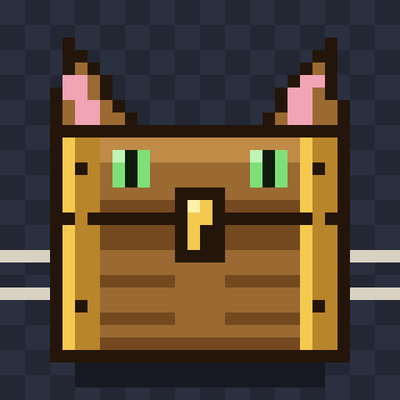
CurseForge · Minecraft mod
ChestCat
ChestCat adds quick-sort buttons to your inventory & chests, plus a category system — assign chests a job (tools, food, ores...) and sort everything nearby at once. Includes auto-refill, slot locking, and multiple sort modes.
Choose a version Pick your version below, then grab the matching file.
Quick answer
Which ChestCat release should I use?
Latest stable file ChestCat
Game version 1.21.1
Loader NeoForge
ChestCat targets 1.21.1 with NeoForge. The project page does not say whether this file belongs on the client, dedicated server, or both. No extra mods listed for this file.
Where it goes
Is ChestCat required on the client, server, or both?
The project page does not say whether this file belongs on the client, dedicated server, or both.
Client Source doesn’t say
Dedicated server Source doesn’t say
Loader for this release NeoForge
Required install it here Optional supported, not mandatory Not supported do not install here Source doesn’t say do not assume
The source does not explicitly classify this release as client-only or server-only.
What else does ChestCat need?
ChestCat. Change the file and its required mods may change too.
This file does not list any required mods. Do not add a library just because a different file uses it.
This file does not list any required or optional mods.
Before you install it
Add ChestCat without breaking your instance.
Built for ChestCat. Pick another file and the loader, install side or required mods may change.
- 01
Stick to this file
Use ChestCat. It targets 1.21.1 with NeoForge; another release may have different loader, side or dependency requirements.
- 02
Bring the mods it needs
This file does not list any required mods. Do not add a library just because a different file uses it.
- 03
Put it on the correct side
The project page does not say whether this file belongs on the client, dedicated server, or both.
- 04
Pick the file you checked
Use the “Get this file” button beside ChestCat. It opens that exact file at the source.
About this project
What does ChestCat add?
ChestCat adds a small buttons to your inventory and chest screens so you don't have to sort by hand. It also has a category system: give chests a job (tools, food ores...). Sort everything nearby in one go.
INVENTORY AND CHEST SORTING
Open your inventory (or the Inventory tab in creative) and a small button grid shows up to the right of the panel. Open a chest or barrel and a row of buttons appears above it.
S sorts M switches to the sort mode L lets you pick a mode from a list
O opens the layout options
Q quick-stacks your items into nearby containers that already hold that item
G pulls everything out of the open chest into your inventory P pushes your inventory into it
Sort modes: Alphabetical, Quantity ( to low) Quantity (low to high) By Mod, By Type (weapons, tools, armor, food, blocks, then everything else) By Color and Registry Order. There's also a " Menu Order" option, which currently behaves the same as registry order.
Layout options: fill by rows or by columns start from the left or the bottom-right corner and choose whether the hotbar gets sorted or left alone. Stacks are merged before sorting.
SORTING CHESTS BY CATEGORY
Press N (rebindable in Controls) to open the Nearby Chests menu. It lists every chest and barrel within 16 blocks its category and how full it's. Hit "Sort Nearby" and the mod pulls everything out of those chests and files it back so one chest ends up with tools, another with food and so on. Your own inventory isn't touched.
Categories: Tools, Weapons, Armor, Food, Ores & Ingots Redstone, Potions & Brewing, Dyes & Decoration Wood, Blocks, Misc.
To give a chest a category sneak and right-click it with a hand or click its row in the menu. Chests you never assign get a category the time they're sorted based on whats already inside and its saved after that.
ALSO INCLUDED
Auto-refill: when the tool or weapon in your hand or off hand breaks the same item from your main inventory takes its place.
Slot locking: middle-click a slot in your inventory screen to lock it. Locked slots are skipped by sorting and quick-stack. Main inventory not the hotbar) and locks reset when you relog.
Inventory sort keybind: comma by default.
GOOD TO KNOW
NeoForge 1.21.1
Install it on the server as well as the client since the sorting runs server-side. Singleplayer works as normal.
If the chests can't hold everything during a category sort the leftovers are dropped on the ground next, to you. The chat message tells you how many.
Your sort mode and layout choices aren't saved between sessions.
Project description from CurseForge.
Pick your setup
ChestCat by Minecraft version and loader
Choose the version and loader you play, then open the matching release.
Check the dependencies, then try the file in a copied instance before changing a world you care about.
Recent files
ChestCat versions and loaders
ChestCat
chestcat-1.3.0.jar
8 Oct 2026
Client Source doesn’t say Server Source doesn’t say Dependencies No extras listed Listed on Release listing
Check the 1.21.1 · NeoForge setup 1.21.1NeoForge release
Looking for an older file? The official CurseForge project page is in Resources.