Minecraft version
Back to mods 
CurseForge · Minecraft mod
Elsebase
Elsebase - Live in style in the backroom instead of your lawnbase
Choose a version Pick your version below, then grab the matching file.
Quick answer
Which Elsebase release should I use?
Latest stable file elsebase-1.1.0.jar
Game version 1.21.1
Loader NeoForge
elsebase-1.1.0.jar targets 1.21.1 with NeoForge. The project page does not say whether this file belongs on the client, dedicated server, or both. No extra mods listed for this file.
Where it goes
Is Elsebase required on the client, server, or both?
The project page does not say whether this file belongs on the client, dedicated server, or both.
Client Source doesn’t say
Dedicated server Source doesn’t say
Loader for this release NeoForge
Required install it here Optional supported, not mandatory Not supported do not install here Source doesn’t say do not assume
The source does not explicitly classify this release as client-only or server-only.
What else does elsebase-1.1.0.jar need?
elsebase-1.1.0.jar. Change the file and its required mods may change too.
This file does not list any required mods. Do not add a library just because a different file uses it.
This file does not list any required or optional mods.
Before you install it
Add Elsebase without breaking your instance.
Built for elsebase-1.1.0.jar. Pick another file and the loader, install side or required mods may change.
- 01
Stick to this file
Use elsebase-1.1.0.jar. It targets 1.21.1 with NeoForge; another release may have different loader, side or dependency requirements.
- 02
Bring the mods it needs
This file does not list any required mods. Do not add a library just because a different file uses it.
- 03
Put it on the correct side
The project page does not say whether this file belongs on the client, dedicated server, or both.
- 04
Pick the file you checked
Use the “Get this file” button beside elsebase-1.1.0.jar. It opens that exact file at the source.
About this project
What does Elsebase add?
Elsebase
Your base, somewhere else.
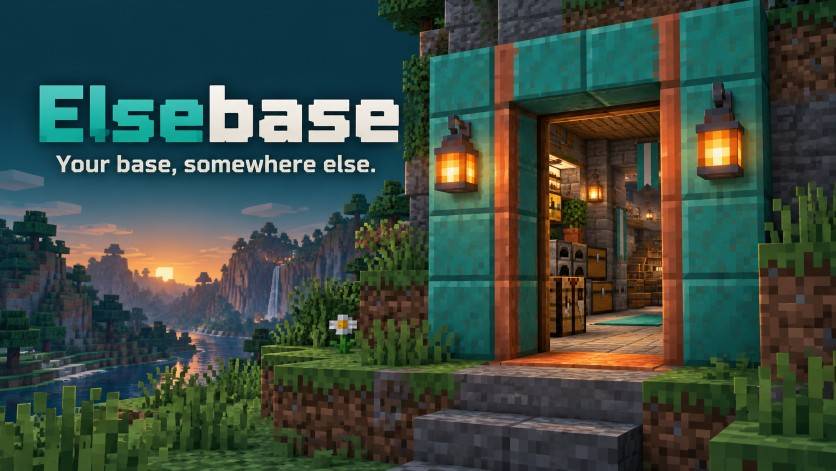
Elsebase gives you a permanent place to build, reached through a doorway you can summon. Press F, step into the Backdoor dimension - a space big enough for all your building needs - and make yourself at home. Your personal portal is available from the start, everywhere, all the time.
Head back out to explore. Your base stays where you built it, ready for your next visit.
Feel free to include Elsebase in modpacks!
Start with a room. Make it yours.
Open up adjoining rooms for a larger workshop, build a staircase to the level above, or carve out a basement for storage, all with a single click. Sixteen stacked room levels and nearly infinite space around you give you more than enough room to organize your build properly.
The Construction and Removal tools reshape walls, floors and ceilings instantly at no cost. Aim at a surface and a highlight shows what will change. Neighboring rooms have independent wall halves, so you can work on one room at a time.
Structural blocks can be created without spending building materials and drop no resources when removed, so you can use any type of supported block without having to worry about balance. Generated structure resists explosions; the blocks and equipment you place yourself follow their normal rules.
Live in style, not in a lawnbase
Choose a complete theme for the walls, floor and ceiling. Seven built-in designs range from Quiet Workshop and Deepstone Halls to Arcane Archive, Verdant Cloister, Astral Observatory, Porcelain Sanctuary and Service Layer.
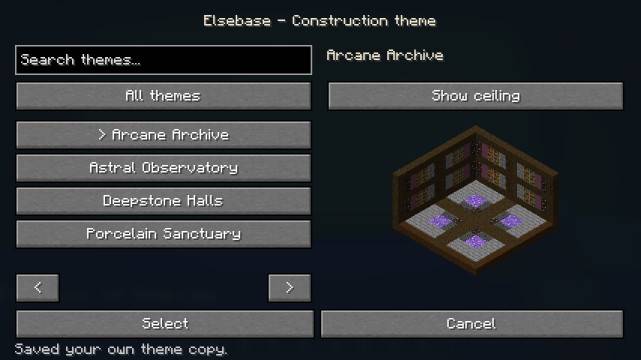
Use the Paint Tool to change an individual surface or set your area's default theme. Want your own look? Build a sample with suitable full blocks, capture it with the Scan Tool, and apply it to any or all the rooms at once. Create, save, and reuse your favorites, or download what others have created. You can even upload your designs to a server to show off to your friends.
Templates copy block appearances, including supported side textures and orientations. Source blocks are not destroyed, so you can keep building until your design is perfect. The resulting template blocks are non-functional and do not drop anything when destroyed; they are purely decorative.
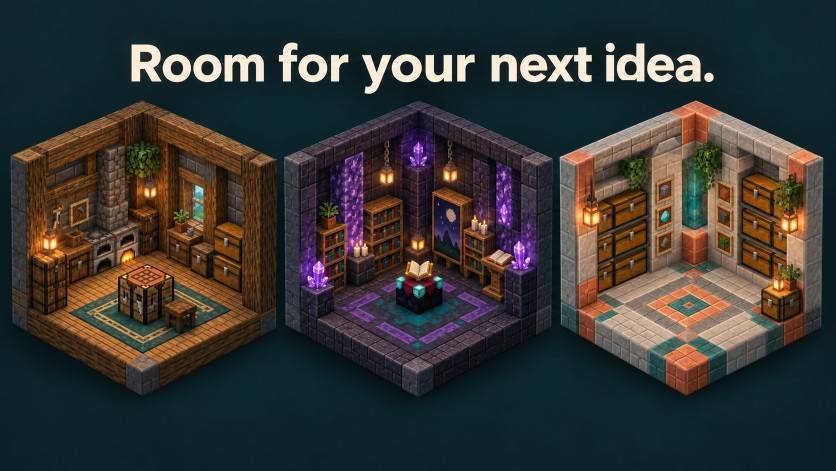
A familiar place to return to
Summon your personal entrance with F. Once inside, recalling it keeps your outside return at the place you entered. A movable Spawn Anchor sets your arrival point and keeps its chunk loaded while you are online.
For connections you want to keep, craft permanent portal pairs. Your temporary pair closes after a minute of inactivity while you are outside, keeping old entrances from piling up.
A live portal preview lets you look through the portal like it's a real 4D space, while staying compatible with all mods out there. Shaders might refuse to render the see-through effect and give you just the normal portal, but the mod is still compatible with shaders.
Fits the world you want to play
The dimension is bright by default. Prefer something more unsettling? Darkness and natural mob spawning can be enabled independently. Server and modpack settings also control portal previews, loading budgets and template imports.
Players receive widely separated starting areas in one shared dimension. Elsebase does not claim or protect territory: use a claims mod if your server needs build protection. The Spawn Anchor loads its own chunk, not your entire base.
Ready for your first room?
Install Elsebase for Minecraft 1.21.1 and NeoForge, check your F key binding, and step inside. Build your base from the start, and let it grow with you as you progress.
Controls: F summons your portal. Right-click uses a tool; Shift-right-click opens the Construction, Paint or Scan menu. Vanilla also binds F to swapping hands, so change one of these bindings in Controls. Further settings are available under Mods → Elsebase → Config.
Project description from CurseForge.
Pick your setup
Elsebase by Minecraft version and loader
Choose the version and loader you play, then open the matching release.
Check the dependencies, then try the file in a copied instance before changing a world you care about.
Recent files
Elsebase versions and loaders
elsebase-1.1.0.jar
28 Sept 2026
Client Source doesn’t say Server Source doesn’t say Dependencies No extras listed Listed on Release listing
Check the 1.21.1 · NeoForge setup 1.21.1NeoForge release
elsebase-1.0.0.jar
20 Sept 2026
Client Source doesn’t say Server Source doesn’t say Dependencies No extras listed Listed on Release listing
Check the 1.21.1 · NeoForge setup 1.21.1NeoForge release
Looking for an older file? The official CurseForge project page is in Resources.
 mod
mod CurseForge · Minecraft
BuildMetric (Visual Block Counter)
No more counting by hand: drag across your structure and BuildMetric does it for you.
 mod
mod CurseForge · Minecraft
Crystal Craft (CryCraft)
Mine nine crystal families, trade up at the Crystal Exchange, then forge gear or perform the mystery rituals.
 mod
mod CurseForge · Minecraft
Catalytic Tweaks
Changes mods behaviour, in a way to optimize them, fix some issues or extends their functionalities, most of them with configurations. Currectly affects Modular Machinery Reborn, SFM keywords colors, KJS in different ways , Pipez and more!