Minecraft version
Back to mods 
CurseForge · Minecraft mod
SoundSystem
Create your own sound system in Minecraft with realistic sound and features.
Choose a version Pick your version below, then grab the matching file.
Quick answer
Which SoundSystem release should I use?
Latest stable file soundsystem-2.0.1.jar
Game version 1.21.1
Loader Fabric
soundsystem-2.0.1.jar targets Fabric. The project page does not say whether this file belongs on the client, dedicated server, or both. No extra mods listed for this file.
Where it goes
Is SoundSystem required on the client, server, or both?
The project page does not say whether this file belongs on the client, dedicated server, or both.
Client Source doesn’t say
Dedicated server Source doesn’t say
Loader for this release Fabric
Required install it here Optional supported, not mandatory Not supported do not install here Source doesn’t say do not assume
The source does not explicitly classify this release as client-only or server-only.
What else does soundsystem-2.0.1.jar need?
soundsystem-2.0.1.jar. Change the file and its required mods may change too.
This file does not list any required mods. Do not add a library just because a different file uses it.
This file does not list any required or optional mods.
Before you install it
Add SoundSystem without breaking your instance.
Built for soundsystem-2.0.1.jar. Pick another file and the loader, install side or required mods may change.
- 01
Stick to this file
Use soundsystem-2.0.1.jar. It targets Fabric; another release may have different loader, side or dependency requirements.
- 02
Bring the mods it needs
This file does not list any required mods. Do not add a library just because a different file uses it.
- 03
Put it on the correct side
The project page does not say whether this file belongs on the client, dedicated server, or both.
- 04
Pick the file you checked
Use the “Get this file” button beside soundsystem-2.0.1.jar. It opens that exact file at the source.
About this project
What does SoundSystem add?
SoundSystem
Build a real sound system and a full stage light show, block by block, in Minecraft. SoundSystem turns your world into a working festival or club setup: DJ decks fed by SoundCloud, modular speaker stacks with real DSP, DMX-style lighting, and pyro effects — all wired together with invisible cabling instead of redstone.
SoundSystem 2 needs a second mod: SoundSystem Lib (under review for now...). The Lib is the sound engine (SoundCloud playback, decoding, synchronisation, the physics of sound) and carries the animated guide. Put both jars in mods/. Details in Requirements below.
Learn as you go
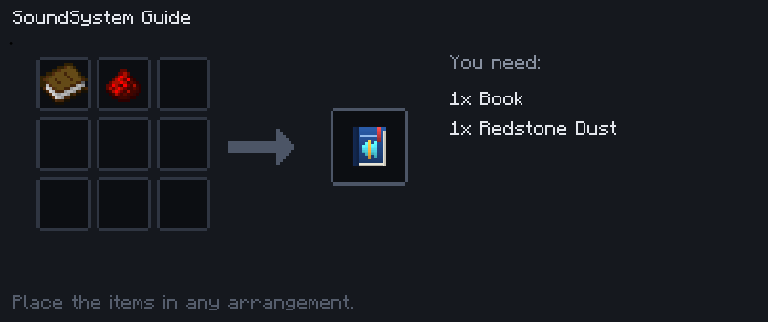
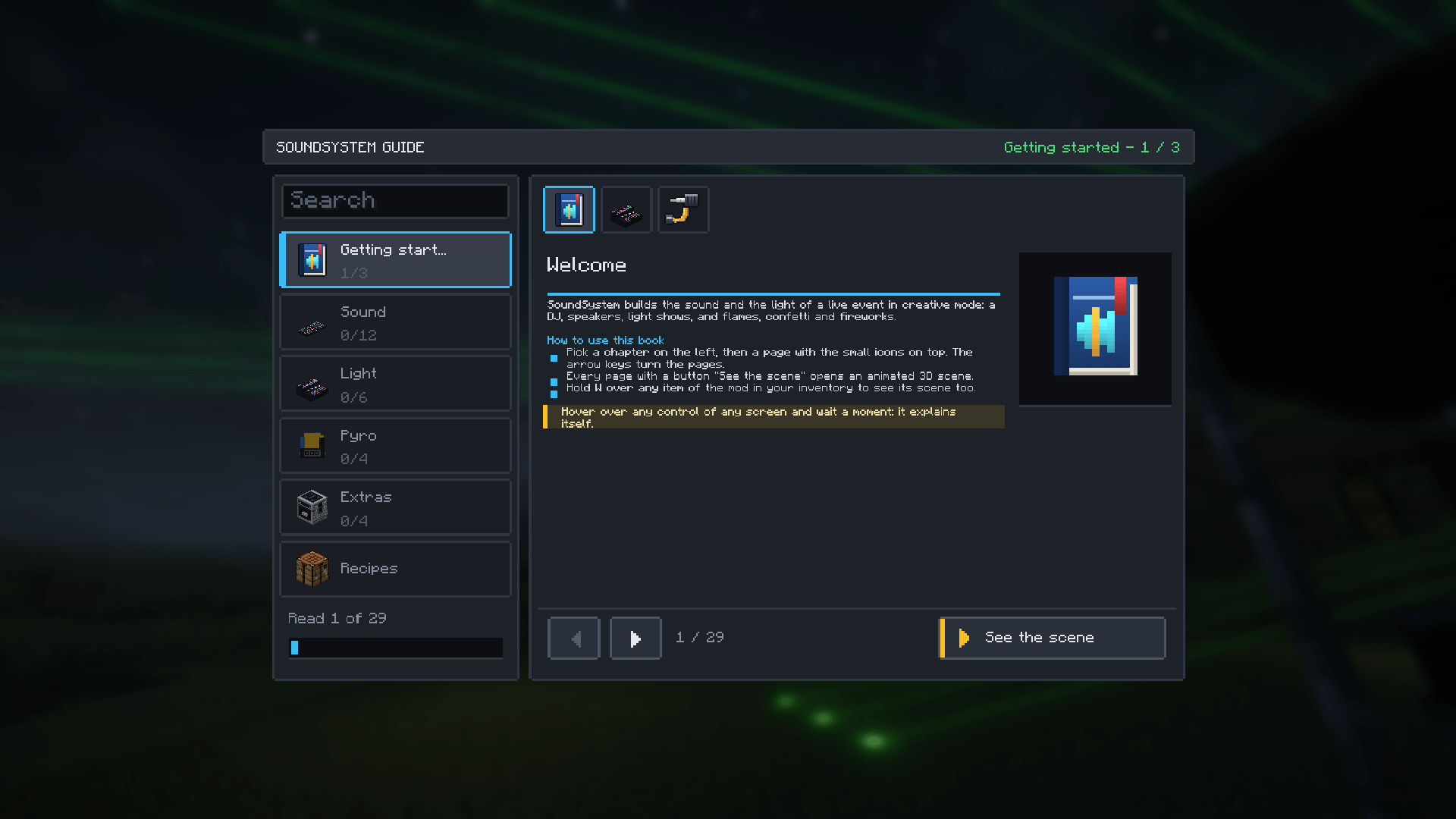
The in-game Guide book (find it in the creative inventory) is a full tutorial: 5 chapters, 27 pages, search, read-progress tracking, and animated 3D scenes for almost every block (hold W over an item to open its scene directly, just like Create's Ponder). It comes in English and French, following the game's language. A dedicated Recipes menu shows every craftable item laid out like a crafting table. Everything is craftable from vanilla Minecraft materials — iron, redstone, note blocks, fireworks, no exotic ingredients.
What you can build
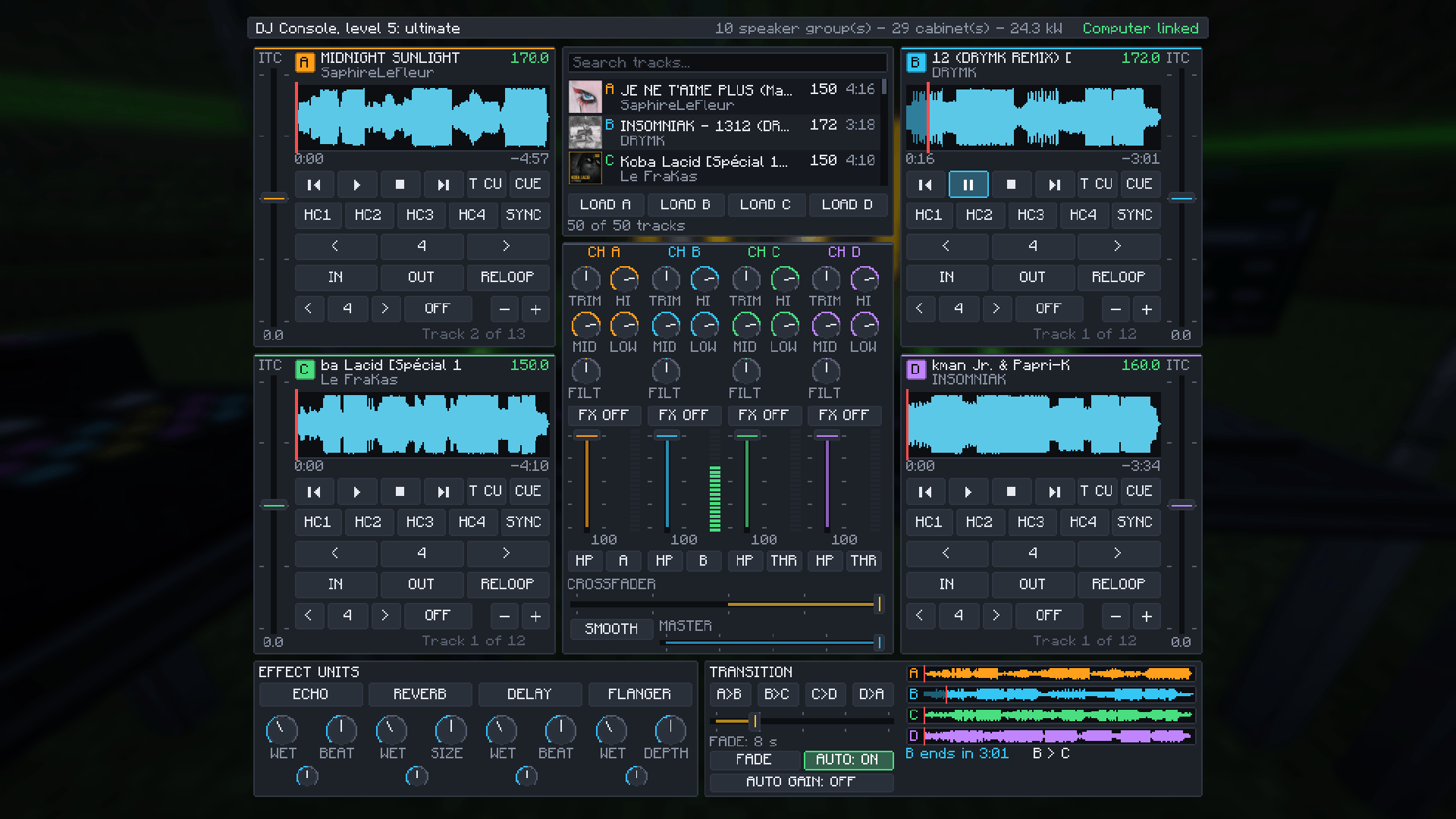
DJ booth — A DJ Computer holds your tracks (SoundCloud links, single tracks or whole playlists) and queues them. The DJ Table (2 blocks long) mixes with a crossfader or an automatic beat-matched fade. There are five tables, and you level up by crafting the next one from the old one — its tracks and settings stay:
- Level 1 — 2 decks, one effect per deck, loops of 4 sizes, cue points, time jump
- Level 2 — 4 decks, 2 effect units, auto gain
- Level 3 — 4 decks, a rhythmic effect and a colour effect per channel, IN / OUT loops
- Level 4 — 4 decks, beat loops, a track list with search
- Level 5 — 4 decks, 4 effect units, a track list with covers
Move tracks between computers with a USB stick, and pre-listen on a pair of wearable headphones.
Sound engineering — Monitors, subwoofers, tops and line arrays, each with a real range and frequency response. Speakers of the same kind merge into clusters up to 3×3 when they touch. Chain a Processor (EQ, delay, limiter) and an Amplifier between the deck and the speakers, and measure your coverage with the Analyzer (level meter, spectrum, coverage map, rangefinder). Sound travels like sound: it fades with distance, bass goes through walls better than treble, it takes time to arrive, and rooms have reverb.
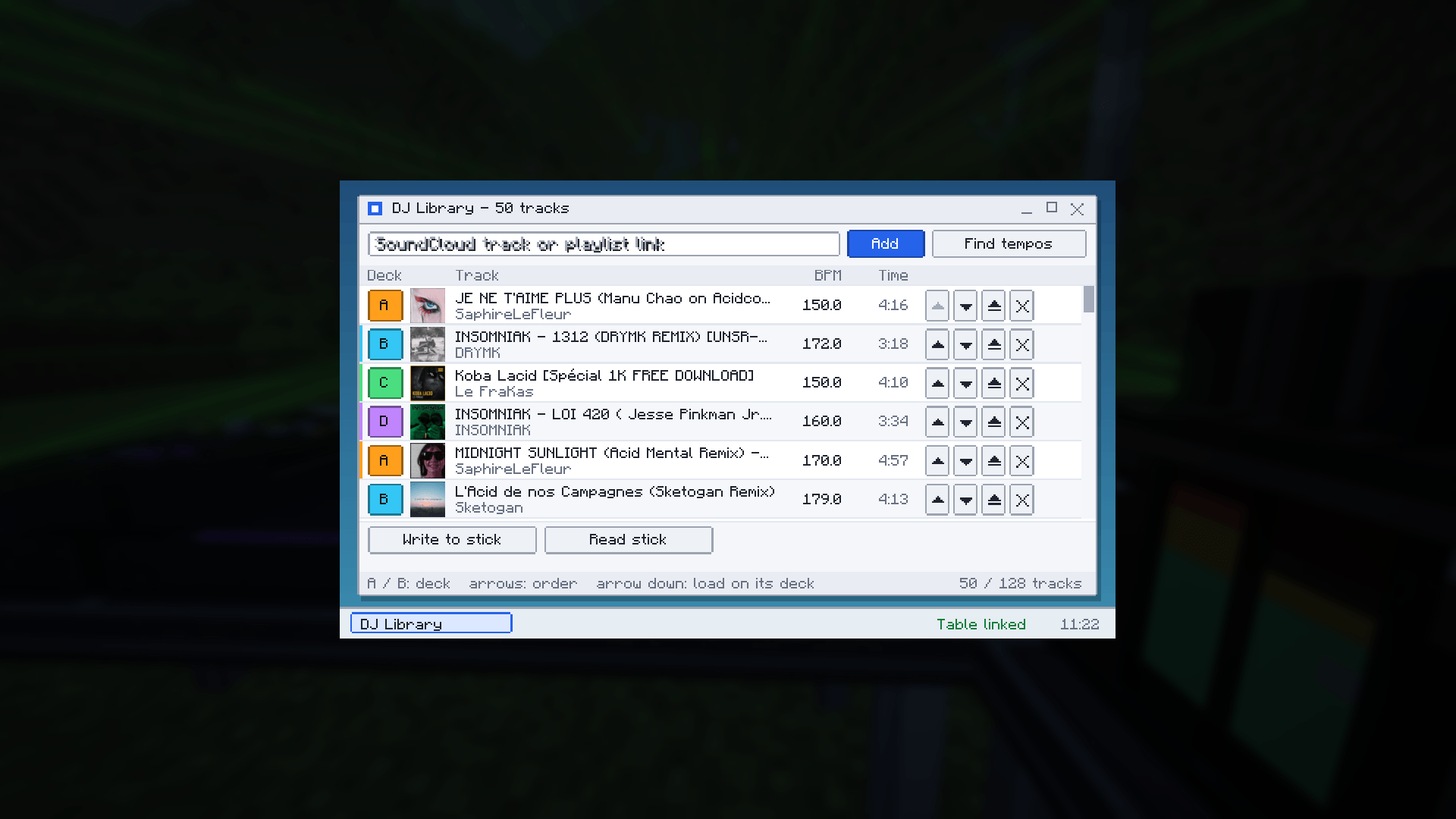
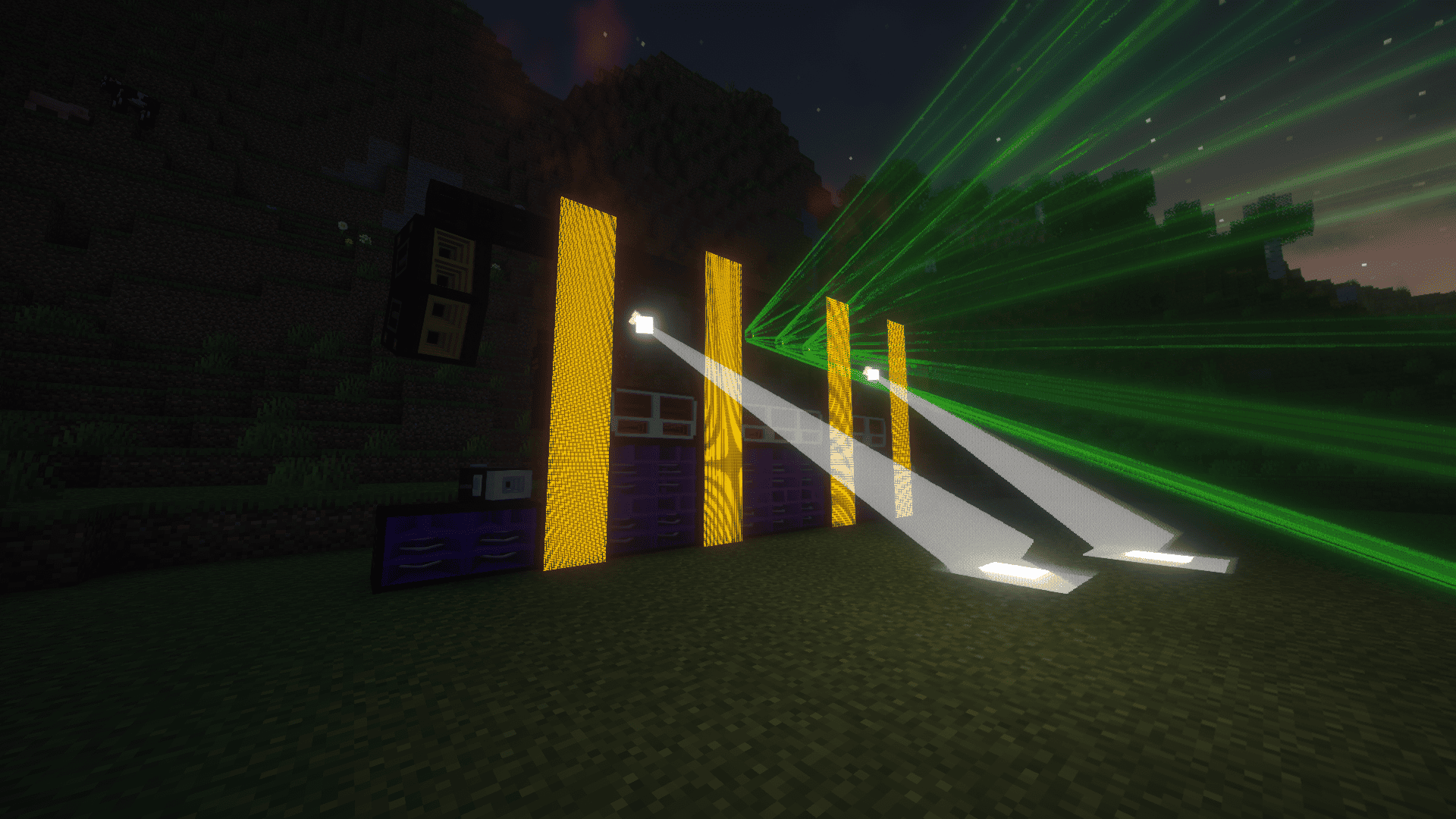
Light show — A Show Console drives LED and strobe panels, light/laser/strobe projectors, and smoke machines, automatically synced to the beat. Flip it to PRO mode for full DMX-style control: patch every fixture to its own universe and address, build cues, and run a sequence.
Pyro — Flame projectors (real-looking fire jets, no block damage), confetti cannons (confetti or streamers, in your chosen palette), and firework launchers (5 shell types: fountain, candles, burst, willow, ring — adjustable height, size and blast count). Everything is purely visual: nothing burns, nothing breaks. One button on the console, FX OFF, holds back every effect at once for rehearsals.
Decor — Modular stage tables and flight cases (they work like chests and join up to 3 wide) to dress the venue and hold your gear.
No redstone, no visible wires
Every device is wired with the Linking Tool (click two blocks to connect them, sneak-click to undo) and turned to face any direction with the Aim Tool. Hover any control on any screen and it explains itself. Nothing is broadcast over the network except the show's timeline — no audio or video is ever sent — so a big event stays light on the server; every player decodes their own music and renders their own lights.
Requirements
- Minecraft 1.21.1, Fabric Loader 0.16.14+
- Fabric API
- SoundSystem Lib — required. SoundSystem 2.0.0 needs Lib 0.0.1 or newer; if yours is too old, the game tells you which version to get
- Ponder is included in the Lib (with Flywheel and Forge Config API Port inside it): there is nothing else to install for the animated guide. If you already have Ponder or Create, the newest version is the one used
- Works with Sodium and Iris, with or without shader packs
On a server, put both jars on the server and on every player's client.
Coming from SoundSystem 1.x?
- Your worlds keep working: blocks, saved data and network behaviour are unchanged.
- Add SoundSystem Lib next to the mod, and install Fabric API — it is no longer bundled inside the mod.
- The first time the Lib starts, it takes over your sound settings from
config/soundsystem.jsoninto its ownconfig/soundsystemlib.json. - Music is no longer loaded through LavaPlayer: the Lib has its own SoundCloud client and its own decoder, with no third-party library.
What is the Lib for?
SoundSystem is split in two on purpose. SoundSystem is the content: blocks, items, screens, the guide. SoundSystem Lib is the engine under it: it finds and decodes the music from a SoundCloud link, keeps every player's sound on the same timeline, and works out what each player hears from the speakers around them. Because the Lib knows no blocks, other mods can use it to play music in their own world — and when SoundCloud changes something, the fix is a new Lib release, without touching the mod.
Config highlights
Two files, created on first start; missing fields get their default value.
config/soundsystem.json (the mod): quality presets (low/medium/high) for LED resolution, beam segments and smoke particles, fluid quality for smoke and flames, beam opacity (turn it down if a shader pack makes beams too glaring), the synchronisation margin between players, and sliders for speaker range and for how much bass and treble go through obstacles — tune it for a small setup or a 50-player festival.
config/soundsystemlib.json (the Lib): the longest playlist accepted, how many media players a client plays at once, and switches for reverb, propagation delay and speaker distortion.
Commands
/soundsystem stats— what the mod is costing your server, live/soundsystem festival— spawns a full test rig in front of you to stress-test your setup
Music is loaded from public SoundCloud links; the mod doesn't ship or host any audio itself. Tracks that SoundCloud protects with DRM can't be played. Creative mode only for now.
Project description from CurseForge.
Pick your setup
SoundSystem by Minecraft version and loader
Choose the version and loader you play, then open the matching release.
Check the dependencies, then try the file in a copied instance before changing a world you care about.
Recent files
SoundSystem versions and loaders
soundsystem-2.0.1.jar
18 Oct 2026
Client Source doesn’t say Server Source doesn’t say Dependencies No extras listed Listed on Release listing
Check the Fabric setup Fabric release
soundsystem-2.0.0.jar
17 Oct 2026
Client Source doesn’t say Server Source doesn’t say Dependencies No extras listed Listed on Release listing
Check the 1.21.1 · Fabric setup Fabric1.21.1 release
soundsystem-1.1.0-beta.3.jar
6 Oct 2026
Client Source doesn’t say Server Source doesn’t say Dependencies 1 required · 1 unchecked Listed on Release listing
Check the 1.21.1 · Fabric setup Fabric1.21.1 beta
soundsystem-1.0.4.jar
5 Oct 2026
Client Source doesn’t say Server Source doesn’t say Dependencies 1 required · 1 unchecked Listed on Release listing
Check the 1.21.1 · Fabric setup Fabric1.21.1 release
soundsystem-1.0.3.jar
27 Sept 2026
Client Source doesn’t say Server Source doesn’t say Dependencies 1 required · 1 unchecked Listed on Release listing
Check the 1.21.1 · Fabric setup Fabric1.21.1 release
soundsystem-1.0.1.jar
23 Sept 2026
Client Source doesn’t say Server Source doesn’t say Dependencies 1 required · 1 unchecked Listed on Release listing
Check the 1.21.1 · Fabric setup Fabric1.21.1 release
soundsystem-1.0.0.jar
22 Sept 2026
Client Source doesn’t say Server Source doesn’t say Dependencies 1 required · 1 unchecked Listed on Release listing
Check the 1.21.1 · Fabric setup Fabric1.21.1 release
Looking for an older file? The official CurseForge project page is in Resources.
 mod
mod CurseForge · Minecraft
SSN Collection
Adds many features from Tools to Weapons and Mobs
 mod
mod CurseForge · Minecraft
I want a Better Font
Change Minecraft Font in-game. Using Google Fonts library
 mod
mod CurseForge · Minecraft
MDM (formerly Modern Decorations Mod)
modern style decorating blocks and furniture