Sophisticated Backpacks Optional for TACZWorkshop 26.11.24 [Forge 1.20.1]
optionalMatching file found Matched file: sophisticatedbackpacks-1.20.1-3.26.22.2264.jar
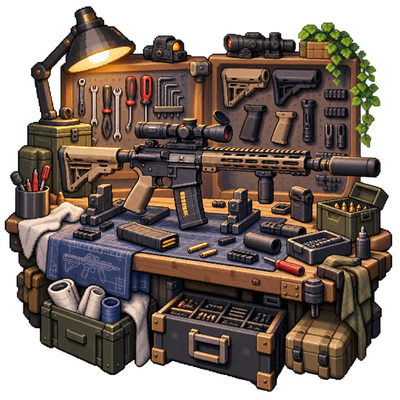
CurseForge · Minecraft mod
Edit and repair TaCZ 1.2.0+ content data in-game on Minecraft 1.20.1 Forge.
Quick answer
TACZWorkshop 26.11.24 [Forge 1.20.1] targets 1.20.1 with Forge. The project page does not say whether this file belongs on the client, dedicated server, or both. All 2 required mods have matching files.
Where it goes
The project page does not say whether this file belongs on the client, dedicated server, or both.
The source does not explicitly classify this release as client-only or server-only.
TACZWorkshop 26.11.24 [Forge 1.20.1] on Forge. Every mod below is checked against that same setup.
Install [TaCZ] Timeless and Classics Zero Guns, KineticCore first. We found matching files for this game-version and loader setup. 11 come through another mod in the chain.
11 extra mods were pulled in by other dependencies. Indented rows show who needs each one. We only count dependency files that match this setup. A file for another loader does not fill the gap.
Before you install it
Built for TACZWorkshop 26.11.24 [Forge 1.20.1] on Forge. Pick another file and the loader, install side or required mods may change.
Use TACZWorkshop 26.11.24 [Forge 1.20.1]. It targets 1.20.1 with Forge; another release may have different loader, side or dependency requirements.
Install [TaCZ] Timeless and Classics Zero Guns, KineticCore first. We found matching files for this game-version and loader setup. 11 come through another mod in the chain.
The project page does not say whether this file belongs on the client, dedicated server, or both.
Use the “Get this file” button beside TACZWorkshop 26.11.24 [Forge 1.20.1]. It opens that exact file at the source.
About this project
TACZ Workshop provides in-game data editing and repair for installed TACZ content. Pack authors can tune weapon data and control available entries. Recipe creation, editing and removal now belong to ContentStudio.
| Component | Requirement |
|---|---|
| Minecraft | 1.20.1 |
| Forge | 47.4.2 or newer |
| Java | 17 |
| KineticCore | 26.11.24 or newer; required |
| Timeless and Classics Zero (TACZ) | 1.2.0 or newer compatible version; required; 1.2.0-hotfix is supported |
| Sophisticated Backpacks / Sophisticated Core | Optional backpack compatibility |
| LR Tactical content | Needed for the corresponding melee, throwable, and consumable data categories |
Install the mod and required dependencies on both client and server for multiplayer use. Press F6 to open KineticCore's configuration center, then open TACZ Workshop's data manager. F6 is the default shared configuration key. This release is for Minecraft 1.20.1 Forge.
The editors read and modify server data. Requesting server snapshots and submitting modifications require permission level 2. A local preview is not proof that a server change has been accepted.
The data manager searches by display name, item ID, or data ID and separates active, modified, and disabled entries. Modified entries are marked so they can be found again among the original gun-pack content.
| Category | Examples of editable data when present |
|---|---|
| Guns | Damage, RPM, magazine capacity, projectile speed/gravity, headshot multiplier, spread, reload and handling timings |
| Attachments | Their existing numeric, text, and boolean data fields |
| Ammunition | Existing ammo data such as stack size and related properties |
| LR Tactical melee | Attack damage/multipliers, cooldowns, durability costs, movement, and hitbox properties |
| LR Tactical throwables | Throw speed, fuse/lifetime, bouncing, explosions, stun, and cloud properties |
| LR Tactical consumables | Use time, food/healing values, effects, cooldowns, and durability costs |
Fields are derived from the selected entry's data. The detail screen supports property search and displays data paths, helping distinguish similarly named fields. Available properties depend on the installed content; this tool edits existing definitions rather than supplying new models, textures, or animations.
For guns, attachment-type controls can allow or block supported attachment categories, such as scopes, muzzles, stocks, grips, lasers, and extended magazines.
Disable hides an entry from the corresponding content index after the change is applied. Restore reverses the disabled state. Reset clears the Workshop override and restores the original pack data; it is different from simply enabling an edited entry again.
The batch flow keeps pending edits distinct from saved server data. Saves made while one is still being applied wait for that reload. Reset and disabled-state changes participate in the same staged workflow. The integrated server keeps ticking while data editors are open.
Saves normally reload only TACZ and supported LR Tactical content, then synchronize the resulting snapshot for current and later-joining players. If targeted loading fails, the fallback reloads enabled data packs in their existing order; subsequent saves wait for it to finish. Model preparation may continue in TACZ's background loading.
Use F6 → ContentStudio → Recipe Management → TACZ for gunsmith-workbench recipes. Choose an existing recipe to edit, or choose a registered TACZ recipe type and template to create an independent recipe with a new ID. The visual editor uses the native JEI layout and preserves supported TACZ result data.
Third-party visual editing requires JEI. Saved data-pack recipes continue loading without JEI. ContentStudio and JEI are optional for Workshop's data editing and repair. New TACZ recipe edits are stored by ContentStudio under config/kineticcore/datapack/data/contentstudio/recipe/tacz.json.
Workshop no longer contains the separate recipe editor, workbench-routing controls, recipe loading/repair hooks or automatic conversion. Legacy config/kineticcore/taczrecipes.json files remain on disk and are no longer loaded by Workshop; convert their contents separately if needed. New recipes follow TACZ's own workbench rules.
With Sophisticated Backpacks installed, the compatibility layer includes ammunition held in supported inventory backpacks in TACZ reload checks, consumption, and ammo display. Native inventory slots, including the offhand, remain included. The optional integration affects ammunition availability during play, as well as what the HUD displays.
| File | Purpose |
|---|---|
config/kineticcore/taczworkshop/data_overrides.json |
Content-data overrides and disabled states |
config/kineticcore/taczrecipes.json |
Legacy recipe file; preserved and no longer loaded by Workshop |
Corresponding .json.bak files |
Backup copies maintained by the stores when applicable |
The old config/kineticcore/taczdata.json and taczdata.json.bak migrate automatically to config/kineticcore/taczworkshop/data_overrides.json and data_overrides.json.bak before the server reads overrides. An existing destination takes precedence, and conflicting legacy files are retained. This does not convert the legacy recipe file.
These are instance-level configuration files. Keep the original TACZ/LR Tactical packs installed: the overrides refer to their content IDs. Distribute the matching content packs and Workshop configuration together when reproducing a setup.
If a data save fails, inspect the server message/log and confirm the referenced content packs are installed. Manage recipes in ContentStudio.
TACZ Workshop 提供游戏内 TACZ 内容的数据修改与修复功能。整合包作者可以调整武器数据、控制条目是否可用。配方新增、修改与移除已统一交给 ContentStudio。
| 组件 | 要求 |
|---|---|
| Minecraft | 1.20.1 |
| Forge | 47.4.2 或更新版本 |
| Java | 17 |
| KineticCore | 必需,26.11.24 或更新版本 |
| Timeless and Classics Zero(TACZ) | 必需,1.2.0 或更新的兼容版本;支持 1.2.0-hotfix |
| Sophisticated Backpacks / Sophisticated Core | 可选,用于精妙背包兼容 |
| LR Tactical 内容 | 近战、投掷物和补给品等对应数据分类需要这些内容 |
多人游戏中,在客户端和服务端安装模组及必需前置。按 F6 打开 KineticCore 配置中心,进入 TACZ Workshop 的数据管理器。F6 是共享配置中心的默认按键。本次发布适用于 Minecraft 1.20.1 Forge。
编辑器读取和修改服务端数据。请求服务端列表和提交修改需要 2 级管理权限;本地预览变化不等于服务端已经接受修改。
数据管理器支持按显示名称、物品 ID、数据 ID 搜索,并区分正常、已修改、已禁用条目。修改过的条目会有标记,便于从大量枪包内容中重新找到。
| 分类 | 数据存在时可编辑的示例 |
|---|---|
| 枪械 | 伤害、射速、弹匣容量、弹速/重力、爆头倍率、散布、换弹与操作时间 |
| 配件 | 条目中已有的数值、文本与布尔数据字段 |
| 弹药 | 堆叠数量等已有弹药属性 |
| LR Tactical 近战 | 攻击伤害/倍率、冷却、耐久消耗、移动与碰撞箱属性 |
| LR Tactical 投掷物 | 初速度、引信/存在时间、反弹、爆炸、震撼与区域云属性 |
| LR Tactical 补给品 | 使用时间、饱食度/治疗值、效果、冷却与耐久消耗 |
字段来自所选条目的实际数据。详情界面可搜索属性,并显示数据路径,便于区分名称相近的字段。具体可编辑内容由已安装资源决定;编辑器用于调整已有定义,不负责生成模型、贴图或动画资源。
枪械还可控制允许安装的配件类型,例如瞄具、枪口、枪托、握把、激光和扩容弹匣。
禁用会在应用后将条目从对应内容索引中隐藏;恢复取消禁用;重置则清除 Workshop 对该条目的覆盖,恢复原始包数据。重置与重新启用一个已经修改的条目含义不同。
批量流程会区分待保存修改与服务端已保存状态;上一次保存还在应用时,后续保存会等待本次重载。重置和禁用状态修改同样进入暂存流程。单人游戏打开资料编辑器时,集成服务端继续处理游戏刻。
常规保存只重载 TACZ 及受支持的 LR Tactical 内容,再同步在线和后加入玩家使用的快照。定向重载失败时,按原顺序重载已启用的数据包,后续保存继续等待其完成。TACZ 的模型预加载可能仍在后台继续。
枪械工作台配方请使用 F6 → ContentStudio → 配方管理 → TACZ。可编辑已有配方,或选择已注册的 TACZ 配方类型与模板,以新 ID 创建独立配方。可视化编辑使用 JEI 原生布局,并保留受支持的 TACZ 产物数据。
第三方可视化编辑需要 JEI;已保存的数据包配方在没有 JEI 时仍会加载。工坊的数据修改与修复不依赖 ContentStudio 或 JEI。新的 TACZ 配方修改由 ContentStudio 保存到 config/kineticcore/datapack/data/contentstudio/recipe/tacz.json。
工坊不再包含独立配方编辑器、工作台分配控件、配方加载/修复钩子或自动转换。旧 config/kineticcore/taczrecipes.json 保留在磁盘上,工坊不再加载;需要时单独转换其中内容。新配方遵循 TACZ 自身的工作台规则。
安装精妙背包后,兼容层会将支持的背包中的弹药纳入 TACZ 换弹检查、弹药消耗和数量显示。副手等原生物品栏槽位仍参与检查。可选联动既影响实际弹药可用性,也影响 HUD 显示。
| 文件 | 用途 |
|---|---|
config/kineticcore/taczworkshop/data_overrides.json |
内容数据覆盖与禁用状态 |
config/kineticcore/taczrecipes.json |
旧配方文件,保留原文件,工坊不再加载 |
对应的 .json.bak 文件 |
存储逻辑在适用情况下维护的备份 |
旧 config/kineticcore/taczdata.json 与 taczdata.json.bak 在服务端读取覆盖前,自动迁移到 config/kineticcore/taczworkshop/data_overrides.json 与 data_overrides.json.bak。目标已存在时优先使用目标文件,冲突旧文件保留;这不会转换旧配方文件。
这些文件属于游戏或服务器实例配置。原有 TACZ/LR Tactical 内容包仍需保留,因为覆盖记录引用其中的内容 ID。分发整合包时,应同时携带对应内容包和 Workshop 配置。
数据保存失败时,检查服务端提示或日志,并确认引用内容包已安装。配方操作请使用 ContentStudio。
Project description from CurseForge.
Pick your setup
Choose the version and loader you play, then open the matching release.
Check the dependencies, then try the file in a copied instance before changing a world you care about.
Recent files
taczworkshop-26.11.24.jar
24 Nov 2026
29 Sept 2026
23 Sept 2026
22 Sept 2026
Looking for an older file? The official CurseForge project page is in Resources.
 mod
Centralizes world generation, structures, beacon areas, and teleport permissions.
 mod
Adds animated text effects, name styling, and chat-interface improvements.
 mod
KineticArmory is the Kinetic armor-set and dynamic-condition mod for modpack authors and server administrators. It provides a complete workflow for armor-set definitions