Fabric API Needed by Coordinate Targetified Bossbar v1.jar
requiredMatching file found Matched file: [26.1.2] Fabric API 0.155.3+26.1.2
CurseForge · Minecraft mod
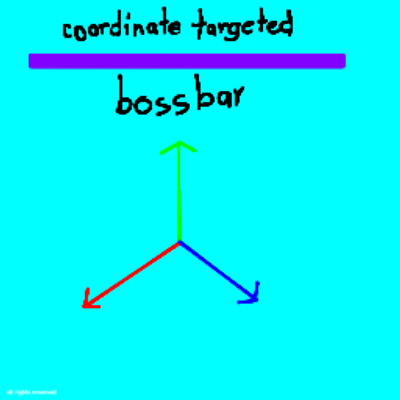
This project does add coordinate supported bossbar as target ( use vector force not scalar )
Quick answer
Coordinate Targetified Bossbar v1.jar targets 26.1.2 with Fabric. The project page does not say whether this file belongs on the client, dedicated server, or both. All 1 required mods have matching files.
Where it goes
The project page does not say whether this file belongs on the client, dedicated server, or both.
The source does not explicitly classify this release as client-only or server-only.
Coordinate Targetified Bossbar v1.jar. Change the file and its required mods may change too.
Install Fabric API first. We found matching files for this game-version and loader setup.
We only count dependency files that match this setup. A file for another loader does not fill the gap.
Before you install it
Built for Coordinate Targetified Bossbar v1.jar. Pick another file and the loader, install side or required mods may change.
Use Coordinate Targetified Bossbar v1.jar. It targets 26.1.2 with Fabric; another release may have different loader, side or dependency requirements.
Install Fabric API first. We found matching files for this game-version and loader setup.
The project page does not say whether this file belongs on the client, dedicated server, or both.
Use the “Get this file” button beside Coordinate Targetified Bossbar v1.jar. It opens that exact file at the source.
About this project
Coordinate Targetified Bossbar
Coordinate Targetified Bossbar adds a customizable bossbar that tracks your progress between two coordinates.
Instead of showing a normal health-style progress bar, the bossbar can represent how far you have traveled toward a target position.
Features
Commands
Create a bossbar
/bossbar_xyz create <name> <x1> <y1> <z1> <x2> <y2> <z2> [showPercentage]
Creates a coordinate-targeted bossbar.
"showPercentage" is optional and defaults to "true".
Example:
/bossbar_xyz create "Reach the Target" 0 100 0 0 0 100 true
Delete a bossbar
/bossbar_xyz delete <name>
Removes an existing coordinate bossbar.
Edit a bossbar
/bossbar_xyz edit <newName> <x1> <y1> <z1> <x2> <y2> <z2> [showPercentage]
Changes an existing coordinate bossbar's settings.
How Progress Works
The mod calculates your position relative to the line between the starting coordinate and target coordinate.
For example, if your target is:
Start: 0 100 0 Target: 0 0 0
your progress will approximately be:
Y = 100 → 0% Y = 75 → 25% Y = 50 → 50% Y = 25 → 75% Y = 0 → 100%
This makes it useful for things such as coordinate challenges, travel goals, Y-level challenges, maps, and progression objectives.
Compatibility
Minecraft: Fabric 26.1.x
Loader: Fabric
Environment: Singleplayer
«Multiplayer support is not a primary target of this mod.»
Project description from CurseForge.
Pick your setup
Choose the version and loader you play, then open the matching release.
Check the dependencies, then try the file in a copied instance before changing a world you care about.
Recent files
23 Sept 2026
Looking for an older file? The official CurseForge project page is in Resources.
 mod
modAdds skins and nametags to the player locator bar
 mod
modVoltRide adds realistic, customizable electric scooters to Minecraft. Craft parts, upgrade motors and batteries, use lights and indicators, perform wheelies and drifts, and experience advanced physics, damage, and repairs.
 mod
modBetter qModeling with new Flywheel based Render!