Fabric API Needed by slashslabs-0.2.1+mc26.3-fabric.jar
requiredMatching file found Matched file: [26.3] Fabric API 0.162.0+26.3
CurseForge · Minecraft mod
Server-side half-slab steps on every one-block terrain rise, so players walk the world without jumping — no client mod needed.
Quick answer
slashslabs-0.2.1+mc26.3-fabric.jar targets 26.3 with Fabric. The project page does not say whether this file belongs on the client, dedicated server, or both. All 1 required mods have matching files.
Where it goes
The project page does not say whether this file belongs on the client, dedicated server, or both.
The source does not explicitly classify this release as client-only or server-only.
slashslabs-0.2.1+mc26.3-fabric.jar. Change the file and its required mods may change too.
Install Fabric API first. We found matching files for this game-version and loader setup.
We only count dependency files that match this setup. A file for another loader does not fill the gap.
Before you install it
Built for slashslabs-0.2.1+mc26.3-fabric.jar. Pick another file and the loader, install side or required mods may change.
Use slashslabs-0.2.1+mc26.3-fabric.jar. It targets 26.3 with Fabric; another release may have different loader, side or dependency requirements.
Install Fabric API first. We found matching files for this game-version and loader setup.
The project page does not say whether this file belongs on the client, dedicated server, or both.
Use the “Get this file” button beside slashslabs-0.2.1+mc26.3-fabric.jar. It opens that exact file at the source.
About this project
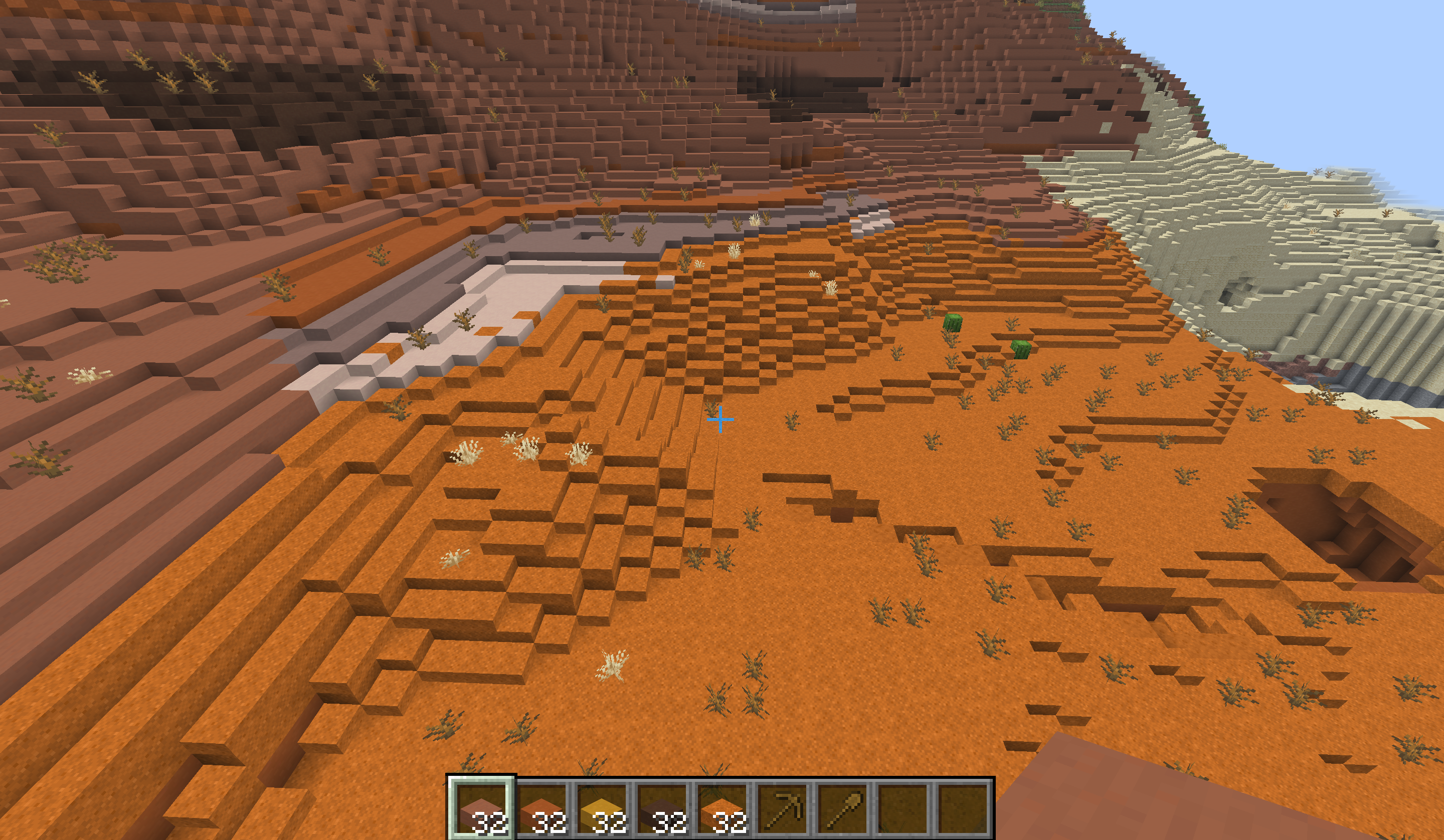
Walk the world without jumping. SlashSlabs is a server-side Fabric mod that puts a half-slab step on every one-block rise in newly generated terrain. Hills, shores and badlands mesas become slopes you can walk up.
Players install nothing. Stock vanilla clients join and see real-looking slabs, delivered through a resource pack that the server sends automatically.
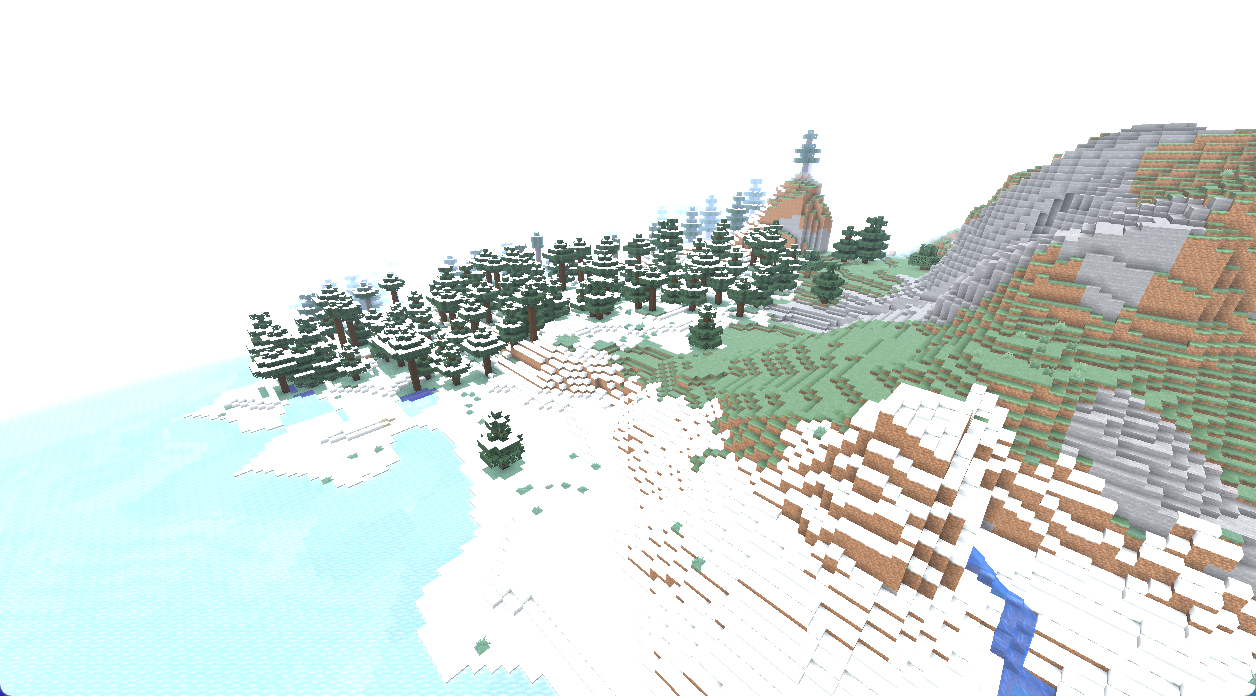
The same hill from the same camera, with SlashSlabs:
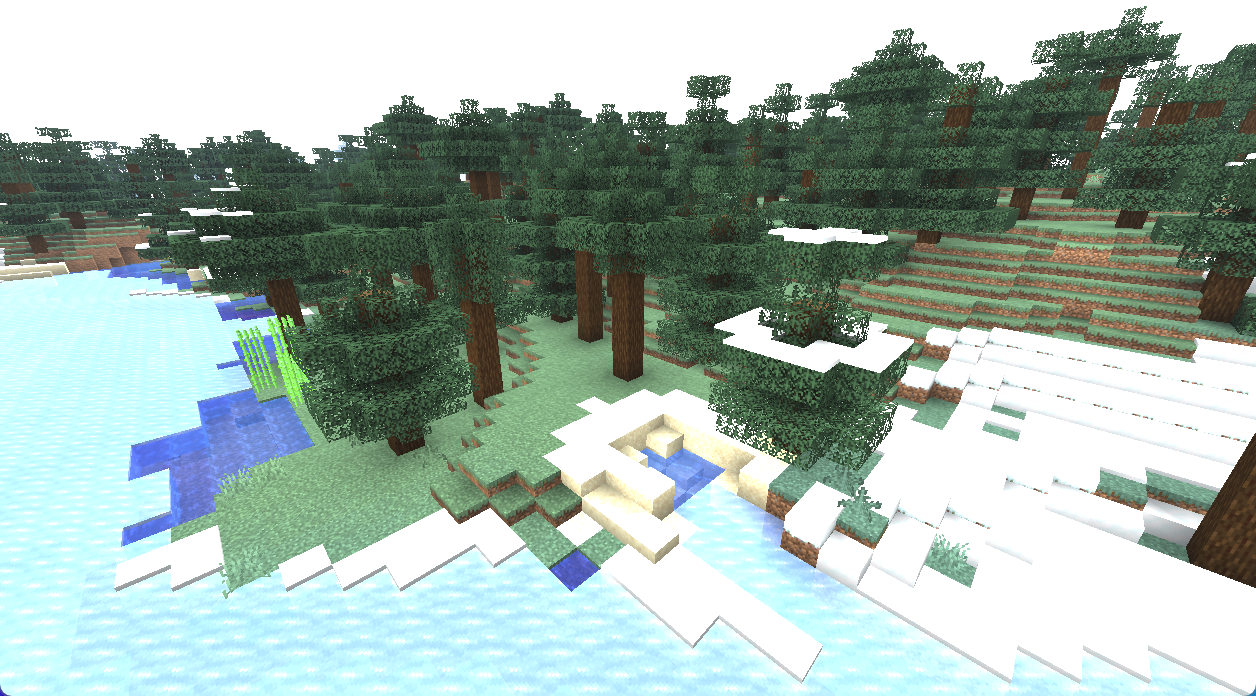
…and in plain vanilla:
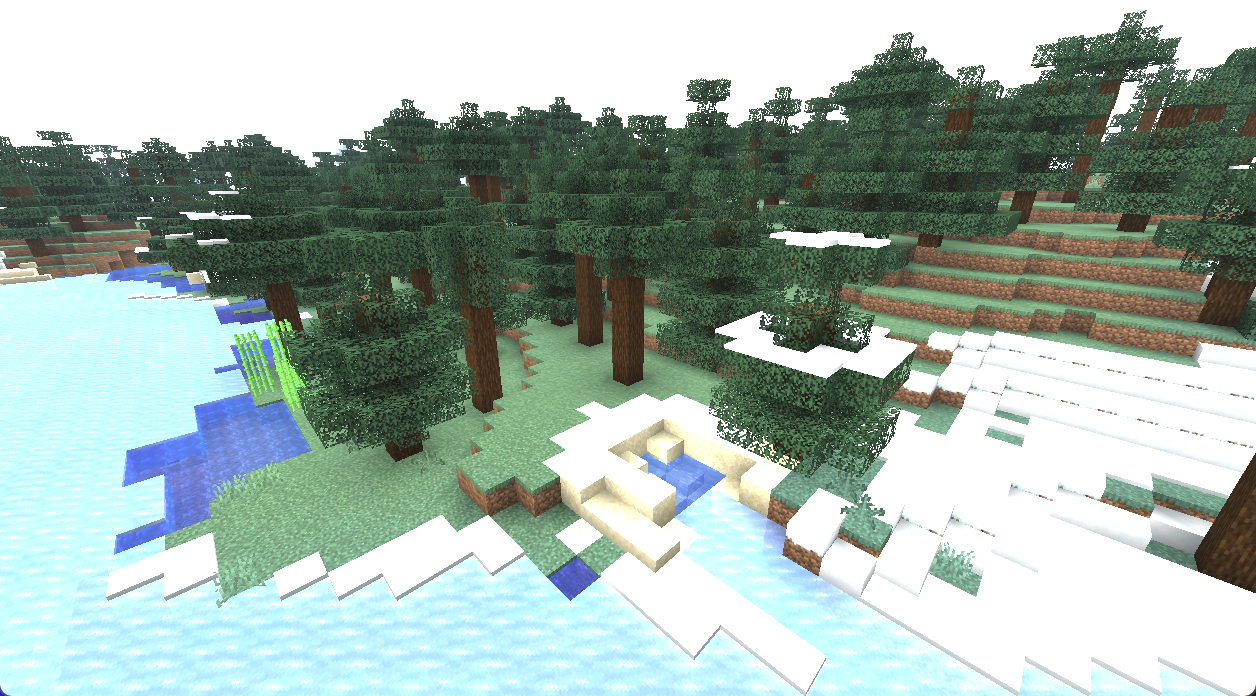
When a chunk generates, SlashSlabs finds every column whose neighbour is exactly one block higher and places a bottom slab on the lower one. A one-block rise becomes two half steps.
It leaves alone:
It reads only the finished surface, so it works with any terrain generator or worldgen datapack.
The new slabs are proper blocks:
SlashSlabs is built on Polymer, which comes bundled.
Each custom slab is sent to the client as a spare vanilla block state with exactly a slab's shape. Bottom slabs borrow unused sculk sensor states, and top slabs borrow waxed copper slab states. The server's resource pack draws those states as grass, dirt, sand and terracotta.
Because the borrowed state has the right shape, collision matches the server exactly. Walking, sprinting and jumping stay in sync with no rubber-banding.
The mod jar contains no Minecraft textures. At startup the server builds the pack from the vanilla client jar.
mods/, next to Fabric API.config/polymer/auto-host.json:{
"enabled": true,
"required": true,
"type": "polymer:automatic",
"message": "This server needs its resource pack for terrain slabs."
}
polymer:automatic serves the pack on the game port, so no extra port or web host is needed. Behind a proxy (Velocity, BungeeCord, TCPShield), use polymer:http_server or polymer:external instead.
Existing worlds: only newly generated chunks are smoothed automatically. To smooth terrain you've already explored, run /slashslabs smooth <radius>. It leaves player builds, paths and floors alone.
Settings live in config/slashslabs.json:
Every command needs op level 2, or LuckPerms nodes under slashslabs.command.*.
/slashslabs info shows what's installed and the worldgen counters./slashslabs smooth <radius> smooths existing terrain./slashslabs purge <radius> turns every SlashSlabs block back into vanilla, for clean removal./slashslabs survey <radius> prints terrain statistics and fits a grass palette to your world./slashslabs purge over your explored area first. Otherwise the slabs load as air and leave half-block holes.Project description from CurseForge.
Pick your setup
Choose the version and loader you play, then open the matching release.
Check the dependencies, then try the file in a copied instance before changing a world you care about.
Recent files
24 Sept 2026
24 Sept 2026
24 Sept 2026
Looking for an older file? The official CurseForge project page is in Resources.