Minecraft version
Back to mods 
CurseForge · Minecraft mod
Lidless - Chest Peek, Search & Sort
See inside all chests, barrels and shulker boxes just by looking at them. Also adds search and sorting to storage screens and shulker box previews in tooltips. Client-side, works on any server.
Choose a version Pick your version below, then grab the matching file.
Quick answer
Which Lidless - Chest Peek, Search & Sort release should I use?
Latest stable file lidless-forge-0.2.0+mc1.16.5.jar
Game version 1.16.5
Loader Forge
Lidless - Chest Peek, Search & Sort lidless-forge-0.2.0+mc1.16.5.jar targets 1.16.5 with Forge. The project page does not say whether this file belongs on the client, dedicated server, or both. No extra mods listed for this file.
Where it goes
Is Lidless - Chest Peek, Search & Sort required on the client, server, or both?
The project page does not say whether this file belongs on the client, dedicated server, or both.
Client Source doesn’t say
Dedicated server Source doesn’t say
Loader for this release Forge
Required install it here Optional supported, not mandatory Not supported do not install here Source doesn’t say do not assume
The source does not explicitly classify this release as client-only or server-only.
What else does Lidless - Chest Peek, Search & Sort lidless-forge-0.2.0+mc1.16.5.jar need?
lidless-forge-0.2.0+mc1.16.5.jar. Change the file and its required mods may change too.
This file does not list any required mods. Do not add a library just because a different file uses it.
This file does not list any required or optional mods.
Before you install it
Add Lidless - Chest Peek, Search & Sort without breaking your instance.
Built for Lidless - Chest Peek, Search & Sort lidless-forge-0.2.0+mc1.16.5.jar. Pick another file and the loader, install side or required mods may change.
- 01
Stick to this file
Use lidless-forge-0.2.0+mc1.16.5.jar. It targets 1.16.5 with Forge; another release may have different loader, side or dependency requirements.
- 02
Bring the mods it needs
This file does not list any required mods. Do not add a library just because a different file uses it.
- 03
Put it on the correct side
The project page does not say whether this file belongs on the client, dedicated server, or both.
- 04
Pick the file you checked
Use the “Get this file” button beside lidless-forge-0.2.0+mc1.16.5.jar. It opens that exact file at the source.
About this project
What does Lidless - Chest Peek, Search & Sort add?
Lidless is a small client-side mod for Minecraft on Fabric or NeoForge, compatible with Mod Menu (Fabric) / the built-in config screen (NeoForge).
Supported versions: 26.1 to 26.3.
Features
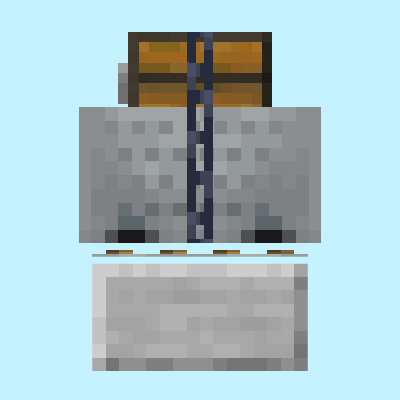
- Peek panel - look at a chest, double chest, barrel, shulker box, hopper, dispenser or ender chest to see its contents. It also works on donkeys, mules and llamas carrying chests, and on chest boats and chest minecarts.
- Compact mode - groups identical items and shows totals instead of the exact slot layout.
- Loot chests - chests that still hold unrolled loot are marked as unopened loot.
- Tooltip previews - shulker boxes show their contents as a grid tinted in the box's colour, and the ender chest item shows your ender chest.
- Search - a search box on storage screens. Ctrl+F focuses it,
@namesearches by mod, and it also finds items inside shulker boxes and bundles. - Sorting - a sort button for the container and one for your inventory, with four orders: category, name, count and mod. Middle-click a slot to sort that part of the screen.
- Deposit and take all - move the items the container already holds out of your inventory, or take everything out in one click. Your hotbar is left alone.
- Placement - two sliders move the panel anywhere on screen, and the panel can be limited to while you sneak.
- Client-side only - there is nothing to install on a server.
Some information depends on where you play:
- In singleplayer and on a LAN host the panel reads the contents live.
- Servers do not send container contents until you open them, so on a server the panel shows what was inside the last time you opened that container, and how long ago that was. The ender chest tooltip works the same way.
- Middle-click sorting is off in creative mode, where middle-click copies items.
Install
Fabric
- Install Fabric Loader for your version of Minecraft.
- Put Fabric API and the Fabric Lidless jar for your version in your
modsfolder. - Start the game.
Optional: add Mod Menu to get a settings screen (Mods > Lidless > Configure).
NeoForge
- Install NeoForge for your version of Minecraft.
- Put the NeoForge Lidless jar for your version in your
modsfolder. - Start the game. The settings screen is available from the mod list (Mods > Lidless > Config).
Project description from CurseForge.
Pick your setup
Lidless - Chest Peek, Search & Sort by Minecraft version and loader
Choose the version and loader you play, then open the matching release.
Minecraft version
26.2
2 loader buildsMinecraft version
26.1.2
2 loader buildsMinecraft version
26.1.1
2 loader buildsMinecraft version
26.1
2 loader buildsMinecraft version
1.21.11
2 loader buildsMinecraft version
1.21.10
2 loader buildsMinecraft version
1.21.9
2 loader buildsMinecraft version
1.21.8
2 loader buildsMinecraft version
1.21.7
2 loader buildsMinecraft version
1.21.6
2 loader buildsMinecraft version
1.21.5
2 loader buildsShowing the newest 12 of 27 game versions. Older files are in the list below.
Check the dependencies, then try the file in a copied instance before changing a world you care about.
Recent files
Lidless - Chest Peek, Search & Sort versions and loaders
lidless-forge-0.2.0+mc1.16.5.jar
27 Sept 2026
Client Source doesn’t say Server Source doesn’t say Dependencies No extras listed Listed on Release listing
Check the 1.16.5 · Forge setup 1.16.5Forge release
lidless-0.2.0+mc1.20.5-1.20.6.jar
27 Sept 2026
Client Source doesn’t say Server Source doesn’t say Dependencies 1 required · 1 unchecked Listed on Release listing
Check the 1.20.6 · Fabric setup Fabric1.20.51.20.6 release
lidless-0.2.0+mc1.20.2-1.20.4.jar
27 Sept 2026
Client Source doesn’t say Server Source doesn’t say Dependencies 1 required · 1 unchecked Listed on Release listing
Check the 1.20.4 · Fabric setup 1.20.2Fabric1.20.41.20.3 release
lidless-0.2.0+mc1.20-1.20.1.jar
27 Sept 2026
Client Source doesn’t say Server Source doesn’t say Dependencies 1 required · 1 unchecked Listed on Release listing
Check the 1.20.1 · Fabric setup Fabric1.20.11.20 release
lidless-0.2.0+mc1.19.2.jar
27 Sept 2026
Client Source doesn’t say Server Source doesn’t say Dependencies 1 required · 1 unchecked Listed on Release listing
Check the 1.19.2 · Fabric setup Fabric1.19.2 release
lidless-forge-0.2.0+mc1.19.2.jar
27 Sept 2026
Client Source doesn’t say Server Source doesn’t say Dependencies No extras listed Listed on Release listing
Check the 1.19.2 · Forge setup Forge1.19.2 release
lidless-0.2.0+mc1.18.2.jar
27 Sept 2026
Client Source doesn’t say Server Source doesn’t say Dependencies 1 required · 1 unchecked Listed on Release listing
Check the 1.18.2 · Fabric setup Fabric1.18.2 release
lidless-forge-0.2.0+mc1.18.2.jar
27 Sept 2026
Client Source doesn’t say Server Source doesn’t say Dependencies No extras listed Listed on Release listing
Check the 1.18.2 · Forge setup Forge1.18.2 release
lidless-neoforge-0.2.0+mc26.3.jar
26 Sept 2026
Client Source doesn’t say Server Source doesn’t say Dependencies No extras listed Listed on Release listing
Check the 26.3 · NeoForge setup NeoForge26.3 release
lidless-neoforge-0.2.0+mc26.2.jar
26 Sept 2026
Client Source doesn’t say Server Source doesn’t say Dependencies No extras listed Listed on Release listing
Check the 26.2 · NeoForge setup NeoForge26.2 release
lidless-neoforge-0.2.0+mc26.1.jar
26 Sept 2026
Client Source doesn’t say Server Source doesn’t say Dependencies No extras listed Listed on Release listing
Check the 26.1.2 · NeoForge setup NeoForge26.126.1.126.1.2 release
lidless-0.2.0+mc26.3.jar
26 Sept 2026
Client Source doesn’t say Server Source doesn’t say Dependencies 1 required · 1 unchecked Listed on Release listing
Check the 26.3 · Fabric setup Fabric26.3 release
Looking for an older file? The official CurseForge project page is in Resources.
 mod
mod CurseForge + Modrinth · Minecraft
Renice Shot
A Fabric client mod for taking high-resolution screenshots.
 mod
mod CurseForge + Modrinth · Minecraft
Sturdy Vehicles
Improve Minecart and Boat recipes, control their drops! Data driven.
 mod
mod CurseForge + Modrinth · Minecraft
Cold Sweat: Altitude
A Cold Sweat addon that adds fully configurable altitude-based temperature zones using a simple band and gradient system, with shelter, protection, and Create: Aeronautics support.