

Back to mods
Tidy Pockets project artwork

CurseForge · Minecraft mod

Tidy Pockets

Instant inventory sorting, slot locking, hotbar refill, tool-break protection and mouse shortcuts, all client-side, with quick cartoon animations.

Choose a version Pick your version below, then grab the matching file.

Quick answer

Which Tidy Pockets release should I use?

Updated today
Latest stable file Tidy Pockets 1.2.0 (Forge 26.2)
Game version 26.2
Loader Forge

Tidy Pockets 1.2.0 (Forge 26.2) targets 26.2 with Forge. The project page does not say whether this file belongs on the client, dedicated server, or both. No extra mods listed for this file.

Where it goes

Is Tidy Pockets required on the client, server, or both?

The project page does not say whether this file belongs on the client, dedicated server, or both.

Client Source doesn’t say
Dedicated server Source doesn’t say
Loader for this release Forge
Required install it here Optional supported, not mandatory Not supported do not install here Source doesn’t say do not assume

The source does not explicitly classify this release as client-only or server-only.

What else does Tidy Pockets 1.2.0 (Forge 26.2) need?

Tidy Pockets 1.2.0 (Forge 26.2). Change the file and its required mods may change too.

No extra mods listed for this file

This file does not list any required mods. Do not add a library just because a different file uses it.

This file does not list any required or optional mods.

Before you install it

Add Tidy Pockets without breaking your instance.

Built for Tidy Pockets 1.2.0 (Forge 26.2). Pick another file and the loader, install side or required mods may change.

  1. 01

    Stick to this file

    Use Tidy Pockets 1.2.0 (Forge 26.2). It targets 26.2 with Forge; another release may have different loader, side or dependency requirements.

  2. 02

    Bring the mods it needs

    This file does not list any required mods. Do not add a library just because a different file uses it.

  3. 03

    Put it on the correct side

    The project page does not say whether this file belongs on the client, dedicated server, or both.

  4. 04

    Pick the file you checked

    Use the “Get this file” button beside Tidy Pockets 1.2.0 (Forge 26.2). It opens that exact file at the source.

About this project

What does Tidy Pockets add?

Tidy Pockets

GitHub Ko-fi

One click, all sorted. Instant inventory sorting, slot locking, hotbar refill, a random block palette, tool-break protection and mouse shortcuts in one client-side mod, with quick cartoon animations.

Features

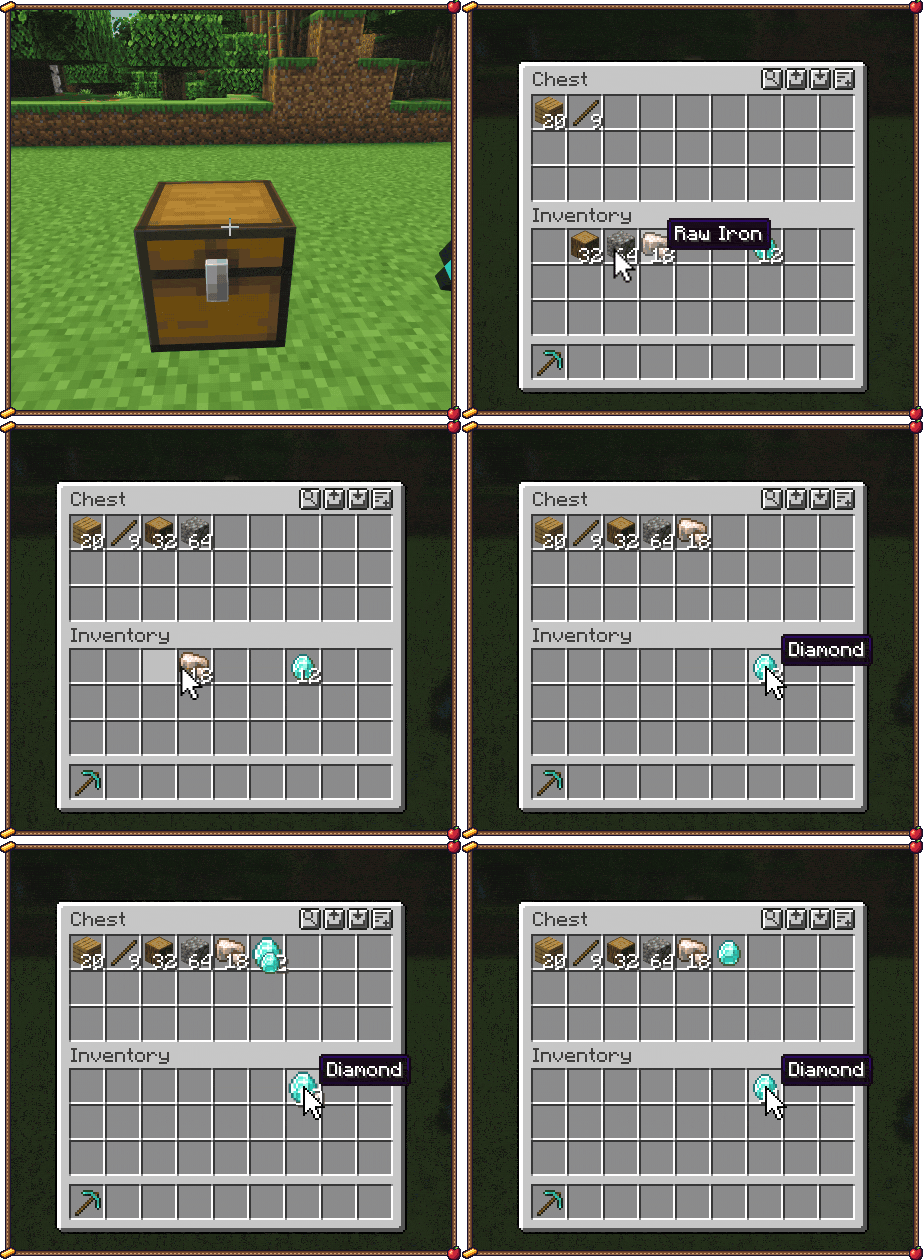
  • Instant sorting. Middle-click any inventory, chest, barrel or shulker box. Tidy Pockets works out the finished layout and sends every click in the same frame, so the sort is done the moment you click. The animation just plays on top.
  • Slot locking. Alt-click a slot and its item stays put: no shift-click, drop, swap or sort can move it.
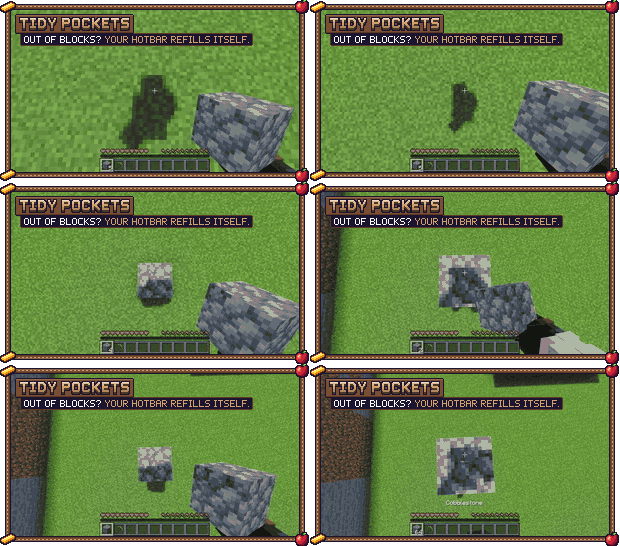
  • Hotbar refill. When the stack in your hand runs out, a matching stack from your inventory takes its place.
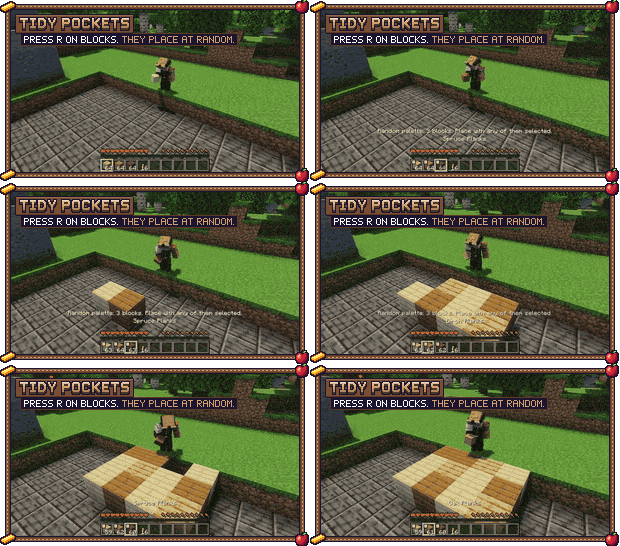
  • Random palette. Press R over the hotbar blocks you want to mix. With one of them selected, every block you place comes from a random palette slot, so walls and floors get texture without you switching slots. It keeps like blocks apart, so the mix never turns patchy.
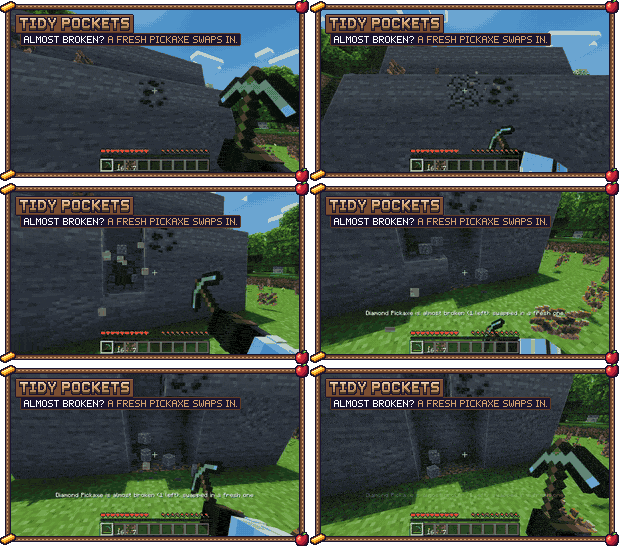
  • Tool-break protection. A tool about to break is swapped for a spare or moved to your inventory, so it never breaks.
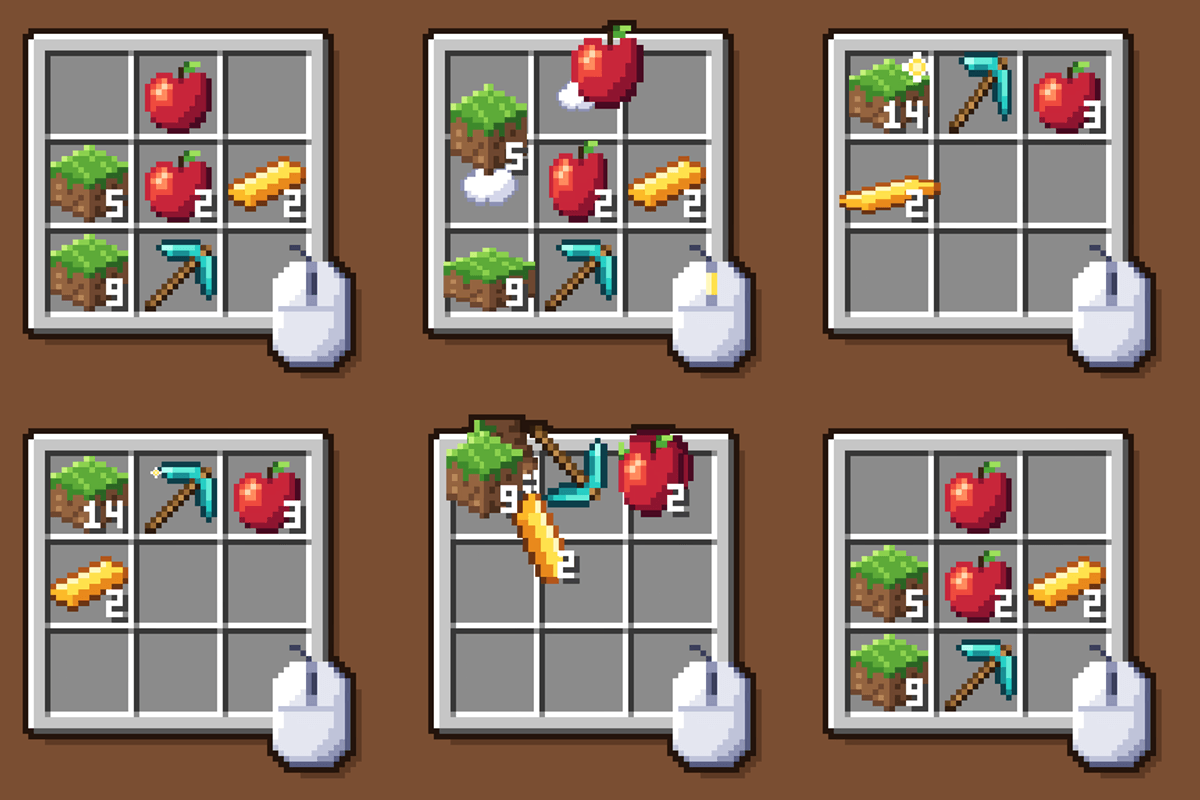
  • Mouse shortcuts. Scroll to move items one at a time, shift-drag across slots to move many.
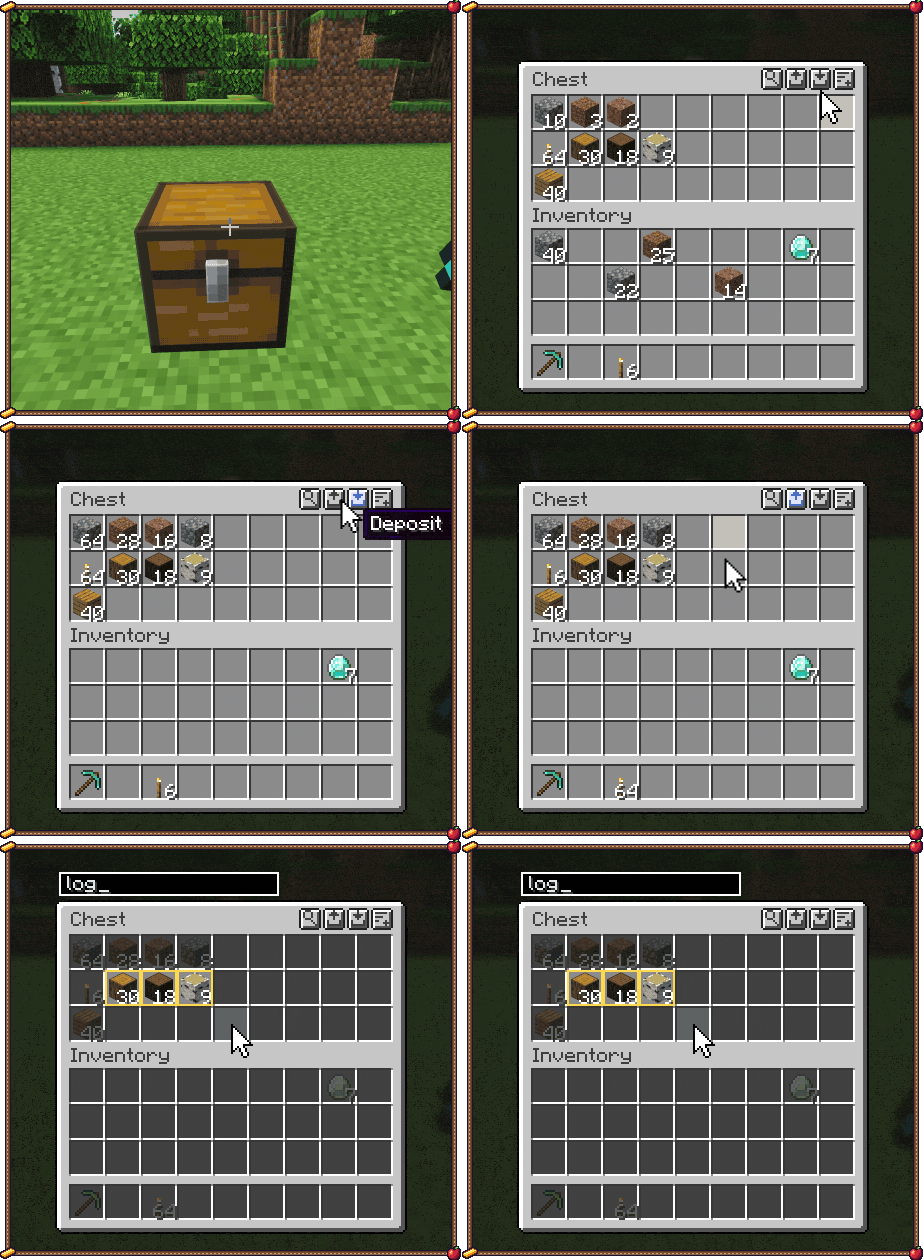
  • Container tools. Sort, Deposit matching and Restock buttons on chests, and Ctrl+F to search.
  • Cartoon animations for opening inventories, moving items and the hotbar. Each has its own toggle.
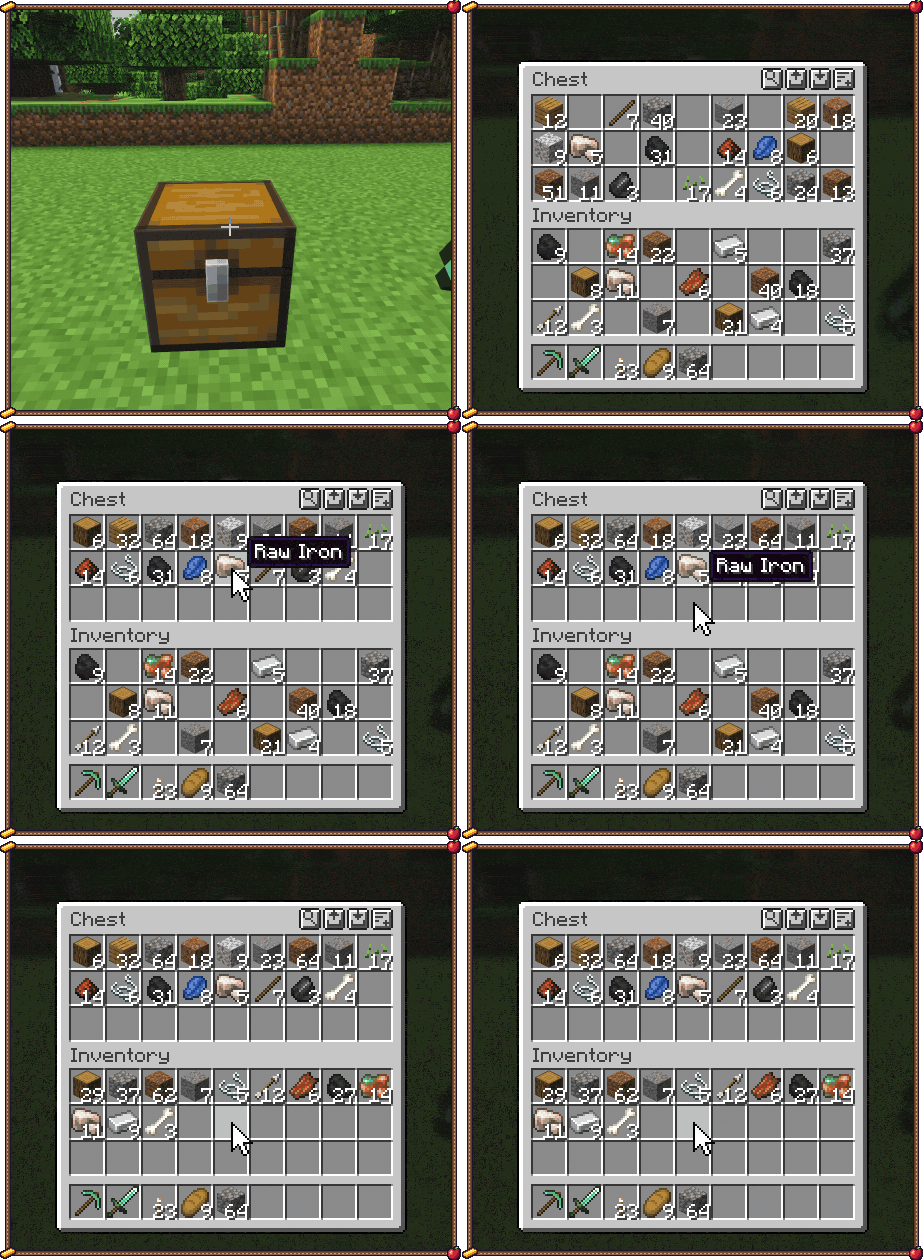
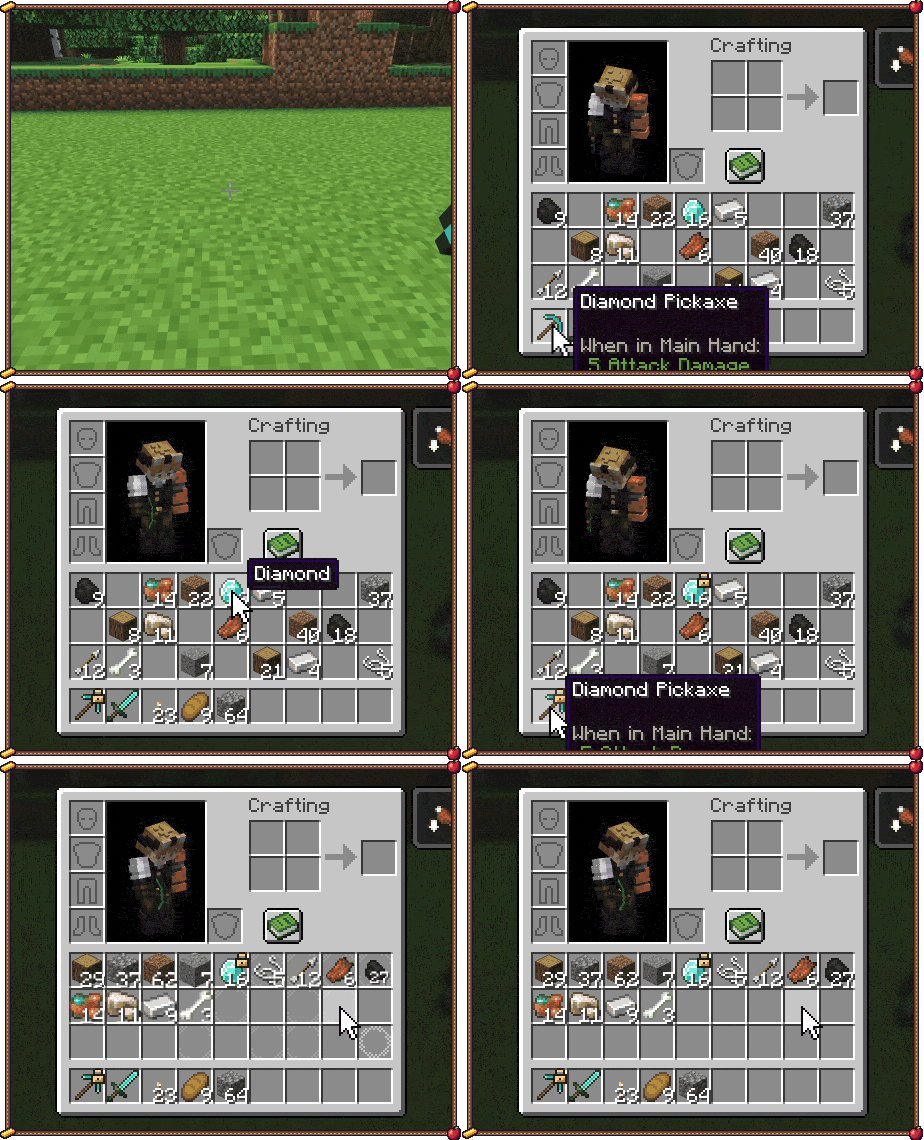
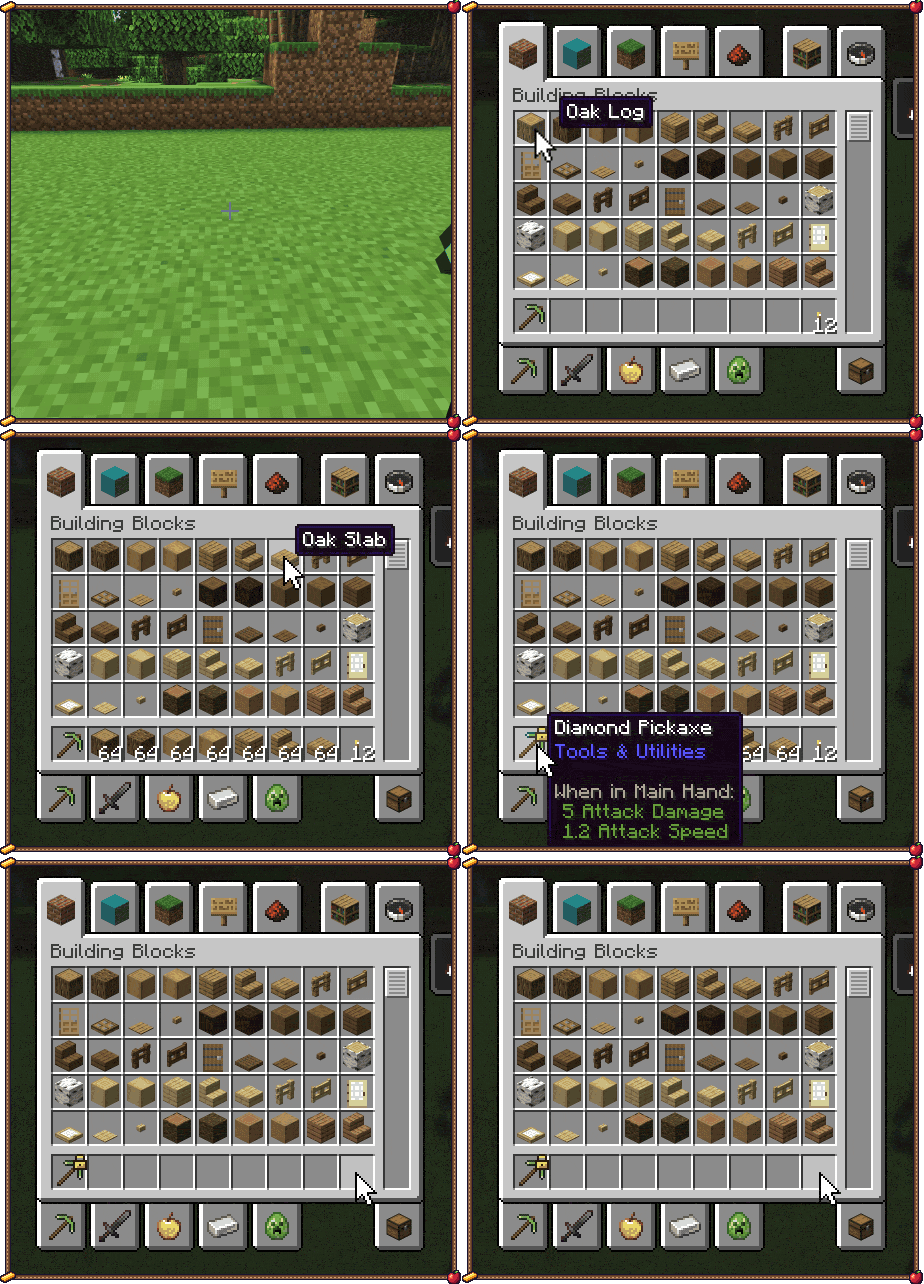
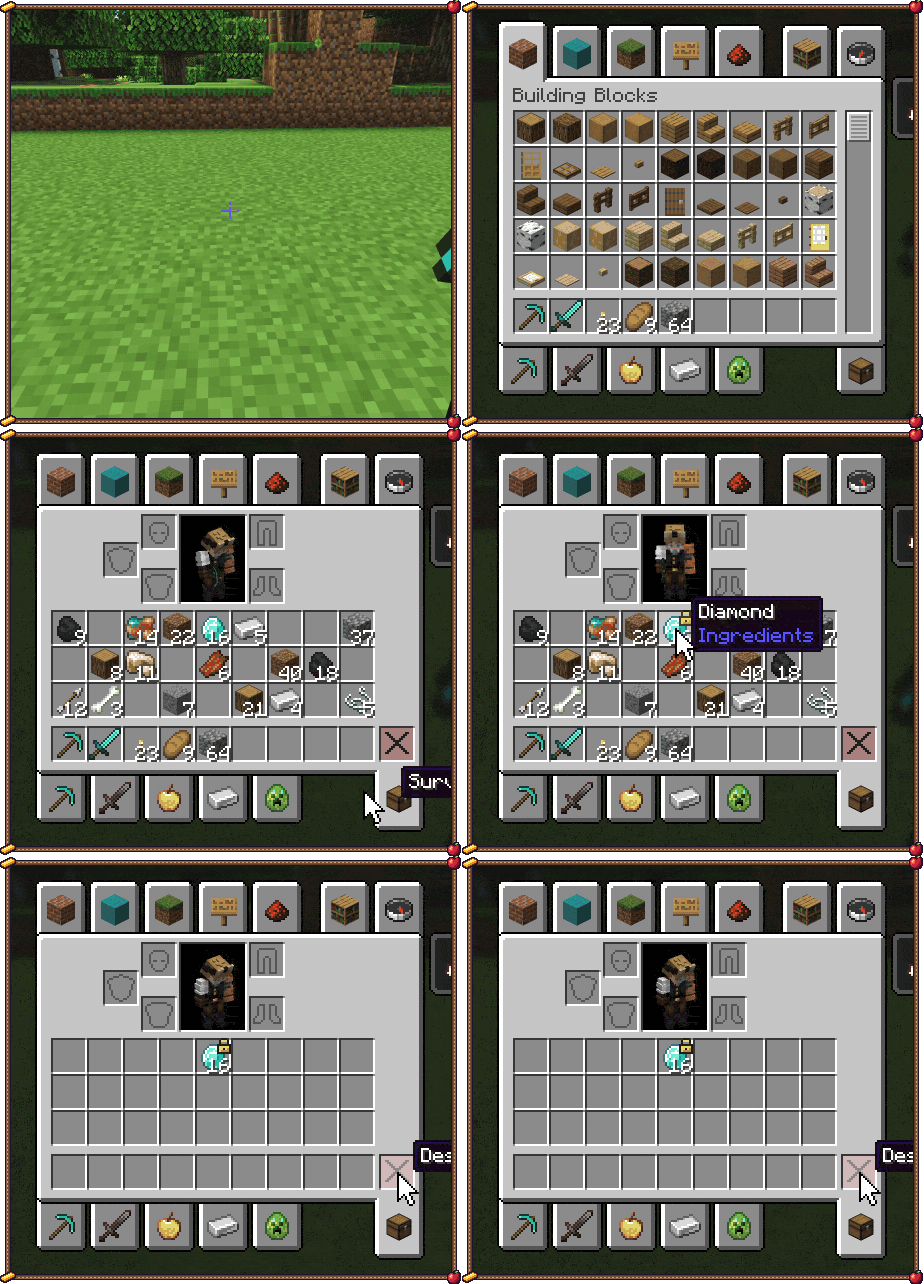
Middle-click sorting a chest and the inventory Locking slots with Alt-click; a locked item refuses to move Shift-clicks and scroll-wheel moves Deposit matching, restock, and Ctrl+F search Creative: shift-drag to grab full stacks, shift-drag the hotbar to bin them Creative: shift-click the bin; locked slots stay Hotbar refill while pillaring Tool-break protection swaps in a fresh pickaxe Random palette: press R on three planks, then every block placed is a random one

How to use

Action Default
Sort Middle-click over an inventory
Lock or unlock a slot Left Alt + click
Add or remove a block in the random palette R over a hotbar block (or R with it selected)
Clear the random palette Shift + R
Search Ctrl+F in a container
Move one item / a whole stack Scroll wheel / Shift + scroll
Shift-click many slots Hold Shift and drag

Random palette: press R on each hotbar block you want to mix (a small die shows on it), then place blocks as usual. A block in two slots comes up twice as often. Select any other slot, like a torch, and placing is normal again.

Change the keys in Controls, and the settings in Mod Menu (Fabric) or the Mods list (NeoForge, Forge).

Compatibility

  • Client-side only. Works on any server, including vanilla servers and Realms.
  • Plays nice with Mouse Tweaks, Mouse Wheelie, Smooth Swapping, Smooth Scrolling and Inventory Profiles Next: the overlapping feature switches itself off.
  • If a server's anti-cheat objects to instant sorting, turn on Safe mode.

Installation

Put the jar for your loader in your mods folder: Fabric or Quilt (needs Fabric API), NeoForge or Forge, for Minecraft 26.2 and 26.3.

More from Profet

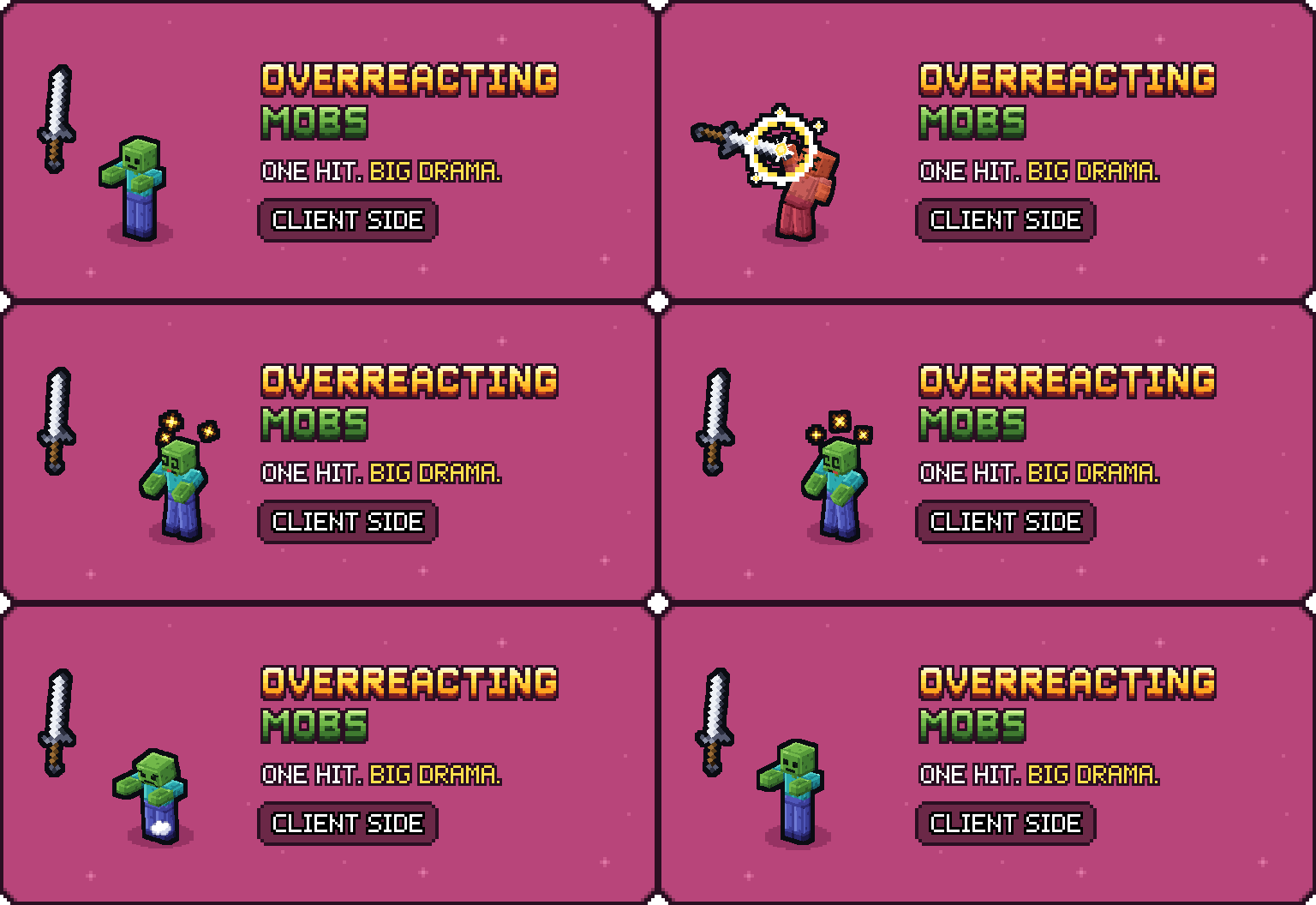
Having a Blast: One boom. Bouncy blocks. Client or server. Far Out Zoom: The horizon, up close. Client side. Traveler's Lantern: Your light. Hands free. Client or server. Overreacting Mobs: One hit. Big drama. Client side.

Support

Tidy Pockets is free. If it saves you some inventory shuffling, a coffee helps fund the next update.

Support me on Ko-fi

Want your own server to play on with friends? My BisectHosting affiliate link gives you 25% off the first month, and I get a small commission.

License

All rights reserved, with permissions: you can use it anywhere, include it in modpacks with credit, and show it in videos. Full terms: LICENSE.

Not an official Minecraft product. Not approved by or associated with Mojang or Microsoft.

Project description from CurseForge.

Pick your setup

Tidy Pockets by Minecraft version and loader

Choose the version and loader you play, then open the matching release.

8 available setups

Check the dependencies, then try the file in a copied instance before changing a world you care about.

Recent files

Tidy Pockets versions and loaders

18 of 18 releases match

Looking for an older file? The official CurseForge project page is in Resources.