Minecraft version
Back to mods 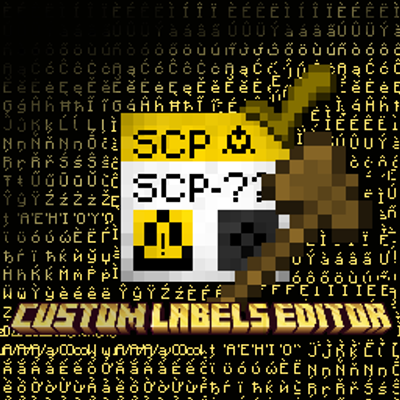
CurseForge · Minecraft mod
SCP: Labels Editor
It lets you create custom labels by loading images into the mod folder.
Choose a version Pick your version below, then grab the matching file.
Quick answer
Which SCP: Labels Editor release should I use?
Latest stable file Labels Creator 26.3 - 1.0.0-neoforge
Game version 26.3
Loader NeoForge
SCP: Labels Editor Labels Creator 26.3 - 1.0.0-neoforge targets 26.3 with NeoForge. The project page does not say whether this file belongs on the client, dedicated server, or both. No extra mods listed for this file.
Where it goes
Is SCP: Labels Editor required on the client, server, or both?
The project page does not say whether this file belongs on the client, dedicated server, or both.
Client Source doesn’t say
Dedicated server Source doesn’t say
Loader for this release NeoForge
Required install it here Optional supported, not mandatory Not supported do not install here Source doesn’t say do not assume
The source does not explicitly classify this release as client-only or server-only.
What else does SCP: Labels Editor Labels Creator 26.3 - 1.0.0-neoforge need?
Labels Creator 26.3 - 1.0.0-neoforge. Change the file and its required mods may change too.
This file does not list any required mods. Do not add a library just because a different file uses it.
This file does not list any required or optional mods.
Before you install it
Add SCP: Labels Editor without breaking your instance.
Built for SCP: Labels Editor Labels Creator 26.3 - 1.0.0-neoforge. Pick another file and the loader, install side or required mods may change.
- 01
Stick to this file
Use Labels Creator 26.3 - 1.0.0-neoforge. It targets 26.3 with NeoForge; another release may have different loader, side or dependency requirements.
- 02
Bring the mods it needs
This file does not list any required mods. Do not add a library just because a different file uses it.
- 03
Put it on the correct side
The project page does not say whether this file belongs on the client, dedicated server, or both.
- 04
Pick the file you checked
Use the “Get this file” button beside Labels Creator 26.3 - 1.0.0-neoforge. It opens that exact file at the source.
About this project
What does SCP: Labels Editor add?

Labels Creator
Minecraft Forge 1.12.2 / 1.20.1 / 1.21.1 / 26.3 - forge, neoforge, fabric
Place custom image labels on walls. Each label can show a picture from a local folder, with a chosen name and resolution. Unconfigured or missing images stay as a white/blank label base so you can tell something is wrong.
NOTE: This mod was created to generate default SCP labels, but it can also be used to create images for your world, or things like that.
Features
- Wall labels only — place on sides of blocks, not floor or ceiling
- Custom images — load PNG/JPG (and similar) from a folder next to the game
- Label Editor GUI — set name, photo, and resolution (2–1024/4096)
- Dynamic overlay — your image is drawn on the label face (and edges)
- White base — default look when no image is set or the file is missing
- Named items — break or middle-click a configured label to get an item named like "Label SCP-440" with the same data (is an example SCP-440)
- Copy / place again — NBT keeps name, image, and resolution
- /labelsfolder — opens the image folder and prints its path in chat (changed)
How to use
1. Image folder
Put your images here:
- Normal launcher: .minecraft/uploadcustomlabels/ (or type the command in the chat /labelsfolder)
Supported formats: .png, .jpg, .jpeg, .gif, .bmp
Example: uploadcustomlabels/tormentor.png
2. Place a label
- Take a Label from the Decorations tab (or your creative tab).
- Right-click a wall.
- The Label Editor opens if the label is not configured yet.
3. Configure
| Field | Meaning |
|---|---|
| NAME | Display name (also used on the item when broken) |
| PHOTO | File from uploadcustomlabels (< > to cycle) |
| RESOLUTION | Texture size (e.g. 64×64, 256×256) |
| Confirm | Save and apply the image |
| Cancel | Close without saving |
4. Edit again
Right-click an existing label to open the editor again.
5. Copy a label
- Break it → item keeps name + image data
- Middle-click (creative) → same
Place that item to get the same label again.
6. Open the folder in-game
text
/labelsfolder
Opens the folder in your file manager and shows the full path in chat.
Tips
- If the label stays White, the file is missing, the name is wrong, or the folder path is not the one the game uses (check /labelsfolder).
- Images are client-side (each player needs the same files in their folder for multiplayer).
- Higher resolution = sharper image, more memory.
Technical (short)
- Forge 1.12.2, 1.20.1 - neoforge, forge, fabric
- Block + tile entity + overlay
- Client command /labelsfolder
- Network packet to save label data on the server
Project description from CurseForge.
Pick your setup
SCP: Labels Editor by Minecraft version and loader
Choose the version and loader you play, then open the matching release.
Minecraft version
1.21.1
3 loader buildsMinecraft version
1.20.1
3 loader buildsMinecraft version
1.12.2
1 loader buildCheck the dependencies, then try the file in a copied instance before changing a world you care about.
Recent files
SCP: Labels Editor versions and loaders
Labels Creator 26.3 - 1.0.0-neoforge
labels_creator-neoforge-26.3.jar
22 Oct 2026
Client Source doesn’t say Server Source doesn’t say Dependencies No extras listed Listed on Release listing
Check the 26.3 · NeoForge setup NeoForge26.3 release
Labels Creator 26.3 - 1.0.0-fabric
labels_creator-fabric-26.3.jar
22 Oct 2026
Client Source doesn’t say Server Source doesn’t say Dependencies No extras listed Listed on Release listing
Check the 26.3 · Fabric setup Fabric26.3 release
Labels Creator 26.3 - 1.0.0-forge
labels_creator-forge-26.3.jar
22 Oct 2026
Client Source doesn’t say Server Source doesn’t say Dependencies No extras listed Listed on Release listing
Check the 26.3 · Forge setup Forge26.3 release
Labels Creator 1.21.1 - 1.0.0-fabric
labels_creator-fabric-1.21.1-1.0.0.jar
22 Oct 2026
Client Source doesn’t say Server Source doesn’t say Dependencies No extras listed Listed on Release listing
Check the 1.21.1 · Fabric setup Fabric1.21.1 release
Labels Creator 1.21.1 - 1.0.0-neoforge
labels_creator-neoforge-1.21.1-1.0.0.jar
22 Oct 2026
Client Source doesn’t say Server Source doesn’t say Dependencies No extras listed Listed on Release listing
Check the 1.21.1 · NeoForge setup 1.21.1NeoForge release
Labels Creator 1.21.1 - 1.0.0-forge
labels_creator-1.21.1-1.0.0.jar
22 Oct 2026
Client Source doesn’t say Server Source doesn’t say Dependencies No extras listed Listed on Release listing
Check the 1.21.1 · Forge setup Forge1.21.1 release
Labels Editor 1.20.1 - 1.0.0-fabric
labels_creator-1.0.0-fabric.jar
15 Oct 2026
Client Source doesn’t say Server Source doesn’t say Dependencies No extras listed Listed on Release listing
Check the 1.20.1 · Fabric setup Fabric1.20.1 release
Labels Editor 1.20.1 - 1.0.0-neoforge
labels_creator-1.0.0-neoforge.jar
15 Oct 2026
Client Source doesn’t say Server Source doesn’t say Dependencies No extras listed Listed on Release listing
Check the 1.20.1 · NeoForge setup 1.20.1NeoForge release
Labels Editor 1.20.1 - 1.1.0-forge
labels_creator-1.1.0.jar
15 Oct 2026
Client Source doesn’t say Server Source doesn’t say Dependencies No extras listed Listed on Release listing
Check the 1.20.1 · Forge setup 1.20.1Forge release
Labels Creator 1.12.2 - 1.0.1-forge
LabelsEditor1.12.2-1.0.1.jar
25 Sept 2026
Client Source doesn’t say Server Source doesn’t say Dependencies No extras listed Listed on Release listing
Check the 1.12.2 · Forge setup Forge1.12.2 release
Labels Creator 1.12.2 - 1.0.0-forge
LabelsEditor 1.12.2-1.0.0.jar
24 Sept 2026
Client Source doesn’t say Server Source doesn’t say Dependencies No extras listed Listed on Release listing
Check the 1.12.2 · Forge setup Forge1.12.2 beta
Looking for an older file? The official CurseForge project page is in Resources.
 mod
CurseForge + Modrinth · Minecraft
Tinkers' Gadgets
A lightweight Tinkers' Construct addon featuring tools, new materials, and exclusive projectile traits.
 mod
CurseForge · Minecraft
SBW Helldivers
Helldivers-inspired stratagems for Superb Warfare: deploy sentries, minefields, shields, and Eagle air support.
 mod
CurseForge · Minecraft
Orbital Wither Skull Cannon
Unleash an apocalyptic rain of thousands of Wither Skulls using a fishing rod! Destroys everything—even obsidian.