Minecraft version
Back to mods 
CurseForge · Minecraft mod
Auto Enchanting Table
Automatically places lapis and books into the enchanting table for you, then loads the next book after you take the finished one out.
Choose a version Pick your version below, then grab the matching file.
Quick answer
Which Auto Enchanting Table release should I use?
Latest stable file Auto Enchanting Table 1.0.0
Game version 26.3
Loader Fabric, Forge, NeoForge
Auto Enchanting Table 1.0.0 targets 26.3 with Fabric, Forge, NeoForge. The project page does not say whether this file belongs on the client, dedicated server, or both. No extra mods listed for this file.
Where it goes
Is Auto Enchanting Table required on the client, server, or both?
The project page does not say whether this file belongs on the client, dedicated server, or both.
Client Source doesn’t say
Dedicated server Source doesn’t say
Loader for this release Fabric, Forge, NeoForge
Required install it here Optional supported, not mandatory Not supported do not install here Source doesn’t say do not assume
The source does not explicitly classify this release as client-only or server-only.
What else does Auto Enchanting Table 1.0.0 need?
Auto Enchanting Table 1.0.0. Change the file and its required mods may change too.
This file does not list any required mods. Do not add a library just because a different file uses it.
This file does not list any required or optional mods.
Before you install it
Add Auto Enchanting Table without breaking your instance.
Built for Auto Enchanting Table 1.0.0. Pick another file and the loader, install side or required mods may change.
- 01
Stick to this file
Use Auto Enchanting Table 1.0.0. It targets 26.3 with Fabric, Forge, NeoForge; another release may have different loader, side or dependency requirements.
- 02
Bring the mods it needs
This file does not list any required mods. Do not add a library just because a different file uses it.
- 03
Put it on the correct side
The project page does not say whether this file belongs on the client, dedicated server, or both.
- 04
Pick the file you checked
Use the “Get this file” button beside Auto Enchanting Table 1.0.0. It opens that exact file at the source.
About this project
What does Auto Enchanting Table add?
Auto Enchanting Table takes the busywork out of enchanting. As soon as you open an enchanting table, the mod pulls lapis lazuli and a book from your inventory and places them into the table for you. You can focus on picking the enchantment instead of moving items around every time.
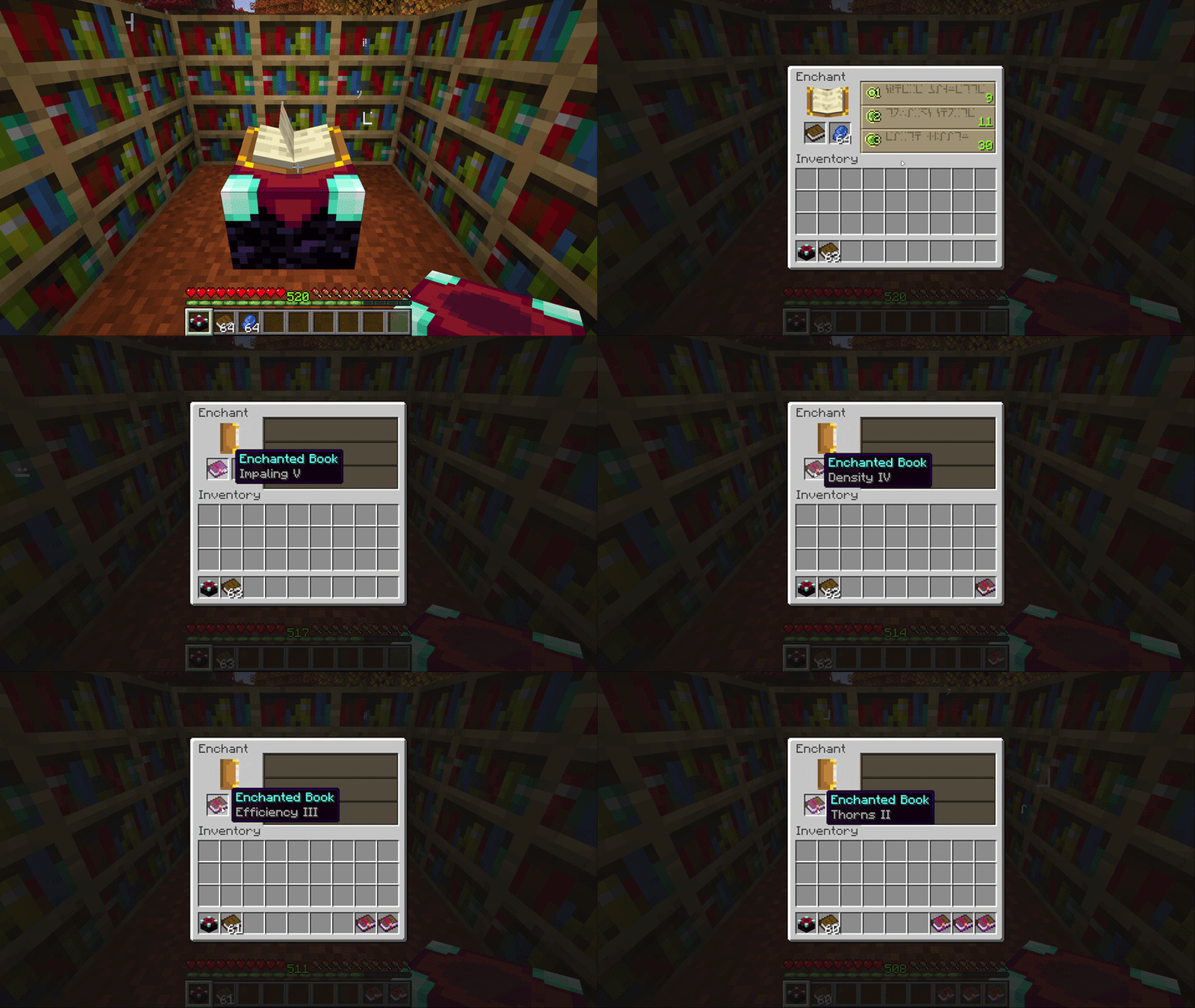
After you enchant a book and take it out, the next book is placed in automatically. As long as you still have lapis and books, the table stays ready for the next enchantment.
The mod is careful about your inventory. It will not place a book if you have no lapis, and it will not place a book if your inventory is full, so you do not lose an enchanted book with nowhere to put it. Lapis and books can come from your main inventory or your offhand.
There are no extra buttons and no settings to learn. Open the table with lapis and books on you, and it does the rest.
Project description from CurseForge.
Pick your setup
Auto Enchanting Table by Minecraft version and loader
Choose the version and loader you play, then open the matching release.
Minecraft version
26.2
3 loader buildsMinecraft version
1.21.1
3 loader buildsMinecraft version
1.20.1
3 loader buildsCheck the dependencies, then try the file in a copied instance before changing a world you care about.
Recent files
Auto Enchanting Table versions and loaders
Auto Enchanting Table 1.0.0
AutoEnchantingTable-26.3.jar
28 Sept 2026
Client Source doesn’t say Server Source doesn’t say Dependencies No extras listed Listed on Release listing
Check the 26.3 · Fabric setup FabricForgeNeoForge26.3 release
Auto Enchanting Table 1.0.0
AutoEnchantingTable-26.2.jar
27 Sept 2026
Client Source doesn’t say Server Source doesn’t say Dependencies No extras listed Listed on Release listing
Check the 26.2 · Fabric setup FabricForgeNeoForge26.2 release
Auto Enchanting Table 1.0.0
AutoEnchantingTable-1.21.1.jar
24 Sept 2026
Client Source doesn’t say Server Source doesn’t say Dependencies No extras listed Listed on Release listing
Check the 1.21.1 · Fabric setup FabricForge1.21.1NeoForge release
Auto Enchanting Table 1.0.0
AutoEnchantingTable-1.20.1.jar
24 Sept 2026
Client Source doesn’t say Server Source doesn’t say Dependencies No extras listed Listed on Release listing
Check the 1.20.1 · Fabric setup Fabric1.20.1ForgeNeoForge release
Looking for an older file? The official CurseForge project page is in Resources.
 mod
mod CurseForge · Minecraft
AE2Colonies (Applied Energistics 2 × MineColonies)
Seamlessly integrate your MineColonies warehouse directly into your Applied Energistics 2 ME Network!
 mod
mod CurseForge · Minecraft
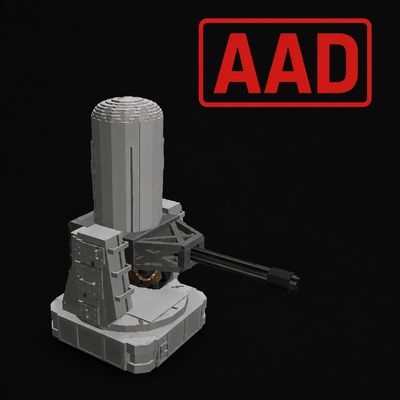
[SBW] Automatic Air Defence
Adds the Mk 15 Phalanx CIWS to Superb Warfare with autonomous air-defense targeting, projectile interception, IFF, configurable target filters, whitelists, and addon support.
 mod
mod CurseForge · Minecraft
Ancient Warfare: World War
Ancient Warfare: World War is a World War-era combined-arms expansion for Ancient Warfare 2: Remastered on Minecraft 1.20.1. It adds new vehicles and Modern Soldiers trained to operate the new vehicles.