Minecraft version
Back to mods 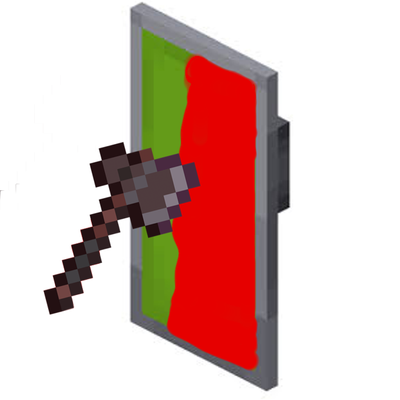
CurseForge · Minecraft mod
Shield Status [Fabric / PvP / Shield Cooldown Tracker]
Shield Status renders customizable color overlays on shields to indicate whether they are currently on cooldown. A red overlay shows the shield is disabled, while a green overlay shows it is ready for use.
Choose a version Pick your version below, then grab the matching file.
Quick answer
Which Shield Status [Fabric / PvP / Shield Cooldown Tracker] release should I use?
Latest stable file shieldSatus1.20.1-3.0.jar
Game version 1.20.1
Loader Fabric
Shield Status [Fabric / PvP / Shield Cooldown Tracker] shieldSatus1.20.1-3.0.jar targets 1.20.1 with Fabric. The project page does not say whether this file belongs on the client, dedicated server, or both. No extra mods listed for this file.
Where it goes
Is Shield Status [Fabric / PvP / Shield Cooldown Tracker] required on the client, server, or both?
The project page does not say whether this file belongs on the client, dedicated server, or both.
Client Source doesn’t say
Dedicated server Source doesn’t say
Loader for this release Fabric
Required install it here Optional supported, not mandatory Not supported do not install here Source doesn’t say do not assume
The source does not explicitly classify this release as client-only or server-only.
What else does Shield Status [Fabric / PvP / Shield Cooldown Tracker] shieldSatus1.20.1-3.0.jar need?
shieldSatus1.20.1-3.0.jar. Change the file and its required mods may change too.
This file does not list any required mods. Do not add a library just because a different file uses it.
This file does not list any required or optional mods.
Before you install it
Add Shield Status [Fabric / PvP / Shield Cooldown Tracker] without breaking your instance.
Built for Shield Status [Fabric / PvP / Shield Cooldown Tracker] shieldSatus1.20.1-3.0.jar. Pick another file and the loader, install side or required mods may change.
- 01
Stick to this file
Use shieldSatus1.20.1-3.0.jar. It targets 1.20.1 with Fabric; another release may have different loader, side or dependency requirements.
- 02
Bring the mods it needs
This file does not list any required mods. Do not add a library just because a different file uses it.
- 03
Put it on the correct side
The project page does not say whether this file belongs on the client, dedicated server, or both.
- 04
Pick the file you checked
Use the “Get this file” button beside shieldSatus1.20.1-3.0.jar. It opens that exact file at the source.
About this project
What does Shield Status [Fabric / PvP / Shield Cooldown Tracker] add?
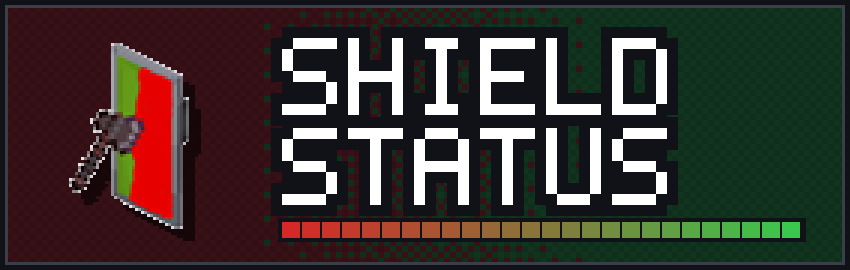
Know the exact moment your shield is back.
A lightweight client-side Fabric mod for PvP that paints your shield red when it is on cooldown and green when it is ready to block.



- Live cooldown status - red overlay while your shield is disabled, green when it is ready again.
- Smooth color transition - the color fades from red to green so you can predict the exact tick your shield reactivates.
- Resource pack safe - drawn as an in-game overlay, so your textures are never modified and every pack keeps working.
- Fully configurable - change both colors or toggle the transition from the Mod Menu config screen.
- Client-side only - install it on your client, no server setup needed.

- Fabric Loader
- Fabric API
- Cloth Config API
- Mod Menu (optional - needed to open the config screen in-game)

Found a bug or have an idea? Join the Discord and tell me.
If you enjoy the mod, supporting it on Patreon helps a lot.


Project description from CurseForge.
Pick your setup
Shield Status [Fabric / PvP / Shield Cooldown Tracker] by Minecraft version and loader
Choose the version and loader you play, then open the matching release.
Minecraft version
1.20.1
1 loader buildCheck the dependencies, then try the file in a copied instance before changing a world you care about.
Recent files
Shield Status [Fabric / PvP / Shield Cooldown Tracker] versions and loaders
shieldSatus1.20.1-3.0.jar
shieldSatus-1.0.jar
23 Oct 2026
Client Source doesn’t say Server Source doesn’t say Dependencies No extras listed Listed on Release listing
Check the 1.20.1 · Fabric setup Fabric1.20.1 release
shieldStatus-1.0.jar
shieldSatus-1.0.jar
24 Sept 2026
Client Source doesn’t say Server Source doesn’t say Dependencies No extras listed Listed on Release listing
Check the 26.2 · Fabric setup Fabric26.2 release
Looking for an older file? The official CurseForge project page is in Resources.
 mod
CurseForge · Minecraft
Grimoire O’ Guides
Every Patchouli guidebook in one Grimoire. Read and search your pack's guides in one place, with a quick page slider to move through them.
 mod
CurseForge · Minecraft
Bestiary O’ Beasts
A living bestiary of every creature in your modpack. Watch them move, examine them in 3D, discover their habitats and drops, and control what spawns.
 mod
CurseForge · Minecraft
Tome O’ Treasures
Every treasure has a story. Discover items from across your modpack, explore their origins, recipes and connections, and switch off the ones you don't want.