Fabric API Needed by Twitch Games Twitch-Games-0.1.3.jar
requiredMatching file found Matched file: [26.1.2] Fabric API 0.155.3+26.1.2

CurseForge · Minecraft mod
Twitch Games
Quick answer
Twitch Games Twitch-Games-0.1.3.jar targets 26.1, 26.1.1, 26.1.2 with Fabric. The project page does not say whether this file belongs on the client, dedicated server, or both. All 1 required mods have matching files.
Where it goes
The project page does not say whether this file belongs on the client, dedicated server, or both.
The source does not explicitly classify this release as client-only or server-only.
Twitch-Games-0.1.3.jar. Change the file and its required mods may change too.
Install Fabric API first. We found matching files for this game-version and loader setup.
We only count dependency files that match this setup. A file for another loader does not fill the gap.
Before you install it
Built for Twitch Games Twitch-Games-0.1.3.jar. Pick another file and the loader, install side or required mods may change.
Use Twitch-Games-0.1.3.jar. It targets 26.1, 26.1.1, 26.1.2 with Fabric; another release may have different loader, side or dependency requirements.
Install Fabric API first. We found matching files for this game-version and loader setup.
The project page does not say whether this file belongs on the client, dedicated server, or both.
Use the “Get this file” button beside Twitch-Games-0.1.3.jar. It opens that exact file at the source.
About this project
Transform your Minecraft livestreams into an interactive playground! Twitch Games connects your Twitch channel directly to Minecraft, allowing your viewers to vote on events in real-time and control your world through chat.
Designed specifically for streamers with a 100% custom Twitch dark UI, a compact live voting HUD, and zero chat spam.
Turn your stream into an interactive game show! Every X seconds, a voting session triggers automatically:
1, 2, or 3 in your Twitch chat (or !1, !2, !3).Allow your viewers to trigger instant actions on stream whenever they want:
!creeper — Spawns a charged Creeper right behind you!!zombie — Unleashes a wave of hungry zombies.!meteor — Calls down explosive meteorites from the sky.!lava — Spawns magma and lava around your feet.!heal — Fully restores your health with bonus absorption hearts.!day / !night — Instantly shifts time to day or midnight.!random — Triggers a surprise random chaos event!🛡️ Anti-Spam Protection: Comes with a configurable cooldown (15s default) to prevent viewer command spam and server lag.
No ugly generic Minecraft menus!
/tg menu or press K): Start, stop, or instantly trigger Twitch Chaos votes with a single click.🟣 Twitch button directly inside the Esc pause menu.| Icon | Event | Effect |
|---|---|---|
| 🧟 | Zombie Wave | Spawns a horde of aggressive zombies |
| 💀 | One Heart Challenge | Drops player health down to half a heart |
| 🌋 | Lava Under Feet | Spawns lava and magma blocks under the player |
| ☄ | Meteor Shower | Bombards the area with falling fireballs |
| 💣 | Creeper Surprise | Summons a charged creeper right behind the streamer |
| 💖 | Heal Blessing | Full health restoration + regeneration & absorption |
| ☀ | Set to Day | Immediately sets time to morning |
| 🌙 | Set to Night | Shifts time straight to midnight |
| 🚀 | Zero Gravity | Gives 8 seconds of levitation |
| 🌑 | Total Darkness | Applies Darkness + Blindness with eerie sounds |
| ⚡ | Speed Demon | Grants Speed IV and Jump Boost III |
| 💎 | Diamond Rain | Makes diamonds rain down from the sky |
| ❓ | Random Chaos | Executes a surprise event chosen at random |
| Command / Key | Description |
|---|---|
K |
Quick open the Twitch Games selection menu |
/tg or /tg menu |
Opens the custom Game Selection Hub |
/tg config |
Opens the Twitch connection dashboard |
/tg chaos start |
Starts the Twitch Chaos game loop |
/tg chaos stop |
Stops Twitch Chaos |
/tg chaos vote |
Triggers an immediate 3-choice vote |
| **`/tg chaos testvote <1\ | 2\ |
/tg chaos trigger <event> |
Manually triggers any chaos event |
mods folder.K or type /tg menu.Project description from CurseForge.
Pick your setup
Choose the version and loader you play, then open the matching release.
Check the dependencies, then try the file in a copied instance before changing a world you care about.
Recent files
30 Sept 2026
29 Sept 2026
27 Sept 2026
24 Sept 2026
Looking for an older file? The official CurseForge project page is in Resources.
 mod
modPutting more Magic in your Blood Magic.
 mod
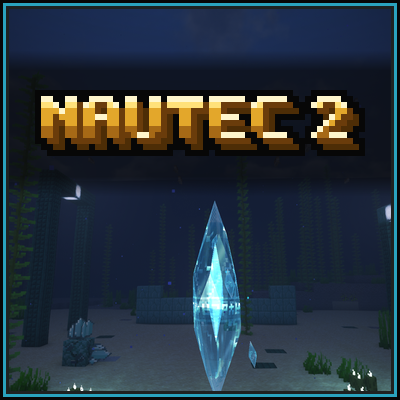
modA rewritten continuation of the MagiTek mod NauTec for Minecraft 26.1.2. Ocean tech built on exploration, laser power, bacteria farming, fusion plants, submarines and wireless power networks.
 mod
modfastor than Treecapitator or Lumberjack , efficient terraforming. Like VeinMiner, our Demolish Axe instantly removes trees. It offers fast logging with zero wait. Leaving zero items,Clear Obstacles,Instant Break,Fast Logging