Minecraft version
Back to mods 
CurseForge · Minecraft mod
RealisticCruelty
A realistic gore mod for Minecraft.
Choose a version Pick your version below, then grab the matching file.
Quick answer
Which RealisticCruelty release should I use?
Latest stable file realisticcruelty-1.2.0-all.jar
Game version 1.20.1
Loader Forge, NeoForge
realisticcruelty-1.2.0-all.jar targets 1.20.1 with Forge, NeoForge. The project page does not say whether this file belongs on the client, dedicated server, or both. No extra mods listed for this file.
Where it goes
Is RealisticCruelty required on the client, server, or both?
The project page does not say whether this file belongs on the client, dedicated server, or both.
Client Source doesn’t say
Dedicated server Source doesn’t say
Loader for this release Forge, NeoForge
Required install it here Optional supported, not mandatory Not supported do not install here Source doesn’t say do not assume
The source does not explicitly classify this release as client-only or server-only.
What else does realisticcruelty-1.2.0-all.jar need?
realisticcruelty-1.2.0-all.jar. Change the file and its required mods may change too.
This file does not list any required mods. Do not add a library just because a different file uses it.
This file does not list any required or optional mods.
Before you install it
Add RealisticCruelty without breaking your instance.
Built for realisticcruelty-1.2.0-all.jar. Pick another file and the loader, install side or required mods may change.
- 01
Stick to this file
Use realisticcruelty-1.2.0-all.jar. It targets 1.20.1 with Forge, NeoForge; another release may have different loader, side or dependency requirements.
- 02
Bring the mods it needs
This file does not list any required mods. Do not add a library just because a different file uses it.
- 03
Put it on the correct side
The project page does not say whether this file belongs on the client, dedicated server, or both.
- 04
Pick the file you checked
Use the “Get this file” button beside realisticcruelty-1.2.0-all.jar. It opens that exact file at the source.
About this project
What does RealisticCruelty add?
RealisticCruelty
Adds dynamic blood splatter effects to Minecraft's creatures.
When a creature is attacked, blood particles and blood mist are generated from the point of impact. Particles can collide with blocks, leaving blood stains and creating additional blood splashes.
Features
- Dynamic Blood Splatter
- The amount and velocity of blood particles are based on the damage dealt.
- Blood particles leave stains on surfaces and create additional splashes when they collide with blocks.
- Different Blood Colors
- Some creatures have unique blood colors:
- Glow Squid — Cyan
- Slime — Dark Green
- Warden — Deep Blue
- Blood colors can be customized through the configuration.
- Custom Fragment Effects
- Some creatures produce fragments instead of blood when damaged:
- Skeleton — Bone fragments
- Blaze — Blaze rods
- Iron Golem — Iron nuggets
- Fragment effects can be customized through the configuration.
- Client-Side Effects
- Supports displaying blood effects entirely on the client side, without requiring the server to have the mod installed.
- This feature can be enabled in the Injection section of the mod configuration.
Notice: If you encounter particles being occluded by transparent blocks, switch to Fabulous! graphics mode in the video settings.
Screenshots
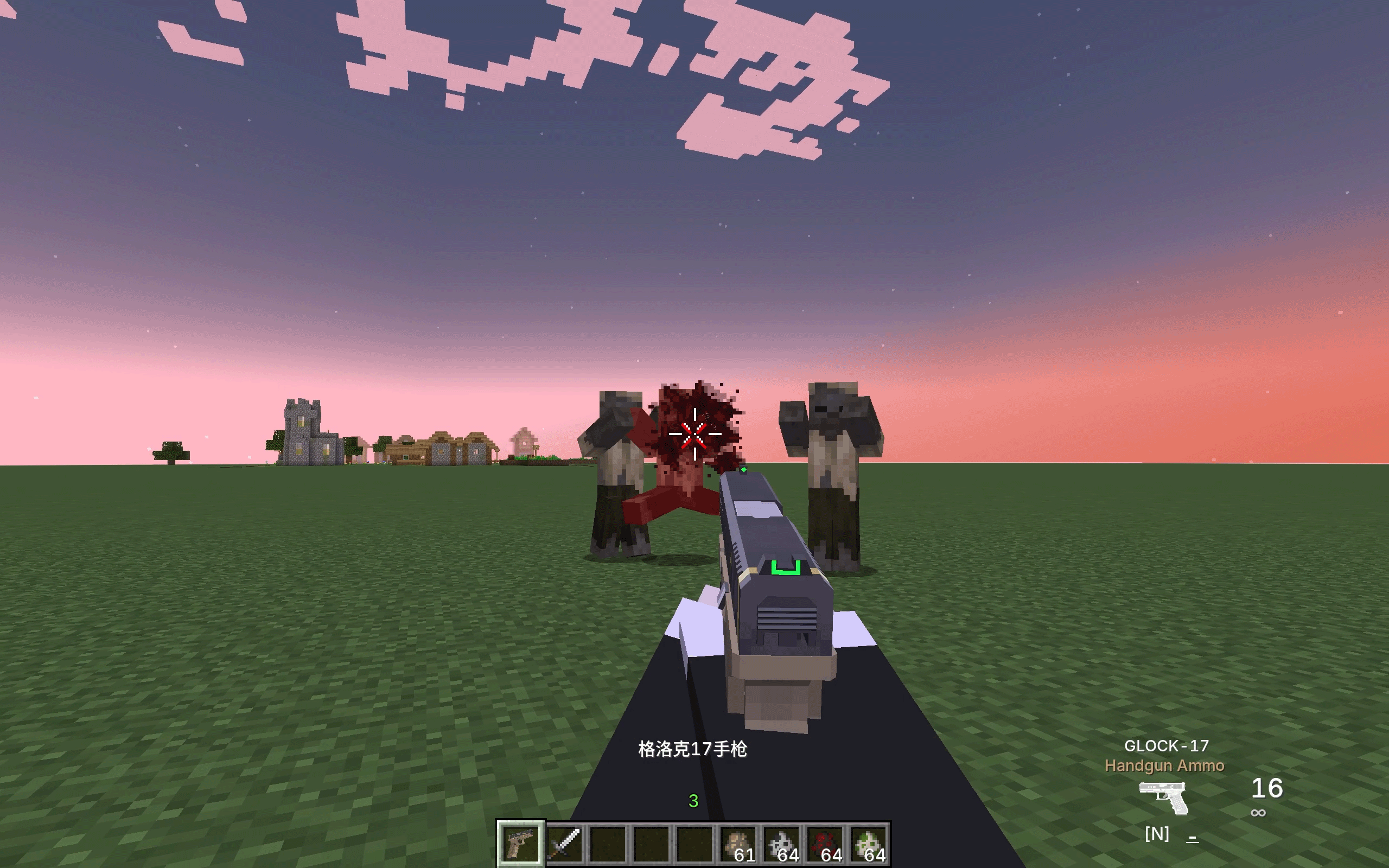
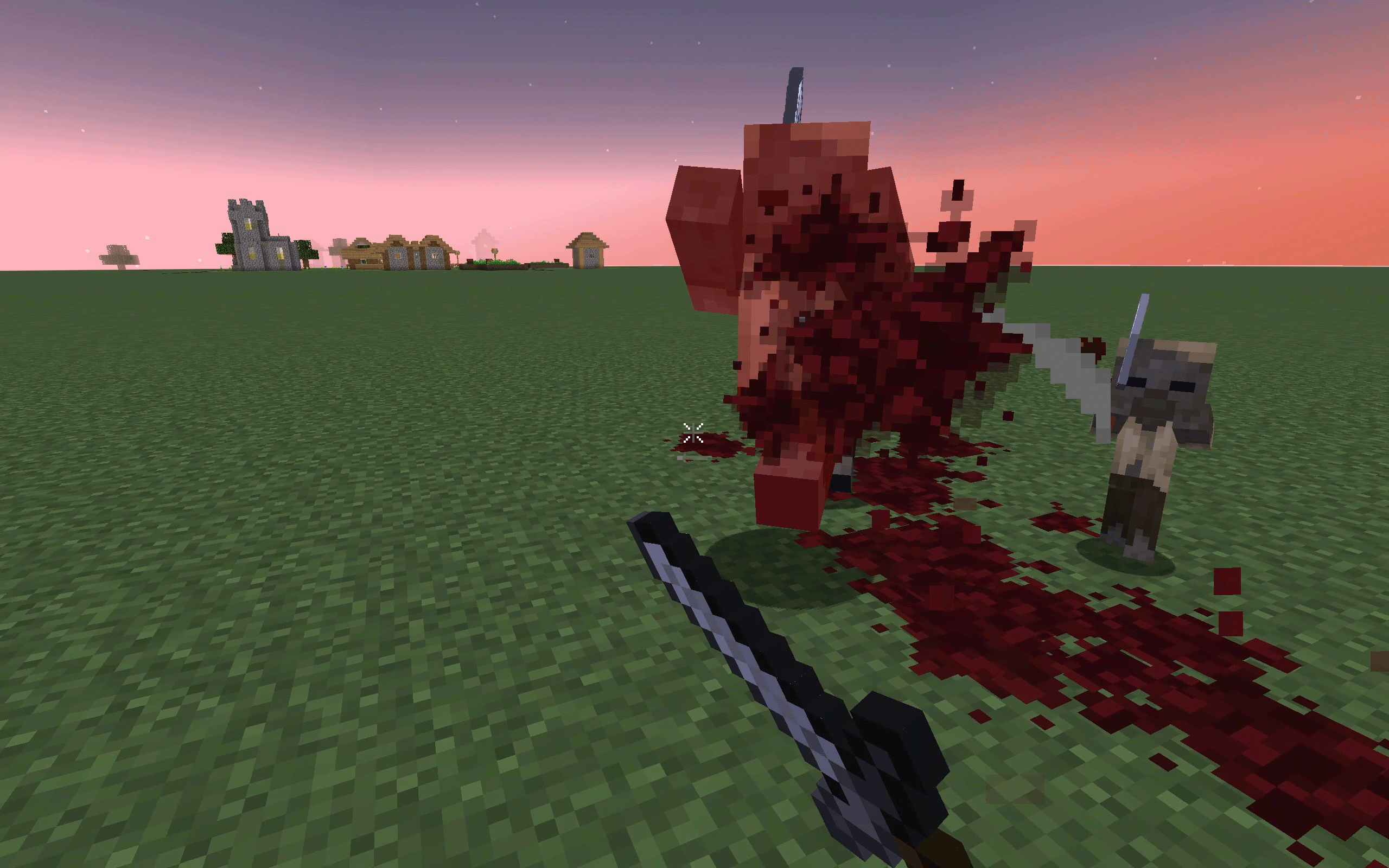
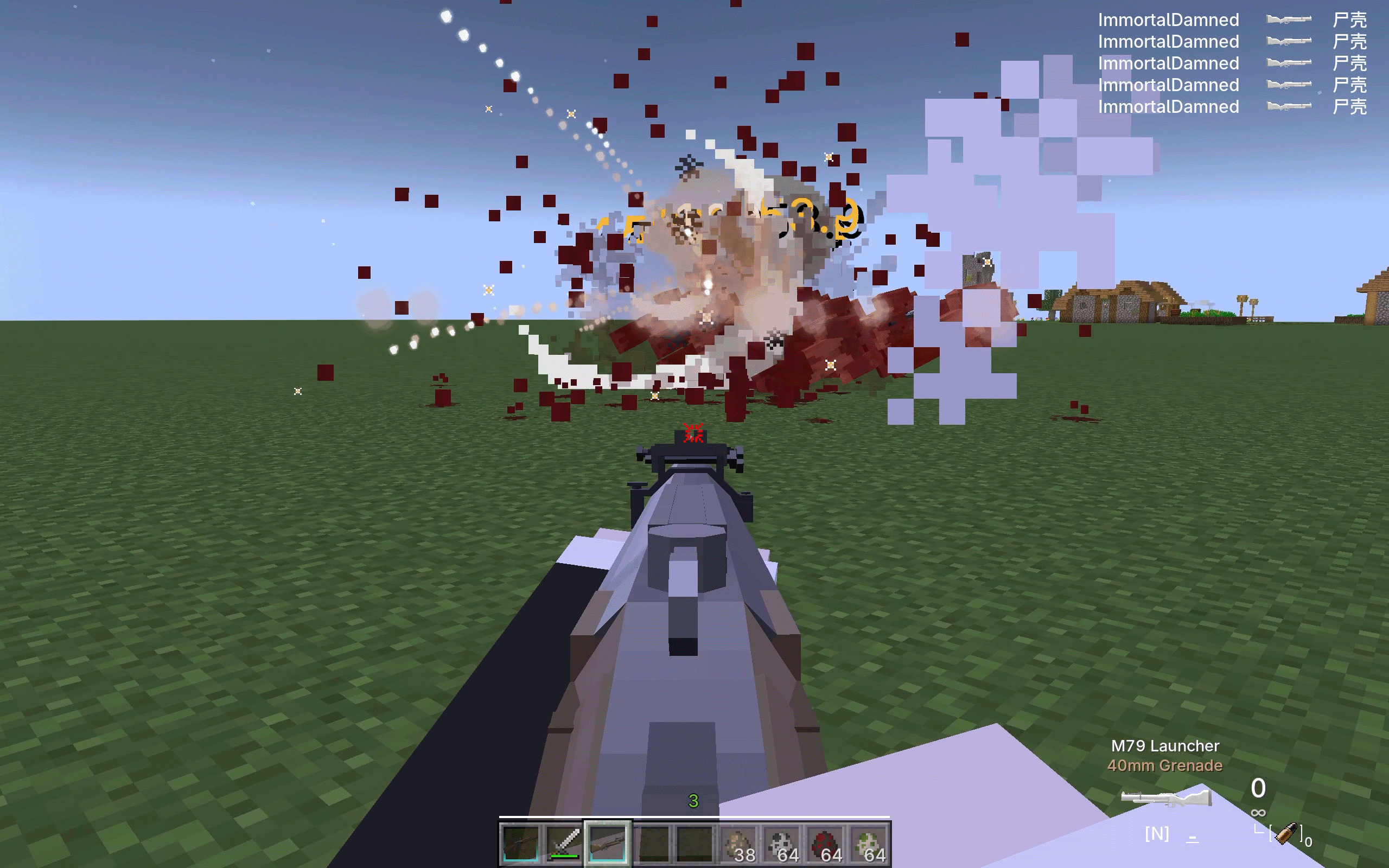
Project description from CurseForge.
Pick your setup
RealisticCruelty by Minecraft version and loader
Choose the version and loader you play, then open the matching release.
Minecraft version
1.20.1
2 loader buildsCheck the dependencies, then try the file in a copied instance before changing a world you care about.
Recent files
RealisticCruelty versions and loaders
realisticcruelty-1.2.0-all.jar
9 Oct 2026
Client Source doesn’t say Server Source doesn’t say Dependencies No extras listed Listed on Release listing
Check the 1.20.1 · Forge setup 1.20.1ForgeNeoForge release
realisticcruelty-1.2.0.jar
9 Oct 2026
Client Source doesn’t say Server Source doesn’t say Dependencies No extras listed Listed on Release listing
Check the 1.21.1 · NeoForge setup 1.21.1NeoForge release
realisticcruelty-1.1.3-all.jar
5 Oct 2026
Client Source doesn’t say Server Source doesn’t say Dependencies No extras listed Listed on Release listing
Check the 1.20.1 · Forge setup 1.20.1ForgeNeoForge release
realisticcruelty-1.1.3.jar
5 Oct 2026
Client Source doesn’t say Server Source doesn’t say Dependencies No extras listed Listed on Release listing
Check the 1.21.1 · NeoForge setup 1.21.1NeoForge release
realisticcruelty-1.1.2.jar
26 Sept 2026
Client Source doesn’t say Server Source doesn’t say Dependencies No extras listed Listed on Release listing
Check the 1.20.1 · Forge setup 1.20.1ForgeNeoForge release
realisticcruelty-1.1.1.jar
26 Sept 2026
Client Source doesn’t say Server Source doesn’t say Dependencies No extras listed Listed on Release listing
Check the 1.20.1 · Forge setup 1.20.1ForgeNeoForge release
realisticcruelty-1.1.1.jar
26 Sept 2026
Client Source doesn’t say Server Source doesn’t say Dependencies No extras listed Listed on Release listing
Check the 1.21.1 · NeoForge setup 1.21.1NeoForge release
realisticcruelty-1.1.0.jar
25 Sept 2026
Client Source doesn’t say Server Source doesn’t say Dependencies No extras listed Listed on Release listing
Check the 1.20.1 · Forge setup 1.20.1ForgeNeoForge release
realisticcruelty-1.1.0.jar
25 Sept 2026
Client Source doesn’t say Server Source doesn’t say Dependencies No extras listed Listed on Release listing
Check the 1.21.1 · NeoForge setup 1.21.1NeoForge release
Looking for an older file? The official CurseForge project page is in Resources.