Just Enough Items (JEI) Optional for SCG Tools scgtools-1.0.0-beta.1.jar
optionalMatching file found Matched file: 30.42.0.236 for NeoForge 26.2
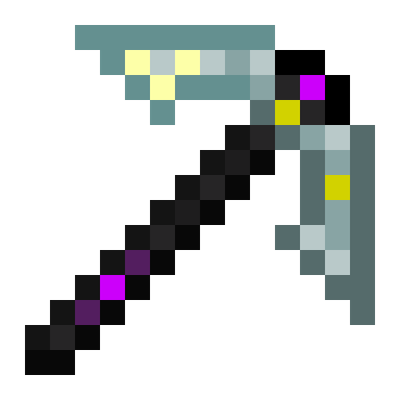
CurseForge · Minecraft mod
Modular tools that evolve with you: level them up by using them, forge them through five tiers, and install upgrades that change how each tool works.
Quick answer
SCG Tools scgtools-1.0.0-beta.1.jar targets 26.2 with NeoForge. The project page does not say whether this file belongs on the client, dedicated server, or both. No extra mods listed for this file.
Where it goes
The project page does not say whether this file belongs on the client, dedicated server, or both.
The source does not explicitly classify this release as client-only or server-only.
scgtools-1.0.0-beta.1.jar. Change the file and its required mods may change too.
This file does not list any required mods. Do not add a library just because a different file uses it.
2 extra mods were pulled in by other dependencies. Indented rows show who needs each one. We only count dependency files that match this setup. A file for another loader does not fill the gap.
Before you install it
Built for SCG Tools scgtools-1.0.0-beta.1.jar. Pick another file and the loader, install side or required mods may change.
Use scgtools-1.0.0-beta.1.jar. It targets 26.2 with NeoForge; another release may have different loader, side or dependency requirements.
This file does not list any required mods. Do not add a library just because a different file uses it.
The project page does not say whether this file belongs on the client, dedicated server, or both.
Use the “Get this file” button beside scgtools-1.0.0-beta.1.jar. It opens that exact file at the source.
About this project
One tool, the whole game. SCG Tools replaces the "craft, break, craft again" loop with tools that grow alongside you. Craft a flint pickaxe on day one and keep that same pickaxe all the way to the End — leveling it, upgrading its tier and installing upgrades as you go.
Built for vanilla+ and lightweight modpacks.
⚠️ Beta. This is the first public build, released for playtesting. Expect rough edges and please report any bugs you find.
Tools gain XP as you use them — mining blocks, or defeating enemies with the sword and axe. Each level increases durability and unlocks more upgrade slots, up to level 10.
Every tool goes through five tiers: Flint → Iron → Diamond → Netherite → Draconic. Tier and level are independent: tier comes from materials, level comes from use. Tier-ups keep everything your tool has earned.
A new crafting station where tier-ups and upgrades happen. Recipes cost materials and experience levels.
When a tool runs out of durability it doesn't break — it just stops working as a tool until repaired. Repair it in any crafting grid with its tier's material: each unit restores a third of its durability.
Netherite and Draconic tools survive fire, lava and explosions when dropped. Draconic tools are unbreakable.
General
Mining tools
Tool-specific
Tool textures are derived from Tinkers' Construct by SlimeKnights, used under the MIT License.
Project description from CurseForge.
Pick your setup
Choose the version and loader you play, then open the matching release.
Check the dependencies, then try the file in a copied instance before changing a world you care about.
Recent files
25 Sept 2026
Looking for an older file? The official CurseForge project page is in Resources.
 mod
Fang bites, blood drain, bat form, coffins and a six-tier bloodline
 mod
A mod that adds weapons from the Ratchet & Clank series!
 mod
Colored water to decorate colorfully. And cauldrons!