Minecraft version
Back to mods 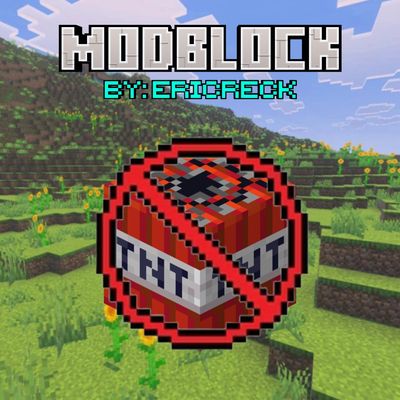
CurseForge · Minecraft mod
BlockIt
Block any items and blocks from any mod or vanilla minecraft. Block full mods, and allow only the specific item or block you need
Choose a version Pick your version below, then grab the matching file.
Quick answer
Which BlockIt release should I use?
Latest stable file modbloc-V7.jar
Game version 1.21.1
Loader NeoForge
BlockIt modbloc-V7.jar targets 1.21.1 with NeoForge. The project page does not say whether this file belongs on the client, dedicated server, or both. No extra mods listed for this file.
Where it goes
Is BlockIt required on the client, server, or both?
The project page does not say whether this file belongs on the client, dedicated server, or both.
Client Source doesn’t say
Dedicated server Source doesn’t say
Loader for this release NeoForge
Required install it here Optional supported, not mandatory Not supported do not install here Source doesn’t say do not assume
The source does not explicitly classify this release as client-only or server-only.
What else does BlockIt modbloc-V7.jar need?
modbloc-V7.jar. Change the file and its required mods may change too.
This file does not list any required mods. Do not add a library just because a different file uses it.
This file does not list any required or optional mods.
Before you install it
Add BlockIt without breaking your instance.
Built for BlockIt modbloc-V7.jar. Pick another file and the loader, install side or required mods may change.
- 01
Stick to this file
Use modbloc-V7.jar. It targets 1.21.1 with NeoForge; another release may have different loader, side or dependency requirements.
- 02
Bring the mods it needs
This file does not list any required mods. Do not add a library just because a different file uses it.
- 03
Put it on the correct side
The project page does not say whether this file belongs on the client, dedicated server, or both.
- 04
Pick the file you checked
Use the “Get this file” button beside modbloc-V7.jar. It opens that exact file at the source.
About this project
What does BlockIt add?
Pronto una nueva actualización!
Soon a new update!
ModBlock es una herramienta esencial de administración de inventarios y contenido diseñada para darte control total sobre qué mods, bloques e ítems se pueden usar en tu juego o servidor.
Aunque funciona perfectamente en Singleplayer, está especialmente recomendado para Servidores y Multiplayer, permitiendo a los administradores restringir elementos problemáticos, ajustar el balance o crear progresión personalizada de forma rápida y eficiente mediante comandos.
Características
Bloqueo completo de Mods: Inhabilita el uso de todas las herramientas, bloques e ítems pertenecientes a un mod específico.
Granularidad y Excepciones: Bloquea un mod entero pero permite excepcionalmente solo ciertos ítems/bloques concretos.
Control Individual: Bloquea o permite ítems o bloques específicos tanto de mods como del Minecraft Vanilla.
Gestión por Comandos In-Game: Configura todo en tiempo real sin necesidad de reiniciar.
Lista de Comandos
Todos los comandos comienzan con /modblock:
| Comando | Descripción |
|---|---|
/modblock block <nombre_del_mod> |
Bloquea el uso de un mod completo. |
/modblock allow <nombre_del_mod> <ítem_o_bloque> |
Permite el uso de un ítem/bloque específico (incluso si el mod está bloqueado). |
/modblock deny <nombre_del_mod> <ítem_o_bloque> |
Bloquea el uso de un ítem o bloque específico de un mod o de Minecraft Vanilla. |
/modblock unblock <nombre_del_mod> |
Desbloquea un mod completo previamente bloqueado. |
English
ModBlock is an essential administration tool designed to give you complete control over which mods, blocks, and items can be used in your game or server.
While it works seamlessly in Singleplayer, it is highly recommended for Servers and Multiplayer, allowing admins to restrict problematic items, rebalance gameplay, or create custom progression quickly through in-game commands.
Key Features
Full Mod Blocking: Disable all items, tools, and blocks belonging to a specific mod.
Exceptions & Granularity: Block an entire mod while whitelist-allowing specific individual items or blocks.
Individual Restrictions: Target and restrict specific blocks or items from both modded and Vanilla Minecraft.
Dynamic Command-Based Setup: Adjust restrictions live in-game without needing server restarts.
Command List
All commands start with /modblock:
| Command | Description |
|---|---|
/modblock block <mod_name> |
Blocks the entire specified mod. |
/modblock allow <mod_name> <item_or_block> |
Whitelists a specific item/block (even if its mod is blocked). |
/modblock deny <mod_name> <item_or_block> |
Restricts a specific item or block from a mod or Vanilla Minecraft. |
/modblock unblock <mod_name> |
Unblocks a previously restricted mod. |
Project description from CurseForge.
Pick your setup
BlockIt by Minecraft version and loader
Choose the version and loader you play, then open the matching release.
Check the dependencies, then try the file in a copied instance before changing a world you care about.
Recent files
BlockIt versions and loaders
modbloc-V7.jar
30 Sept 2026
Client Source doesn’t say Server Source doesn’t say Dependencies No extras listed Listed on Release listing
Check the 1.21.1 · NeoForge setup 1.21.1NeoForge release
modbloc-V5.jar
26 Sept 2026
Client Source doesn’t say Server Source doesn’t say Dependencies No extras listed Listed on Release listing
Check the 1.21.1 · NeoForge setup 1.21.1NeoForge release
Looking for an older file? The official CurseForge project page is in Resources.
 mod
mod CurseForge · Minecraft
Vaskars Bestiary
Track Skarrn, a lightning-scarred elk, through his own petrified forest, and rip a unique drop from the beast itself. First boss in a growing bestiary of original encounters.
 mod
mod CurseForge · Minecraft
Petrichor: Rain & Storms
Realistic rain and storms: rain types, puddles, runoff and drips, branching lightning with delayed thunder.
 mod
mod CurseForge · Minecraft
Mekanism Elements
A mod that adds more science elements to Mekanism