Minecraft version
Back to mods 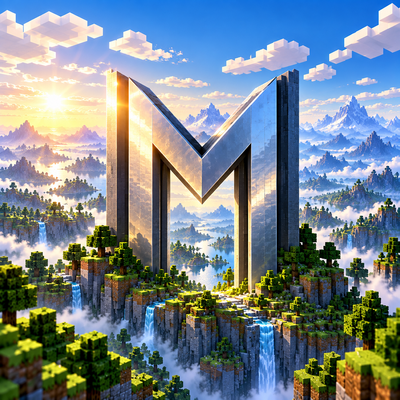
CurseForge · Minecraft mod
Metalith
Metalith draws distant terrain far beyond your render distance on Apple Silicon Macs, rendered with Metal and fully compatible with shader packs through Vitrail.
Choose a version Pick your version below, then grab the matching file.
Quick answer
Which Metalith release matches 26.3?
Best match for your filters metalith-0.2.0+mc26.3.jar
Game version 26.3
Loader Fabric
metalith-0.2.0+mc26.3.jar targets 26.3 with Fabric. The project page does not say whether this file belongs on the client, dedicated server, or both. No extra mods listed for this file.
Where it goes
Is Metalith required on the client, server, or both?
The project page does not say whether this file belongs on the client, dedicated server, or both.
Client Source doesn’t say
Dedicated server Source doesn’t say
Loader for this release Fabric
Required install it here Optional supported, not mandatory Not supported do not install here Source doesn’t say do not assume
The source does not explicitly classify this release as client-only or server-only.
What else does metalith-0.2.0+mc26.3.jar need?
metalith-0.2.0+mc26.3.jar on 26.3. Every mod below is checked against that same setup.
This file does not list any required mods. Do not add a library just because a different file uses it.
This file does not list any required or optional mods.
Before you install it
Add Metalith without breaking your instance.
Built for metalith-0.2.0+mc26.3.jar on 26.3. Pick another file and the loader, install side or required mods may change.
- 01
Stick to this file
Use metalith-0.2.0+mc26.3.jar. It targets 26.3 with Fabric; another release may have different loader, side or dependency requirements.
- 02
Bring the mods it needs
This file does not list any required mods. Do not add a library just because a different file uses it.
- 03
Put it on the correct side
The project page does not say whether this file belongs on the client, dedicated server, or both.
- 04
Pick the file you checked
Use the “Get this file” button beside metalith-0.2.0+mc26.3.jar. It opens that exact file at the source.
About this project
What does Metalith add?


Metalith shows the world far beyond your render distance on Apple Silicon Macs. Minecraft and Sodium keep drawing the terrain around you; Metalith fills in everything past it with lightweight distant terrain, out to 4,096 chunks if you want.
Features
A horizon, not a wall of fog. Pick any distance from 32 to 4,096 chunks (256 by default). Near terrain stays exactly as the game draws it; distant terrain appears only where Minecraft draws nothing, so nothing ever pokes through your blocks.
Drawn with Metal. Without a shader pack, the far terrain is rendered by Apple's Metal straight into the game's frame. On an M3 Max at 2048×1152 with a 256-chunk radius that is 170–280 FPS depending on the view, and the mod's own work on the render thread is well under a millisecond per frame.
Shader packs shade it too. With Vitrail installed, your shader pack lights the distant terrain the same way it lights the near world: its own fog, water, cloud shadows and shadow map, through the same dh_terrain programs it already has for Distant Horizons. Tested with Complementary Reimagined.
Real terrain, generated from your seed. The horizon fills within a couple of seconds from the world generator's noise. Then, in the background, Metalith generates the actual terrain from the seed, in memory: the right surface blocks, trees with trunks, lakes, snow, cave mouths. Chunks you have already explored always take precedence and carry your buildings. Nothing is ever written to your world.
Looks right from afar. Hillsides show layers of dirt and stone instead of flat green. Forests are canopies over dark trunks, snowy spruces get white tops, and vines, flowers and bamboo tint what they grow on. Colours come from your resource pack, and switching packs recolours the far terrain in place. The Nether (without its roof) and the End (as floating islands) have their own distant terrain; beacon beams reach into it; block changes update it.
Detail where you look. By default a distant cell is at most one pixel on screen. Terrain in front of the camera is refined first, and whatever a hill hides is not drawn at all.
Smooth. Generation and meshing run on worker threads, and the default "Smooth" generation speed backs off whenever Java's garbage collector starts to stutter. Everything is cached on disk (about 80 MB for a 256-chunk radius), so coming back to a world restores the full view in a few seconds.
Multiplayer. On a server that runs Metalith (the same jar on a Fabric server), players receive the distant terrain from the server, including places they have never been. On a server without it, Metalith keeps what your client has seen, per server and world, so the far view builds up over your sessions. Nothing is sent anywhere.
Settings in the game. A button next to the FOV slider (Esc → Options) opens them: distance, quality, a separate far-detail preset for shader packs, GPU memory budget (up to 16 GB), generation speed and threads, fog, horizon culling, a cache-clear button and F3 overlays. English and Russian.
Requirements
- A Mac with Apple Silicon (M1 or newer)
- Minecraft Java 26.3 or 26.2 with the Vulkan graphics backend; download the jar for your version
- Fabric Loader 0.19.5+, Fabric API, Java 25
- Recommended: Sodium. Optional: Vitrail plus a shader pack.
Good to know
- Not compatible with Distant Horizons or Voxy: both would draw the far terrain. If Distant Horizons is installed, Metalith steps aside.
- The first visit to a world generates the real terrain for the whole radius in the background: minutes to an hour depending on your Mac and the generation speed setting. Until then you see the noise-based version, which keeps getting sharper. It happens once per world.
- Shader packs are demanding. With Complementary Reimagined at 256 chunks on an M3 Max, expect around 60 FPS at the default "Balanced" far-detail preset; the pack alone, with no distant terrain, runs about 72 in the same spot. "Low" gives more.
- Give Java at least 4 GB (6 GB is comfortable) and keep the default G1 collector. For the smoothest pacing, set a frame limit equal to your display's refresh rate.
- Works alongside C2ME, Tectonic and Lithostitched.
Credits
Inspired by the ideas behind Distant Horizons and Voxy; no code from either is used. Shader-pack support is possible thanks to Vitrail. MIT licensed.
Project description from CurseForge.
Pick your setup
Metalith by Minecraft version and loader
Choose the version and loader you play, then open the matching release.
Minecraft version
26.2
1 loader buildCheck the dependencies, then try the file in a copied instance before changing a world you care about.
Recent files
Metalith versions and loaders
metalith-0.2.0+mc26.3.jar
29 Sept 2026
Client Source doesn’t say Server Source doesn’t say Dependencies No extras listed Listed on Release listing
Check the 26.3 · Fabric setup Fabric26.3 release
metalith-0.1.1+mc26.3.jar
28 Sept 2026
Client Source doesn’t say Server Source doesn’t say Dependencies No extras listed Listed on Release listing
Check the 26.3 · Fabric setup Fabric26.3 alpha
metalith-0.1.0+mc26.3.jar
28 Sept 2026
Client Source doesn’t say Server Source doesn’t say Dependencies No extras listed Listed on Release listing
Check the 26.3 · Fabric setup Fabric26.3 alpha
metalith-0.1.0-0928-0334-3807bb3.jar
27 Sept 2026
Client Source doesn’t say Server Source doesn’t say Dependencies No extras listed Listed on Release listing
Check the 26.3 · Fabric setup Fabric26.3 alpha
metalith-0.1.0-0927-1641-298ed25.jar
27 Sept 2026
Client Source doesn’t say Server Source doesn’t say Dependencies No extras listed Listed on Release listing
Check the 26.3 · Fabric setup Fabric26.3 alpha
metalith-0.1.0-0927-1601-81d1ad7.jar
27 Sept 2026
Client Source doesn’t say Server Source doesn’t say Dependencies No extras listed Listed on Release listing
Check the 26.3 · Fabric setup Fabric26.3 alpha
Looking for an older file? The official CurseForge project page is in Resources.
 mod
CurseForge · Minecraft
Ice and Fire Fabric
Ice and Fire for Fabric 26.3: dragons that grow from eggs to giants, mythical creatures, an exiled pixie companion with 14 memories, and Cryona's duel on Black Frost.
 mod
CurseForge · Minecraft
SandStorm
A planetary survival, industrial automation, and atmospheric terraforming tech mod set in a hostile desert world populated by colossal sandworms.
 mod
CurseForge · Minecraft
Natural Temperature
Natural Temperature is a mod that overhauls the way biomes are placed in the world, creating a layout that more closely resembles Earth’s climate zones with cold biomes in the north and warm biomes in the south.