Minecraft version
Back to mods 
CurseForge · Minecraft mod
Neon Auto Reconnect
Its a Mod for Afking in a Server if you get kicked the Mod automaticly reconnects you.
Choose a version Pick your version below, then grab the matching file.
Quick answer
Which Neon Auto Reconnect release should I use?
Latest stable file neon-auto-reconnect-1.0.0-mc26.2.jar
Game version 26.2
Loader Fabric
Neon Auto Reconnect neon-auto-reconnect-1.0.0-mc26.2.jar targets 26.2 with Fabric. The project page does not say whether this file belongs on the client, dedicated server, or both. No extra mods listed for this file.
Where it goes
Is Neon Auto Reconnect required on the client, server, or both?
The project page does not say whether this file belongs on the client, dedicated server, or both.
Client Source doesn’t say
Dedicated server Source doesn’t say
Loader for this release Fabric
Required install it here Optional supported, not mandatory Not supported do not install here Source doesn’t say do not assume
The source does not explicitly classify this release as client-only or server-only.
What else does Neon Auto Reconnect neon-auto-reconnect-1.0.0-mc26.2.jar need?
neon-auto-reconnect-1.0.0-mc26.2.jar. Change the file and its required mods may change too.
This file does not list any required mods. Do not add a library just because a different file uses it.
This file does not list any required or optional mods.
Before you install it
Add Neon Auto Reconnect without breaking your instance.
Built for Neon Auto Reconnect neon-auto-reconnect-1.0.0-mc26.2.jar. Pick another file and the loader, install side or required mods may change.
- 01
Stick to this file
Use neon-auto-reconnect-1.0.0-mc26.2.jar. It targets 26.2 with Fabric; another release may have different loader, side or dependency requirements.
- 02
Bring the mods it needs
This file does not list any required mods. Do not add a library just because a different file uses it.
- 03
Put it on the correct side
The project page does not say whether this file belongs on the client, dedicated server, or both.
- 04
Pick the file you checked
Use the “Get this file” button beside neon-auto-reconnect-1.0.0-mc26.2.jar. It opens that exact file at the source.
About this project
What does Neon Auto Reconnect add?
Neon Auto Reconnect
Short description
Automatically retry server connections with increasing delays, a visible countdown, and simple controls. For Minecraft 26.2 with Fabric.
Full description
Lost your connection? **Neon Auto Reconnect** automatically tries to get you back onto your Minecraft server, so you don't have to keep pressing the connect button.
After a kick, connection loss, or failed connection attempt, the mod waits **5 seconds** before trying again. If that attempt fails, it waits **10 seconds**, then **15**, then **20**, adding five seconds after each failure. Retries continue until you connect successfully or stop them.
Features
- **Automatic reconnect:** Retry the same server after a disconnect or failed connection.
- **Increasing retry delays:** 5, 10, 15, 20 seconds and so on, with no fixed retry limit.
- **Visible countdown:** See the next attempt number and remaining time on the disconnect screen.
- **Reconnect now:** Skip the current wait and try immediately.
- **Stop and resume:** Pause retries or restart the countdown at five seconds.
- **Automatic reset:** A successful connection resets the delay for the next disconnect.
- **Client-side installation:** No server-side installation required.
- **English and German interface.**
How it works
Join a regular multiplayer server as usual. If the connection drops, the reconnect controls appear on the disconnect screen. Each waiting interval starts after the previous connection attempt has failed; the time spent connecting is additional.
Returning to the server list stops retries. Intentionally leaving a server does not trigger automatic reconnection.
Requirements
- Minecraft Java Edition **26.2**
- Fabric Loader **0.19.3 or newer**
- Fabric API for Minecraft **26.2** (tested with **0.161.0+26.2**)
Place the mod JAR and Fabric API in your Minecraft instance's mods folder, then launch the game with Fabric.
Limitations
This version does **not** refresh Microsoft or Minecraft session tokens. If your session expires, you may need to sign in again or restart Minecraft through your launcher. Reconnecting does not bypass bans, whitelist restrictions, or authentication errors. Minecraft Realms are not supported.
License
MIT.
Project description from CurseForge.
Pick your setup
Neon Auto Reconnect by Minecraft version and loader
Choose the version and loader you play, then open the matching release.
Check the dependencies, then try the file in a copied instance before changing a world you care about.
Recent files
Neon Auto Reconnect versions and loaders
neon-auto-reconnect-1.0.0-mc26.2.jar
27 Sept 2026
Client Source doesn’t say Server Source doesn’t say Dependencies No extras listed Listed on Release listing
Check the 26.2 · Fabric setup Fabric26.2 release
Looking for an older file? The official CurseForge project page is in Resources.
 mod
mod CurseForge · Minecraft
Starcatcher
A fishing overhaul mod with 100+ fishes, and a ton of new fishing related content
 mod
mod CurseForge · Minecraft
Tidebound (NeoForge)
Explore underwater Merkingdoms, meet merfolk, discover kingdom-themed treasure, craft magical necklaces that grant you a mermaid tail, and much more.
 mod
mod CurseForge · Minecraft
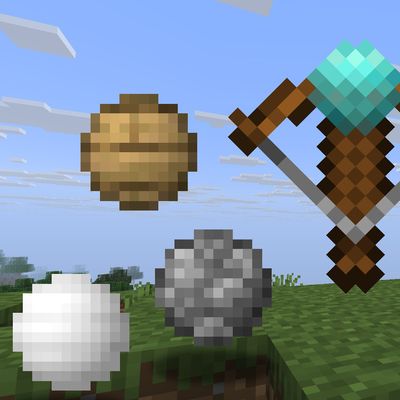
更多球[More_Balls]
添加了很多很多球 Everything is a ball — throw them, fire them from a crossbow, cut them into halves or quarters, and recombine the pieces into custom combo balls. Each material brings its own weight, bounce and traits.