Minecraft version
Back to mods 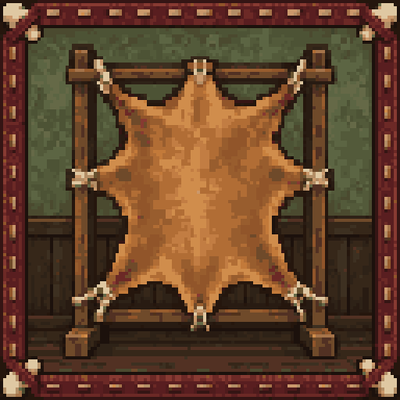
CurseForge · Minecraft mod
Immersive Tanning
Immersive Tanning completely overhauls the process of tanning and working with leather, gear and armor to make it more immersive and engaging through mini-games and more complex processes.
Choose a version Pick your version below, then grab the matching file.
Quick answer
Which Immersive Tanning release should I use?
Latest stable file Immersive Tanning 1.1.1 (Forge 1.20.1)
Game version 1.20.1
Loader Forge
Immersive Tanning Immersive Tanning 1.1.1 (Forge 1.20.1) targets 1.20.1 with Forge. The project page does not say whether this file belongs on the client, dedicated server, or both. No extra mods listed for this file.
Where it goes
Is Immersive Tanning required on the client, server, or both?
The project page does not say whether this file belongs on the client, dedicated server, or both.
Client Source doesn’t say
Dedicated server Source doesn’t say
Loader for this release Forge
Required install it here Optional supported, not mandatory Not supported do not install here Source doesn’t say do not assume
The source does not explicitly classify this release as client-only or server-only.
What else does Immersive Tanning Immersive Tanning 1.1.1 (Forge 1.20.1) need?
Immersive Tanning 1.1.1 (Forge 1.20.1). Change the file and its required mods may change too.
This file does not list any required mods. Do not add a library just because a different file uses it.
This file does not list any required or optional mods.
Before you install it
Add Immersive Tanning without breaking your instance.
Built for Immersive Tanning Immersive Tanning 1.1.1 (Forge 1.20.1). Pick another file and the loader, install side or required mods may change.
- 01
Stick to this file
Use Immersive Tanning 1.1.1 (Forge 1.20.1). It targets 1.20.1 with Forge; another release may have different loader, side or dependency requirements.
- 02
Bring the mods it needs
This file does not list any required mods. Do not add a library just because a different file uses it.
- 03
Put it on the correct side
The project page does not say whether this file belongs on the client, dedicated server, or both.
- 04
Pick the file you checked
Use the “Get this file” button beside Immersive Tanning 1.1.1 (Forge 1.20.1). It opens that exact file at the source.
About this project
What does Immersive Tanning add?

Immersive Tanning
Leather has a story now. Immersive Tanning turns a simple animal drop into a hands-on craft: clean a hide, steep it with bark, decide how to finish it, then cut and stitch your own gear. Your choices and your work determine what the finished leather can do.
The mod is made for Minecraft 1.20.1 with Forge. It stands on its own, and it pairs naturally with Immersive Smithing if you want more of your equipment to feel handmade.
To set up a tannery, craft a Tanner's Rack, Tanner's Vat, and Leatherworker's Bench from basic materials such as sticks, planks, string, and iron. You will also need a Tanner's Knife and an Awl. The knife has flint and iron recipe options, and the awl has bone and iron nugget options.
From hide to leatherwork
1. Collect hides and bark. Animals drop raw hides in place of their usual leather. Hide size determines the amount of finished leather you get:
| Hide | Common examples | Leather from one hide |
|---|---|---|
| Small | Rabbits and foxes | 1 |
| Medium | Pigs and sheep | 2 |
| Large | Cows and horses | 3 |
Other creatures can provide hides too. Some carry a natural trait, such as a hoglin's Tough hide, a polar bear's Insulating hide, or a strider's Heatproof hide. These traits stay with the leather as you work it. To gather Bark for tanning, use a Tanner's Knife on a log that can be stripped.
2. Flesh the hide on a Tanner's Rack. Place a raw hide on the rack, then use the Tanner's Knife to start scraping. Hold the mouse button and drag across the fleshy patches. Follow the visible grain lines to clear a patch faster, lift the knife between patches, and keep it on the hide. How carefully you work determines the hide's Integrity. Running out of time does not destroy the hide. If you are processing several, the Next hide button lets you carry on without leaving the screen.
3. Steep it in a Tanner's Vat. Add one bucket of water and Bark, then place your scraped hides into the vat. You can load up to four hides at once by default, and each begins tanning when it has enough water and tannin. Small and medium hides use one bark charge each; large hides use two. Stripping a log gives two Bark by default. Tanning takes about three minutes of game time, leaving you free to do other things. Use an empty hand to collect the wet tanned hides when they are ready. The vat's appearance changes as you fill and charge it, and a comparator can tell you when hides are ready.
4. Choose a finish and let the hide dry. Place a wet tanned hide on the Tanner's Rack to choose Supple, Harness, or Hardened. The rack shows the hide stretching and drying, which takes about two minutes of game time by default. Once it is dry, collect the finished leather. Sneak and use the rack with another wet hide to repeat your last finish.
5. Make something at the Leatherworker's Bench. Keep an Awl, finished leather, and any other recipe materials in your inventory. Use the Awl on the bench to choose what to make and which leather to use. The bench cuts the pieces, then you stitch the seams by clicking or pressing Space as the needle reaches each hole. Your timing determines Workmanship. Missed stitches lower the quality, but the item still gets made. The bench can make leather armor, leather horse armor, saddles, and supported leather equipment from other mods. It also gives back Leather Scraps from offcuts.
By default, leather armor and leather horse armor are made at the bench rather than in the crafting table. For a saddle, bring five finished leather, one iron ingot, and two string.
Pick the leather that fits your plans
The finish is a real choice, not just a different color. These are the default effects for each armor piece you wear, so you can mix finishes instead of committing to a full set.
| Finish | What it is good for | Default effect per worn piece |
|---|---|---|
| Supple | Moving lightly and staying less noticeable | 2.5% more movement speed and a shorter range at which mobs notice you. Supple boots also muffle movement for sculk sensors and wardens. |
| Harness | Equipment that lasts and is easy to maintain | 1.5 times the effective durability and twice the benefit from field repairs. |
| Hardened | Getting the most protection from leather | 75% more armor from that piece and 0.5 armor toughness. |
Some hides add another advantage when made into equipment:
| Hide trait | What it does on worn armor |
|---|---|
| Heatproof | Reduces fire damage. |
| Insulating | Reduces freezing and other supported cold damage. |
| Lightweight | Adds movement speed. |
| Tough | Increases effective durability. |
| Water-Resistant | Improves swimming speed and reduces drowning damage. |
Rare creatures can have stronger versions of these traits, including Ironhide and Tidehide. Trait benefits add up across the pieces you wear.
Quality you can feel
Your two hands-on steps leave different marks on the result:
- Integrity comes from fleshing the hide. Better Integrity means the equipment lasts longer.
- Workmanship comes from timing the stitches. Better Workmanship improves armor and the effect of its finish.
Equipment is graded Crude (0 to 34), Standard (35 to 69), Fine (70 to 89), or Masterwork (90 to 100) from the two scores together. Its tooltip shows the finish, quality, and any hide trait, so you can tell what you made. The minigames reward practice, but a rough attempt still gives you usable material or equipment.
Use every scrap
Binding Leather takes the place of ordinary Minecraft leather in everyday recipes. Use it for things like books and item frames, while saving your finished Supple, Harness, and Hardened leather for the bench. You can cut one piece of finished leather into one Binding Leather when you need it. Existing vanilla leather can be converted one for one in a crafting grid. Loot and villager trades that normally provide leather also provide Binding Leather by default.
Leather Scraps help keep your work in service. Carry an Awl, then right-click scraps onto a damaged leather item in your inventory to patch it. You can also hold and use the Awl with scraps in your inventory to repair the most worn repairable piece you have equipped. Repairs keep the item's enchantments, finish, and quality. Harness leather gets more repair out of each scrap.
Fits into a larger world
Immersive Tanning supports many modded animals and can accept supported skins and pelts from Butchery on the rack. It includes hide sources for creatures from mods such as Alex's Mobs, Lycanites Mobs, Ice and Fire, and Livestock Overhaul. Supported modded leather gear can be stitched at the bench too. These integrations are optional; you do not need those mods to play.
Leatherworkers can trade tanning supplies, hides, and their own leatherwork. With compatible village mods, you may find additional hide trades. JEI shows the tanning steps and bench recipes, while Jade can show the state of the rack and vat. Hoppers and pipes can supply water, bark, and scraped hides to the vat and take out wet tanned hides. Fleshing, choosing a finish, and stitching remain in your hands.
World settings let a pack maker adjust hide drops, recipes, tanning and drying times, quality, finishes, repairs, trades, and automation. Client options include grain hints, larger stitch markers, timing sounds, and color accessibility settings.
Whether you are preparing quiet boots for an ancient city, tough gear for a long trip, or a hardened set for a fight, Immersive Tanning makes the leather you wear feel like something you actually made.
Project description from CurseForge.
Pick your setup
Immersive Tanning by Minecraft version and loader
Choose the version and loader you play, then open the matching release.
Check the dependencies, then try the file in a copied instance before changing a world you care about.
Recent files
Immersive Tanning versions and loaders
Immersive Tanning 1.1.1 (Forge 1.20.1)
immersive-tanning-1.1.1.jar
12 Oct 2026
Client Source doesn’t say Server Source doesn’t say Dependencies No extras listed Listed on Release listing
Check the 1.20.1 · Forge setup 1.20.1Forge release
Immersive Tanning 1.1.0 (Forge 1.20.1)
immersive-tanning-1.1.0.jar
27 Sept 2026
Client Source doesn’t say Server Source doesn’t say Dependencies No extras listed Listed on Release listing
Check the 1.20.1 · Forge setup 1.20.1Forge release
Looking for an older file? The official CurseForge project page is in Resources.
 mod
mod CurseForge · Minecraft
NDI Displays
NDI Stage Displays is a Minecraft Forge 1.20.1 mod built for virtual production, live events, and broadcast environments. It brings real-time NDI video directly into Minecraft, allowing you to build fully functional LED walls, curved displays, LED floors,
 mod
mod CurseForge · Minecraft
Epic fight: Bosses of Miracle
Adds a new challenging bosses, souls-like expansion.
 mod
mod CurseForge · Minecraft
Awesome Dungeon - Fabric
This mod adds structures/dungeons to your world.