TerraBlender (Forge) Optional for UltraTerraForged 1.0.5+26.3 NeoForge
optionalNo matching file
CurseForge · Minecraft mod
Realistic, configurable terrain: continents, winding rivers, coasts, caves and sea floors. An unofficial, AI-assisted continuation of TerraForged and ReTerraForged.
Quick answer
UltraTerraForged 1.0.5+26.3 NeoForge targets 26.3 with NeoForge. The project page does not say whether this file belongs on the client, dedicated server, or both. No extra mods listed for this file.
Where it goes
The project page does not say whether this file belongs on the client, dedicated server, or both.
The source does not explicitly classify this release as client-only or server-only.
UltraTerraForged 1.0.5+26.3 NeoForge. Change the file and its required mods may change too.
This file does not list any required mods. Do not add a library just because a different file uses it.
We only count dependency files that match this setup. A file for another loader does not fill the gap.
Before you install it
Built for UltraTerraForged 1.0.5+26.3 NeoForge. Pick another file and the loader, install side or required mods may change.
Use UltraTerraForged 1.0.5+26.3 NeoForge. It targets 26.3 with NeoForge; another release may have different loader, side or dependency requirements.
This file does not list any required mods. Do not add a library just because a different file uses it.
The project page does not say whether this file belongs on the client, dedicated server, or both.
Use the “Get this file” button beside UltraTerraForged 1.0.5+26.3 NeoForge. It opens that exact file at the source.
About this project
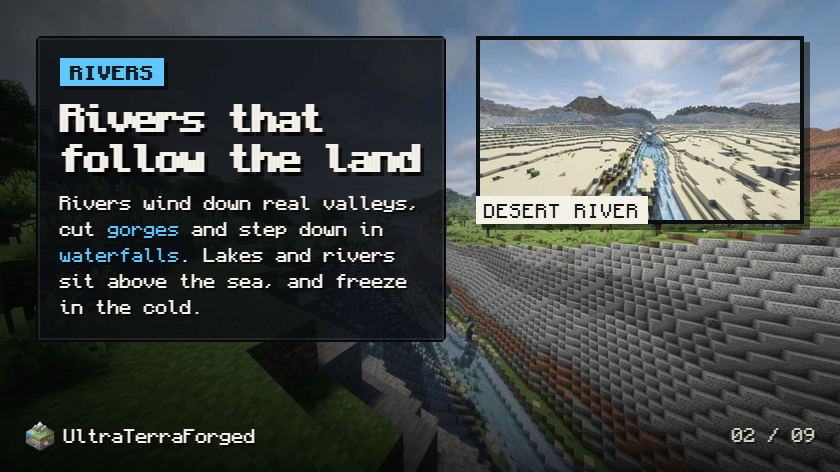
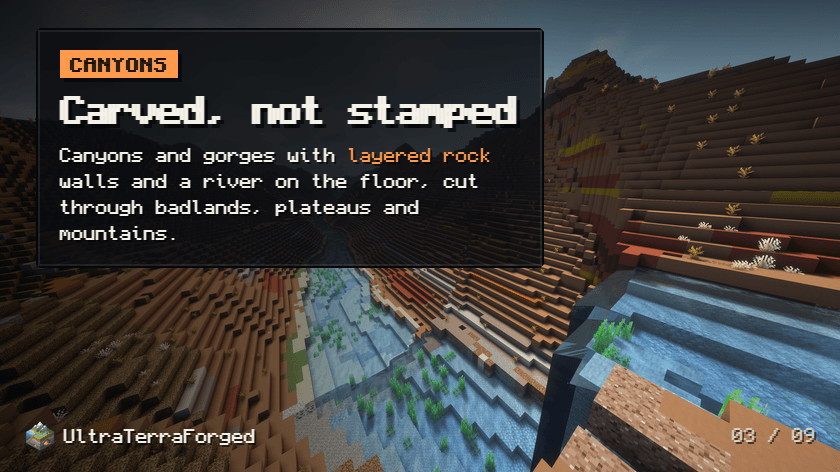
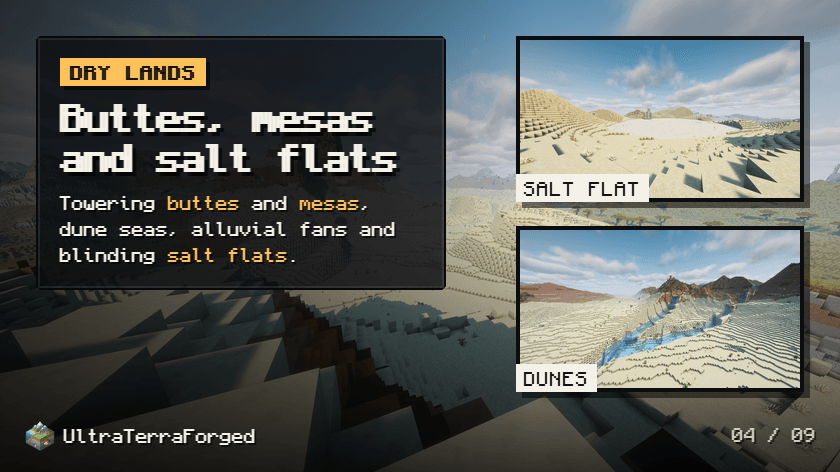
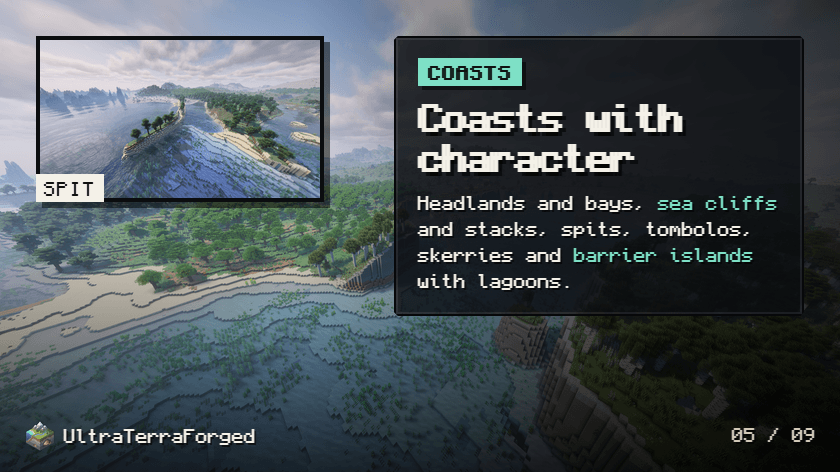
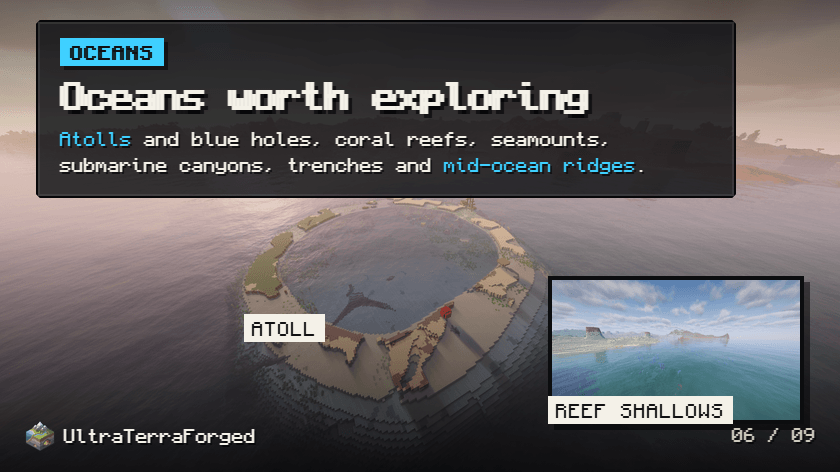
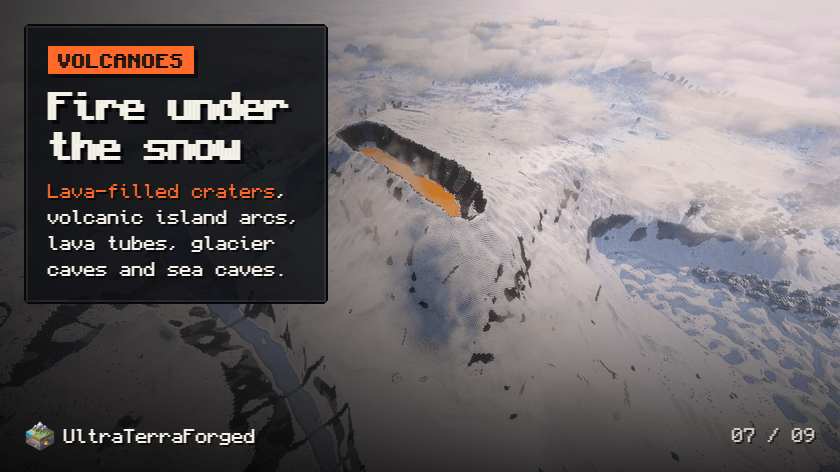
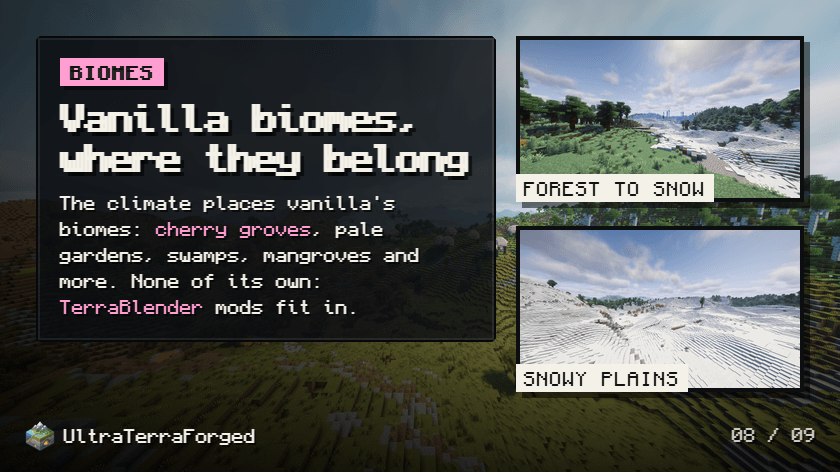
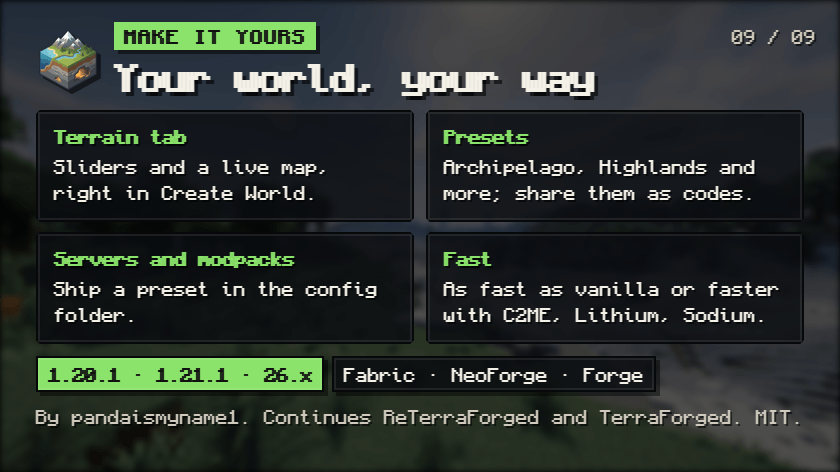
UltraTerraForged is a new project that continues the old one. It is an unofficial port of TerraForged (by dags and Won-Ton) and its continuation ReTerraForged (by raccoonman, Steveplays28 and EdoEquin0x). It is not made or endorsed by their authors, so please report UltraTerraForged problems here, not to them.
UltraTerraForged is developed with the help of AI, so it can move fast and keep up with the latest Minecraft releases.
Realistic, configurable terrain for Minecraft: continents and mountain ranges, rivers that follow the land, coasts, caves and sea floors worth exploring, all set up from a Terrain tab when you create a world. It only shapes the world: it adds no biomes, and works alongside the mods that do.
ultraterraforged: it isn't compatible with worlds made with TerraForged or ReTerraForged, and can be installed next to ReTerraForged. The first start copies config/reterraforged to config/ultraterraforged, keeping saved presets and modpack setups.ReTerraForged was left partway through: its 1.20.1 branch no longer compiled, and the newest work, for 1.20.2, was unfinished (plateau-only terrain, rivers generated before the terrain they cut, and cave and structure settings removed). The mod did nothing until a preset was applied, and its settings were hidden behind a Customize button. UltraTerraForged picks it up to:
Buttes and mesas, canyons, sea cliffs and sea stacks, volcanic surfaces, fjords, atolls, dunes, tors, salt flats, alluvial fans, glacial valleys and cirques, moraines and drumlins, barrier islands with lagoons, karst with sinkholes and cenotes, and river deltas. Each can be switched off or tuned.
Peninsulas, headlands and bays, coastal islands tied to the shore by tombolos, sand spits, skerries, chains of volcanic islands, and islands in rivers and lakes. Beaches and biomes follow the reshaped coastline.
Continental shelves ending in a drop-off, submarine canyons, deep trenches, seamounts and flat-topped guyots, mid-ocean ridges with hydrothermal vents, blue holes, coral reefs near the surface, rippled sand waves, whale falls, and a sea floor of sand, gravel and clay instead of bare rock.
Caves shaped by the land above them, without changing any biome: underground rivers, springs on hillsides, karst caves, lava tubes below volcanoes, sea caves and arches in cliff coasts, caves along the rock layers, giant caverns with underground lakes, rock shelters under cliffs, and ice caves under glaciers. Cave mouths open in slopes and cliffs rather than in flat fields.
/utf locate <terrain> finds the nearest landform, coast or sea-floor feature and puts you on its surface, e.g. /utf locate cirque, /utf locate blue_hole.
Rivers generated before the terrain (no rivers at all), cave and structure settings missing, terrain presets losing their scales, /rtf locate (now /utf locate) sending players to random places, bare rock over every sea floor, crashes when generating chunks and when placing some trees, and a startup crash on Forge next to mods that bundle MixinExtras (ModernFix, Noisium, AllTheLeaks and many more).
Set level-type=ultraterraforged:ultraterraforged in server.properties before the world is created. The first start writes the default preset to config/ultraterraforged/server-preset.json; edit it, or ship your own, to choose the server's terrain.
A modpack can choose the terrain its players start with, without taking away their ability to change it: save a preset from the Terrain tab, put it in config/ultraterraforged/modpack-presets/, and pick it as the default in config/ultraterraforged/modpack.json. Players can still switch presets, edit every setting and save their own. Details are in the README.
UltraTerraForged stands on years of other people's work:
All three are MIT licensed, and the original copyright notices are kept. If you enjoy this mod, the credit for the ideas it's built on belongs to them.
Kept as it was. Its installation steps and FAQ describe the original mod: for UltraTerraForged, see above.
TerraForged is a world generation mod for Minecraft (Java Edition) that creates more immersive, inspiring worlds to explore. It overhauls the vanilla generation system with all new terrain, better rivers, custom biome features and tonnes of configuration options to boot!
Yes, it should do. When you select 'TerraForged' as the world type, it will look for all available overworld biomes (vanilla & modded) and incorporate them into world-gen as best as possible.
You need to be running a Forge server. Simply add the TerraForged mod jar to your server's mods folder and set level-type=terraforged in your server.properties file (do this before starting the server)
No. Other modders are welcome to do so though
Project description from CurseForge.
Pick your setup
Choose the version and loader you play, then open the matching release.
Check the dependencies, then try the file in a copied instance before changing a world you care about.
Recent files
ultraterraforged-1.0.5-26.3-neoforge.jar
23 Nov 2026
ultraterraforged-1.0.5-26.3-fabric.jar
23 Nov 2026
ultraterraforged-1.0.4-26.2-neoforge.jar
23 Nov 2026
ultraterraforged-1.0.4-26.2-fabric.jar
23 Nov 2026
ultraterraforged-1.0.4-26.1.2-neoforge.jar
23 Nov 2026
ultraterraforged-1.0.4-26.1.2-fabric.jar
23 Nov 2026
ultraterraforged-1.0.4-1.21.1-neoforge.jar
23 Nov 2026
ultraterraforged-1.0.4-1.21.1-fabric.jar
23 Nov 2026
ultraterraforged-1.0.4-1.20.1-forge.jar
23 Nov 2026
ultraterraforged-1.0.4-1.20.1-fabric.jar
23 Nov 2026
ultraterraforged-1.0.4-26.3-neoforge.jar
5 Nov 2026
ultraterraforged-1.0.4-26.3-fabric.jar
5 Nov 2026
Looking for an older file? The official CurseForge project page is in Resources.
 mod
The mod is developed to closely follow behaviors, events, and descriptions from the animated series and official lore, bringing the Pokémon world to life as authentically as possible. For example, carp-like creatures can leap waterfalls in their
 mod
Disposable public fixture for testing the Modpacks.ch GitHub catalogue flow
 mod
This mod adds animations to a bunch of interactable blocks like doors, trapdoors, levers, buttons, jukeboxes but also swinging lanterns and much more! It makes everything smooth