Kotlin for Forge Optional for CompixelUI 0.1.18 / forge-1.20.1 / with-kotlin
optionalMatching file found Matched file: Kotlin for Forge 4.12.0

CurseForge · Minecraft mod
Brings Jetpack Compose to Minecraft Java Edition.
Quick answer
CompixelUI 0.1.18 / forge-1.20.1 / with-kotlin targets 1.20.1 with Forge. The project page does not say whether this file belongs on the client, dedicated server, or both. No extra mods listed for this file.
Where it goes
The project page does not say whether this file belongs on the client, dedicated server, or both.
The source does not explicitly classify this release as client-only or server-only.
CompixelUI 0.1.18 / forge-1.20.1 / with-kotlin on 1.20.1 Forge. Every mod below is checked against that same setup.
This file does not list any required mods. Do not add a library just because a different file uses it.
We only count dependency files that match this setup. A file for another loader does not fill the gap.
Before you install it
Built for CompixelUI 0.1.18 / forge-1.20.1 / with-kotlin on 1.20.1 Forge. Pick another file and the loader, install side or required mods may change.
Use CompixelUI 0.1.18 / forge-1.20.1 / with-kotlin. It targets 1.20.1 with Forge; another release may have different loader, side or dependency requirements.
This file does not list any required mods. Do not add a library just because a different file uses it.
The project page does not say whether this file belongs on the client, dedicated server, or both.
Use the “Get this file” button beside CompixelUI 0.1.18 / forge-1.20.1 / with-kotlin. It opens that exact file at the source.
About this project
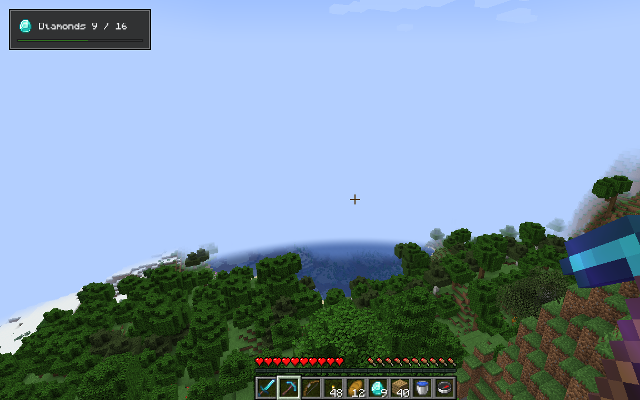
CompixelUI is a library that other mods use to build their screens. It adds nothing to the game on its own: install it when a mod you play requires it.
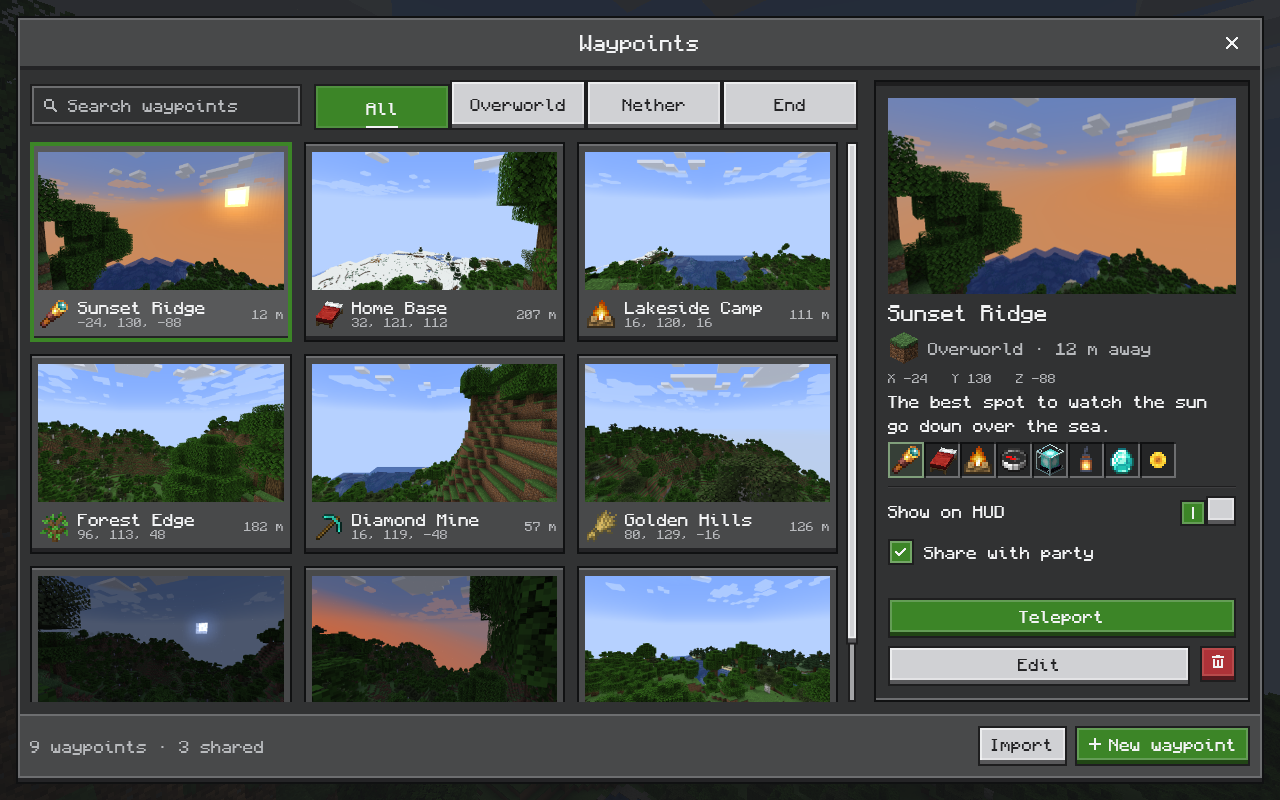
In mods built with CompixelUI:
| Controls | Items and tooltips |
|---|---|
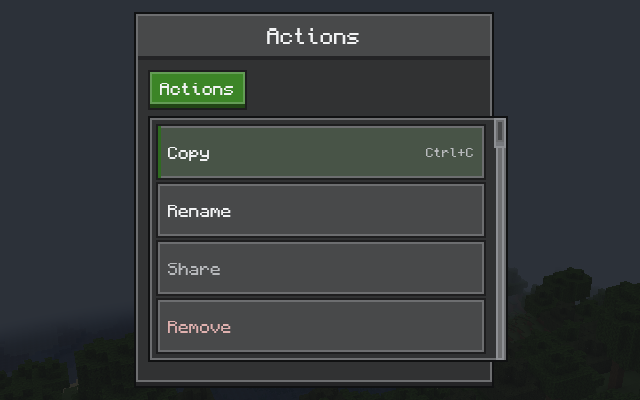 |
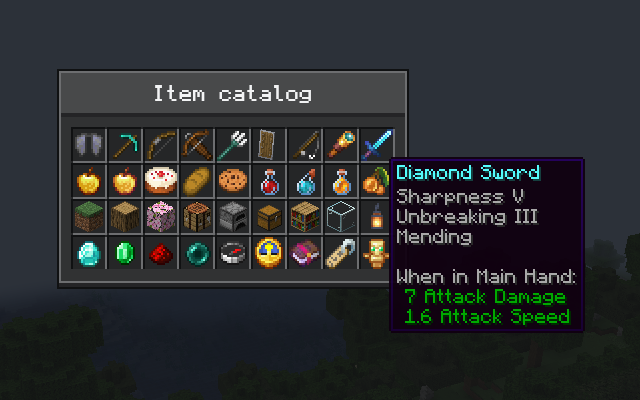 |
| Inventories | HUD overlays |
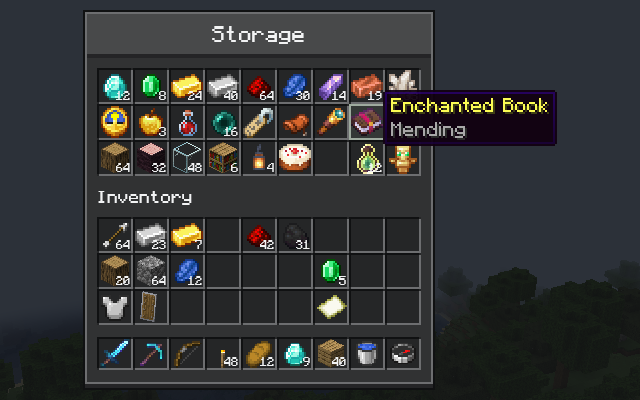 |
 |
Download the file for your Minecraft version and put it in your mods folder, next to the mod that needs it. Each version comes as two files; install only one of them:
| File | Choose it if |
|---|---|
Ends in -with-kotlin.jar |
You don't use Kotlin for Forge. This is the right file for most players. |
The other .jar |
You already have Kotlin for Forge installed. |
Each mod's screens have their own color schemes. In the color editor you can switch schemes, change any color including its opacity, and export your colors as a resource pack. Mods choose where to open it; CompixelUI's own schemes open from its Config button in the mod list.
Resource packs can also add or change schemes. For example, a resource pack with this file at assets/compixel/compixel/schemes.json makes the built-in Twilight scheme the default for screens in CompixelUI's own Ore style:
{
  "format": 1,
  "default": "twilight"
}
Enable the pack, or press F3+T to reload if it's already on. The color scheme guide covers scheme files, per-mod schemes and every color name.
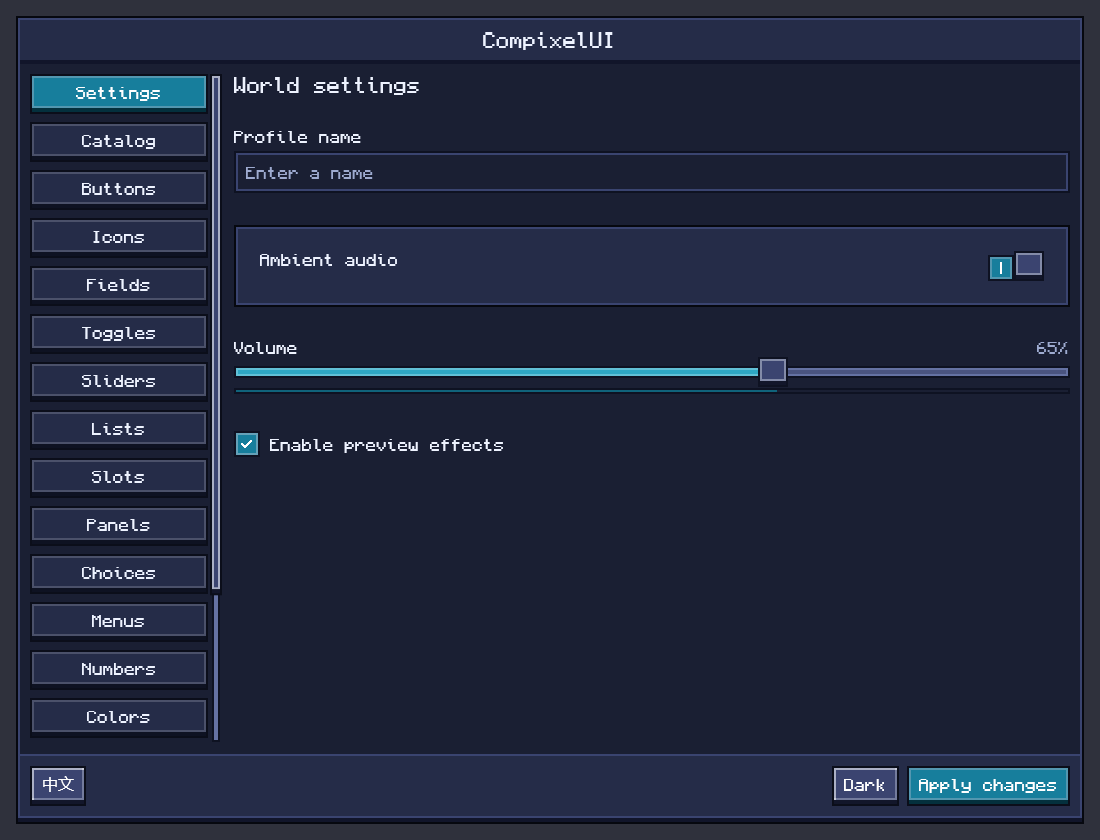
"CompixelUI requires compatible Kotlin…" at startup. You have the plain file without a suitable Kotlin for Forge. Install Kotlin for Forge for your Minecraft version, or replace the file with the -with-kotlin one.
A mod asks for a different CompixelUI version. Download the version it names.
A screen looks wrong, or the game crashes when one opens. Add -Dcompixel.backend=cpu to the JVM arguments in your launcher and try again. CompixelUI then draws on the CPU instead of the graphics card: slow, but it shows whether the graphics driver is involved. Please report the problem either way.
If only one mod's screens are affected, start with that mod's issue tracker. Otherwise, open an issue on GitHub with your Minecraft and loader versions, the CompixelUI file you installed, and logs/latest.log or the crash report.
CompixelUI lets you write your mod's screens, inventories and HUDs in Kotlin with Jetpack Compose:
class CounterScreen : ComposeScreen<Int, Unit>(Component.literal("Counter")) {
    private var count = 0

    override fun snapshot() = count

    override fun handle(action: Unit) {
        count++
    }

    @Composable
    override fun Content(state: Int) {
        OreScreen("Counter") {
            OreText("Clicked $state times")
            OreButton("Click me", onClick = { send(Unit) })
        }
    }
}
It also covers container screens with real slots and menu synchronization between server and client. Start with Getting started, or browse all guides and the source code.
CompixelUI is released under the MIT License. Bundled libraries keep their own licenses; see the third-party notices. Text uses the bundled Compixel font, which combines Monocraft by Idrees Hassan with GNU Unifont, under the SIL Open Font License 1.1.
CompixelUI is not an official Minecraft product and is not associated with Mojang or Microsoft.
Project description from CurseForge.
Pick your setup
Choose the version and loader you play, then open the matching release.
Check the dependencies, then try the file in a copied instance before changing a world you care about.
Recent files
compixel-forge-1.20.1-0.1.18-with-kotlin.jar
28 Oct 2026
compixel-forge-1.20.1-0.1.18.jar
28 Oct 2026
compixel-forge-1.20.1-0.1.17-with-kotlin.jar
28 Oct 2026
compixel-forge-1.20.1-0.1.17.jar
28 Oct 2026
compixel-forge-1.20.1-0.1.16-with-kotlin.jar
26 Oct 2026
compixel-forge-1.20.1-0.1.16.jar
26 Oct 2026
compixel-forge-1.20.1-0.1.15-with-kotlin.jar
23 Oct 2026
compixel-forge-1.20.1-0.1.15.jar
23 Oct 2026
compixel-forge-1.20.1-0.1.14-with-kotlin.jar
22 Oct 2026
compixel-forge-1.20.1-0.1.14.jar
22 Oct 2026
Looking for an older file? The official CurseForge project page is in Resources.
 mod
JJC:Fame is an add-on to Orca’s Jujutsu Craft (Sorcery Fight) that expands compatibility with other mods by allowing for Fame/Reputation to be farmed through other mods.
 mod
Adventure time inspired dungeon crawler on a train. Procedurally generated carriages on a infinite sable physics train. Rich narrative, with custom made mods for a completely unique experience.
 mod
Lightweight, vanilla-style mod with 7 unique traps