Minecraft version
Back to mods 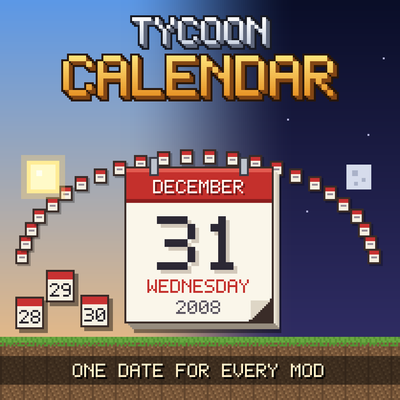
CurseForge · Minecraft mod
Tycoon Calendar
A shared in-game calendar: your world gets a real date that every mod can use for prices, rents and birthdays.
Choose a version Pick your version below, then grab the matching file.
Quick answer
Which Tycoon Calendar release should I use?
Latest stable file Tycoon Calendar 0.1.2
Game version 1.21.1
Loader NeoForge
Tycoon Calendar 0.1.2 targets 1.21.1 with NeoForge. The project page does not say whether this file belongs on the client, dedicated server, or both. No extra mods listed for this file.
Where it goes
Is Tycoon Calendar required on the client, server, or both?
The project page does not say whether this file belongs on the client, dedicated server, or both.
Client Source doesn’t say
Dedicated server Source doesn’t say
Loader for this release NeoForge
Required install it here Optional supported, not mandatory Not supported do not install here Source doesn’t say do not assume
The source does not explicitly classify this release as client-only or server-only.
What else does Tycoon Calendar 0.1.2 need?
Tycoon Calendar 0.1.2. Change the file and its required mods may change too.
This file does not list any required mods. Do not add a library just because a different file uses it.
This file does not list any required or optional mods.
Before you install it
Add Tycoon Calendar without breaking your instance.
Built for Tycoon Calendar 0.1.2. Pick another file and the loader, install side or required mods may change.
- 01
Stick to this file
Use Tycoon Calendar 0.1.2. It targets 1.21.1 with NeoForge; another release may have different loader, side or dependency requirements.
- 02
Bring the mods it needs
This file does not list any required mods. Do not add a library just because a different file uses it.
- 03
Put it on the correct side
The project page does not say whether this file belongs on the client, dedicated server, or both.
- 04
Pick the file you checked
Use the “Get this file” button beside Tycoon Calendar 0.1.2. It opens that exact file at the source.
About this project
What does Tycoon Calendar add?
Tycoon Calendar
**One date for the whole world - the same in every mod that asks for it.**
Minecraft counts ticks, not days. Tycoon Calendar gives your world a real date: a day, a month and a
year that move on with the sun, shown in the corner of your screen and shared by every mod that
uses it. It adds no blocks and no items. It is the clock other mods set their prices, rents and
birthdays by - so that "today" means the same thing everywhere in your pack.
For players
- **Pick the year your world starts in.** "Create New World" has a **Start date** button on the Game
tab, anywhere from 1995 to today. The start is saved with the world.
- **See today's date** in the top left corner, for example *Saturday, 9 January 1999*. It hides with
F1 and while F3 is open, and you can switch it off in the client config. Month and weekday names
follow your language.
- **Time moves quickly.** By default 24 calendar days pass in one Minecraft day: a new day every 50
seconds, a year in about five hours of play.
/calendartells you today's date,/calendar tempohow fast the days go.
For servers and pack makers
- **The first operator picks the start.** When a new server world has no start date yet, the first
operator who joins is asked which year it begins in - a screen with the mod, a clickable chat line
without it. /calendar start <YYYY-MM-DD> sets it while it is open; force changes it later.
- **Set the pace per world.**
/calendar tempo <1-365>changes how many calendar days pass in a
Minecraft day, at once and without a restart. Today's date stays where it is; only the time from
now on runs faster or slower.
- **Jump to a date.**
/calendar date <YYYY-MM-DD>makes that day today - forwards or back - without
touching the time of day.
- **Existing worlds never move.** The config (
calendar.startDate,calendar.daysPerMcDay) only
presets new worlds; every world keeps its own start and pace.
- **Everyone sees the same day.** The server sends its start and pace when a player joins, whatever
the player's own config says.
Because the date comes from the world's time, /time set moves it as well.
For mod developers
Ask the calendar instead of counting days yourself. CalendarAPI is small:
today(level)- today's date in this worldstart(level)- the day the world beganday(level),date(level, day),dayOf(level, date)- between calendar days and datesdaysPerMcDay(),ticksPerDay()- the paceformat(date),formatShort(date)- the date in the player's language
Compile against the jar and declare tycooncalendar as a dependency in your neoforge.mods.toml.
Mods that use it
**Tycoon Citizens** - birthdays, growing up and growing old
**TCG Packs** - every card and pack is priced for today's date; a set costs what it cost back then
**Street Trade** (from 0.3.0, through Tycoon Citizens) - customers who age on the calendar
Requirements
Minecraft 1.21.1, NeoForge
Nothing else. Server and client, singleplayer and multiplayer.
A note on how this was made
This mod was built with substantial help from AI. The design decisions, the playtesting and the
direction are mine; a large share of the code, the textures and this text was written with an AI
assistant. I would rather say that plainly than have you wonder.
Discord
Questions, bug reports, ideas, or just want to show what you built? **Join the Discord** -
that is where I answer fastest, and where the next version gets shaped.
Project description from CurseForge.
Pick your setup
Tycoon Calendar by Minecraft version and loader
Choose the version and loader you play, then open the matching release.
Check the dependencies, then try the file in a copied instance before changing a world you care about.
Recent files
Tycoon Calendar versions and loaders
Tycoon Calendar 0.1.2
tycooncalendar0.1.2.jar
29 Sept 2026
Client Source doesn’t say Server Source doesn’t say Dependencies No extras listed Listed on Release listing
Check the 1.21.1 · NeoForge setup 1.21.1NeoForge release
Tycoon Calendar 0.1.1
tycooncalendar0.1.1.jar
29 Sept 2026
Client Source doesn’t say Server Source doesn’t say Dependencies No extras listed Listed on Release listing
Check the 1.21.1 · NeoForge setup 1.21.1NeoForge release
Tycoon Calendar 0.1.0
tycooncalendar0.1.0.jar
28 Sept 2026
Client Source doesn’t say Server Source doesn’t say Dependencies No extras listed Listed on Release listing
Check the 1.21.1 · NeoForge setup 1.21.1NeoForge release
Looking for an older file? The official CurseForge project page is in Resources.