Minecraft version
Back to mods 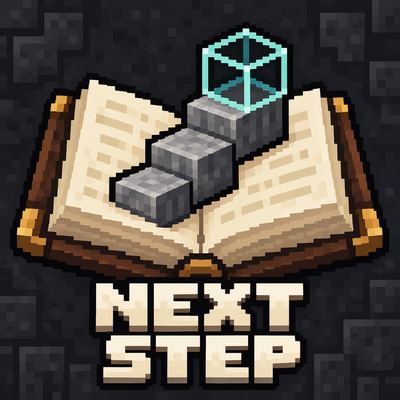
CurseForge · Minecraft mod
Next Step for ATM10
An illustrated ATM10 guidebook with live progress, a current-task HUD and selected placement holograms.
Choose a version Pick your version below, then grab the matching file.
Quick answer
Which Next Step for ATM10 release should I use?
beta file Next Step 0.6.0-beta.3
Game version 1.21.1
Loader NeoForge
Next Step for ATM10 Next Step 0.6.0-beta.3 targets 1.21.1 with NeoForge. The project page does not say whether this file belongs on the client, dedicated server, or both. No extra mods listed for this file.
Where it goes
Is Next Step for ATM10 required on the client, server, or both?
The project page does not say whether this file belongs on the client, dedicated server, or both.
Client Source doesn’t say
Dedicated server Source doesn’t say
Loader for this release NeoForge
Required install it here Optional supported, not mandatory Not supported do not install here Source doesn’t say do not assume
The source does not explicitly classify this release as client-only or server-only.
What else does Next Step for ATM10 Next Step 0.6.0-beta.3 need?
Next Step 0.6.0-beta.3. Change the file and its required mods may change too.
This file does not list any required mods. Do not add a library just because a different file uses it.
This file does not list any required or optional mods.
Before you install it
Add Next Step for ATM10 without breaking your instance.
Built for Next Step for ATM10 Next Step 0.6.0-beta.3. Pick another file and the loader, install side or required mods may change.
- 01
Stick to this file
Use Next Step 0.6.0-beta.3. It targets 1.21.1 with NeoForge; another release may have different loader, side or dependency requirements.
- 02
Bring the mods it needs
This file does not list any required mods. Do not add a library just because a different file uses it.
- 03
Put it on the correct side
The project page does not say whether this file belongs on the client, dedicated server, or both.
- 04
Pick the file you checked
Use the “Get this file” button beside Next Step 0.6.0-beta.3. It opens that exact file at the source.
About this project
What does Next Step for ATM10 add?
Press Ctrl+N to see what to do next in ATM10: one illustrated action, with a small HUD that follows your progress while you play.
Next Step is a progression companion for All the Mods 10 8.2. Its 12 chapters and 133 lessons cover early survival, technology, magic, the ATM Star and Creative goals. English and Korean are included.
Follow your next action
- Close the book and play. Inventory and nearby placement observations keep updating.
- The first survival lesson follows your observed logs, supplies and workstations. Collected materials stay recorded after use.
- Browse with Contents and return with Current task.
- Open Details for materials, completion checks and troubleshooting. Inspect shows supported stock and machine information.
See where blocks belong
Choose Place guide in a supported lesson to display its plan in the world. Aim at a surface, rotate with Ctrl+R, then lock the position with Ctrl+G. Place the blocks yourself, using the overlay for position and orientation. Ctrl+L switches layer/full views for large plans; Ctrl+H closes the overlay.
The beta includes 9 plans linked to 24 lessons. After placement, check the lesson's power, settings and output conditions.
Install and open
- Start with ATM10 8.2 / Minecraft 1.21.1 / NeoForge 21.1.251.
- Close Minecraft and move any older Next Step JAR out of the instance's
modsfolder. - Put
atm-next-step-0.6.0-beta.3.jarinmods. - Join your world and press Ctrl+N, or enter
/nextstep.
Keys are configurable under Options → Controls → Key Binds → Next Step for ATM10. Existing bindings are kept when updating.
Install on the client for the guidebook. Singleplayer includes extended inspection with the same JAR. In multiplayer, put the same version on the server too for extended inventory and machine checks.
About this beta
Use Next Step alongside JEI and the pack quests. Action-by-action page updates currently cover the first survival lesson. Other lessons use available item, quest and supported machine observations; conditions such as a safe home use Details → Check myself.
The later route is still being expanded, with 57 lessons needing more detailed operating instructions. A complete beginner survival playthrough using only this guide has not been verified.
This is an independent addon for ATM10 8.2, with no affiliation to its pack or integrated-mod teams.
Image note: The cover is an AI-assisted promotional illustration, not an in-game screenshot. Gallery screenshots show the actual game; each caption identifies its test setting.
Project description from CurseForge.
Pick your setup
Next Step for ATM10 by Minecraft version and loader
Choose the version and loader you play, then open the matching release.
Check the dependencies, then try the file in a copied instance before changing a world you care about.
Recent files
Next Step for ATM10 versions and loaders
Next Step 0.6.0-beta.3
atm-next-step-0.6.0-beta.3.jar
29 Sept 2026
Client Source doesn’t say Server Source doesn’t say Dependencies No extras listed Listed on Release listing
Check the 1.21.1 · NeoForge setup 1.21.1NeoForge beta
Looking for an older file? The official CurseForge project page is in Resources.
 mod
CurseForge · Minecraft
Envoys: NPC Dialogue & Quests
Create custom NPCs with branching dialogues, quests, trading, and dynamic behavior.
 mod
CurseForge · Minecraft
Debugify Reforge
Debugify is a Forge 1.20.1 port of isXander's Debugify mod that fixes bugs from the Minecraft bug tracker, with smart detection that skips fixes already applied by Forge or other mods.
 mod
CurseForge · Minecraft
Forge Config Screens (UNOFFICIAL)
Edit configuration files in-game with Fabric 1.21.1 screens powered by Forge Config API Port.