Minecraft version
Back to mods 
CurseForge · Minecraft mod
Safesave
A mod that improves world saving and loading through more complete state persistence.
Choose a version Pick your version below, then grab the matching file.
Quick answer
Which Safesave release should I use?
Latest stable file safesave-1.21.5-0.1.0-alpha.2.jar
Game version 1.21.5
Loader Fabric
safesave-1.21.5-0.1.0-alpha.2.jar targets 1.21.5 with Fabric. The project page does not say whether this file belongs on the client, dedicated server, or both. No extra mods listed for this file.
Where it goes
Is Safesave required on the client, server, or both?
The project page does not say whether this file belongs on the client, dedicated server, or both.
Client Source doesn’t say
Dedicated server Source doesn’t say
Loader for this release Fabric
Required install it here Optional supported, not mandatory Not supported do not install here Source doesn’t say do not assume
The source does not explicitly classify this release as client-only or server-only.
What else does safesave-1.21.5-0.1.0-alpha.2.jar need?
safesave-1.21.5-0.1.0-alpha.2.jar. Change the file and its required mods may change too.
This file does not list any required mods. Do not add a library just because a different file uses it.
This file does not list any required or optional mods.
Before you install it
Add Safesave without breaking your instance.
Built for safesave-1.21.5-0.1.0-alpha.2.jar. Pick another file and the loader, install side or required mods may change.
- 01
Stick to this file
Use safesave-1.21.5-0.1.0-alpha.2.jar. It targets 1.21.5 with Fabric; another release may have different loader, side or dependency requirements.
- 02
Bring the mods it needs
This file does not list any required mods. Do not add a library just because a different file uses it.
- 03
Put it on the correct side
The project page does not say whether this file belongs on the client, dedicated server, or both.
- 04
Pick the file you checked
Use the “Get this file” button beside safesave-1.21.5-0.1.0-alpha.2.jar. It opens that exact file at the source.
About this project
What does Safesave add?
SafeSave
safesave is a Fabric mod that restores the state and order of scheduled ticks, block events and entities more faithfully when a world is reloaded, for safer saving and backups.
To deal with the fact that different chunks load at different times when a world is loaded, the mod grants loading tickets for the chunks that were loaded at save time, and freezes the world until all of them have loaded.
The mod can only greatly reduce scheduled-tick desync and block-event loss caused by restarts; it may not be very effective for ordinary chunk unloads.
The mod provides the following settings, which can be changed in-game or in safesave.conf:
| Setting | Default | Purpose |
|---|---|---|
safeSave |
true |
Enable saving and startup recovery |
ticketDuration |
1200 |
Server ticks to retain the startup loading tickets |
unfreezeTimeout |
2400 |
Server ticks before the forced unfreeze after the first real player joins |
ticketTimerFromFirstPlayer |
true |
Count the ticket timer from the first real player joining; false counts from unfreeze |
The mod adds new chunk NBT fields, which may affect some vanilla-oriented optimization mods. So far only compatibility with Lithium and C2ME (default config) has been tested. It is very likely incompatible with multithreading mods!
The mod has not been thoroughly tested yet — always back up your world before installing it for the first time!
Project description from CurseForge.
Pick your setup
Safesave by Minecraft version and loader
Choose the version and loader you play, then open the matching release.
Minecraft version
26.1.2
1 loader buildMinecraft version
26.1.1
1 loader buildMinecraft version
26.1
1 loader buildMinecraft version
1.21.11
1 loader buildMinecraft version
1.21.10
1 loader buildMinecraft version
1.21.9
1 loader buildMinecraft version
1.21.8
1 loader buildMinecraft version
1.21.7
1 loader buildMinecraft version
1.21.6
1 loader buildMinecraft version
1.21.5
1 loader buildMinecraft version
1.21.4-Snapshot
1 loader buildShowing the newest 12 of 17 game versions. Older files are in the list below.
Check the dependencies, then try the file in a copied instance before changing a world you care about.
Recent files
Safesave versions and loaders
safesave-1.21.5-0.1.0-alpha.2.jar
29 Sept 2026
Client Source doesn’t say Server Source doesn’t say Dependencies No extras listed Listed on Release listing
Check the 1.21.5 · Fabric setup Fabric1.21.5 release
safesave-1.21.6-1.21.8-0.1.0-alpha.2.jar
29 Sept 2026
Client Source doesn’t say Server Source doesn’t say Dependencies No extras listed Listed on Release listing
Check the 1.21.8 · Fabric setup Fabric1.21.81.21.61.21.7 release
safesave-1.21.9-1.21.10-0.1.0-alpha.2.jar
29 Sept 2026
Client Source doesn’t say Server Source doesn’t say Dependencies No extras listed Listed on Release listing
Check the 1.21.10 · Fabric setup Fabric1.21.91.21.10 release
safesave-1.21.11-0.1.0-alpha.2.jar
29 Sept 2026
Client Source doesn’t say Server Source doesn’t say Dependencies No extras listed Listed on Release listing
Check the 1.21.11 · Fabric setup Fabric1.21.11 release
safesave-1.21-1.21.1-0.1.0-alpha.2.jar
29 Sept 2026
Client Source doesn’t say Server Source doesn’t say Dependencies No extras listed Listed on Release listing
Check the 1.21.1 · Fabric setup 1.21Fabric1.21.1 release
safesave-26.1-26.2-0.1.0-alpha.2.jar
29 Sept 2026
Client Source doesn’t say Server Source doesn’t say Dependencies No extras listed Listed on Release listing
Check the 26.2 · Fabric setup Fabric26.126.1.126.1.2 release
safesave-1.21.2-1.21.4-0.1.0-alpha.2.jar
29 Sept 2026
Client Source doesn’t say Server Source doesn’t say Dependencies No extras listed Listed on Release listing
Check the 1.21.4-Snapshot · Fabric setup Fabric1.21.41.21.31.21.4-Snapshot release
Looking for an older file? The official CurseForge project page is in Resources.
 mod
mod CurseForge · Minecraft
Ping Display+Overlay
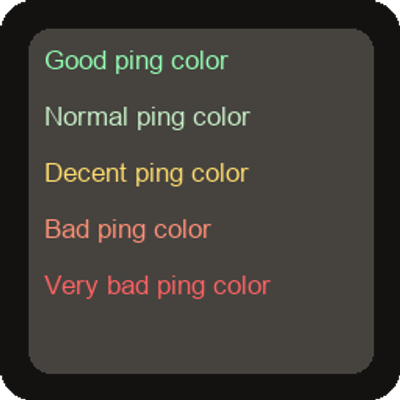
The ping is displayed in color on both the TAB and HUD.
 mod
mod CurseForge · Minecraft
Maps and Quills - Maps with Shared Faction Maps & Waypoints
One map for your whole faction: shared waypoints, drawings, pings and borders, saved on the server and shareable with allied factions.
 mod
mod CurseForge + Modrinth · Minecraft
Universal Enchantment Info (JEI/REI/EMI)
A JEI/REI/EMI plugin that displays detailed enchantment information