Minecraft version
Back to mods 
CurseForge · Minecraft mod
Smooth World Loading Screen
The loading screen shows the last view of your world or server instead of plain dirt. Client-side, works on any server.
Choose a version Pick your version below, then grab the matching file.
Quick answer
Which Smooth World Loading Screen release should I use?
Latest stable file Smooth World Loading Screen 0.1.1 for Minecraft 1.20.1 (Forge)
Game version 1.20.1
Loader Forge
Smooth World Loading Screen 0.1.1 for Minecraft 1.20.1 (Forge) targets 1.20.1 with Forge. The project page does not say whether this file belongs on the client, dedicated server, or both. No extra mods listed for this file.
Where it goes
Is Smooth World Loading Screen required on the client, server, or both?
The project page does not say whether this file belongs on the client, dedicated server, or both.
Client Source doesn’t say
Dedicated server Source doesn’t say
Loader for this release Forge
Required install it here Optional supported, not mandatory Not supported do not install here Source doesn’t say do not assume
The source does not explicitly classify this release as client-only or server-only.
What else does Smooth World Loading Screen 0.1.1 for Minecraft 1.20.1 (Forge) need?
Smooth World Loading Screen 0.1.1 for Minecraft 1.20.1 (Forge). Change the file and its required mods may change too.
This file does not list any required mods. Do not add a library just because a different file uses it.
This file does not list any required or optional mods.
Before you install it
Add Smooth World Loading Screen without breaking your instance.
Built for Smooth World Loading Screen 0.1.1 for Minecraft 1.20.1 (Forge). Pick another file and the loader, install side or required mods may change.
- 01
Stick to this file
Use Smooth World Loading Screen 0.1.1 for Minecraft 1.20.1 (Forge). It targets 1.20.1 with Forge; another release may have different loader, side or dependency requirements.
- 02
Bring the mods it needs
This file does not list any required mods. Do not add a library just because a different file uses it.
- 03
Put it on the correct side
The project page does not say whether this file belongs on the client, dedicated server, or both.
- 04
Pick the file you checked
Use the “Get this file” button beside Smooth World Loading Screen 0.1.1 for Minecraft 1.20.1 (Forge). It opens that exact file at the source.
About this project
What does Smooth World Loading Screen add?
Your world, not a dirt wall, while it loads.
The loading screen shows the last thing you saw in that world or server. Leave at your base, come back to your base. The view is taken quietly while you play - no hotbar, no hand - and whenever you pause.
- One picture per world and per server.
- The progress bar stays on top.
Tested in game
- Fabric 26.3 and 26.2: leaving a world and coming back shows its last view on the loading screen, with nothing out of place.
- NeoForge 26.2: loads cleanly to the main menu.
Client-side
Nothing to install on the server. Works on any server, in single player and on Realms.
Made by an indie dev with help from AI tools; every version is tested in game.
Like the mod? You can support future updates and new mods on Ko-fi. Totally optional, everything stays free.
Project description from CurseForge.
Pick your setup
Smooth World Loading Screen by Minecraft version and loader
Choose the version and loader you play, then open the matching release.
Minecraft version
26.2
2 loader buildsMinecraft version
1.21.1
1 loader buildMinecraft version
1.20.1
1 loader buildCheck the dependencies, then try the file in a copied instance before changing a world you care about.
Recent files
Smooth World Loading Screen versions and loaders
Smooth World Loading Screen 0.1.1 for Minecraft 1.20.1 (Forge)
seamlessloading-forge-mc1.20.1-0.1.1.jar
6 Nov 2026
Client Source doesn’t say Server Source doesn’t say Dependencies No extras listed Listed on Release listing
Check the 1.20.1 · Forge setup 1.20.1Forge release
Smooth World Loading Screen 0.1.1 for Minecraft 1.21.1 (NeoForge)
seamlessloading-neoforge-mc1.21.1-0.1.1.jar
6 Nov 2026
Client Source doesn’t say Server Source doesn’t say Dependencies No extras listed Listed on Release listing
Check the 1.21.1 · NeoForge setup 1.21.1NeoForge release
Smooth World Loading Screen 0.1.1 for Minecraft 26.2 (NeoForge)
seamlessloading-neoforge-mc26.2-0.1.1.jar
6 Nov 2026
Client Source doesn’t say Server Source doesn’t say Dependencies No extras listed Listed on Release listing
Check the 26.2 · NeoForge setup NeoForge26.2 release
Smooth World Loading Screen 0.1.1 for Minecraft 26.2 (Fabric)
seamlessloading-mc26.2-0.1.1.jar
6 Nov 2026
Client Source doesn’t say Server Source doesn’t say Dependencies 1 required · 1 unchecked Listed on Release listing
Check the 26.2 · Fabric setup Fabric26.2 release
Smooth World Loading Screen 0.1.1 for Minecraft 26.3 (Fabric)
seamlessloading-mc26.3-0.1.1.jar
6 Nov 2026
Client Source doesn’t say Server Source doesn’t say Dependencies 1 required · 1 unchecked Listed on Release listing
Check the 26.3 · Fabric setup Fabric26.3 release
Smooth World Loading Screen 0.1.0 for Minecraft 26.2 (NeoForge)
seamlessloading-neoforge-mc26.2-0.1.0.jar
30 Sept 2026
Client Source doesn’t say Server Source doesn’t say Dependencies No extras listed Listed on Release listing
Check the 26.2 · NeoForge setup NeoForge26.2 release
Smooth World Loading Screen 0.1.0 for Minecraft 26.2 (Fabric)
seamlessloading-mc26.2-0.1.0.jar
30 Sept 2026
Client Source doesn’t say Server Source doesn’t say Dependencies 1 required · 1 unchecked Listed on Release listing
Check the 26.2 · Fabric setup Fabric26.2 release
Smooth World Loading Screen 0.1.0 for Minecraft 26.3 (Fabric)
seamlessloading-mc26.3-0.1.0.jar
30 Sept 2026
Client Source doesn’t say Server Source doesn’t say Dependencies 1 required · 1 unchecked Listed on Release listing
Check the 26.3 · Fabric setup Fabric26.3 release
Looking for an older file? The official CurseForge project page is in Resources.
 mod
CurseForge + Modrinth · Minecraft
Field Guide
Discover Plants, Animals and Monsters with a Spyglass. Collect them all and take notes in your personal Field Guide!
 mod
CurseForge · Minecraft
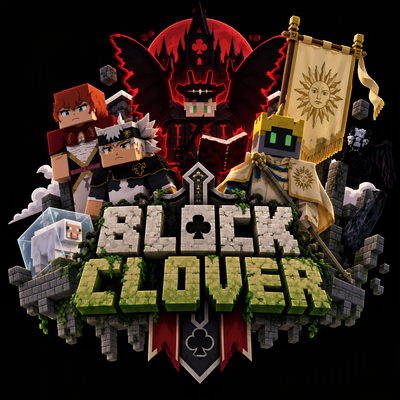
BlockClover X Epic Fight
This Mod makes Block Clover compatible with Epic Fight mod.
 mod
CurseForge · Minecraft
ArcanaConcept
Forget items. Command the world itself using pure conceptual magic, and decipher the broken memory of the one who came before you.